හැඳින්වීම
This user manual provides essential information for the proper setup, operation, and maintenance of your MAJORITY Everest Spare Subwoofer. Please read this manual thoroughly before using the product to ensure optimal performance and safety.
ආරක්ෂිත තොරතුරු
විදුලි කම්පනය, ගින්න හෝ ඒකකයට හානි වැළැක්වීම සඳහා පහත සඳහන් ආරක්ෂක පියවරයන් සැමවිටම නිරීක්ෂණය කරන්න:
- සබ් වූෆර් වැසි හෝ තෙතමනය නිරාවරණය නොකරන්න.
- Do not place objects filled with liquids, such as vases, on the subwoofer.
- නිසි වාතාශ්රය සහතික කරන්න. කිසිදු වාතාශ්රය විවරයක් අවහිර නොකරන්න.
- රේඩියේටර්, තාප රෙජිස්ටර්, ලිප, හෝ වෙනත් උපකරණ (ඇතුළුව) වැනි තාප ප්රභවයන් අසල ස්ථාපනය නොකරන්න. ampලිෆයර්) තාපය නිපදවන.
- නිෂ්පාදකයා විසින් නිශ්චිතව දක්වා ඇති ඇමුණුම්/උපාංග පමණක් භාවිතා කරන්න.
- අකුණු කුණාටු වලදී හෝ දිගු කාලයක් භාවිතා නොකළ විට මෙම උපකරණය විසන්ධි කරන්න.
- සියලුම සේවා සුදුසුකම් ලත් සේවා පුද්ගලයින් වෙත යොමු කරන්න. උපකරණයට කිසියම් ආකාරයකින් හානි වී ඇත්නම් සේවා සැපයීම අවශ්ය වේ.
පැකේජයේ අන්තර්ගතය
Please check the package carefully to ensure you have received all the following items:
- MAJORITY Everest Spare Subwoofer (1 unit)
Note: This product is a spare subwoofer only and does not include the main soundbar unit or any connecting cables.
නිෂ්පාදනය අවසන්view
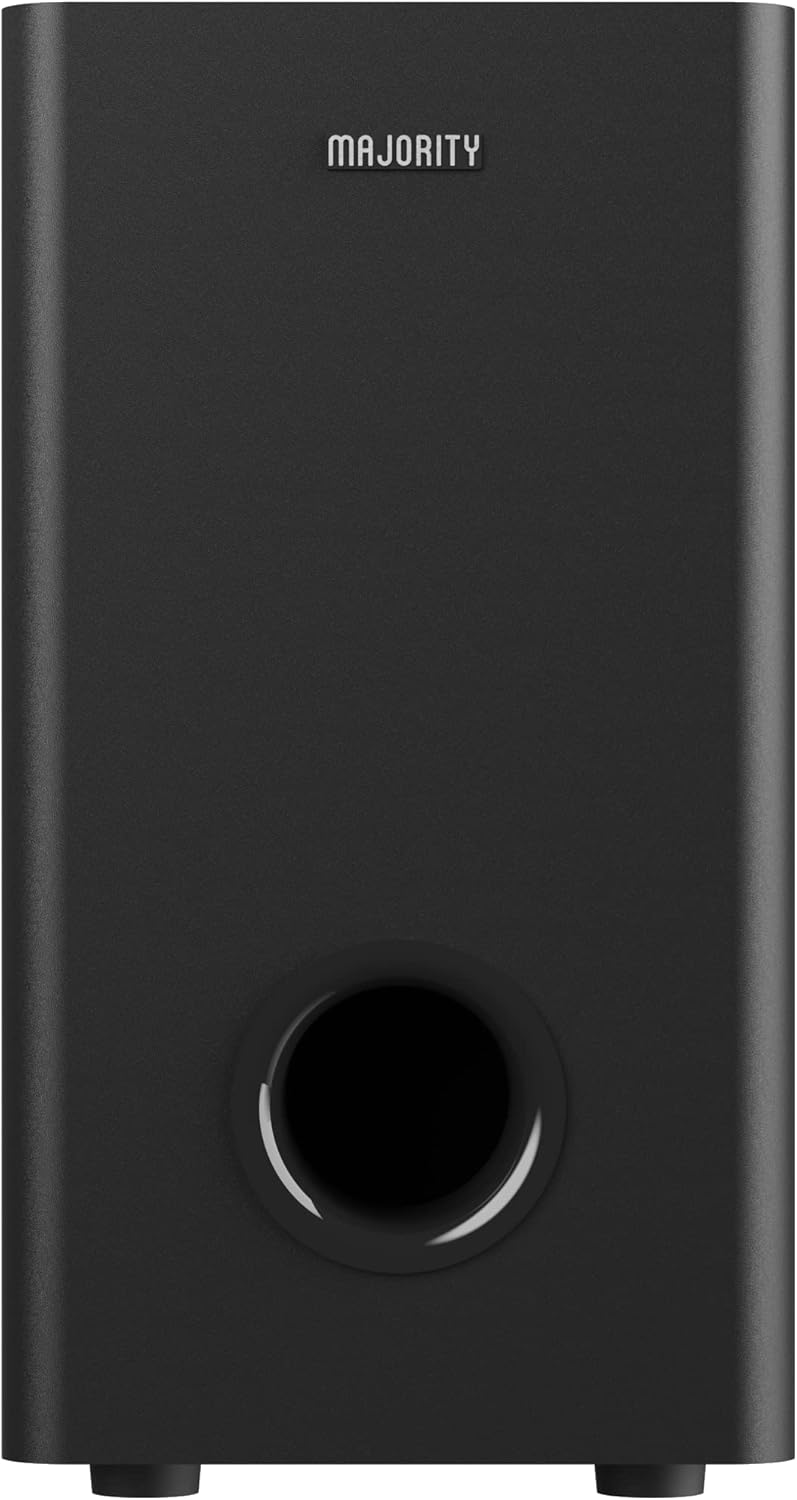
රූපය 1: ඉදිරිපස View
This image displays the front of the Majority Everest Spare Subwoofer. The prominent feature is the bass reflex port located at the bottom, designed to enhance low-frequency sound output. The Majority brand logo is visible at the top.

රූපය 2: පැත්ත View
මෙම රූපයේ දැක්වෙන්නේ පැත්තකි view of the Majority Everest Spare Subwoofer, highlighting the circular speaker grille. This grille protects the internal subwoofer driver, which is responsible for producing deep bass frequencies.
සැලසුම
The MAJORITY Everest Spare Subwoofer is designed to wirelessly connect with the MAJORITY Everest Soundbar system (sold separately). Follow these steps to integrate the subwoofer into your existing setup:
- ස්ථානගත කිරීම: Position the subwoofer on a stable, flat surface, preferably on the floor, near your soundbar. Ensure there is adequate space around the unit for ventilation. Avoid placing it in enclosed cabinets or directly against walls that might impede sound.
- බල සම්බන්ධතාවය: Connect the subwoofer's power cable to a suitable wall outlet.
- යුගල කිරීම:
- Turn on your MAJORITY Everest Soundbar.
- Turn on the subwoofer. It should automatically enter pairing mode.
- Refer to your MAJORITY Everest Soundbar's user manual for specific instructions on how to initiate pairing with a new subwoofer. Typically, there is a "Pair" or "Connect" button on the soundbar or its remote control.
- Once successfully paired, the indicator light on the subwoofer will change, usually from blinking to solid.
- ශබ්ද පරීක්ෂණය: Play audio through your soundbar system to confirm that the subwoofer is producing bass. Adjust the subwoofer level via your soundbar's remote control if necessary.
Note: This spare subwoofer is intended to replace a lost or damaged subwoofer from an existing MAJORITY Everest Soundbar system. It cannot function as a standalone audio device.
මෙහෙයුම් උපදෙස්
Once paired with your MAJORITY Everest Soundbar, the subwoofer operates in conjunction with the soundbar. There are no direct controls on the subwoofer itself for volume or sound modes.
- බලය සක්රිය / අක්රිය: The subwoofer will typically power on and off automatically with the soundbar.
- ශබ්ද පාලනය: Adjust the overall system volume and the subwoofer's bass level using the remote control provided with your MAJORITY Everest Soundbar.
- ශබ්ද මාදිලි: Any sound modes or equalization settings applied to the soundbar system will affect the subwoofer's output accordingly.
The product specifications mention "Remote control" as a controller type. This refers to the remote control of the main soundbar system, which controls the subwoofer wirelessly.
නඩත්තු කිරීම
Proper maintenance ensures the longevity and performance of your subwoofer:
- පිරිසිදු කිරීම: Use a soft, dry cloth to clean the exterior of the subwoofer. Do not use liquid cleaners or aerosol sprays, as they may damage the finish or internal components.
- වාතාශ්රය: Ensure that the ventilation openings are not blocked by dust or debris. Periodically clean them with a soft brush or vacuum cleaner.
- ගබඩා: සබ් වූෆරය දිගු කාලයක් ගබඩා කරන්නේ නම්, එය බලයෙන් විසන්ධි කර සෘජු හිරු එළියෙන් සහ අධික උෂ්ණත්වයන්ගෙන් ඈත්ව සිසිල් වියළි ස්ථානයක ගබඩා කරන්න.
දෝෂගවේෂණය
ඔබේ සබ් වූෆරය සමඟ ගැටළු ඇති වුවහොත්, පහත පොදු ගැටළු සහ විසඳුම් වෙත යොමු වන්න:
| ගැටලුව | විය හැකි හේතුව | විසඳුම |
|---|---|---|
| සබ් වූෆරයෙන් ශබ්දයක් නැත. |
|
|
| Distorted or poor bass. |
|
|
| Subwoofer disconnects frequently. |
|
|
If the problem persists, please contact Majority customer support.
පිරිවිතර
| විශේෂාංගය | විස්තර |
|---|---|
| මාදිලියේ නම | MAJORITY Spare Subwoofer Everest |
| ආදර්ශ අංකය | ESW-SPA-BLK AL |
| වෙළඳ නාමය | බහුතරය |
| ස්පීකර් වර්ගය | සබ්වෝෆර් |
| සබ් වූෆර් විෂ්කම්භය | අඟල් 5.25 |
| උපරිම නිමැවුම් බලය | වොට් 150 |
| Power (Total System) | 300 Watts (System power, not subwoofer specific) |
| මානයන් (L x W x H) | 20 x 20 x 25 cm (7.87 x 7.87 x 9.84 අඟල්) |
| අයිතමයේ බර | කිලෝග්රෑම් 1 (රාත්තල් 2.2) |
| සවිකිරීමේ වර්ගය | බිම් ස්ථාවරය |
| නිර්දේශිත භාවිතය | For ambient sound system (as part of the Everest Soundbar system) |
| සංරචක ඇතුළත් | Majority Everest Subwoofer ONLY |
වගකීම් සහ සහාය
For warranty information and technical support, please refer to the documentation included with your original MAJORITY Everest Soundbar system or visit the official Majority webවෙබ් අඩවිය. වගකීම් හිමිකම් සඳහා ඔබේ මිලදී ගැනීමේ සාක්ෂි තබා ගන්න.
Webඅඩවිය: www.majority.co.uk


