1. හැඳින්වීම
This manual provides essential information for setting up, operating, maintaining, and troubleshooting your HP Pavilion 15 Laptop. Designed for everyday computing, this laptop features an 11th Gen Intel Core i3-1115G4 Processor, 16 GB RAM, and a 512 GB PCIe SSD, running on Windows 10. Please read this manual thoroughly to ensure optimal performance and longevity of your device.

රූපය 1.1: The HP Pavilion 15 Laptop in a typical usage environment, demonstrating its compact design suitable for various settings.
2. පිහිටුවීම
2.1 පෙට්ටි ඉවත් කිරීම සහ මූලික පරීක්ෂාව
ඇසුරුම්කරණයෙන් සියලුම සංරචක ප්රවේශමෙන් ඉවත් කරන්න. පහත ලැයිස්තුගත කර ඇති සියලුම අයිතම පවතින බවත් හානි වී නොමැති බවත් තහවුරු කර ගන්න.

රූපය 2.1: Contents of the box, including the HP 15 Laptop, 45 W Smart AC power adapter, and setup poster. The image also details the laptop's dimensions and port locations.
- HP 15 ලැප්ටොප්
- 45 W ස්මාර්ට් ඒසී බල ඇඩැප්ටරය
- පෝස්ටරය සැකසීම
2.2 බල ඇඩැප්ටරය සම්බන්ධ කිරීම
AC බල ඇඩැප්ටරය ලැප්ටොප් පරිගණකයේ බල තොටට සම්බන්ධ කර බිත්ති අලෙවිසැලකට සම්බන්ධ කරන්න. මූලික භාවිතයට පෙර බැටරිය සම්පූර්ණයෙන්ම ආරෝපණය කිරීම නිර්දේශ කෙරේ.
2.3 මූලික බල සැපයුම සහ මෙහෙයුම් පද්ධති සැකසුම
ලැප්ටොප් පරිගණකය සක්රිය කිරීමට බල බොත්තම ඔබන්න. භාෂා තේරීම, ජාල සම්බන්ධතාවය සහ පරිශීලක ගිණුම් නිර්මාණය ඇතුළුව Windows 10 Home සැකසුම සම්පූර්ණ කිරීමට තිරයේ ඇති උපදෙස් අනුගමනය කරන්න.
3. ඔබේ ලැප්ටොප් පරිගණකය ක්රියාත්මක කිරීම
3.1 යතුරු පුවරුව සහ ස්පර්ශක පෑඩ්
HP Pavilion 15 හි කාර්යක්ෂම දත්ත ඇතුළත් කිරීම සඳහා ඒකාබද්ධ සංඛ්යාත්මක යතුරු පෑඩයක් සහිත සම්පූර්ණ ප්රමාණයේ යතුරු පුවරුවක් ඇත. ස්පර්ශ පෑඩය සංචාලනය සඳහා බහු-ස්පර්ශ අභිනයන් සඳහා සහය දක්වයි.
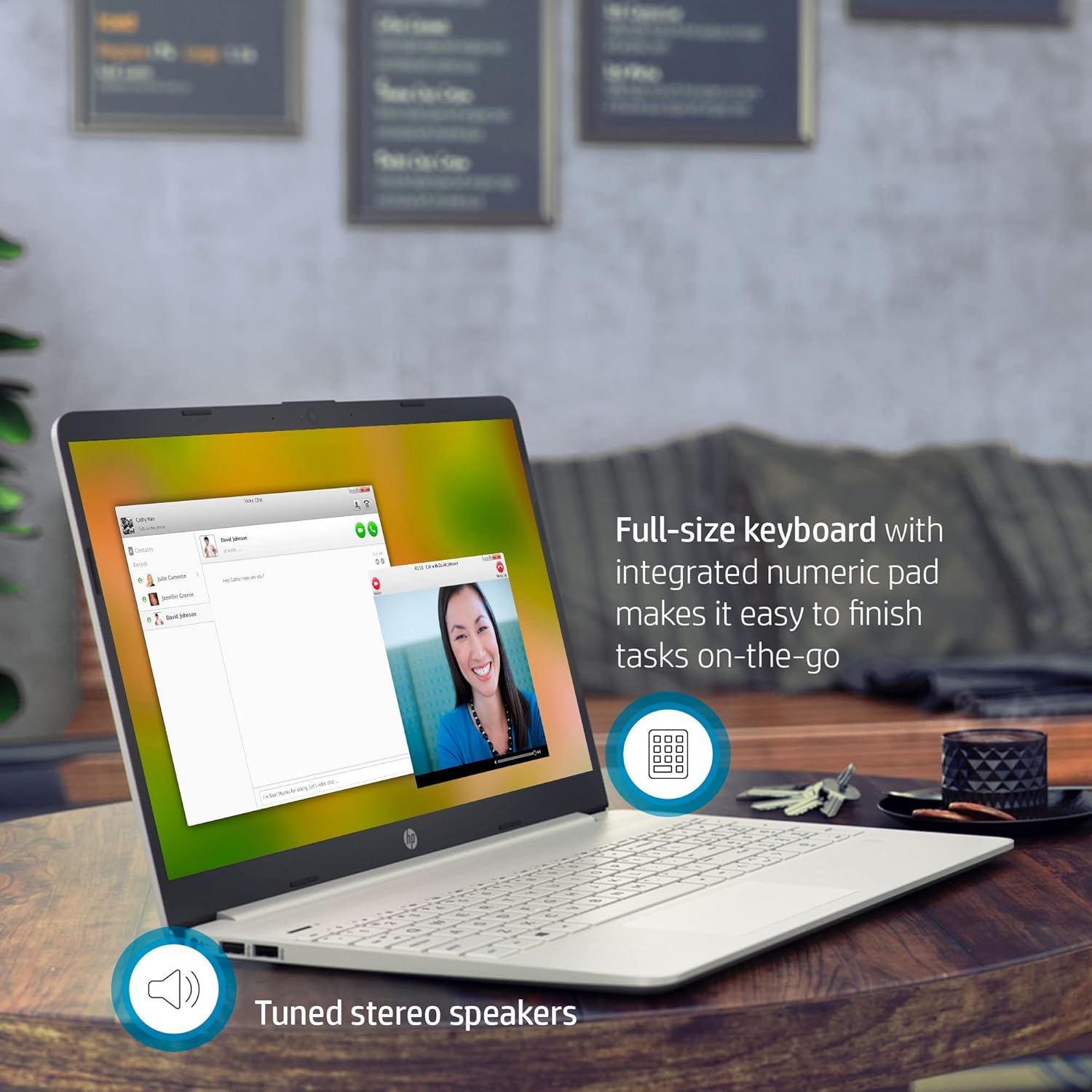
රූපය 3.1: The HP Pavilion 15 Laptop showcasing its full-size keyboard with numeric pad and the location of the tuned stereo speakers.
3.2 බාහිර උපාංග (වරාය) සම්බන්ධ කිරීම
ඔබේ ලැප්ටොප් පරිගණකය බාහිර උපාංග සම්බන්ධ කිරීම සඳහා විවිධ වරායන්ගෙන් සමන්විත වේ:
- 1 SuperSpeed USB Type-C® 5Gbps signaling rate: අධිවේගී දත්ත හුවමාරුව සහ අනුකූල USB-C උපාංග සම්බන්ධ කිරීම සඳහා.
- 2 SuperSpeed USB Type-A 5Gbps signaling rate: මීයන්, යතුරුපුවරු හෝ බාහිර ධාවක වැනි සම්මත USB උපාංග සම්බන්ධ කිරීම සඳහා.
- 1 HDMI 1.4b: බාහිර සංදර්ශක හෝ ප්රක්ෂේපක වෙත සම්බන්ධ කිරීම සඳහා.
- 1 AC ස්මාර්ට් පින් එක: බල ඇඩැප්ටරය සම්බන්ධ කිරීම සඳහා.
- 1 හෙඩ්ෆෝන්/මයික්රොෆෝන් සංයෝජනය: ශ්රව්ය ආදානය සහ ප්රතිදානය සඳහා.
- බහු-ආකෘති SD මාධ්ය කාඩ්පත් කියවනය: SD මතක කාඩ්පත් කියවීම සඳහා.
3.3 රැහැන් රහිත සම්බන්ධතාව
The laptop supports Intel Wireless Wi-Fi for internet access and Bluetooth for connecting wireless peripherals.
- Wifi: Access network settings in Windows to connect to available Wi-Fi networks.
- බ්ලූටූත්: Enable Bluetooth in Windows settings to pair with devices such as headphones or speakers.
3.4 කැමරාව සහ ශ්රව්ය
The HP Pavilion 15 includes an HP True Vision Camera with a dual array digital microphone, ideal for video conferencing and online communication. Tuned stereo speakers provide clear audio output.

රූපය 3.2: The HP Pavilion 15 Laptop in use for a video call, demonstrating the HP True Vision Camera and the edge-to-edge HD micro-edge display.
3.5 බැටරි කළමනාකරණය
The laptop is designed to provide up to 11 hours of battery life under optimal conditions. To maximize battery longevity:
- තිරයේ දීප්තිය සුවපහසු මට්ටමකට සකසන්න.
- භාවිතයට නොගත් යෙදුම් වසා දමන්න.
- වින්ඩෝස් බල ඉතිරි කිරීමේ ක්රම භාවිතා කරන්න.
- අධික උෂ්ණත්වයෙන් වළකින්න.
4. නඩත්තු කිරීම
4.1 ඔබේ ලැප්ටොප් පරිගණකය පිරිසිදු කිරීම
- මෘදු, ලින්ට් රහිත රෙදි තරමක් භාවිතා කරන්න dampසංදර්ශකය සඳහා ජලය හෝ තිර පිරිසිදු කරන්නෙකු සමඟ ආලේප කර ඇත.
- යතුරුපුවරුව සහ චැසිය සඳහා මෘදු රෙද්දක් භාවිතා කරන්න. රළු රසායනික ද්රව්යවලින් වළකින්න.
- Periodically use compressed air to clear dust from vents.
4.2 මෘදුකාංග යාවත්කාලීන
Regularly update your Windows operating system and drivers to ensure security and optimal performance. Access Windows Update through the Settings menu.
4.3 ගබඩා කළමනාකරණය
වරින් වර නැවතview සහ අනවශ්ය දේ මකන්න files to maintain sufficient free space on your 512 GB PCIe SSD, which contributes to faster system performance.
5. දෝශ නිරාකරණය
5.1 පොදු ගැටළු සහ විසඳුම්
- ලැප්ටොප් පරිගණකය ක්රියාත්මක නොවේ: බල ඇඩැප්ටරය ආරක්ෂිතව සම්බන්ධ වී ඇති බවත් බැටරියට ප්රමාණවත් ආරෝපණයක් ඇති බවත් සහතික කර ගන්න. වෙනත් බල අලෙවිසැලක් උත්සාහ කරන්න.
- සංදර්ශකය නැත: ලැප්ටොප් තිරයේ ගැටලුවක් තිබේදැයි පරීක්ෂා කිරීමට බාහිර මොනිටරයක් සම්බන්ධ කරන්න. ලැප්ටොප් පරිගණකය නැවත ආරම්භ කරන්න.
- Wi-Fi සම්බන්ධතා ගැටළු: Windows සැකසුම් තුළ Wi-Fi සක්රීය කර ඇත්දැයි පරීක්ෂා කරන්න. ඔබේ රවුටරය සහ ලැප්ටොප් පරිගණකය නැවත ආරම්භ කරන්න.
- මන්දගාමී කාර්ය සාධනය: අනවශ්ය යෙදුම් වසා දමන්න, අනිෂ්ට මෘදුකාංග සඳහා පරීක්ෂා කරන්න, සහ ප්රමාණවත් නිදහස් ගබඩා ඉඩක් සහතික කරන්න.
වඩාත් සවිස්තරාත්මක දෝශ නිරාකරණය සඳහා, HP සහාය වෙත යොමු වන්න. website or the Windows Help documentation.
6. පිරිවිතර
| විශේෂාංගය | විස්තර |
|---|---|
| මාදිලියේ නම | HP මණ්ඩපය 15 |
| ප්රොසෙසරය | 11 වන ජෙනරල් ඉන්ටෙල් කෝර් i3-1115G4 (4.1 GHz දක්වා) |
| ග්රැෆික්ස් | ඉන්ටෙල් UHD ග්රැෆික්ස් (ඒකාබද්ධ) |
| RAM | 16 GB DDR4 SDRAM |
| ගබඩා කිරීම | 512 GB PCIe NVMe M.2 ඝන රාජ්ය ධාවකය |
| ප්රදර්ශනය කරන්න | අඟල් 15.6 HD (1366 x 768) ක්ෂුද්ර-දාර, දිලිසීමට එරෙහි වීම |
| මෙහෙයුම් පද්ධතිය | Windows 10 Home (64-bit) |
| වරායන් | 1x SuperSpeed USB Type-C, 2x SuperSpeed USB Type-A, 1x HDMI 1.4b, 1x AC Smart Pin, 1x Headphone/Mic Combo, Multi-format SD Card Reader |
| රැහැන් රහිත සම්බන්ධතාව | ඉන්ටෙල් රැහැන් රහිත Wi-Fi, බ්ලූටූත් |
| කැමරාව | HP True Vision Camera with dual array digital microphone |
| ශ්රව්ය උපකරණ | High Definition Audio, Tuned stereo speakers |
| බැටරි ආයු කාලය | පැය 11 දක්වා (සාමාන්ය) |
| මානයන් (LxWxH) | 14.11 x 9.53 x 0.71 අඟල් (35.84 x 24.21 x 1.80 cm) |
| බර | රාත්තල් 3.72 (කිලෝග්රෑම් 1.69) |
| වර්ණය | ස්වභාවික රිදී |
7. වගකීම් තොරතුරු
Your HP Pavilion 15 Laptop is covered by a standard manufacturer's warranty. Specific warranty terms and conditions may vary by region and purchase date. Please refer to the warranty documentation included with your product or visit the official HP support website for detailed information regarding your warranty coverage, including duration and service options.
8. පාරිභෝගික සහාය
තාක්ෂණික සහාය, ධාවක බාගැනීම් හෝ වැඩිදුර සහාය සඳහා, කරුණාකර නිල HP සහාය වෙත පිවිසෙන්න. webවෙබ් අඩවිය. ඔබට එහි නිතර අසන ප්රශ්න සහ ප්රජා සංසද ද සොයාගත හැකිය.
- HP සහාය Webඅඩවිය: support.hp.com
- මාර්ගගත ලේඛනගත කිරීම: Access additional manuals and guides specific to your model.