1. හැඳින්වීම
The BOYA BY-M1S is a professional omnidirectional lavalier condenser microphone designed for high-quality audio recording. It is compatible with a wide range of devices, including smartphones, DSLR cameras, camcorders, audio recorders, and personal computers. This manual provides detailed instructions for setting up, operating, and maintaining your BY-M1S microphone.
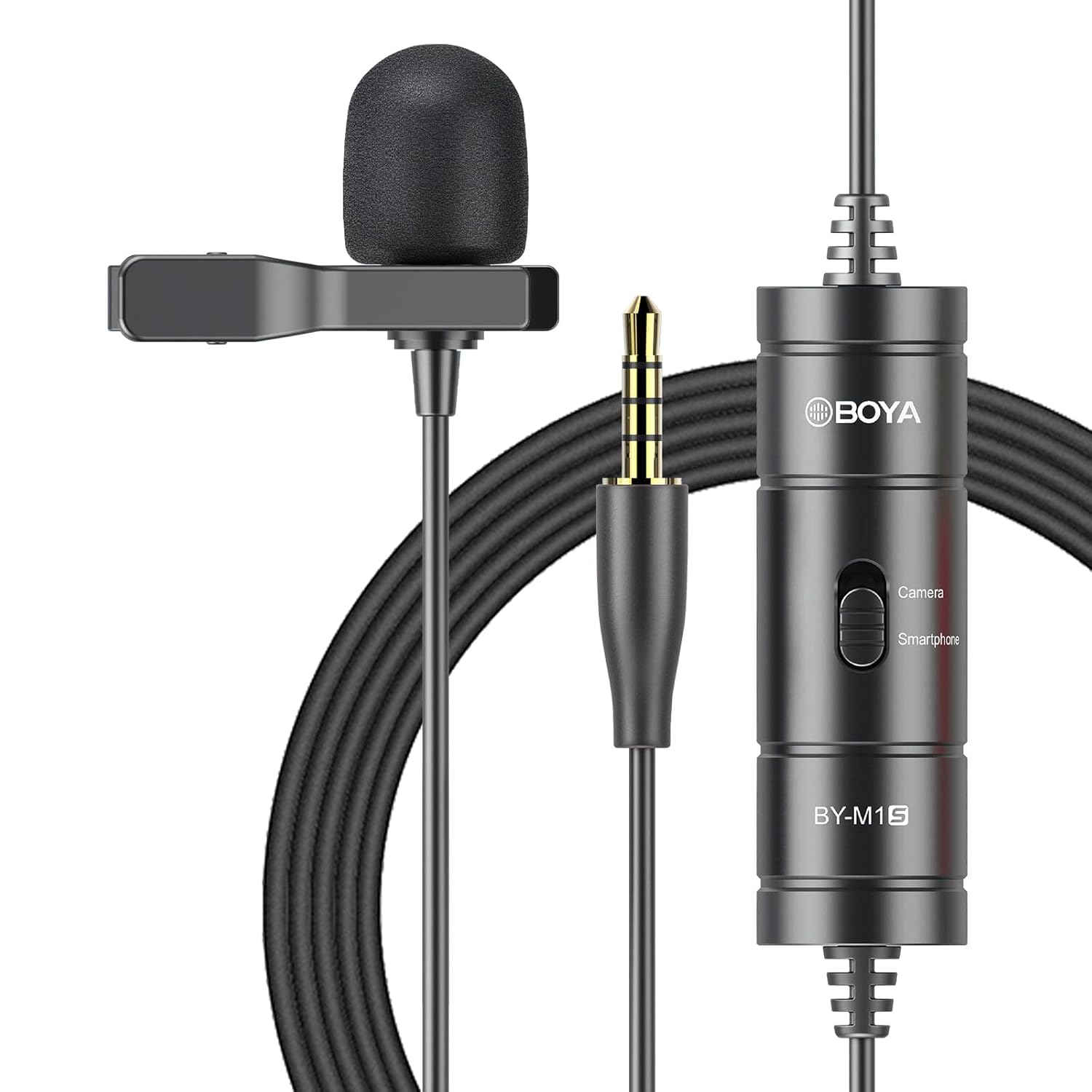
2. නිෂ්පාදන ලක්ෂණ
- Omnidirectional Capsule: Captures broadcast-quality sound from a 360-degree range.
- ප්ලග් සහ ප්ලේ: No batteries or drivers required for most smartphone applications.
- දිගු කේබල්: Features a 6-meter (20-foot) cable for extended reach.
- පුළුල් අනුකූලතාව: Supports smartphones, DSLR cameras, camcorders, audio recorders, tablets, and laptops.
- Device Mode Switch: Easily switch between "Smartphone" and "Camera" modes.
- ඇතුළත් උපාංග: Comes with a metal clip for secure attachment and a foam windscreen to reduce wind noise.

3. පැකේජ අන්තර්ගතය
The BOYA BY-M1S package includes the following items:
- BY-M1S Lavalier Microphone
- Lapel Clip
- ෆෝම් වින්ඩ්ස්ක්රීන්
- Carrying Pouch (may vary by region)
4. සැකසුම් උපදෙස්
4.1 මයික්රෆෝනය සවි කිරීම
- Attach the metal clip to the microphone body.
- Securely clip the microphone to your clothing, approximately 15-20 cm (6-8 inches) from your mouth, for optimal sound capture.
- Place the foam windscreen over the microphone capsule to reduce plosives and wind noise.

4.2 උපාංග වෙත සම්බන්ධ කිරීම
The BY-M1S features a 3.5mm TRRS connector for broad compatibility.
- ස්මාර්ට්ෆෝන්/ටැබ්ලට් සඳහා:
Plug the 3.5mm connector directly into your device's headphone/microphone jack. Ensure the switch on the microphone's control module is set to "Smartphone" mode. For iOS devices without a 3.5mm jack, a 3.5mm to Lightning adapter (not included) is required.
- For DSLR Cameras/Camcorders/Audio Recorders/PCs:
Plug the 3.5mm connector into the microphone input jack of your device. Set the switch on the microphone's control module to "Camera" mode. For PCs with separate headphone and microphone jacks, you may need a 3.5mm TRRS to TRS adapter (not included).

5. මෙහෙයුම් උපදෙස්
5.1 මාදිලිය තේරීම
The control module on the microphone cable features a switch to select the appropriate operating mode:
- Smartphone Mode: Use this setting when connecting to smartphones, tablets, or other devices that use a TRRS input.
- කැමරා මාදිලිය: Use this setting when connecting to DSLR cameras, camcorders, audio recorders, or other devices that use a TRS input.
Always ensure the switch is set to the correct mode for your recording device to prevent audio issues.
5.2 Recording Tips
- මයික්රෆෝනය ස්ථානගත කිරීම: For clear audio, position the microphone approximately 6-8 inches (15-20 cm) from the sound source.
- පරිසරය: Record in a quiet environment to minimize background noise. The omnidirectional pattern picks up sound from all directions, including ambient noise.
- කේබල් කළමනාකරණය: Use the included cable tie to manage the extra-long cable and prevent tangles or accidental disconnections.
- අධීක්ෂණය: If your recording device allows, monitor your audio with headphones during recording to ensure optimal sound levels and quality.
6. නඩත්තු කිරීම
- පිරිසිදු කිරීම: Use a soft, dry cloth to clean the microphone body and cable. Do not use liquid cleaners or solvents.
- ගබඩා: Store the microphone in its carrying pouch when not in use to protect it from dust and physical damage. Avoid extreme temperatures and humidity.
- කේබල් රැකවරණය: Do not sharply bend or pull the cable. Coil it loosely for storage.
7. දෝශ නිරාකරණය
| ගැටලුව | විය හැකි හේතුව | විසඳුම |
|---|---|---|
| ශබ්දයක් නැත හෝ අඩු පරිමාවක් නැත. |
|
|
| Poor audio quality (e.g., muffled, distorted). |
|
|
| Microphone not recognized by iOS device. |
|
|
8. පිරිවිතර
| පිරිවිතර | විස්තර |
|---|---|
| ධ්රැවීය රටාව | සර්ව දිශානුගත |
| සංඛ්යාත ප්රතිචාරය | 18 KHz |
| ශ්රව්ය සංවේදීතාව | ඩෙසිබල් 30 යි |
| සං Sign ා සිට ශබ්ද අනුපාතය | 78 dB |
| සම්බාධනය | 1000 ඕම් |
| කේබල් දිග | මීටර් 6 (අඩි 20) |
| සම්බන්ධක වර්ගය | 3.5 mm TRRS Jack |
| බලශක්ති ප්රභවය | Battery Powered (no internal battery, powered by device in smartphone mode, or external battery for camera mode if applicable) |
| අයිතමයේ බර | ග්රෑම් 68 යි |
| මානයන් (L x W x H) | 12 x 6 x 15 Centimeters (Product Dimensions) |
9. වගකීම් සහ සහාය
BOYA provides a වසරක වගකීමක් for the BY-M1S microphone. This warranty covers manufacturing defects and ensures product quality.
For technical support, warranty claims, or any questions regarding your BOYA BY-M1S microphone, please contact BOYA customer service through their official website or the retailer where the product was purchased. Please have your purchase receipt and product model number (BY-M1S) available when contacting support.


