හැඳින්වීම
Thank you for choosing the Pixio PX27U Wave Beige 27-inch 4K 160Hz Gaming Monitor. This manual provides essential information for setting up, operating, and maintaining your new monitor. Please read it thoroughly before use to ensure optimal performance and safety.
The Pixio PX27U Wave Beige monitor is designed to deliver an exceptional visual experience with its 4K UHD (3840x2160p) resolution, a rapid 160Hz refresh rate, and a lightning-fast 1ms GTG response time. Featuring a Fast IPS panel, it offers vibrant colors and wide viewing angles, complemented by Adaptive Sync technology for tear-free gameplay. Its versatile connectivity options, including HDMI 2.1 and DisplayPort 1.4, ensure broad compatibility with various devices.
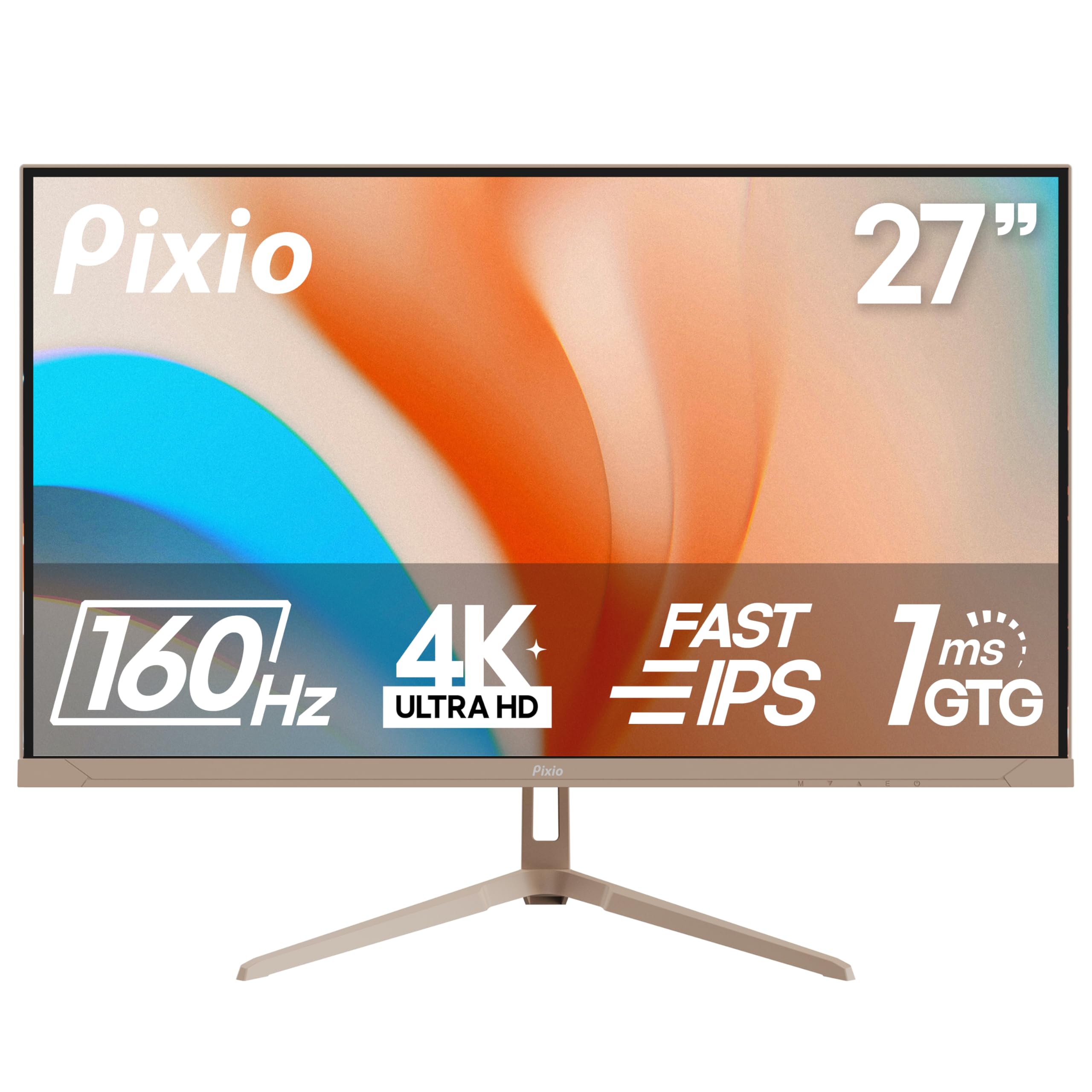
Image: The Pixio PX27U Wave Beige 27-inch 4K 160Hz Gaming Monitor, showcasing එහි සිනිඳු නිර්මාණය සහ විචිත්රවත් සංදර්ශකය.
සැලසුම
1. පෙට්ටි ඉවත් කිරීම සහ සංරචක පරීක්ෂාව
ඇසුරුම්කරණයෙන් සියලුම සංරචක ප්රවේශමෙන් ඉවත් කරන්න. පහත අයිතම එහි ඇති බවට වග බලා ගන්න:
- Pixio PX27U Wave Beige Monitor
- මොනිටර් ස්ටෑන්ඩ් (පාදය සහ බෙල්ල)
- බල ඇඩැප්ටරය සහ කේබල්
- HDMI කේබලය
- ඩිස්ප්ලේපෝට් (DP) කේබලය
- පරිශීලක අත්පොත (මෙම ලේඛනය)
- VESA Mount Adapter (if included for alternative mounting)
2. ස්ථාවරය එකලස් කිරීම
- Attach the stand neck to the monitor panel. Align the grooves and secure with the provided screws.
- ආධාරක පාදය ආධාරක බෙල්ලට සවි කරන්න. පාදයේ පහළින් මාපටැඟිලි ඉස්කුරුප්පු ඇණ හෝ ඉස්කුරුප්පු තද කරන්න.
- එකලස් කරන ලද මොනිටරය ස්ථාවර, පැතලි මතුපිටක් මත තබන්න.

Image: Unboxed Pixio PX27U Wave Beige monitor with its stand components and included cables laid out.
3. කේබල් සම්බන්ධ කිරීම
Connect the power adapter to the monitor's DC IN port and then to a power outlet. Use either the HDMI or DisplayPort cable to connect your computer or gaming console to the monitor.
- HDMI සම්බන්ධතාවය: Use the provided HDMI cable to connect your device to one of the monitor's HDMI 2.1 ports. These ports support up to 4K@160Hz.
- DisplayPort සම්බන්ධතාවය: Use the provided DisplayPort 1.4 cable to connect your device to one of the monitor's DP 1.4 ports. These ports also support up to 4K@160Hz.
- කරාබු ජැක්: Connect your headphones or external speakers to the earphone jack for audio output.
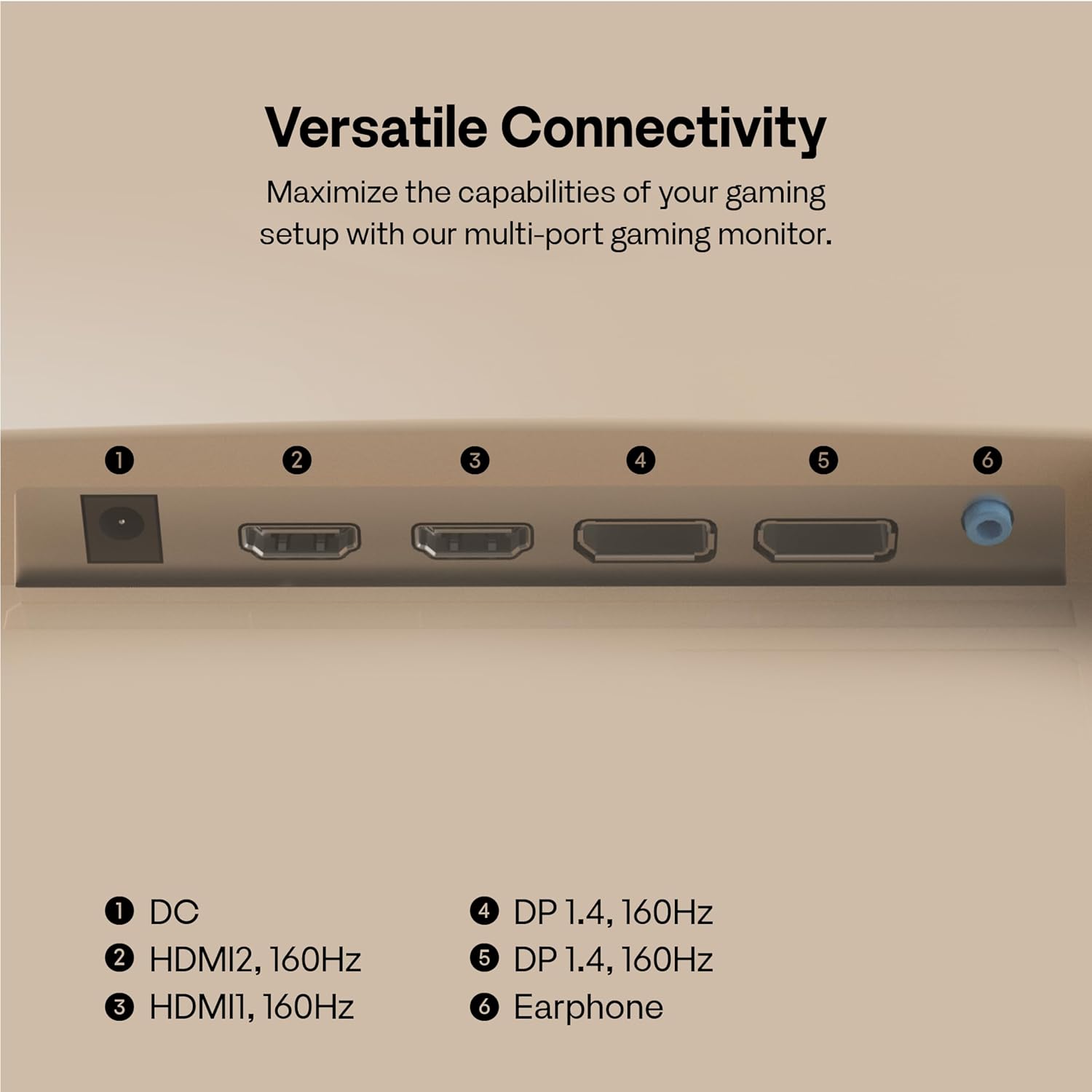
Image: A close-up of the monitor's rear panel, highlighting the DC IN, HDMI 2.1, DisplayPort 1.4, and Earphone Jack ports for versatile connectivity.
4. VESA සවි කිරීම (විකල්ප)
If you prefer to mount your monitor using a VESA-compatible arm or wall mount, remove the stand and attach the VESA mount adapter (if applicable) to the monitor's VESA mounting holes (100x100mm). Follow the instructions provided with your VESA mount.
Video: An instructional video demonstrating the assembly of a VIVO STAND-V024 Dual Monitor Desk Mount, which is compatible with VESA mounting standards. This video illustrates how to attach monitors to a VESA mount, providing a visual guide for users opting for this setup.
මොනිටරය ක්රියාත්මක කිරීම
1. බලය සක්රිය / අක්රිය කරන්න
Press the power button located on the back of the monitor to turn it on or off. The monitor will automatically detect the input signal.
2. තිරය මත සංදර්ශක (OSD) සංචාලනය
Use the 5-way joystick button on the back of the monitor to navigate the OSD menu. Push the joystick in to select an option, and move it up/down/left/right to browse through settings.
3. දර්ශන සැකසුම් සකස් කිරීම
- විභේදනය: The monitor supports 4K (3840x2160p) resolution. Ensure your connected device is configured to output at this resolution for optimal clarity.
- නැවුම් කිරීමේ අනුපාතය: Experience ultra-smooth visuals with a 160Hz refresh rate. Verify your device's display settings are set to 160Hz.
- ප්රතිචාර කාලය: The 1ms GTG (Gray-to-Gray) response time minimizes motion blur, crucial for fast-paced gaming.
- අනුවර්තන සමමුහුර්තකරණය: Enable Adaptive Sync in your monitor's OSD and your graphics card settings to eliminate screen tearing and stuttering.
- HDR: The monitor is HDR compatible. For the best experience, ensure your content and source device support HDR.

Image: A visual comparison demonstrating the difference between a 60Hz and 160Hz refresh rate, highlighting the enhanced smoothness and precision offered by the higher refresh rate for gaming.

Image: The Pixio PX27U Wave Beige monitor showcasing vibrant and rich colors, emphasizing its 99.5% DCI-P3 color gamut for immersive visual experiences.
Video: An official Pixio video highlighting the key features of the PX27U Wave 27" 4K 160Hz Fast IPS 1ms GTG Gaming Monitor, including its high refresh rate, fast response time, and vibrant display.
නඩත්තු කිරීම
1. තිරය පිරිසිදු කිරීම
තිරය පිරිසිදු කිරීම සඳහා, මෘදු, ලින්ට් රහිත රෙද්දකින් මෘදු ලෙස පිස දමන්න. මුරණ්ඩු සලකුණු සඳහා, සැහැල්ලුවෙන් dampරෙදි කැබැල්ල වතුරෙන් හෝ තිර පිරිසිදු කිරීමේ ද්රාවණයකින් සෝදන්න. සැර රසායනික ද්රව්ය හෝ උල්ෙල්ඛ ද්රව්ය භාවිතා කිරීමෙන් වළකින්න.
2 සාමාන්ය සත්කාර
මොනිටරය සෘජු හිරු එළියෙන්, අධික තාපයෙන් සහ තෙතමනයෙන් ඈත් කර තබන්න. අධික උනුසුම් වීම වැළැක්වීම සඳහා මොනිටරය වටා නිසි වාතාශ්රයක් සහතික කරන්න. මොනිටරය හෝ එහි කේබල් මත බර වස්තූන් තැබීමෙන් වළකින්න.
දෝෂගවේෂණය
- බලය නැත: බල කේබලය මොනිටරයට සහ බල අලෙවිසැලට ආරක්ෂිතව සම්බන්ධ කර ඇති බවට වග බලා ගන්න. බල අලෙවිසැල ක්රියාත්මක වේදැයි පරීක්ෂා කරන්න.
- සංඥා නැත: වීඩියෝ කේබලය (HDMI හෝ DisplayPort) මොනිටරයට සහ ඔබේ මූලාශ්ර උපාංගයට නිවැරදිව සම්බන්ධ වී ඇති බව තහවුරු කරගන්න. OSD මෙනුවේ නිවැරදි ආදාන මූලාශ්රය තෝරාගෙන ඇති බවට වග බලා ගන්න.
- දිලිසෙන තිරය: Check the video cable for damage or loose connections. Ensure your graphics card drivers are up to date. Try enabling or disabling Adaptive Sync.
- Image Distortion/Blurry: Adjust the resolution and refresh rate settings on your computer to match the monitor's native resolution and refresh rate.
- මිය ගිය පික්සල: While rare, a small number of dead or stuck pixels are within industry standards. If you suspect a significant issue, refer to the warranty information.
පිරිවිතර
| විශේෂාංගය | පිරිවිතර |
|---|---|
| තිර ප්රමාණය | අඟල් 27 |
| විභේදනය | 4K UHD 3840 x 2160 Pixels |
| Refresh Rate | 160Hz |
| ප්රතිචාර කාලය | 1ms GTG |
| පැනල් වර්ගය | වේගවත් IPS |
| අනුවර්තන සමමුහුර්තකරණය | ඔව් |
| HDR අනුකූලතාව | Yes (HDR content and compatible source required) |
| දර්ශන අනුපාතය | 16:9 |
| රූපයේ දීප්තිය | 400 කැන්ඩෙලා |
| සම්බන්ධතාවය | 2x HDMI 2.1, 2x DisplayPort 1.4, Earphone Jack |
| නිෂ්පාදන මානයන් | අඟල් 8.3 x 2.2 x 18.18 |
| අයිතමයේ බර | රාත්තල් 15 කි |
| නිෂ්පාදකයා | පික්සියෝ |
වගකීම් තොරතුරු
Your Pixio PX27U Wave Beige monitor comes with a manufacturer's warranty. Please refer to the warranty card included in your product packaging or visit the official Pixio webවගකීම් නියමයන්, කොන්දේසි සහ ලියාපදිංචි කිරීමේ ක්රියා පටිපාටි පිළිබඳ සවිස්තර තොරතුරු සඳහා වෙබ් අඩවිය බලන්න. වගකීම් හිමිකම් සඳහා ඔබේ මිලදී ගැනීම පිළිබඳ සාක්ෂි තබා ගන්න.
සහාය
For technical assistance, troubleshooting, or any questions regarding your Pixio PX27U Wave Beige monitor, please contact Pixio customer support through their official website or the contact information provided in your warranty documentation. You may also find helpful resources, FAQs, and driver downloads on the Pixio support page.


