1. හැඳින්වීම
Thank you for choosing the Sonodyne Alaap 80W Wireless Bluetooth Speaker. This manual provides essential information for setting up, operating, and maintaining your speaker to ensure optimal performance and longevity. Please read this manual thoroughly before using the product.
2 ආරක්ෂිත තොරතුරු
ඒකකයට හානි වැළැක්වීමට සහ පරිශීලක ආරක්ෂාව සහතික කිරීමට පහත ආරක්ෂක පියවරයන් නිරීක්ෂණය කරන්න:
- කථිකයා ජලය, තෙතමනය හෝ අධික උෂ්ණත්වයන්ට නිරාවරණය නොකරන්න.
- නිසි වාතාශ්රය සහතික කරන්න; කිසිදු වාතාශ්රය විවරයක් අවහිර නොකරන්න.
- ඒකකය සමඟ සපයා ඇති විදුලි රැහැන පමණක් භාවිතා කරන්න.
- ඒකකය ඔබම විවෘත කිරීමට හෝ සේවා කිරීමට උත්සාහ නොකරන්න. සියලුම සේවා සුදුසුකම් ලත් පුද්ගලයින් වෙත යොමු කරන්න.
- Keep the speaker away from heat sources such as radiators, heat registers, stoves, or other apparatus that produce heat.
- වියළි රෙද්දකින් පමණක් පිරිසිදු කරන්න.
3. පැකේජ අන්තර්ගතය
සියලුම අයිතම පැකේජයේ ඇති බව තහවුරු කරගන්න:
- Sonodyne Alaap Speaker
- විදුලි රැහැන
- දුරස්ථ පාලකය
- පරිශීලක අත්පොත (මෙම ලේඛනය)
4. නිෂ්පාදන අවසන්view
The Sonodyne Alaap is an 80W wireless Bluetooth speaker designed for high-fidelity audio. It features a rigid wooden cabinet, Class D amplifiers, and multiple input options for versatile use.

Image: Sonodyne Alaap speaker in black, showcasing its design from an angled front view.
ප්රධාන ලක්ෂණ:
- Wide Stereo Sound-stage: Critical integration of transducer, enclosure, crossover, and DSP for high fidelity stereophonic sound.
- Highly Rigid Wooden Cabinet: A handmade enclosure designed to minimize cabinet vibration and enhance audio clarity.
- Class D High Power Ampජීවිතාරක්ෂක: Efficient design providing clarity and loudness.
- Glass-fiber Cone Woofer: Delivers deep bass and clear low-mids.
- Polycone Tweeters: Completes the sonic range with sparkling highs.
- බිල්ට්-ඉන් සීමාව: Ensures clear, distortion-less sound for extended listening.
- යුගල මාදිලිය: Allows pairing of two Alaap speakers for an enhanced stereo experience.
- බහු සම්බන්ධතා විකල්ප: Bluetooth, USB Audio, Optical, and Analog stereo input.
- ස්මාර්ට්ෆෝන් ආරෝපණය කිරීම: Integrated USB port for charging compatible devices.
- Full-featured Infra-red Remote Control: පහසු මෙහෙයුම් සඳහා.

Image: Diagram highlighting key acoustic features: wide stereo soundstage, rigid wooden cabinet, and precision drivers.

Image: Diagram illustrating Duet Mode functionality, Class D high power amplifier technology, and the built-in limiter.
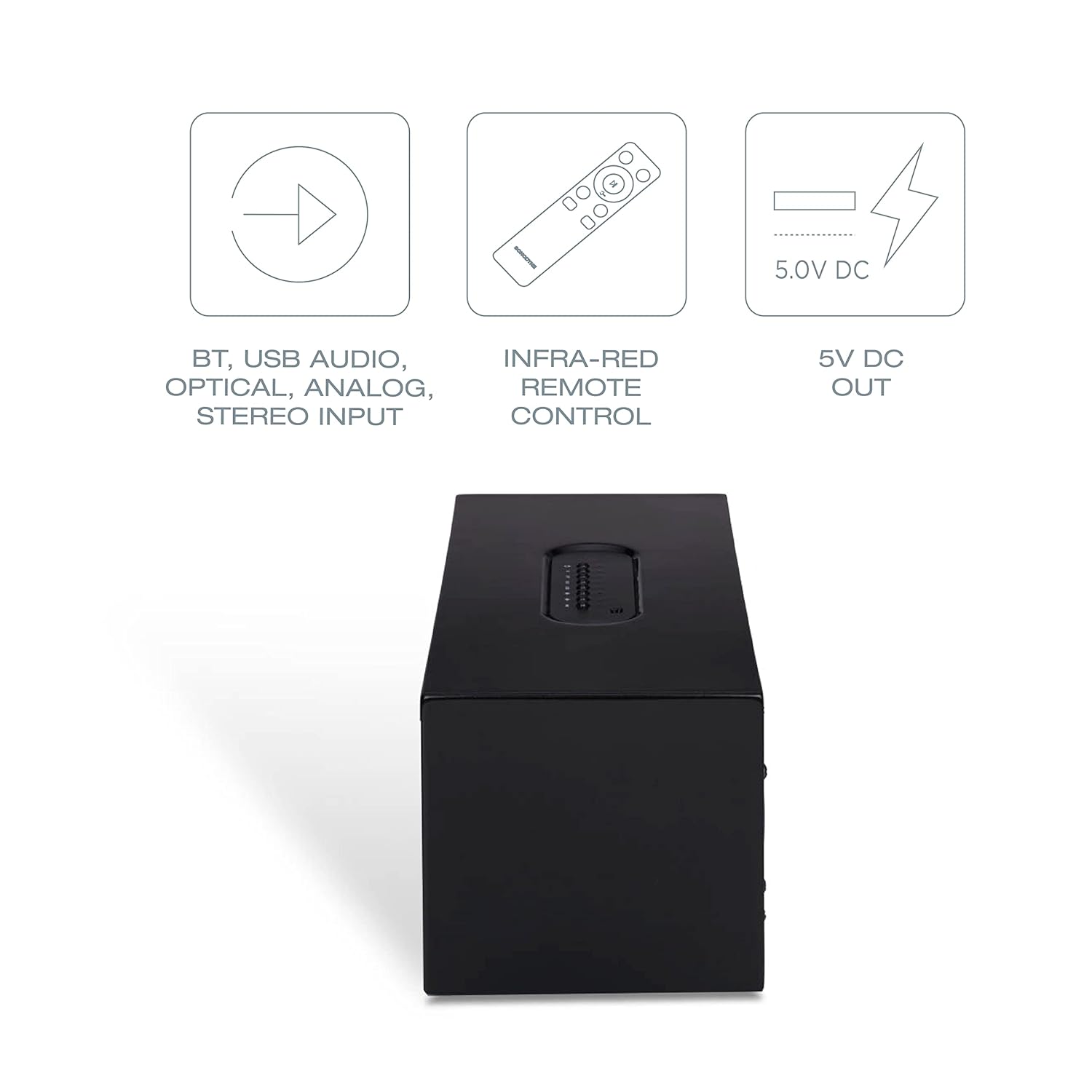
Image: Diagram showing various connectivity options: Bluetooth, USB Audio, Optical, Analog Stereo Input, along with the infra-red remote control and 5V DC output.
5. පාලන සහ සම්බන්ධතා
Familiarize yourself with the physical controls and connection ports on your Sonodyne Alaap speaker.
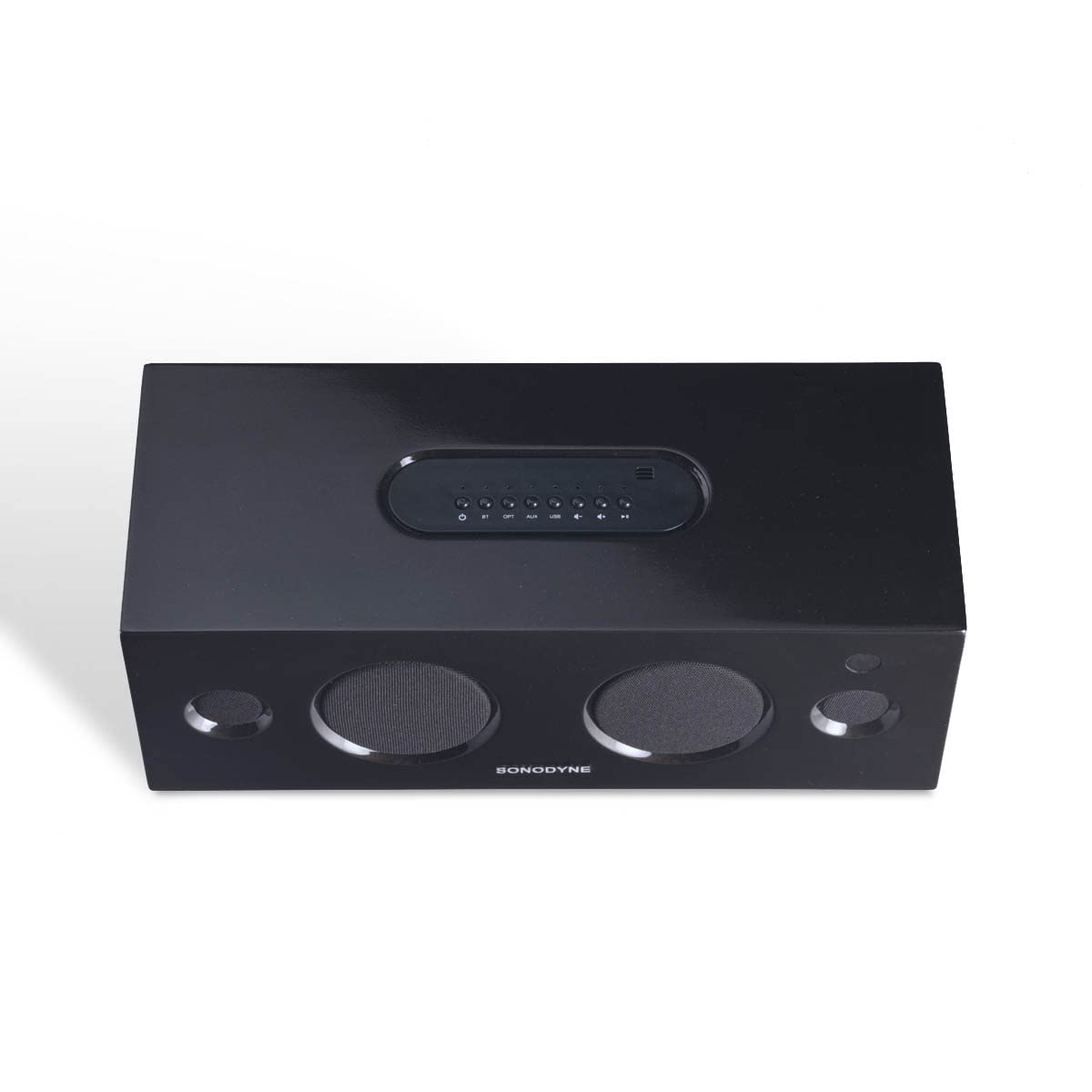
රූපය: ඉහළට view of the Sonodyne Alaap speaker, highlighting the integrated control panel.

Image: Close-up of the top panel controls, including power, volume, and input selection buttons.

Image: Close-up of the rear panel, showing the power input, USB ports, optical input, and auxiliary input.

Image: The included infra-red remote control for convenient operation of the speaker.
6. පිහිටුවීම
6.1. බල සම්බන්ධතාවය
- කථිකයා ස්ථාවර, පැතලි මතුපිටක් මත තබන්න.
- Connect the supplied power cord to the AC input on the rear of the speaker.
- විදුලි රැහැනේ අනෙක් කෙළවර සම්මත 230V AC බිත්ති අලෙවිසැලකට සම්බන්ධ කරන්න.
6.2. මූලික බලය සක්රිය කිරීම
- Press the power button on the top panel of the speaker or on the remote control.
- The indicator light will illuminate, indicating the speaker is powered on.
7. මෙහෙයුම් උපදෙස්
7.1. බ්ලූටූත් යුගලනය
- ස්පීකරය ක්රියාත්මක කරන්න.
- Press the 'BT' button on the top panel or remote control to select Bluetooth input. The Bluetooth indicator will flash.
- Enable Bluetooth on your device (smartphone, tablet, etc.) and search for 'Sonodyne Alaap'.
- Select 'Sonodyne Alaap' from the list of available devices to pair. Once paired, the Bluetooth indicator will stop flashing and remain solid.
7.2. Duet Mode (Pairing Two Speakers)
To create a wider stereo soundstage, you can pair two Sonodyne Alaap speakers together:
- Ensure both Alaap speakers are powered on and not currently paired with any device.
- On one speaker (this will be the master), press and hold the 'Duet' button (if available, or refer to specific button combination in your quick start guide) until an audible prompt is heard.
- Repeat the action on the second speaker.
- The speakers will attempt to connect to each other. Once connected, an audible confirmation will be heard, and their indicators will change.
- Now, pair your device to the master speaker via Bluetooth as described in Section 7.1. Audio will play through both speakers in stereo.
7.3. USB Audio Playback
- Connect a USB storage device containing audio files to one of the USB ports on the rear of the speaker.
- Press the 'USB' button on the top panel or remote control to select USB input.
- Use the playback controls (play/pause, next/previous track) on the speaker or remote to manage audio playback.
7.4. දෘෂ්ය ආදානය
- Connect an optical cable from your audio source (e.g., TV, game console) to the 'OPTICAL' input on the rear of the speaker.
- Press the 'OPT' button on the top panel or remote control to select Optical input.
7.5. Analog Input (Aux)
- Connect a 3.5mm audio cable from your audio source to the 'AUX' input on the rear of the speaker.
- Press the 'AUX' button on the top panel or remote control to select Analog input.
7.6. දුරස්ථ පාලක භාවිතය
The included remote control allows for convenient operation from a distance. Functions include:
- බලය සක්රිය / අක්රිය
- ශබ්දය ඉහළ/පහළ
- Input Selection (BT, USB, OPT, AUX)
- නිහඬ කරන්න
- Playback Controls (Play/Pause, Next/Previous for USB/Bluetooth)
7.7. Smartphone Charging
The USB ports on the rear of the speaker can be used to charge compatible smartphones or other USB-powered devices. Simply connect your device's charging cable to the USB port.
8. නඩත්තු කිරීම
To maintain the appearance and performance of your Sonodyne Alaap speaker:
- පිරිසිදු කිරීම: Wipe the cabinet with a soft, dry cloth. Do not use liquid cleaners or abrasive materials.
- ස්ථානගත කිරීම: Avoid placing the speaker in direct sunlight or near heat sources. Ensure adequate airflow around the unit.
- ගබඩා: If storing the speaker for an extended period, disconnect it from power and store it in a cool, dry place.
9. දෝශ නිරාකරණය
ඔබේ ස්පීකරය සමඟ ගැටලු ඇති වුවහොත්, පහත පොදු ගැටලු සහ විසඳුම් වෙත යොමු වන්න:
| ගැටලුව | විය හැකි හේතුව | විසඳුම |
|---|---|---|
| බලය නැත | විදුලි රැහැන සම්බන්ධ වී නැත; පිටවන ස්ථානය සක්රිය නොවේ. | Ensure power cord is securely connected and the outlet is functional. |
| ශබ්දයක් නැත | Incorrect input selected; volume too low; source device issue. | Select the correct input source. Increase volume. Check audio output on source device. |
| බ්ලූටූත් යුගල කිරීම අසාර්ථකයි | ස්පීකරය යුගල කිරීමේ මාදිලියේ නැත; උපාංගය ඕනෑවට වඩා දුරයි; බාධාව. | Ensure speaker is in Bluetooth pairing mode. Move device closer. Restart both speaker and device. |
| දුරස්ථ පාලකය ක්රියා නොකරයි | බැටරි අවසන් වී ඇත; බාධා; දුරස්ථ පාලකය පරාසයෙන් බැහැරව ඇත. | Replace remote batteries. Remove obstructions. Ensure remote is within operating range and pointed at the speaker. |
| Duet Mode not connecting | වැරදි යුගල කිරීමේ ක්රියා පටිපාටිය; කථිකයන් ඉතා දුරින්. | Follow Duet Mode pairing instructions carefully. Ensure speakers are within close proximity. |
10. පිරිවිතර
Detailed technical specifications for the Sonodyne Alaap speaker:

Image: Dimensions of the Sonodyne Alaap speaker: 12.7 cm (Depth) x 35.7 cm (Width) x 14.4 cm (Height).
- මාදිලියේ නම: ALAAP
- ද්රව්ය: සැබෑ දැව
- ස්පීකර් වර්ගය: නිරීක්ෂණය කරන්න
- Ampජීවිත කාලය: ඩී පන්තිය
- ස්පීකර් උපරිම නිමැවුම් බලය: වොට් 80
- සං Sign ා සිට ශබ්ද අනුපාතය: 90 dB
- වූෆර් විෂ්කම්භය: අඟල් 3
- ට්වීටර් විෂ්කම්භය: අඟල් 0.5
- සරවුන්ඩ් සවුන්ඩ් චැනල් වින්යාසය: 2
- සම්බන්ධතා තාක්ෂණය: බ්ලූටූත්
- රැහැන් රහිත සන්නිවේදන තාක්ෂණය: බ්ලූටූත්
- Audio Input Compatible with Item: Auxiliary, USB, Optical, Bluetooth
- ගැළපෙන උපාංග: Smartphone, Tablet, Television
- පාලන ක්රමය: දුරස්ථ
- බලශක්ති ප්රභවය: Mains 230V AC
- නිෂ්පාදන මානයන් (D x W x H): 12.7 x 35.7 x 14.4 සෙ.මී
- අයිතමයේ බර: කිලෝ ග්රෑම් 3.9 යි
- සම්පූර්ණ USB පෝට්: 2
- ජල ආරක්ෂිත: නැත
11. වගකීම් සහ සහාය
Your Sonodyne Alaap speaker comes with a වසර 2ක වගකීමක්. For warranty claims or technical support, please contact Sonodyne customer service.
නිෂ්පාදකයා: Sonodyne Technologies Pvt. Ltd., 98 NB Block E New Alipore, Kolkata 700053
වැඩිදුර සහාය සඳහා, ඔබට නිලධාරියා වෙත පිවිසිය හැකිය Sonodyne Store on Amazon.