1. හැඳින්වීම
Welcome to the ChefRobot Smart Food Processor UltraCook User Manual. This all-in-one kitchen appliance is designed to simplify your cooking experience with its versatile functions and smart features. It combines over 15 functionalities, including slow cook, steam, mix, blend, scale, fry, puree, sous-vide, whisk, knead, and chop, replacing multiple kitchen tools.
The ChefRobot features a 3.5L capacity, a built-in scale for precise measurements, and a 7-inch TFT screen for easy navigation. With access to over 600 online recipes via the ChefRobot app, you can effortlessly create delicious meals for your entire family. Its self-cleaning function ensures convenient cleanup.
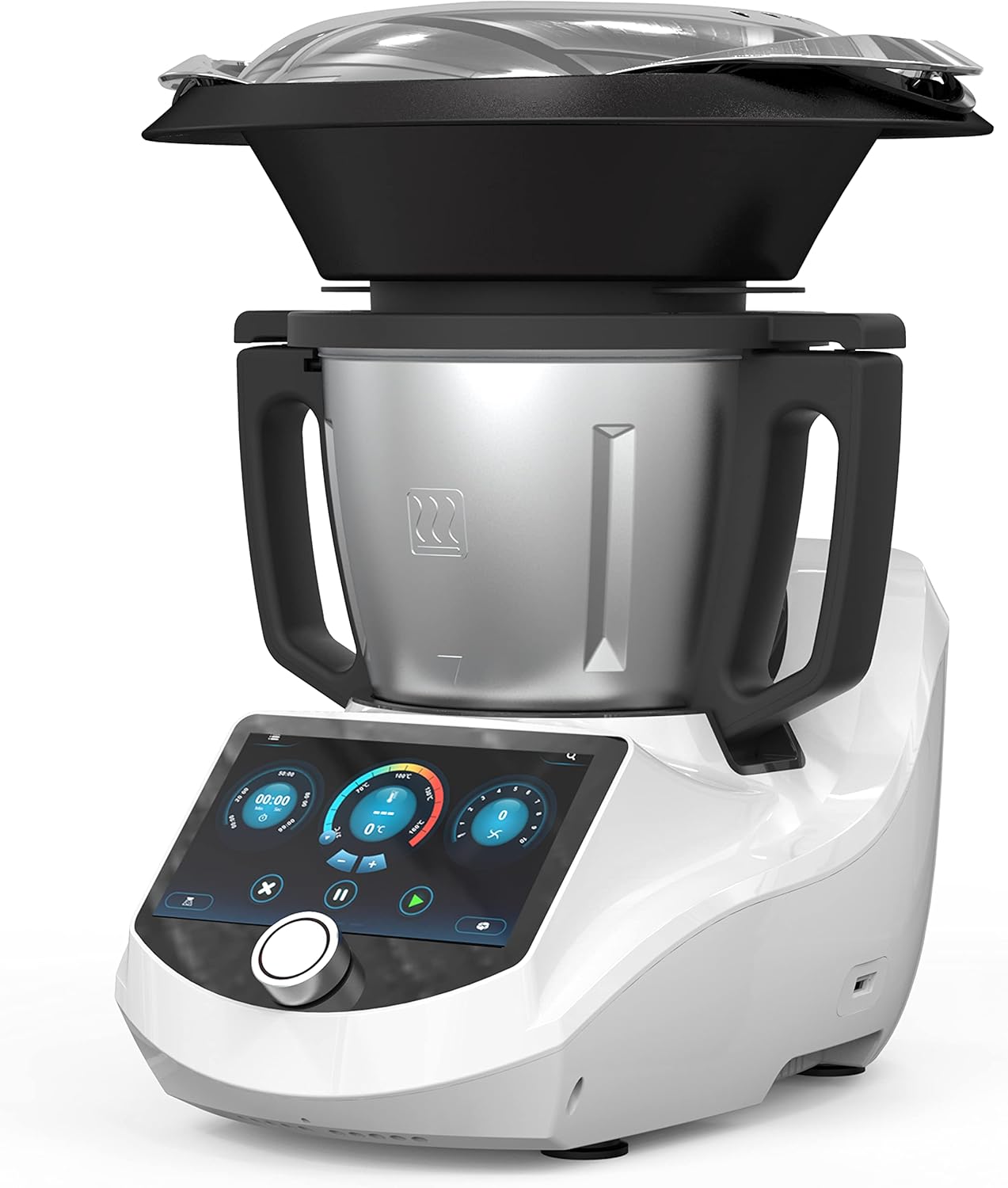
Figure 1.1: The ChefRobot Smart Food Processor, showcasing its sleek design and integrated screen.
2 ප්රධාන ලක්ෂණ
- Versatile and Multifunctional: Offers 15+ functions including Slow Cook, Steam, Mix, Blend, Scale, Fry, Puree, Sous-Vide, Whisk, Knead, and Chop.
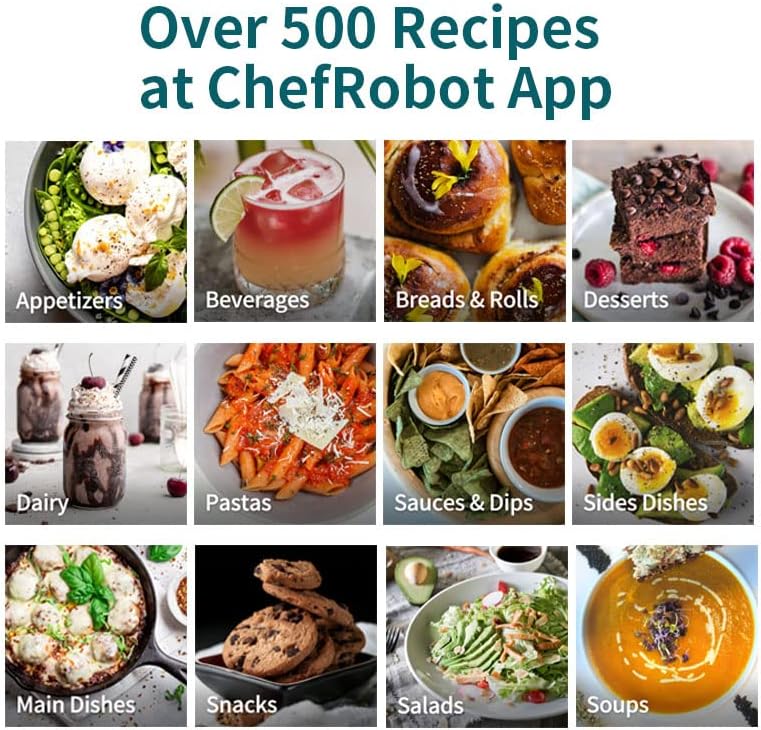
- Smart Recipes: Access over 600 online recipes through the ChefRobot APP for endless cooking inspiration and culinary creativity.
- විශාල ධාරිතාව: 3.5L capacity is ideal for preparing meals for the whole family.
- Built-in Scale: Allows for precise and accurate measurements of ingredients.
- යෙදුම් පාලනය: Monitor and adjust cooking settings from your smartphone or tablet.
- අඟල් 7 TFT තිරය: Provides a user-friendly interface for easy navigation and recipe selection.
- ස්වයං පිරිසිදු කිරීමේ කාර්යය: Simplifies cleanup, saving time and effort.
- ආරක්ෂිත අගුල නිර්මාණය: Ensures peace of mind during operation.
- පුළුල් උෂ්ණත්ව පරාසය: 98-320°F (37-160°C) for versatile cooking options.

Figure 2.1: The ChefRobot's smart screen displaying recipe options, alongside a smartphone showing the ChefRobot app interface.
රූපය 2.2: සමීප රූපය view of the ChefRobot's 7-inch touchscreen, demonstrating easy navigation for recipe selection.
3. සංරචක සහ උපාංග
The ChefRobot comes with several essential components and accessories designed to enhance its versatility and ease of use. Please ensure all parts are present before initial setup.

රූපය 3.1: පුපුරා ගිය view diagram illustrating all included accessories for the ChefRobot.
ඇතුළත් සංරචක:
- Steamer Basket & Lid: Designed for multi-level cooking, allowing simultaneous steaming of meats and vegetables.
- මිශ්ර තලය: Designed to attach easily on top of the main blade, ensuring thick and even consistencies.
- Spatula: Sculpted curve to efficiently scrape all food from the bowl, with a soft nib to easily and safely unhook the simmering basket.
- Simmering Basket: Deeper design for faster cooking, allowing easy draining of foods like rice and vegetables.
- Main Blade Assembly: The blades can be turned forward and reversed to accommodate different cooking patterns, such as stir-frying and chopping.
- Stainless Steel Bowl (3.1 QT/3L capacity): The main cooking vessel, durable and dishwasher safe.
- Main Unit with 7-inch TFT Screen: The brain of every operation, housing the recipe library and control interface.
4. පිහිටුවීම
Before using your ChefRobot for the first time, please follow these setup instructions carefully:
- ඇසිරීම: ඇසුරුම්කරණයෙන් සියලුම සංරචක ප්රවේශමෙන් ඉවත් කරන්න. අනාගත ගබඩා කිරීම හෝ ප්රවාහනය සඳහා ඇසුරුම් තබා ගන්න.
- මූලික පිරිසිදු කිරීම: Wash the stainless steel bowl, lid, and all accessories (steamer basket, mixing blade, spatula, simmering basket) with warm, soapy water. Rinse thoroughly and dry completely. The main unit should be wiped with a damp රෙදි.
- බඳුන එකලස් කරන්න: Place the main blade assembly into the bottom of the stainless steel bowl. Ensure it is securely seated.
- Place the Bowl on the Main Unit: Carefully place the assembled bowl onto the main unit. Ensure it clicks into place securely.
- පියන සුරක්ෂිත කරන්න: Place the lid onto the bowl and rotate it clockwise until it locks into position. The safety lock mechanism ensures the appliance will not operate unless the lid is properly secured.

රූපය 4.1: ඉහළ view of the ChefRobot lid, illustrating the locking mechanism for secure operation.
5. මෙහෙයුම් උපදෙස්
5.1 Smart Recipes & App Control
The ChefRobot offers a vast library of online recipes accessible directly from its 7-inch TFT screen or through the dedicated ChefRobot mobile application.
- On-Screen Recipes: Navigate the main screen to find 'Cloud Recipes' or 'Internal Recipes'. Select a recipe, and the screen will guide you step-by-step through the cooking process, including ingredient measurements, cooking times, and temperatures.
- ChefRobot App: Download the ChefRobot app from your smartphone's app store. Pair your device with the ChefRobot via Bluetooth or Wi-Fi (refer to the app's instructions for pairing). The app allows you to browse, select, and even create your own recipes. You can also monitor cooking progress and adjust settings remotely.

Figure 5.1: A couple interacting with the ChefRobot's screen and the mobile app, demonstrating the integrated smart cooking experience.
5.2 පිසීමේ ක්රම
The ChefRobot supports a wide array of cooking modes to handle various culinary tasks:
- උනු: For heating liquids or cooking pasta/vegetables.
- සුදුළුනු: For whipping cream, egg whites, or making light batters.
- වාෂ්ප: Utilizes the steamer basket for healthy, gentle cooking.
- Sauté: For browning ingredients at higher temperatures.
- මිශ්රණය: For smoothies, soups, and purees.
- දණ ගසන්න: For preparing dough for bread and pastries.
- බර: Utilizes the built-in scale for precise ingredient measurement.
- And many more, including Slow Cook, Fry, Puree, Sous-Vide, and Chop.

Figure 5.2: Visual representation of various cooking modes available on the ChefRobot, including Boil, Whisk, Steam, Sauté, Blend, Self-Clean, Knead, and Weigh.
5.3 Built-in Scale
The integrated scale allows for precise measurement of ingredients directly in the bowl. To use the scale, select the 'Weigh' function on the screen. Place ingredients into the bowl, and the weight will be displayed. You can tare the scale to add multiple ingredients accurately.
6. නඩත්තු කිරීම සහ පිරිසිදු කිරීම
Proper maintenance and regular cleaning will ensure the longevity and optimal performance of your ChefRobot.
6.1 ස්වයං පිරිසිදු කිරීමේ කාර්යය
The ChefRobot features a convenient self-cleaning mode for easy cleanup of the bowl and blade assembly.
- After cooking, remove any large food residues from the bowl.
- Add approximately 1 liter of water and a few drops of dish soap to the bowl.
- පියන සුරක්ෂිත කරන්න.
- Select the 'Self-Clean' mode from the main menu on the screen.
- The ChefRobot will run a cleaning cycle, agitating the water to dislodge food particles.
- Once the cycle is complete, carefully empty the bowl and rinse it thoroughly with clean water.

Figure 6.1: A user pouring water into the ChefRobot bowl to initiate the self-cleaning mode.
No relevant seller videos for self-cleaning were found in the provided product data.
6.2 අතින් පිරිසිදු කිරීම
- බඳුන සහ උපාංග: The stainless steel bowl, lid, and all accessories (steamer basket, mixing blade, spatula, simmering basket) are recommended for hand washing. Use warm, soapy water and a non-abrasive sponge. Rinse thoroughly and dry immediately to prevent water spots.
- ප්රධාන ඒකකය: The main unit, including the screen, should be wiped clean with a soft, damp cloth. Do not immerse the main unit in water or spray cleaning liquids directly onto it.
- බ්ලේඩ්: Exercise caution when cleaning the blades as they are sharp. Use a brush to remove any stuck-on food.
- පිඟන් සෝදන යන්ත්ර ආරක්ෂාව: The product specifications indicate that the ChefRobot is නැත dishwasher safe. Please adhere to hand washing instructions for all components.
7. දෝශ නිරාකරණය
If you encounter any issues with your ChefRobot, please refer to the following common troubleshooting tips:
- උපකරණය ක්රියාත්මක නොවේ: Ensure the power cord is securely plugged into both the ChefRobot and a working electrical outlet. Check if the safety lock on the lid is properly engaged.
- මෝටරය ක්රියා නොකරයි: Verify that the bowl and lid are correctly assembled and locked into place. The appliance has safety features that prevent operation if components are not properly secured.
- තිරය ප්රතිචාර නොදක්වයි: Try restarting the appliance by unplugging it for a few minutes and then plugging it back in. If the issue persists, contact customer support.
- Inaccurate Scale Readings: Ensure the ChefRobot is placed on a flat, stable surface. Avoid placing anything on the bowl or main unit when not in use, as this can affect calibration.
- Food Not Processing Properly: Check that the correct blade or accessory is installed for the task. Ensure ingredients are cut to an appropriate size for processing. Do not overload the bowl beyond its maximum capacity.
- දෝෂ පණිවිඩ: If an error code appears on the screen, consult the full user guide (link provided in Section 9) for specific meanings and solutions.
For issues not covered here, or if troubleshooting steps do not resolve the problem, please contact Chef Robot customer support.
8. පිරිවිතර
Detailed technical specifications for the ChefRobot Smart Food Processor UltraCook:
| විශේෂාංගය | පිරිවිතර |
|---|---|
| වෙළඳ නාමය | චෙෆ් රොබෝ |
| මාදිලියේ නම | Smart Food Processor (Item model number: CR-8) |
| විශේෂ ලක්ෂණය | ආරක්ෂිත අගුල |
| නිෂ්පාදන මානයන් | 16.5"D x 15.3"W x 19.6"H |
| වර්ණය | සුදු |
| බඳුනේ ධාරිතාව | ලීටර් 3 (කිලෝමීටර් 3.1) |
| නිර්දේශිත භාවිතයන් | Blend, Mix, Steam, Knead, Chop, Fry, Puree, Sous-Vide, Whisk, Slow Cook, Scale |
| වේග ගණන | 10 |
| නිෂ්පාදන සත්කාර උපදෙස් | Hand Wash (Not Dishwasher Safe) |
| බ්ලේඩ් ද්රව්ය | මල නොකන වානේ |
| බලශක්ති ප්රභවය | AC ඇඩප්ටරය |
| අයිතමයේ බර | රාත්තල් 21.2 කි |
| උෂ්ණත්ව පරාසය | 98-320°F (37-160°C) |

Figure 8.1: Diagram illustrating the dimensions of the ChefRobot Smart Food Processor.
9. වගකීම් සහ සහාය
Chef Robot is committed to providing high-quality products and customer satisfaction. For detailed warranty information, please refer to the documentation included with your purchase or visit the official Chef Robot webඅඩවිය.
ආරක්ෂණ සැලසුම්:
Extended protection plans may be available for your ChefRobot appliance. These plans typically offer coverage beyond the standard manufacturer's warranty. Please check with your retailer or the Chef Robot website for available options, such as 3-Year or 4-Year Protection Plans.
පාරිභෝගික සහාය:
If you require assistance, have questions about your ChefRobot, or need to report an issue, please contact Chef Robot customer support through their official channels. You can often find contact information on the product packaging, the Chef Robot website, or within the ChefRobot mobile application.
For a more comprehensive guide, you can download the official Instructions for Use (IFU) PDF document: පරිශීලක මාර්ගෝපදේශය (PDF) බාගන්න


