හැඳින්වීම
This manual provides detailed instructions for the installation, operation, and maintenance of your SMONET 8-Channel 5MP Wireless Network Video Recorder (NVR). This NVR is designed to work with SMONET 5MP wireless security camera systems, offering robust surveillance capabilities without a pre-installed power supply or hard drive, allowing for custom configuration.

Figure 1: SMONET 8-Channel 5MP Wireless NVR with compatible cameras.
1. පිහිටුවීම
1.1 පෙට්ටි ඉවත් කිරීම සහ සංරචක අවසන් කිරීමview
Before beginning installation, ensure all components are present. The package typically includes the 8-Channel 5MP NVR unit, a power adapter (not included with this specific model, must be purchased separately), a USB mouse, and a quick start guide. Cameras are sold separately.
1.2 NVR Rear Panel Connections
Familiarize yourself with the NVR's rear panel for proper connectivity.
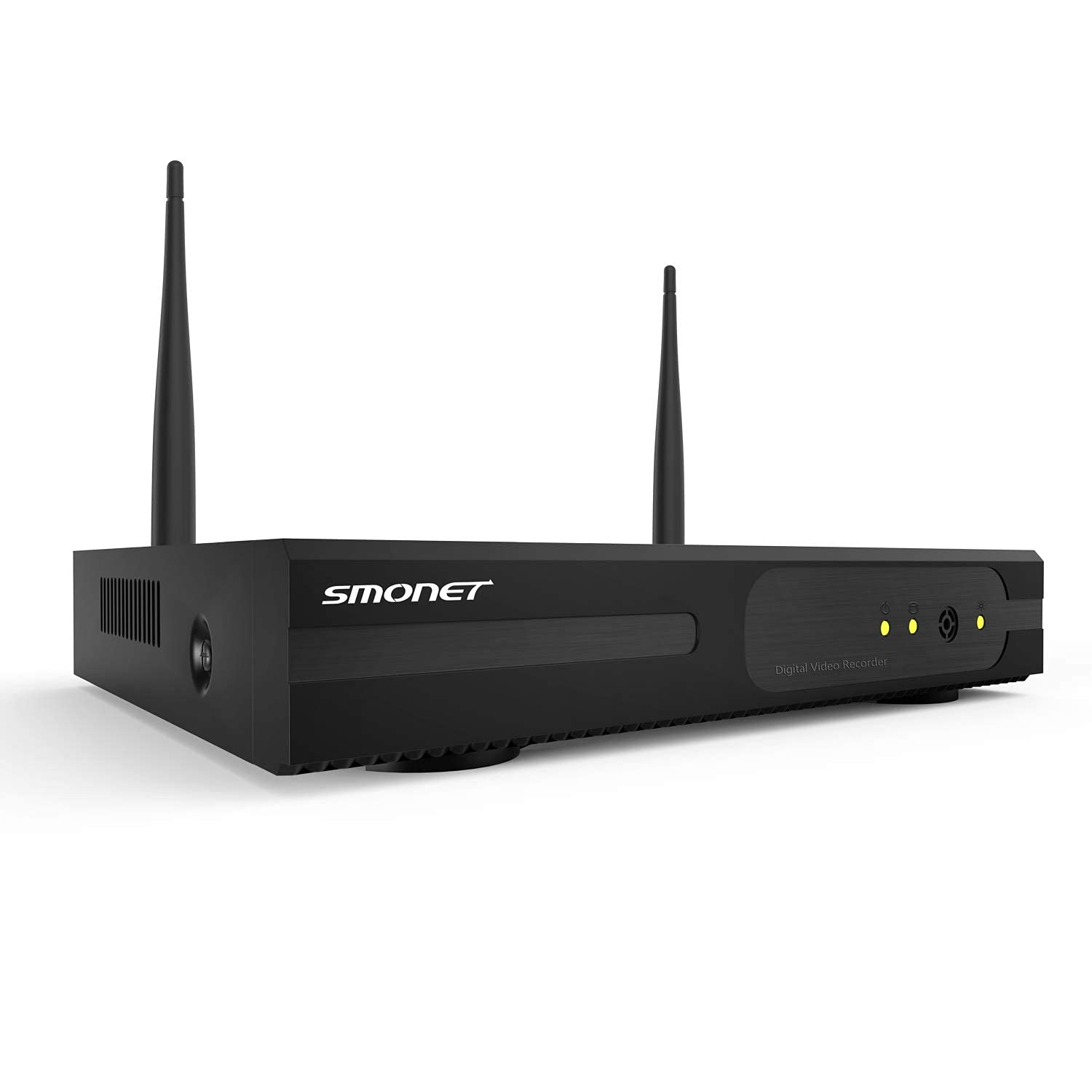
Figure 2: Rear panel of the SMONET NVR showing various ports.
- USB Ports: For connecting the USB mouse and external storage devices.
- VGA වරාය: For connecting to a PC monitor.
- HDMI වරාය: For connecting to a TV monitor.
- ඊතර්නෙට් වරාය (WAN): For connecting to your router for network access.
- ශබ්ද විකාශනය: ශ්රව්ය ප්රතිදානය සඳහා.
- DC 12V: NVR සඳහා බල ආදානය.
- සක්රිය / අක්රිය ස්විචය: Power control for the NVR.
1.3 Hard Drive Installation (User-Provided)
This NVR model does not include a pre-installed hard drive. A compatible 3.5-inch SATA hard drive (HDD) must be installed by the user for video recording. Ensure the NVR is powered off before installation.
- NVR ඒකකයේ කවරය ගලවන්න.
- Carefully connect the SATA data and power cables from the NVR to your hard drive.
- Secure the hard drive inside the NVR chassis using the provided screws.
- Replace and secure the NVR cover.
Video 1: Demonstration of hard drive installation in a similar DVR unit. Note: This NVR model requires a user-provided hard drive.
1.4 Initial Power-Up and Connections
- Connect the NVR to a monitor using either an HDMI or VGA cable.
- Connect the USB mouse to one of the NVR's USB ports.
- Connect the NVR to your router using an Ethernet cable for network access.
- Connect the appropriate 12V DC power supply (not included) to the NVR's DC 12V input.
- Turn on the NVR using the On/Off switch.
Video 2: General setup and connection process for a surveillance system video recorder.
1.5 Camera Pairing and Placement
The SMONET NVR is designed for wireless cameras. Ensure your SMONET 5MP wireless cameras are powered on and within range of the NVR. The NVR should automatically detect and pair with compatible cameras. For optimal signal strength, position cameras strategically, avoiding major obstructions.
වීඩියෝ 3: අවසන්view of a SANNCE 8-Channel DVR, demonstrating camera features and setup. Note: This NVR is for wireless cameras, not wired as shown in parts of the video.
2. මෙහෙයුම
2.1 සජීවී View and Multi-Channel Display
Once cameras are connected, the NVR will display live feeds on the connected monitor. You can typically switch between single-camera view and multi-channel views (e.g., 4-channel, 8-channel) using the mouse interface.
2.2 පටිගත කිරීමේ ක්රම
The NVR supports continuous recording. Other recording options, such as motion-activated recording, can be configured through the system settings.
2.3 Night Vision and Spotlight Features
Compatible SMONET cameras feature night vision technology for clear monitoring in low-light conditions. Some cameras may also include spotlights that activate upon motion detection, enhancing visibility and acting as a deterrent.
2.4 Two-Way Audio and Siren (Camera Dependent)
If your connected cameras support two-way audio, you can communicate through the camera via the NVR interface or a mobile application. Some cameras may also feature a siren function, which can be activated manually or automatically upon detection of suspicious activity.
2.5 Playback and Event Review
වාර්තාගත foo වෙත පිවිසෙන්නtage through the NVR's playback menu. You can search by date, time, or event (if motion detection recording is enabled) to review නිශ්චිත සිදුවීම්.
2.6 System Settings and Configuration
Navigate the NVR's menu using the USB mouse to adjust various settings, including:
- වීඩියෝ විභේදනය: Set the display and recording resolution (up to 1920p).
- දිනය සහ වේලාව: Configure system date, time, and time zone.
- ජාල සැකසීම්: Manage IP address, port forwarding, and remote access.
- ගබඩා කළමනාකරණය: Format the hard drive, set recording overwrite rules.
- පරිශීලක කළමනාකරණය: Create and manage user accounts and permissions.
3. නඩත්තු කිරීම
3.1 නිතිපතා පද්ධති පරීක්ෂාවන්
Periodically check the NVR and camera connections to ensure they are secure. Verify that cameras are transmitting video and that the hard drive is recording properly.
3.2 දෘඪ තැටි කළමනාකරණය
If your hard drive becomes full, the NVR will typically overwrite the oldest footage. You can configure this behavior in the storage settings. Regularly back up important footage to an external device if needed.
3.3 Camera Durability
SMONET wireless cameras are often rated IP66, indicating they are built to withstand various outdoor weather conditions, including rain and snow. Regular cleaning of camera lenses is recommended for clear image quality.
4. දෝශ නිරාකරණය
- වීඩියෝ ප්රතිදානය නැත:
- Ensure the NVR is powered on and connected to a monitor via HDMI or VGA.
- මොනිටරයේ ආදාන ප්රභවය නිවැරදිව තෝරාගෙන ඇති බව තහවුරු කරන්න.
- Check if the monitor resolution is compatible with the NVR's output. Adjust NVR display settings if necessary.
- සම්බන්ධ නොවන කැමරා:
- කැමරා ක්රියාත්මක කර ඇති බවත් NVR හි රැහැන් රහිත පරාසය තුළ ඇති බවත් සහතික කර ගන්න.
- Check for strong Wi-Fi signals for each camera.
- Reboot both the NVR and cameras.
- පටිගත කිරීමක් නැත:
- Verify that a hard drive is correctly installed and formatted.
- Check recording schedules and settings in the NVR menu.
- Ensure the hard drive is not full (if overwrite is disabled).
- දුරස්ථ ප්රවේශ ගැටළු:
- Ensure the NVR is connected to the internet via the Ethernet port.
- Check network settings (IP address, port forwarding) on your router.
- Verify the mobile application is correctly configured and updated.
5. පිරිවිතර
| විශේෂාංගය | විස්තර |
|---|---|
| වෙළඳ නාමය | SMONET |
| ආදර්ශ අංකය | 8CH 5MP NVR |
| සම්බන්ධතා තාක්ෂණය | රැහැන් රහිත |
| වීඩියෝ ග්රහණ විභේදනය | 1920p (5MP) |
| නාලිකා ගණන | 8 |
| මෙහෙයුම් පද්ධතිය | ලිනක්ස් |
| ගැළපෙන උපාංග | SMONET Wireless Cameras |
| අඩු ආලෝක තාක්ෂණය | රාත්රී දර්ශනය |
| රාමු අනුපාතය | 24, 30, or 60 FPS |
| පටිගත කිරීමේ මාදිලිය | Continuous (configurable) |
| සම්පූර්ණ USB පෝට් | 1 |
| දෘඩාංග අතුරුමුහුණත | 802.11 ac/b/g/n (Wireless), RJ45 (Video Input/Ethernet) |
| කාච වර්ගය | Wide Angle (Camera dependent) |
| ගබඩා කිරීම | User-provided 3.5" SATA HDD (not included) |
| බල සැපයුම | 12V DC (ඇතුළත් නොවේ) |
6. සහාය සහ වගකීම්
For technical assistance, troubleshooting, or warranty inquiries, please contact SMONET customer support. SMONET is committed to providing top-rated service and offers 24/7 online support. Refer to your product packaging or the official SMONET webවඩාත්ම යාවත්කාලීන සම්බන්ධතා තොරතුරු සහ වගකීම් විස්තර සඳහා අඩවිය.
Additional protection plans are available for purchase, including 2-Year and 3-Year options, as well as a Complete Protect plan covering eligible past and future purchases.
- මාර්ගගත සහාය: 24/7 ලබා ගත හැකිය.
- නිෂ්පාදකයා: SMONET
- ආපසු දෙන ප්රතිපත්තිය: 30-day refund/replacement.


