1. හැඳින්වීම
This manual provides detailed instructions for the setup, operation, and maintenance of your TOMLOV DM10 10.1" Digital Microscope. Please read this manual thoroughly before using the device to ensure proper functionality and to maximize your viewඅත්දැකීමෙන්.
2. පැකේජ අන්තර්ගතය
පහත ලැයිස්තුගත කර ඇති සියලුම අයිතම ඔබේ පැකේජයට ඇතුළත් කර ඇති බව තහවුරු කරගන්න. කිසියම් අයිතමයක් අස්ථානගත වී හෝ හානි වී ඇත්නම්, කරුණාකර පාරිභෝගික සහාය අමතන්න.
- 10.1-Inch Digital Microscope (1)
- Height Adjustable Stand (1)
- 32GB Micro SD Card (1) - Pre-installed in the microscope's Micro SD card slot.
- දුරස්ථ පාලනය (1)
- USB කේබලය (2)

Image: Components included in the TOMLOV DM10 Digital Microscope package.
3. සැකසුම් උපදෙස්
3.1 එකලස් කිරීම
- Attach the microscope unit to the height-adjustable stand. Secure it using the provided knob.
- Place the base plate on a stable, flat surface.
- Connect the flexible gooseneck side lights to the base plate, ensuring they are securely fastened.
3.2 බල ගැන්වීම
The microscope is equipped with a 3000mAh rechargeable battery. To power on the device, press and hold the power button located on the front panel below the screen. The device can also be powered via USB cable.
3.3 මූලික ගැලපීම්
- උස සකස් කිරීම: Use the knob on the stand to raise or lower the microscope unit, setting the initial distance between the lens and the object.
- තිර භ්රමණය: The 10.1" IPS screen can be rotated 90 degrees for optimal viewing කෝණ.
- අවධානය යොමු කිරීම: Rotate the focus wheel on the microscope body to achieve a clear image of your object on the screen.
- ආලෝකකරණය: Adjust the brightness of the 8 LED lights around the lens and the 2 flexible gooseneck side lights independently using their respective controls.

Image: A user observing a coin using the TOMLOV DM10 Digital Microscope, highlighting the large 10.1-inch screen.
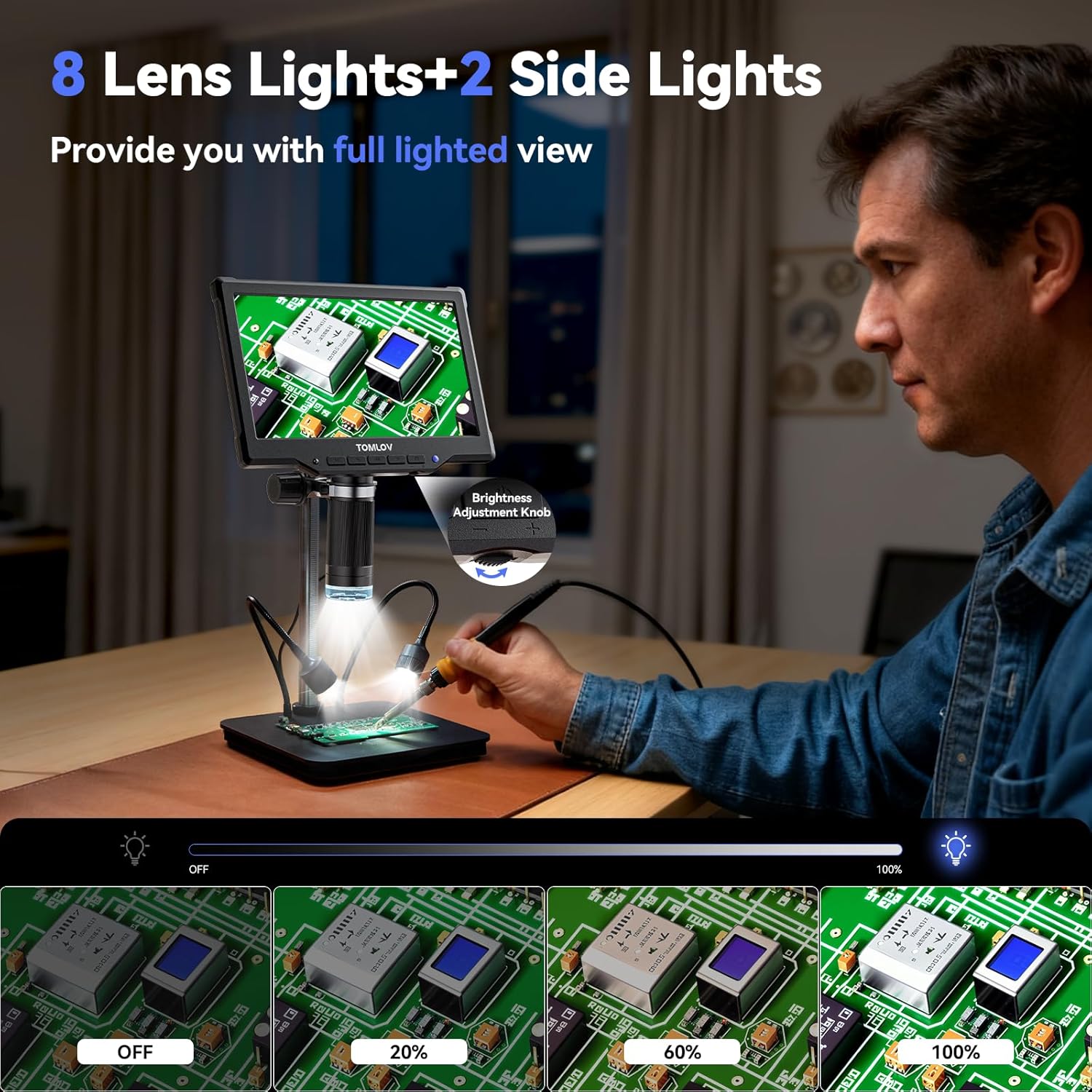
Image: The TOMLOV DM10 Digital Microscope with its 8 lens lights and 2 adjustable side lights providing full illumination for detailed observation.
4. මෙහෙයුම් උපදෙස්
4.1 විශාලනය
The TOMLOV DM10 offers a magnification range from 5X to 1200X. Adjust the height of the microscope and rotate the focus wheel to achieve the desired magnification and clarity for your observation.
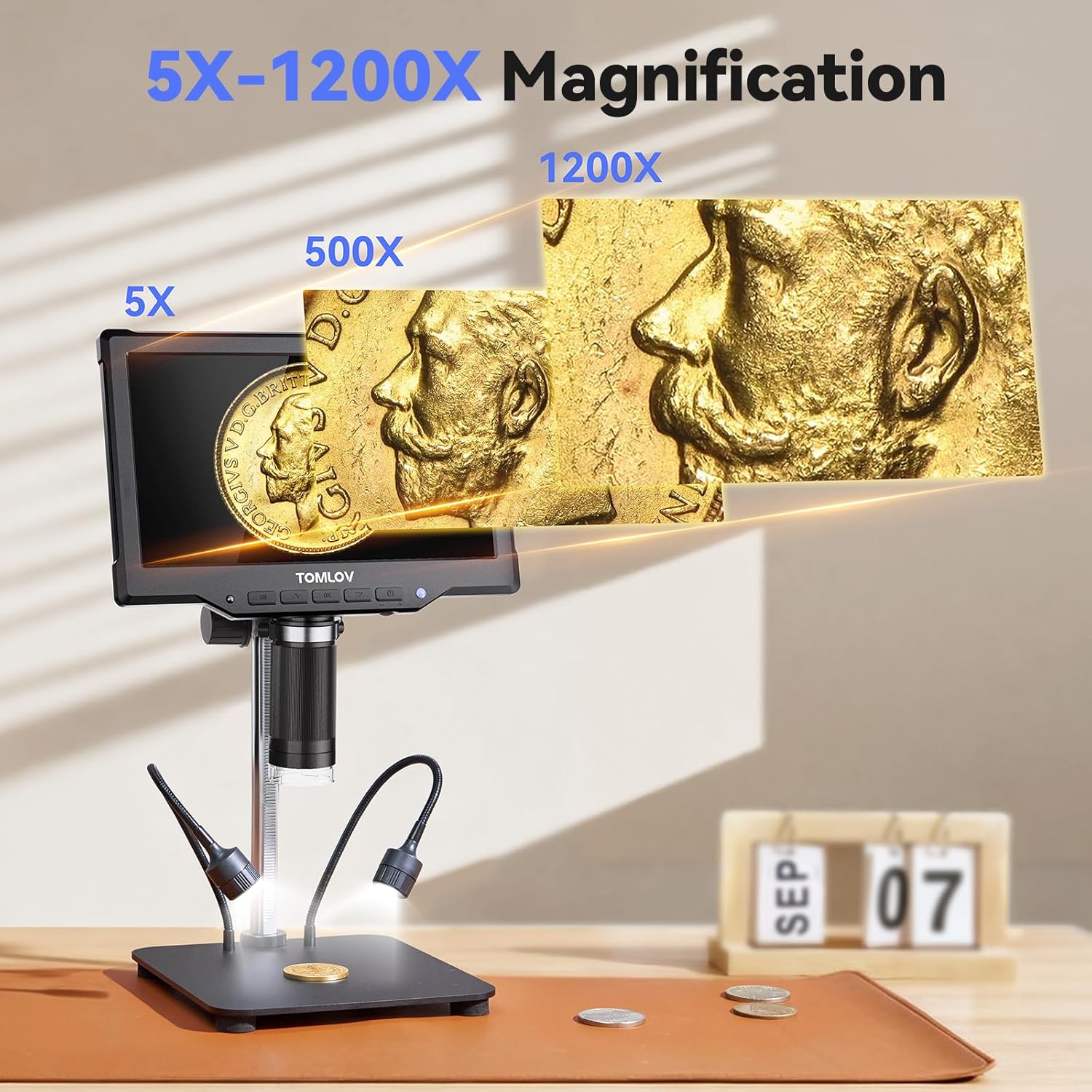
Image: Visual representation of the 5X to 1200X magnification capabilities of the TOMLOV DM10 Digital Microscope, showing a coin at different zoom levels.
4.2 ඡායාරූප සහ වීඩියෝ ග්රහණය
The microscope supports one-touch photo capture and video recording. The pre-installed 32GB Micro SD card provides ample storage for your observations.
- ඡායාරූප විභේදනය: 16MP (4608*3456), 12MP (4032*3024), 10MP (3648*2736), 8MP (3264*2448), 5MP (2592*1944), 3MP (2048*1536), 2MP (1920*1080).
- වීඩියෝ විභේදනය: 1080FHD (1920*1080), 1080P (1440X1080), 720P (1280*720).
4.3 දුරස්ථ පාලක මෙහෙයුම
Use the included wireless remote control to capture photos, record videos, and navigate menus. This minimizes device shake and disturbance to the sample during observation.
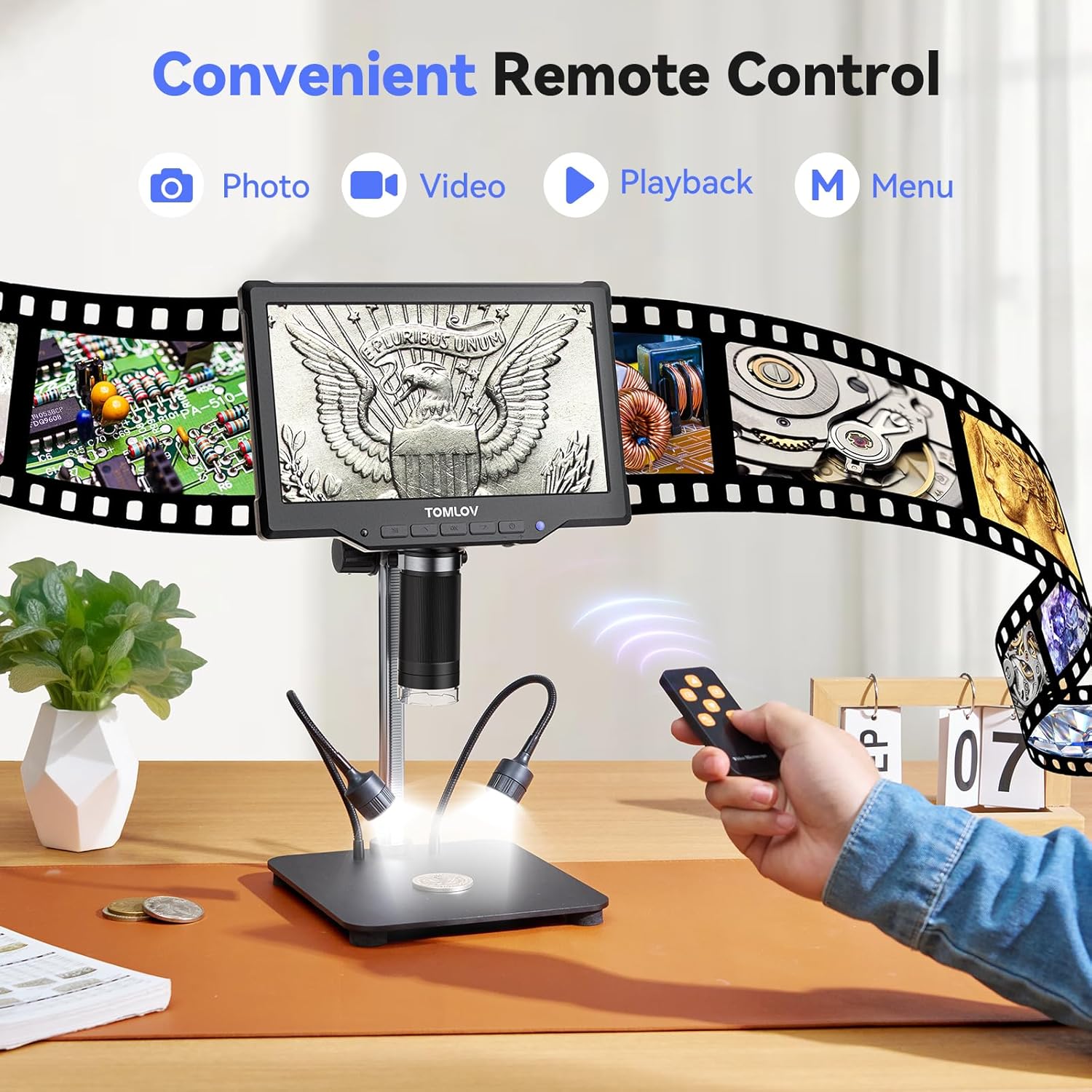
Image: A user operating the TOMLOV DM10 Digital Microscope using the convenient wireless remote control for photo, video, and menu functions.
4.4 PC Connection (USB Output)
Connect the microscope to your computer via USB for a real-time, larger view of your observations. This feature is useful for detailed analysis and sharing with others.

Image: The TOMLOV DM10 Digital Microscope connected to a laptop, displaying a circuit board on both the microscope screen and the computer monitor for an enhanced viewඅත්දැකීමෙන්.
4.5 අයදුම්පත්
The TOMLOV DM10 Digital Microscope is a versatile tool suitable for various tasks, including:
- Coin collection and error coin examination.
- Soldering PCB boards and inspecting SMD components.
- Watch and jewelry repair.
- Plant and insect inspection.
- General scientific exploration and education.

Image: Various applications of the TOMLOV DM10 Digital Microscope, including coin collection, soldering PCB boards, watch repair, and plant inspection.
Video: An official product video demonstrating the features and usage of the TOMLOV DM10 10.1" Digital Microscope, including its illumination, adjustable height, screen rotation, focusing, and remote control capabilities, as well as its application in soldering.
5. නඩත්තු කිරීම
- පිරිසිදු කිරීම: Use a soft, dry cloth to clean the microscope body and screen. For the lens, use a specialized lens cleaning cloth and solution. Avoid abrasive materials or harsh chemicals.
- ගබඩා: භාවිතයේ නොමැති විට වියළි, දූවිලි රහිත පරිසරයක අන්වීක්ෂය ගබඩා කරන්න.
- බැටරි සත්කාර: බැටරි ආයු කාලය දීර්ඝ කිරීම සඳහා, බැටරිය නිතර නිතර සම්පූර්ණයෙන්ම විසර්ජනය කිරීමෙන් වළකින්න. විශේෂයෙන් එය දිගු කාලයක් ගබඩා කර ඇත්නම්, උපාංගය නිතිපතා ආරෝපණය කරන්න.
6. දෝශ නිරාකරණය
- බලය නැත: Ensure the battery is charged or the device is connected to a power source via USB. Check the power button for proper engagement.
- බොඳ රූපය: Adjust the height of the microscope and rotate the focus wheel until the image is clear. Ensure the object is within the working distance of the lens.
- තිරය නොපෙන්වයි: Check power connection. If connected to PC, ensure the correct display mode is selected on the microscope or computer.
- SD කාඩ්පත හඳුනා නොගත්: Ensure the 32GB Micro SD card is properly inserted into the slot. If issues persist, try reformatting the card (this will erase all data) or using a different compatible SD card.
- දුරස්ථ පාලකය ක්රියා නොකරයි: Check the battery in the remote control. Ensure there are no obstructions between the remote and the microscope's IR receiver.
7. පිරිවිතර
| විශේෂාංගය | පිරිවිතර |
|---|---|
| මාදිලියේ නම | DM10 |
| තිර ප්රමාණය | අඟල් 10.1 IPS |
| විශාලනය | 5X - 1200X |
| ඡායාරූප විභේදනය | Up to 16MP (4608*3456) |
| වීඩියෝ විභේදනය | Up to 1080FHD (1920*1080) |
| බැටරි ධාරිතාව | 3000mAh ලිතියම් අයන |
| ආලෝක ප්රභවය | 8 Lens LEDs + 2 Side Gooseneck LEDs |
| ගබඩා කිරීම | 32GB Micro SD කාඩ්පත (ඇතුළත්) |
| ප්රතිදානය | USB for PC View |
| ද්රව්ය | ඇලුමිනියම් මිශ්ර ලෝහය |
| නිෂ්පාදන මානයන් | අඟල් 12.4 x 11.2 x 3.9 |
| අයිතමයේ බර | රාත්තල් 3.31 (ග්රෑම් 1500) |
8. වගකීම් සහ සහාය
Your TOMLOV DM10 Digital Microscope comes with a manufacturer's warranty. For detailed warranty information, product support, or to inquire about replacement parts, please refer to the warranty card included in your package or visit the official TOMLOV website. Contact information for customer service is typically provided on the product packaging or the manufacturer's webඅඩවිය.


