1. හැඳින්වීම
Thank you for choosing the R-Music Novo RM483874 Wireless Bluetooth Earbuds. This manual provides essential information for setting up, operating, and maintaining your earbuds to ensure optimal performance and longevity. Please read this manual thoroughly before use.
2. පැකේජ අන්තර්ගතය
ඔබගේ පැකේජයේ සියලුම අයිතම ඇති බවට වග බලා ගන්න:
- R-Music Novo RM483874 Wireless Earbuds
- රැහැන් රහිත ආරෝපණ නඩුව
- USB-C ආරෝපණ කේබලය
- පරිශීලක අත්පොත
3. නිෂ්පාදන අවසන්view
The R-Music Novo RM483874 earbuds are designed for daily use, offering clear stereo sound and an integrated microphone for calls. The compact charging case provides extended battery life.

Figure 3.1: R-Music Novo RM483874 wireless earbuds and open charging case.
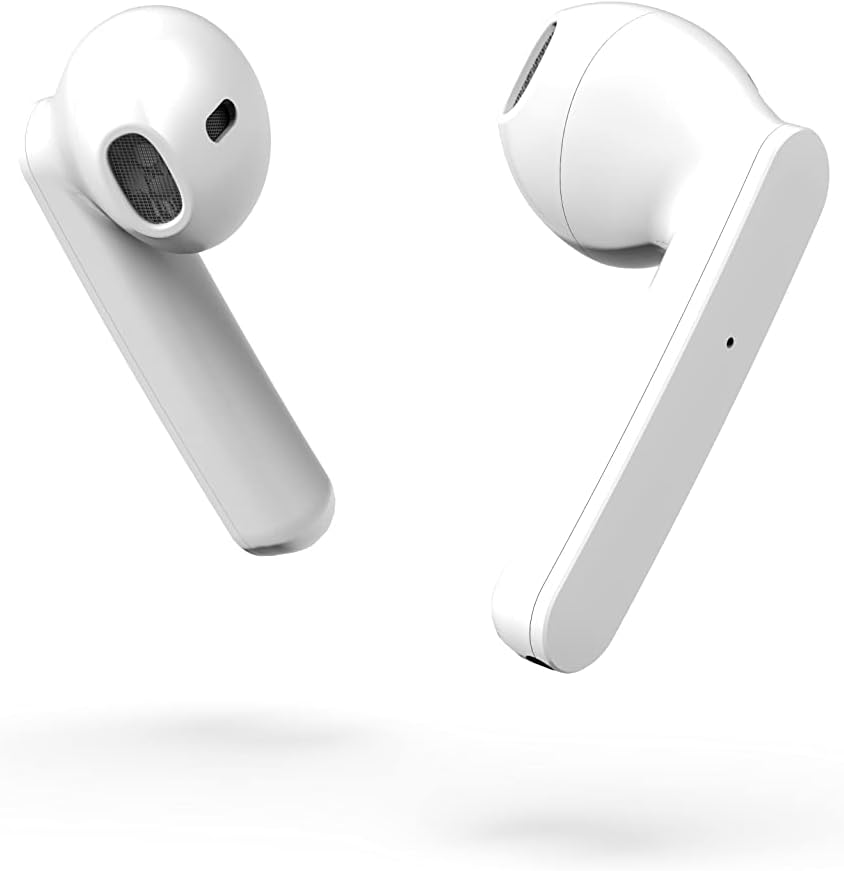
රූපය 3.2: සමීප පැත්ත view of the earbuds, highlighting their design.
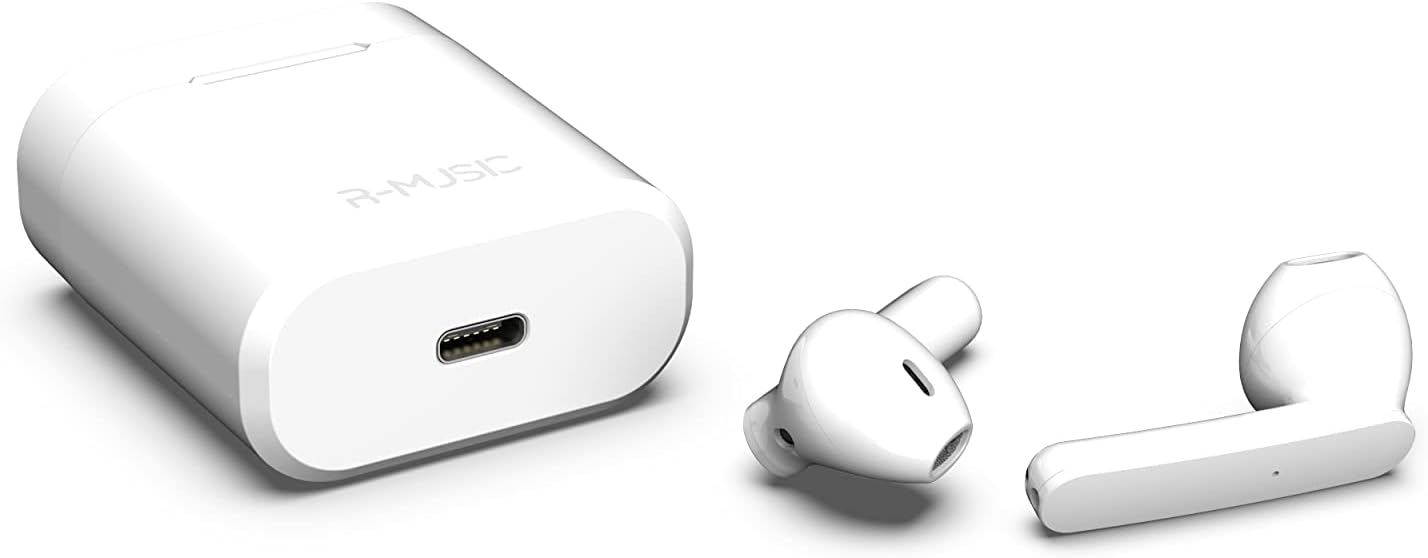
Figure 3.3: Charging case with USB-C port and earbuds.
4. පිහිටුවීම
4.1 මූලික ආරෝපණය
- පළමු භාවිතයට පෙර, ඉයර්බඩ් දෙකම ආරෝපණ පෙට්ටියට දමන්න.
- Connect the USB-C charging cable to the port on the charging case and to a power source.
- An indicator light inside the case will show the battery level during charging. Ensure the case and earbuds are fully charged.
4.2 උපාංගයක් සමඟ යුගල කිරීම
The R-Music Novo RM483874 earbuds feature quick and easy pairing:
- ආරෝපණ පෙට්ටිය විවෘත කර ඉයර්බඩ් දෙකම ඉවත් කරන්න. ඒවා ස්වයංක්රීයව යුගල කිරීමේ ප්රකාරයට ඇතුළු වනු ඇත.
- On your device (e.g., smartphone), navigate to the Bluetooth settings.
- ඒ සඳහා සොයන්න available devices and select "R-Music Novo" (or similar name) from the list.
- සම්බන්ධ වූ පසු, ඔබට ශ්රව්ය තහවුරු කිරීමක් ඇසෙනු ඇති අතර, ඉයර්බඩ් භාවිතයට සූදානම් වනු ඇත.
5. මෙහෙයුම් උපදෙස්
5.1 බලය සක්රිය / අක්රිය
- බල ගැන්වීම: Remove the earbuds from the charging case. They will automatically power on and attempt to connect to the last paired device.
- විදුලිය විසන්ධි කිරීම: ඉයර්බඩ් නැවත ආරෝපණ පෙට්ටියට දමන්න. ඒවා ස්වයංක්රීයව ක්රියා විරහිත වී ආරෝපණය වීමට පටන් ගනී.
5.2 ස්පර්ශ පාලන
The earbuds are equipped with touch controls for convenient operation:
- වාදනය/විරාමය: ඉයර්බඩ් දෙකෙන් එකක් මත එක තට්ටු කරන්න.
- ඊළඟ ධාවන පථය: දකුණු ඉයර්බඩ් එක දෙවරක් තට්ටු කරන්න.
- පෙර ධාවන පථය: වම් ඉයර්බඩ් එක දෙවරක් තට්ටු කරන්න.
- පිළිතුර/අවසන් ඇමතුම: එන ඇමතුමක් හෝ සක්රිය ඇමතුමක් අතරතුර ඉයර්බඩ් දෙකෙන් එකක් මත තනි තට්ටු කරන්න.
- ඇමතුම ප්රතික්ෂේප කරන්න: ලැබෙන ඇමතුමක් අතරතුර ඉයර්බඩ් දෙකෙන් එකක් ඔබා අල්ලාගෙන සිටින්න.
- හ oice සහකාර සක්රිය කරන්න: ඉයර්බඩ් දෙකෙන් එකක් තුන් වරක් තට්ටු කරන්න (ක්රියාකාරීත්වය උපාංගය අනුව වෙනස් විය හැකිය).
5.3 ඇමතුම් ලබා ගැනීම
The integrated microphone allows for hands-free calling. Ensure the earbuds are connected to your phone via Bluetooth. Use the touch controls to manage calls.
5.4 Listening to Music
Enjoy clear and balanced stereo sound. Use the touch controls to manage playback.
6. ආරෝපණය කිරීම
The earbuds provide approximately 3 hours of playback on a single charge. The charging case offers an additional 11 hours of battery life, allowing for multiple recharges on the go.
- ආරෝපණ ඉයර්බඩ්: Place the earbuds into the charging case. They will automatically charge.
- අයකිරීමේ නඩුව: Connect the supplied USB-C cable to the charging port on the case and a compatible USB power adapter. The indicator light will show charging status and battery level.
7. නඩත්තු කිරීම
- පිරිසිදු කිරීම: ඉයර්බඩ් සහ ආරෝපණ පෙට්ටිය පිරිසිදු කිරීමට මෘදු වියළි රෙද්දක් භාවිතා කරන්න. රළු රසායනික ද්රව්ය හෝ උල්ෙල්ඛ ද්රව්ය භාවිතා කිරීමෙන් වළකින්න.
- ගබඩා: භාවිතයේ නොමැති විට, ඉයර්බඩ් ආරක්ෂා කර ගැනීමට සහ ආරෝපණය කර තබා ගැනීමට ඒවායේ ආරෝපණ පෙට්ටියේ ගබඩා කරන්න.
- ජල ප්රතිරෝධය: The earbuds are water-resistant. However, they are not designed for swimming or prolonged submersion. Avoid exposure to saltwater or other corrosive liquids.
8. දෝශ නිරාකරණය
| ගැටලුව | හැකි විසඳුම |
|---|---|
| ඉයර්බඩ් ක්රියාත්මක නොවේ. | Ensure the charging case and earbuds are charged. Place earbuds in case, then remove them. |
| Earbuds do not pair. | Make sure Bluetooth is enabled on your device. Forget the device in your Bluetooth settings and try pairing again. Ensure earbuds are removed from the case. |
| එක් ඉයර්බඩ් එකකින් ශබ්දයක් නැත. | Place both earbuds back into the charging case, close the lid, then reopen and remove them. Check device audio settings. |
| ආරෝපණ පෙට්ටිය ආරෝපණය නොවේ. | Check the USB-C cable and power adapter. Ensure the cable is securely connected. |
9. පිරිවිතර
| විශේෂාංගය | විස්තර |
|---|---|
| මාදිලියේ නම | නවෝ |
| ආදර්ශ අංකය | RM483874 |
| සම්බන්ධතා තාක්ෂණය | බ්ලූටූත් (රැහැන් රහිත) |
| පාලන වර්ගය | ස්පර්ශ පාලනය |
| මයික්රෆෝනය | ඒකාබද්ධ |
| බැටරි ආයු කාලය (ඉයර්බඩ්) | ආසන්න වශයෙන්. පැය 3 යි |
| බැටරි ආයු කාලය (ආවරණය සමඟ) | Approx. 3H + 11H (total 14 hours) |
| ආරෝපණ වරාය | USB-C |
| ජල ප්රතිරෝධක මට්ටම | වතුර කාන්දු නොවන |
| ද්රව්ය | ප්ලාස්ටික් |
| බර | ග්රෑම් 37 කි |
| මානයන් | 5.3 x 4.7 x 2.4 සෙ.මී |
| සම්බාධනය | 3 ඕම් |
| ශබ්ද පාලනය | Acoustic Isolation |
| සංඛ්යාත ප්රතිචාරය | 20 Hz |
| සංවේදීතාව | 109 dB |
10 ආරක්ෂිත තොරතුරු
- නිෂ්පාදිතය විසුරුවා හැරීම, අලුත්වැඩියා කිරීම හෝ වෙනස් කිරීම නොකරන්න.
- Keep the earbuds and charging case away from extreme temperatures, direct sunlight, and moisture.
- ශ්රවණාබාධ වැළැක්වීම සඳහා දිගු කාලයක් සඳහා ඉහළ ශබ්ද මට්ටම්වලට සවන් දීමෙන් වළකින්න.
- ළමයින්ට සහ සුරතල් සතුන්ට ළඟාවිය නොහැකි ලෙස තබා ගන්න.
- දේශීය රෙගුලාසිවලට අනුව වගකීමෙන් යුතුව භාණ්ඩය බැහැර කරන්න.
11. වගකීම් සහ සහාය
R-Music products are designed for reliability and performance. For warranty information or technical support, please refer to the contact details provided at the point of purchase or visit the official R-Music webවෙබ් අඩවිය. වගකීම් හිමිකම් සඳහා කරුණාකර ඔබේ මිලදී ගැනීමේ සාක්ෂි තබා ගන්න.


