හැඳින්වීම
This manual provides essential information for setting up, operating, maintaining, and troubleshooting your HP 15 Laptop. Please read this guide thoroughly to ensure proper use and to maximize the performance and longevity of your device.
ආරම්භ කිරීම: සැකසුම
1. Unboxing Your Laptop
Carefully remove the laptop and all accessories from the packaging. Ensure all components are present: the HP 15 Laptop, AC power adapter, and any included documentation.
2 බලයට සම්බන්ධ වීම
Connect the AC power adapter to the laptop's power port and then plug it into a wall outlet. It is recommended to fully charge the battery before the first use.
3. ආරම්භක ආරම්භය සහ වින්ඩෝස් සැකසුම
Press the power button located on the keyboard deck. The laptop will power on, and you will be guided through the Windows 11 Home setup process. Follow the on-screen instructions to configure your language, region, network, and user account.
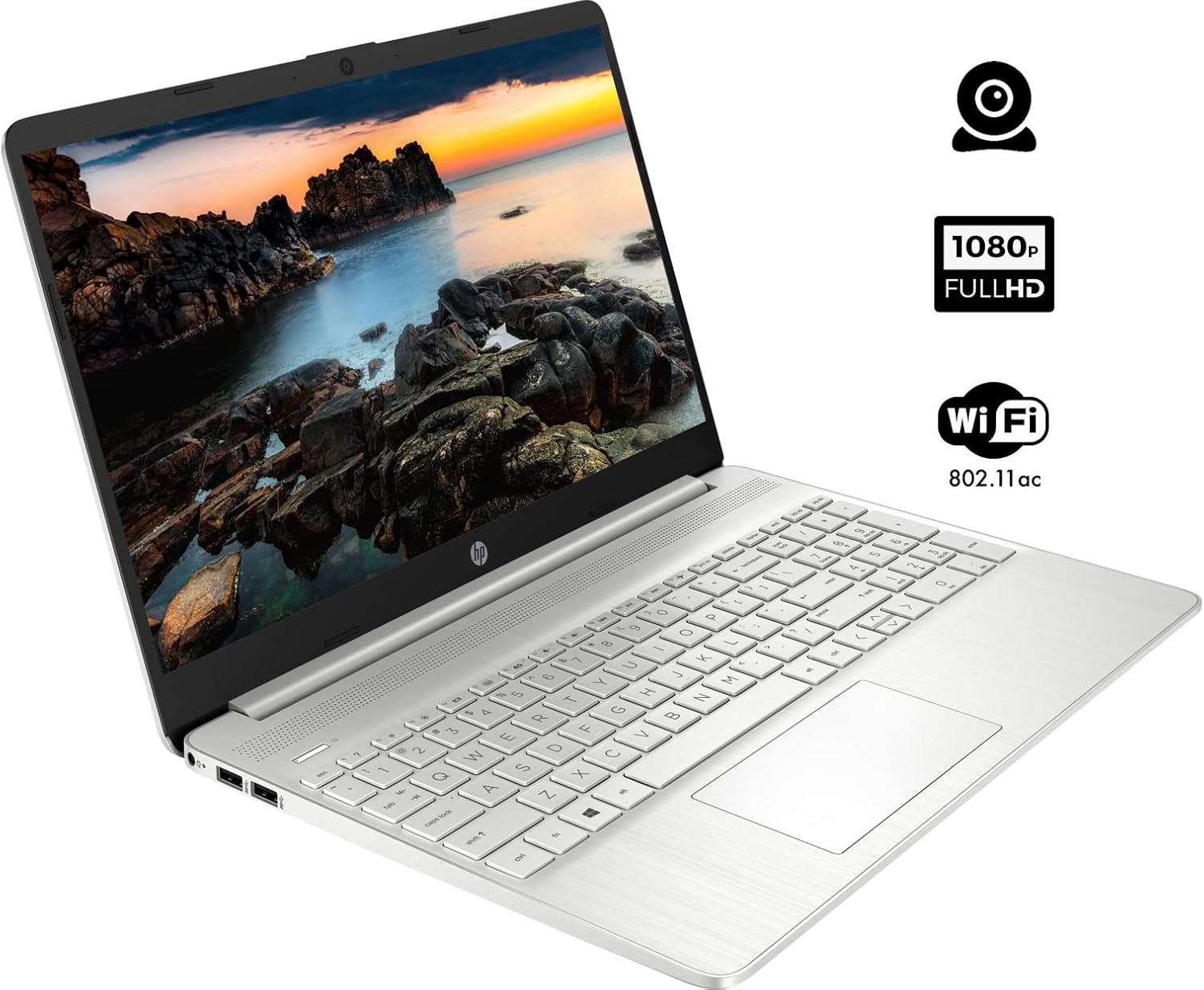
The HP 15 Laptop, ready for initial setup. Ensure the power adapter is connected before first use.
ඔබේ ලැප්ටොප් පරිගණකය ක්රියාත්මක කිරීම
1. බලය සක්රිය / අක්රිය කරන්න
- බල ගැන්වීම: බල බොත්තම ඔබන්න.
- විදුලිය විසන්ධි කිරීම: Click the Windows Start button, then select Power > Shut down. Avoid forced shutdowns by holding the power button unless necessary.
2. යතුරුපුවරුව සහ ටච් පෑඩ් භාවිතය
- යතුරු පුවරුව: Use the integrated keyboard for typing. Function keys (F1-F12) often have secondary actions (e.g., volume, brightness) accessible by pressing the Fn යතුර එකවර.
- Touchpad: The touchpad functions as a mouse. Tap to click, use two fingers to scroll, and pinch to zoom.
3. පර්යන්ත සම්බන්ධ කිරීම
Your HP 15 Laptop features various ports for connecting external devices:
- USB වර්ගය-A තොට: මීයන්, යතුරුපුවරු හෝ බාහිර ධාවක වැනි සම්මත USB උපාංග සම්බන්ධ කිරීම සඳහා.
- USB Type-C Port: දත්ත හුවමාරුව සඳහා බහුකාර්ය වරායක්.
- HDMI වරාය: බාහිර සංදර්ශක හෝ ප්රක්ෂේපක වෙත සම්බන්ධ වන්න.
- හෙඩ්ෆෝන්/මයික්රොෆෝන් සංයුක්ත ජැක්: For audio output to headphones or input from a microphone.
- SD කාඩ් කියවනය: දත්ත හුවමාරුව සඳහා SD කාඩ්පතක් ඇතුළු කරන්න.

This diagram illustrates the various ports available on your HP 15 Laptop, including USB-C, USB-A, HDMI, audio jack, SD card reader, and the power input.
4. Wi-Fi වෙත සම්බන්ධ වීම
රැහැන් රහිත ජාලයකට සම්බන්ධ වීමට:
- කාර්ය තීරුවේ ඇති Wi-Fi නිරූපකය ක්ලික් කරන්න.
- ලැයිස්තුවෙන් ඔබට අවශ්ය ජාලය තෝරන්න.
- විමසන්නේ නම් ජාල මුරපදය ඇතුළත් කරන්න, ඉන්පසු ක්ලික් කරන්න සම්බන්ධ කරන්න.
5. Connecting Bluetooth Devices
බ්ලූටූත් උපාංගයක් යුගල කිරීමට:
- වෙත යන්න සැකසීම් > බ්ලූටූත් සහ උපාංග.
- බ්ලූටූත් ක්රියාත්මක කර ඇති බව සහතික කර ගන්න On.
- තෝරන්න උපාංගය එක් කරන්න and follow the on-screen instructions to pair your device.

The HP 15 Laptop features an integrated webcam for video calls and supports Wi-Fi 802.11ac for wireless internet connectivity.
නඩත්තු කිරීම
1. ඔබේ ලැප්ටොප් පරිගණකය පිරිසිදු කිරීම
- තිරය: මෘදු, ලින්ට් රහිත රෙද්දක් සැහැල්ලුවෙන් භාවිතා කරන්නampජලය හෝ තිර පිරිසිදු කරන්නෙකු සමඟ ආලේප කර ඇත. රළු රසායනික ද්රව්ය වලින් වළකින්න.
- යතුරුපුවරුව සහ චැසිය: මතුපිට පිස දැමීමට මෘදු රෙද්දක් භාවිතා කරන්න. සම්පීඩිත වාතය යතුරු අතර ඇති දූවිලි ඉවත් කළ හැකිය.
2. මෘදුකාංග යාවත්කාලීන
Regularly update your operating system and drivers to ensure optimal performance and security. Windows Update typically handles this automatically, but you can manually check via සැකසීම් > වින්ඩෝස් යාවත්කාලීන කිරීම.
3. බැටරි රැකවරණය
- බැටරිය නිතර නිතර සම්පූර්ණයෙන්ම විසර්ජනය කිරීමෙන් වළකින්න.
- If storing the laptop for an extended period, charge the battery to about 50% and store it in a cool, dry place.
දෝෂගවේෂණය
මෙම කොටසින් ඔබට මුහුණ දීමට සිදුවිය හැකි පොදු ගැටළු සාකච්ඡා කෙරේ.
බලය නැත
- AC ඇඩැප්ටරය ලැප්ටොප් පරිගණකයට සහ ක්රියාකාරී බල අලෙවිසැලකට ආරක්ෂිතව සම්බන්ධ කර ඇති බවට වග බලා ගන්න.
- වෙනත් උපාංගයක් සම්බන්ධ කිරීමෙන් බල සැපයුම ක්රියාකාරී දැයි පරීක්ෂා කරන්න.
- බැටරිය සම්පූර්ණයෙන්ම බැස ගොස් ඇත්නම්, එය ක්රියාත්මක කිරීමට පෙර මිනිත්තු කිහිපයක් ආරෝපණය කිරීමට ඉඩ දෙන්න.
සංදර්ශක ගැටළු
- If the screen is blank, try adjusting the brightness using the function keys (e.g., F2/F3).
- Connect an external monitor via the HDMI port to check if the issue is with the laptop's display or graphics output.
- ග්රැෆික් ධාවක යාවත්කාලීන බව සහතික කර ගන්න.
Wi-Fi සම්බන්ධතා ගැටළු
- Windows සැකසුම් තුළ Wi-Fi සක්රීය කර ඇති බව තහවුරු කරන්න.
- ඔබේ රවුටරය සහ මොඩමය නැවත ආරම්භ කරන්න.
- ඔබ Wi-Fi ජාලයේ පරාසය තුළ සිටින බව සහතික කර ගන්න.
- Check for updated network drivers.
මන්දගාමී කාර්ය සාධනය
- පසුබිමේ ධාවනය වන අනවශ්ය යෙදුම් වසා දමන්න.
- Ensure your operating system and drivers are updated.
- Check for sufficient free space on your storage drive.
- Run a scan for malware or viruses.
පිරිවිතර
Below are the technical specifications for the HP 15 Laptop (Model 15):
| විශේෂාංගය | විස්තර |
|---|---|
| ස්ථාවර තිර සංදර්ශක ප්රමාණය | අඟල් 15.6 |
| තිර විභේදනය | 1920 x 1080 පික්සල (FHD) |
| ප්රොසෙසරය | AMD Ryzen 5 5500U (core 6, නූල් 12, 4.0 GHz දක්වා) |
| RAM | 12 GB DDR4 |
| දෘඪ තැටිය | 1 TB PCIe NVMe M.2 SSD |
| ග්රැෆික් කොප්රොසෙසරය | AMD Radeon Integrated Graphics |
| මෙහෙයුම් පද්ධතිය | Windows 11 Home |
| USB 3.0 Ports | 3 (2x Type-A, 1x Type-C) |
| HDMI වරාය | 1 (HDMI 1.4b) |
| සම්බන්ධතාවය | Wi-Fi 802.11ac, Bluetooth |
| Webකැම් | ඒකාබද්ධ Webමයික්රෆෝනය සහිත කැමරාව |
| අයිතමයේ බර | රාත්තල් 3.74 කි |
| නිෂ්පාදන මානයන් | අඟල් 14.11 x 9.53 x 0.7 |
| වර්ණය | රිදී |

The HP 15 Laptop in its closed state, highlighting its sleek silver design and the HP branding.
වගකීම් තොරතුරු
Your HP 15 Laptop comes with a standard manufacturer's warranty. For detailed information regarding warranty terms, conditions, and duration, please refer to the warranty card included with your product or visit the official HP support webඅඩවිය.
සහාය
For further assistance, technical support, or to download updated drivers and software, please visit the official HP support website. You can also find FAQs and community forums there for additional help.
HP සහාය Webඅඩවිය: support.hp.com