1. හැඳින්වීම
Welcome to the user manual for your Yamaha TW-ES5A True Wireless Sport Earbuds. These earbuds are designed to provide high-quality audio with features tailored for an active lifestyle, including advanced noise cancellation, ambient sound modes, and a waterproof design. Please read this manual thoroughly to ensure proper use and maintenance of your device.

2. පෙට්ටියේ ඇති දේ
පහත සඳහන් සියලුම අයිතම ඔබේ පැකේජයට ඇතුළත් කර ඇති බව තහවුරු කර ගන්න:
- TW-ES5A ඉයර්බඩ් (වම සහ දකුණ)
- ආරක්ෂිත ආරෝපණ නඩුව
- USB AC ආරෝපණ කේබලය
- ඉයර්ටිප් කට්ටල 5ක් (XS, S, M, L, XL)
- ස්ථායීකාරක කන් වරල් කට්ටල 4ක් (XS, S, M, L)

3. නිෂ්පාදන අවසන්view
The Yamaha TW-ES5A earbuds are designed for comfort and performance. Familiarize yourself with the earbud and charging case components.
ඉයර්බඩ් නිර්මාණය

Each earbud features a compact design with integrated controls and a stabilizer ear fin for a secure fit during physical activity. The earbuds are lightweight, weighing approximately 0.28 ounces each.
අයකිරීමේ නඩුව
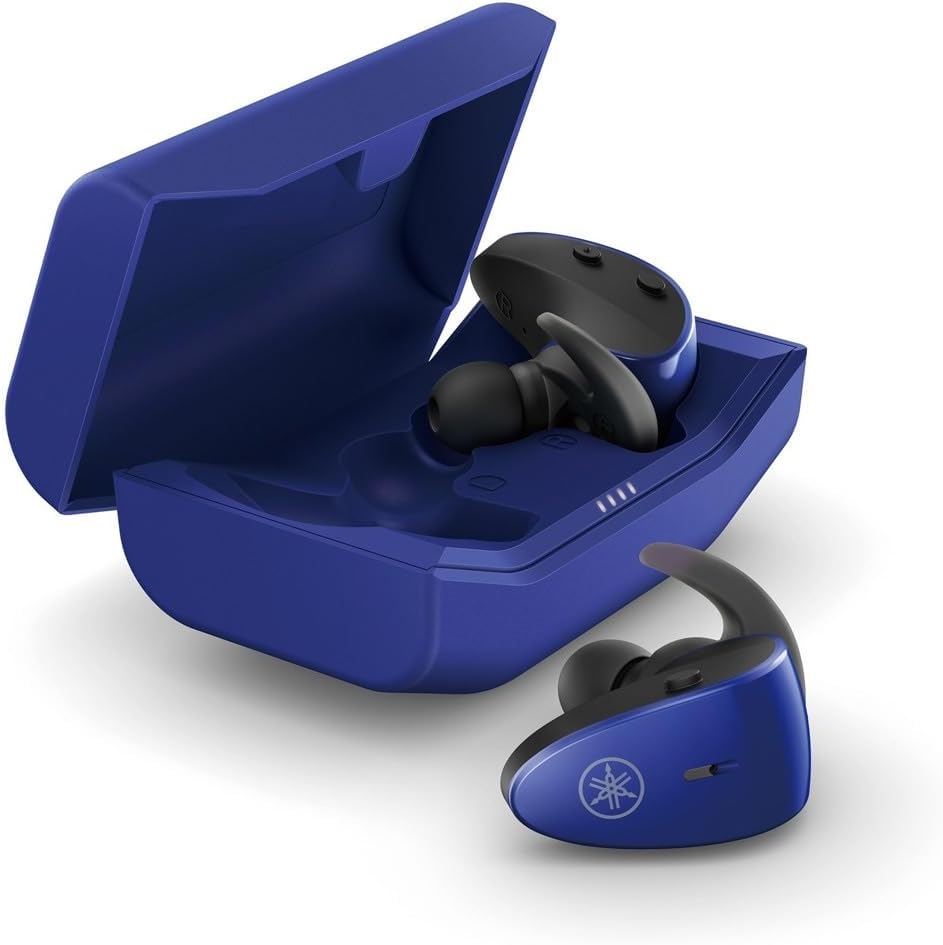
The protective charging case not only stores your earbuds but also recharges them, providing extended battery life. LED indicators on the case show the charging status.
ජල ආරක්ෂිත විශේෂාංගය
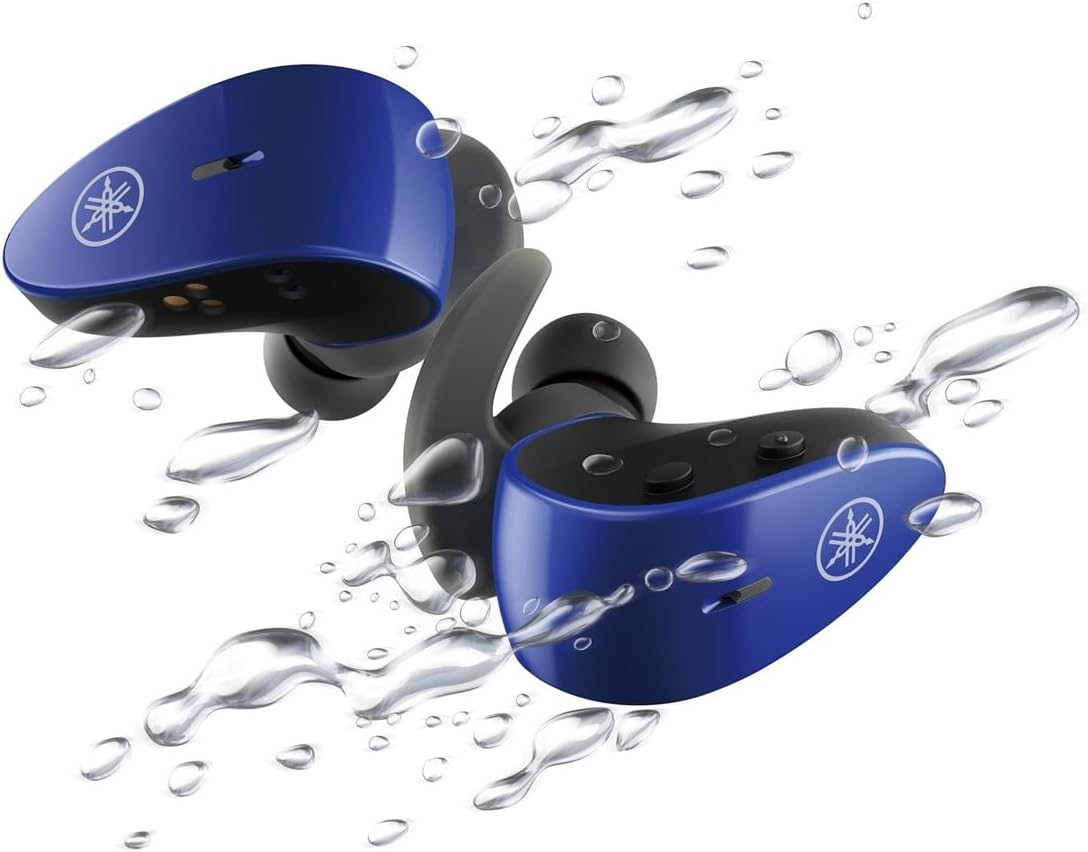
With an IPX7 waterproof rating, these earbuds are protected against immersion in water up to 1 meter for 30 minutes, making them ideal for workouts and outdoor activities.
නිල නිෂ්පාදන වීඩියෝව
4. පිහිටුවීම
4.1 ඉයර්බඩ් සහ කේස් ආරෝපණය කිරීම
- Place the earbuds into the charging case. Ensure they are correctly seated; the LED indicators on the earbuds will light up to confirm charging.
- Connect the USB A-C charging cable to the charging case and then to a USB power source (e.g., computer, USB wall adapter).
- The charging case LEDs will indicate the charging status. A full charge provides up to 34 hours of total battery life (earbuds + case).
4.2 Selecting Eartips and Stabilizer Ear Fins
For optimal sound quality, comfort, and a secure fit, it is crucial to select the correct size of eartips and stabilizer ear fins.
- ඉර්ටිප්ස්: Experiment with the 5 provided sizes (XS, S, M, L, XL). The correct size should create a good seal in your ear canal, blocking out external noise and providing rich bass.
- ස්ථායීකාරක කන් වරල්: Choose from the 4 provided sizes (XS, S, M, L). The fin should fit snugly into the concha of your ear, preventing the earbud from falling out during movement.
4.3 බ්ලූටූත් යුගල කිරීම
- ආරෝපණ පෙට්ටිය විවෘත කරන්න. ඉයර්බඩ් ස්වයංක්රීයව යුගල කිරීමේ ප්රකාරයට ඇතුළු වනු ඇත (LED දැල්වෙනු ඇත).
- ඔබගේ උපාංගයේ (ස්මාර්ට්ෆෝන්, ටැබ්ලටය, ලැප්ටොප්), බ්ලූටූත් සැකසුම් වෙත ගොස් බ්ලූටූත් සක්රීය කරන්න.
- ඒ සඳහා සොයන්න available devices and select "Yamaha TW-ES5A" from the list.
- සම්බන්ධ වූ පසු, ඉයර්බඩ් LED දැල්වීම නවත්වන අතර, ඔබගේ උපාංගය සම්බන්ධතාවය තහවුරු කරයි.
- පසුකාලීන භාවිතය සඳහා, ඉයර්බඩ් නඩුවෙන් ඉවත් කළ විට අවසන් වරට යුගල කළ උපාංගයට ස්වයංක්රීයව සම්බන්ධ වේ.
5. මෙහෙයුම් උපදෙස්
The TW-ES5A earbuds feature touch controls for various functions.
5.1 බලය සක්රිය / අක්රිය
- බල ගැන්වීම: ආරෝපණ පෙට්ටිය විවෘත කරන්න, එවිට ඉයර්බඩ් ස්වයංක්රීයව ක්රියාත්මක වේ.
- විදුලිය විසන්ධි කිරීම: ඉයර්බඩ් නැවත ආරෝපණ පෙට්ටියට දමා පියන වසා දමන්න. ඒවා ස්වයංක්රීයව ක්රියා විරහිත වේ.
5.2 සංගීත වාදනය
- වාදනය/විරාමය: ඉයර්බඩ් දෙකෙන් එකක් මත එක තට්ටු කරන්න.
- ඊළඟ ධාවන පථය: දකුණු ඉයර්බඩ් එක දෙවරක් තට්ටු කරන්න.
- පෙර ධාවන පථය: වම් ඉයර්බඩ් එක දෙවරක් තට්ටු කරන්න.
- පරිමාව: දකුණු ඉයර්බඩ් එක තුන් වරක් තට්ටු කරන්න.
- ශබ්දය පහළට: වම් ඉයර්බඩ් එක තුන් වරක් තට්ටු කරන්න.
5.3 ඇමතුම් කළමනාකරණය
- පිළිතුර/අවසන් ඇමතුම: ඉයර්බඩ් දෙකෙන් එකක් මත එක තට්ටු කරන්න.
- ඇමතුම ප්රතික්ෂේප කරන්න: ඉයර්බඩ් එකක් තත්පර 2ක් ඔබාගෙන සිටින්න.
5.4 ශබ්ද පාලන ක්රම
The TW-ES5A offers two noise control modes:
- ක්රියාකාරී ශබ්ද අවලංගු කිරීම (ANC): ගිලී යන සවන්දීමේ අත්දැකීමක් සඳහා අවට ශබ්දය අඩු කරයි.
- සංසරණ ශබ්දය: Allows you to hear your surroundings while listening to audio, enhancing awareness.
මාරු කිරීමේ මාතයන්: Press and hold the touch control on the left earbud for 2 seconds to cycle between ANC, Ambient Sound, and Off modes.
5.5 හ oice සහකාර
Activate your device's voice assistant (Siri or Google Assistant) by pressing and holding the touch control on the right earbud for 2 seconds. This allows for hands-free control of your device.
6. නඩත්තු කිරීම
6.1 පිරිසිදු කිරීම
- මෘදු, වියලි, ලින්ට් රහිත රෙද්දකින් ඉයර්බඩ්, ඉයර්ටිප් සහ ආරෝපණ සම්බන්ධතා නිතිපතා පිරිසිදු කරන්න.
- Remove eartips and wash them with mild soap and water if necessary. Ensure they are completely dry before reattaching.
- උල්ෙල්ඛ පිරිසිදු කරන්නන් හෝ ද්රාවණ භාවිතා නොකරන්න.
6.2 ගබඩා කිරීම
- ඉයර්බඩ් ආරක්ෂා කර ගැනීමට සහ ආරෝපණය කර තබා ගැනීමට, භාවිතයේ නොමැති විට සෑම විටම ඒවායේ ආරෝපණ පෙට්ටියේ ගබඩා කරන්න.
- උපාංගය අධික උෂ්ණත්වයන්ගෙන් සහ සෘජු හිරු එළියෙන් ඈත්ව සිසිල් වියළි ස්ථානයක ගබඩා කරන්න.
7. දෝශ නිරාකරණය
If you encounter issues with your TW-ES5A earbuds, try the following solutions:
| ගැටලුව | විය හැකි හේතුව | විසඳුම |
|---|---|---|
| Earbuds won't power on | අඩු බැටරි | ඉයර්බඩ් ආරෝපණ පෙට්ටියේ තබා සම්පූර්ණයෙන්ම ආරෝපණය කරන්න. |
| උපාංගය සමඟ යුගල කළ නොහැක | Bluetooth off, earbuds not in pairing mode, or previously paired device interference | Ensure Bluetooth is on. Open case to enter pairing mode. Forget device on your phone and re-pair. Turn off Bluetooth on other nearby devices. |
| ශබ්දය හෝ අඩු පරිමාවක් නොමැත | Volume too low, improper fit, or earbud obstruction | Increase volume on earbuds and device. Adjust eartips for a secure seal. Clean earbud mesh. |
| ඇමතුම් ගුණාත්මකභාවය දුර්වලයි | Microphone obstruction or environmental noise | Ensure microphone is clear. Try moving to a quieter environment. |
| ඉයර්බඩ් නිතර විසන්ධි වේ | Distance from device, interference, or low battery | Keep earbuds close to your device. Avoid strong electromagnetic interference. Charge earbuds fully. |
If the issue persists, please refer to the Warranty & Support section for further assistance.
8. පිරිවිතර
Key technical specifications for the Yamaha TW-ES5A True Wireless Sport Earbuds:
| විශේෂාංගය | විස්තර |
|---|---|
| මාදිලියේ නම | TW-ES5A |
| සම්බන්ධතා තාක්ෂණය | Bluetooth 5.2, Qualcomm aptX Adaptive TrueWireless Mirroring with Clear Voice |
| ජල ප්රතිරෝධක මට්ටම | IPX7 (ජල ආරක්ෂිත) |
| ශබ්ද පාලනය | Active Noise Cancellation, Ambient Sound |
| බැටරි ආයු කාලය | Up to 34 hours total (earbuds + charging case) |
| අයිතමයේ බර | අවුන්ස 0.28 (ඉයර්බඩ් එකකට) |
| නිෂ්පාදන මානයන් | අඟල් 1.32 x 2.78 x 0.67 |
| ශ්රව්ය ධාවක වර්ගය | ගතික ධාවකය |
| සහාය දක්වන කෝඩෙක්ස් | AptX Adaptive, AAC |
| ගැළපෙන උපාංග | Android, Laptops, Mac Book, Tablets, iPhone |
| විශේෂ ලක්ෂණ | Android Phone Control, iOS Phone Control, Fast Charging, Microphone included, Sweatproof, Volume Control, Sports & Exercise, Lightweight, Wireless, Firm Secure Fit |
9. වගකීම් සහ සහාය
සවිස්තරාත්මක වගකීම් තොරතුරු, නිෂ්පාදන ලියාපදිංචිය සහ තාක්ෂණික සහාය සඳහා, කරුණාකර නිල Yamaha වෙබ් අඩවියට පිවිසෙන්න. webවෙබ් අඩවියට හෝ ඔවුන්ගේ පාරිභෝගික සේවය අමතන්න. ඕනෑම වගකීම් හිමිකම් සඳහා ඔබේ මිලදී ගැනීමේ සාක්ෂි තබා ගන්න.
ඔබට මිලදී ගැනීමද සලකා බැලිය හැකියasing extended protection plans for your device. Details on available protection plans can often be found at the point of purchase or on the retailer's webඅඩවිය.