1. හැඳින්වීම
This manual provides instructions for the Lexon MINO+ Portable Bluetooth Mini Speaker. The MINO+ is a compact, rechargeable speaker designed for high-definition audio playback, hands-free calling, and remote selfie functionality. It features True Wireless Stereo (TWS) technology for pairing two speakers.
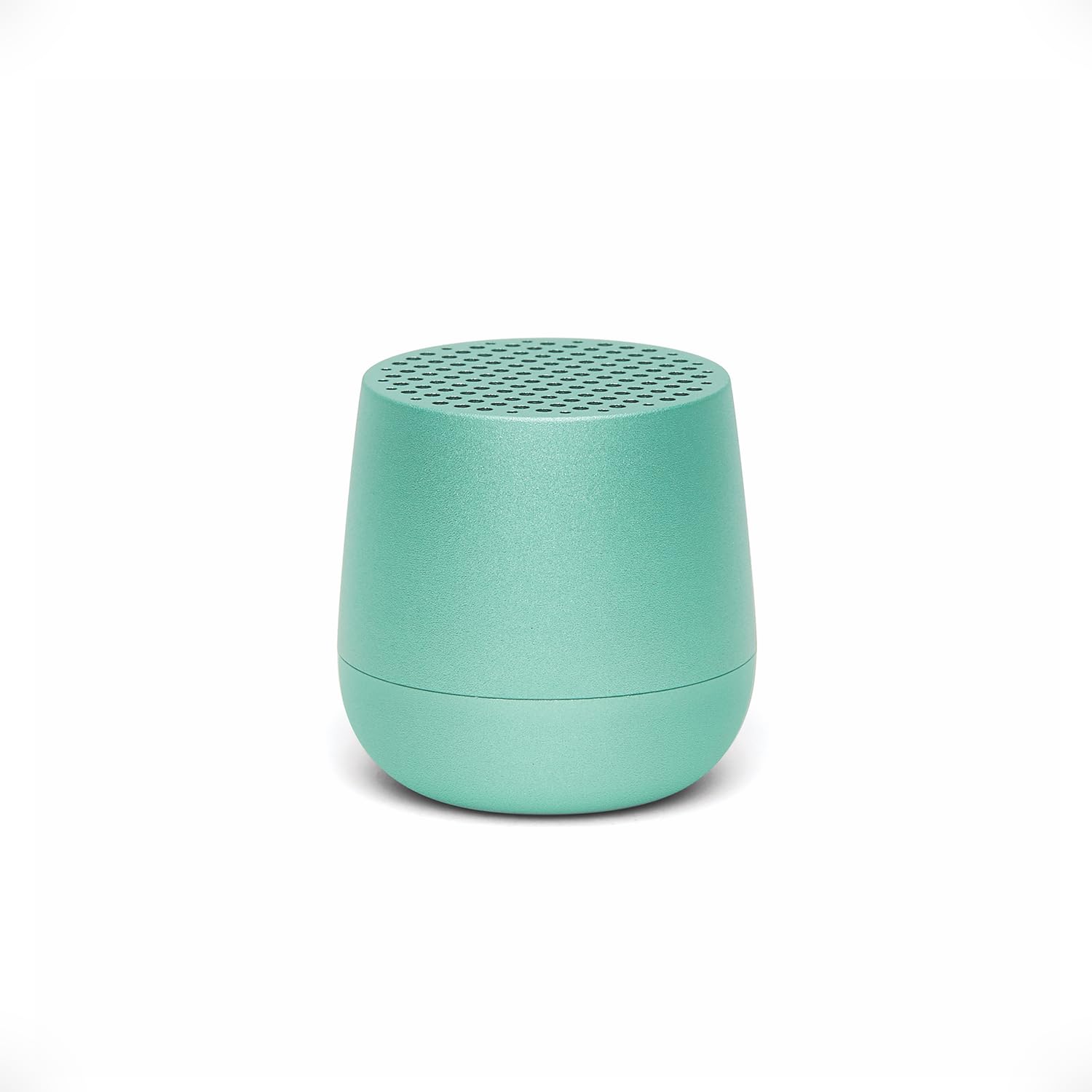
Image: The Lexon MINO+ speaker, showcasing එහි සංයුක්ත නිර්මාණය.
වීඩියෝ: ඉවරයිview of the Lexon MINO+ Bluetooth speaker, highlighting its features and design.
2. පෙට්ටියේ ඇති දේ
- Lexon MINO+ Portable Bluetooth Mini Speaker
- USB-C කේබලය
3. නිෂ්පාදන ලක්ෂණ
- සංයුක්ත නිර්මාණය: Fits in the palm of your hand.
- ශ්රව්ය ප්රතිදානය: Delivers 3W high-quality sound.
- නැවත ආරෝපණය කළ හැකි බැටරි: ක්රීඩා කාලය පැය 3 දක්වා.
- ආරෝපණ විකල්ප: Supports wireless charging (Qi-enabled pad not included) and USB-C charging.
- සැබෑ රැහැන් රහිත ස්ටීරියෝ (TWS): Allows pairing of two MINO+ speakers for stereo sound.
- හෑන්ඩ්ස්-ෆ්රී මයික්රෆෝනය: ඇමතුම් සඳහා ඇති මයික්රෆෝනය.
- Selfie Remote Control: Use the speaker button to trigger your phone's camera.
- ද්රව්ය: ලෝහ ඉදිකිරීම්.
- සම්බන්ධතාවය: Bluetooth wireless technology (range up to 10 meters / 32.8 feet).

Image: The MINO+ speaker comfortably held in a hand, illustrating its compact form factor.
4. පිහිටුවීම
4.1 බල ගැන්වීම සක්රිය / අක්රිය කිරීම
- To power on: Press and hold the button located on the bottom of the speaker until you hear an audible cue or see an indicator light.
- To power off: Press and hold the button again until the speaker powers down.
4.2 මූලික බ්ලූටූත් යුගලනය
- Ensure the MINO+ speaker is powered on and within 10 meters (32.8 feet) of your device.
- දිලිසෙන LED ආලෝකයක් මඟින් දැක්වෙන පරිදි, ස්පීකරය ස්වයංක්රීයව යුගල කිරීමේ මාදිලියට ඇතුළු වනු ඇත.
- ඔබගේ ස්මාර්ට් ජංගම දුරකථනයේ, ටැබ්ලටයේ හෝ පරිගණකයේ, බ්ලූටූත් සැකසුම් වෙත සංචාලනය කරන්න.
- Select "MINO+" from the list of available devices.
- Once connected, the LED indicator will typically show a solid light, and you may hear a confirmation tone.
5. මෙහෙයුම් උපදෙස්
5.1 ශ්රව්ය වාදනය කිරීම
After successful pairing, audio played on your connected device will stream through the MINO+ speaker. Control playback (play/pause, skip tracks) directly from your connected device.
5.2 පරිමාව සකස් කිරීම
Adjust the volume directly from your connected Bluetooth device (smartphone, tablet, etc.).
5.3 හෑන්ඩ්ස්-ෆ්රී ඇමතුම්
- When a call comes in, the speaker will ring. Press the button on the bottom of the speaker once to answer the call.
- To end a call, press the button once again.
- එන ඇමතුමක් ප්රතික්ෂේප කිරීමට, බොත්තම ඔබා තත්පර කිහිපයක් අල්ලාගෙන සිටින්න.
5.4 Selfie Remote Control
With your phone's camera app open and the MINO+ connected via Bluetooth, press the button on the bottom of the speaker to remotely trigger the camera shutter and take a photo.
6. ආරෝපණය කිරීම
The MINO+ speaker can be charged using the included USB-C cable or wirelessly with a Qi-enabled charging pad (sold separately).
6.1 USB-C ආරෝපණය
- USB-C කේබලය ස්පීකරයේ ආරෝපණ වරායට සම්බන්ධ කරන්න.
- USB-C කේබලයේ අනෙක් කෙළවර අනුකූල USB බල ඇඩැප්ටරයකට (ඇතුළත් කර නැත) හෝ පරිගණකයේ USB පෝට් එකකට සම්බන්ධ කරන්න.
- The LED indicator will show charging status (e.g., solid red for charging, off or green for fully charged).
6.2 රැහැන් රහිත ආරෝපණය
- Place the MINO+ speaker on a Qi-enabled wireless charging pad.
- Ensure the speaker is centered on the charging pad for optimal contact.
- LED දර්ශකය ආරෝපණ තත්ත්වය පෙන්වයි.

Image: The MINO+ speaker being charged wirelessly on a compatible charging pad.
7. සත්ය රැහැන් රහිත ස්ටීරියෝ (TWS) යුගලනය
To achieve a stereo sound experience, you can pair two MINO+ speakers together.
- Ensure both MINO+ speakers are powered off.
- Power on both speakers simultaneously. They will enter pairing mode.
- Double-press the button on the bottom of one of the speakers. This speaker will become the primary unit.
- ස්පීකර් දෙක ස්වයංක්රීයව එකිනෙකට සම්බන්ධ වනු ඇත. සම්බන්ධ වූ පසු ඔබට තහවුරු කිරීමේ ස්වරයක් ඇසෙනු ඇත.
- Now, connect your device to the primary MINO+ speaker via Bluetooth as described in Section 4.2. Audio will play in stereo through both speakers.

Image: Two MINO+ speakers positioned to illustrate their True Wireless Stereo (TWS) pairing function.
8. නඩත්තු කිරීම
- පිරිසිදු කිරීම: ස්පීකරය පිරිසිදු කිරීම සඳහා මෘදු වියළි රෙද්දක් භාවිතා කරන්න. උල්ෙල්ඛ පිරිසිදු කරන්නන් හෝ ද්රාවක භාවිතා නොකරන්න.
- ගබඩා: සෘජු හිරු එළියෙන් සහ අධික උෂ්ණත්වයන්ගෙන් ඈත්ව සිසිල් වියළි ස්ථානයක ස්පීකරය ගබඩා කරන්න.
- ජල ප්රතිරෝධය: This product is not waterproof. Avoid exposure to water or high humidity.
9. දෝශ නිරාකරණය
| ගැටලුව | විසඳුම |
|---|---|
| ස්පීකරය ක්රියාත්මක නොවේ. | Ensure the speaker is charged. Connect it to a power source using the USB-C cable or a wireless charging pad. |
| බ්ලූටූත් උපාංගයක් සමඟ යුගල කළ නොහැක. |
|
| ශබ්දයක් නැත හෝ අඩු පරිමාවක් නැත. |
|
| TWS යුගලනය අසාර්ථකයි. | Ensure both speakers are powered off before attempting TWS pairing. Follow the steps in Section 7 carefully. Make sure no other devices are connected to either speaker during TWS pairing. |
10. පිරිවිතර
| විශේෂාංගය | විස්තර |
|---|---|
| මාදිලියේ නම | MINO+ |
| අයිතම ආදර්ශ අංකය | LA125M1 |
| වෙළඳ නාමය | ලෙක්සන් |
| ස්පීකර් වර්ගය | බිල්ට්-ඉන් |
| ස්පීකර් උපරිම නිමැවුම් බලය | වොට් 3 |
| සම්බන්ධතා තාක්ෂණය | බ්ලූටූත් |
| බ්ලූටූත් පරාසය | මීටර් 10 (අඩි 32.8) |
| බලශක්ති ප්රභවය | බැටරි බලයෙන් (ලිතියම් පොලිමර් බැටරි 1ක් අවශ්යයි) |
| සෙල්ලම් කාලය | පැය 3 දක්වා |
| අයකිරීම | USB-C, Wireless (Qi-compatible) |
| විශේෂ ලක්ෂණ | Built-In Microphone, Stereo Pairing (TWS), USB Port, Selfie Remote |
| ද්රව්ය | ලෝහ |
| නිෂ්පාදන මානයන් | 1.45"D x 1.45"W x 1.45"H |
| අයිතමයේ බර | ග්රෑම් 33 (අවුන්ස 1.16) |
| ජල ප්රතිරෝධක මට්ටම | ජලයට ඔරොත්තු නොදෙන |
11 ආරක්ෂිත තොරතුරු
- කථිකයා අධික උෂ්ණත්වයන්ට, සෘජු හිරු එළියට හෝ අධික ආර්ද්රතාවයට නිරාවරණය නොකරන්න.
- කථිකයා ප්රබල බලපෑම්වලට වැටීමෙන් හෝ යටත් කිරීමෙන් වළකින්න.
- ස්පීකරය විසුරුවා හැරීමට, අලුත්වැඩියා කිරීමට හෝ වෙනස් කිරීමට උත්සාහ නොකරන්න. මෙය වගකීම් සහතිකය අවලංගු කළ හැකි අතර ආරක්ෂක අවදානම් ඇති කළ හැකිය.
- ළමයින් සහ සුරතල් සතුන්ගෙන් ස්පීකරය ඈත් කර තබන්න.
- දේශීය රෙගුලාසිවලට අනුව නිෂ්පාදනය සහ එහි බැටරිය වගකීමෙන් යුතුව බැහැර කරන්න.
12. වගකීම් සහ සහාය
For warranty information or technical support, please refer to the official Lexon website or contact Lexon customer service directly. Keep your proof of purchase for warranty claims.


