1. හැඳින්වීම
The Audio Array AI-04 is a professional 2x2 USB audio interface designed for high-fidelity recording and playback. It features premium mic pre-amps, 48V phantom power support, and 24-bit/192kHz audio resolution, making it suitable for various audio production needs. This manual provides essential information for setting up, operating, and maintaining your AI-04 audio interface.
2. පැකේජ අන්තර්ගතය
ඔබ ආරම්භ කිරීමට පෙර, කරුණාකර කොටුවේ සියලුම අයිතම ඇති බවට වග බලා ගන්න:
- 1 x Audio Array AI-04 Audio Interface
- 1 x USB 2.0 B-Male to A-Male Cable
- 1 x USB 2.0 A-Male to Type-C adapter
- 1 x Type-C to USB A-Male Cable
- 1 x පරිශීලක අත්පොත (මෙම ලේඛනය)
Image: Contents of the Audio Array AI-04 package, showing the red audio interface, various USB cables, and the user manual.
3. පිහිටුවීම
3.1 ඔබේ පරිගණකයට සම්බන්ධ වීම
The Audio Array AI-04 is a plug-and-play device, requiring no additional drivers for most operating systems. It is compatible with Mac OS and Windows XP+.
- Connect the AI-04 to your computer using the provided USB cable. Use the appropriate adapter (USB-A to USB-C) if your computer only has USB-C ports.
- The device will be automatically recognized by your operating system.
3.1.1 Connecting with Windows
- From your Windows taskbar, right-click the Sound Icon and open Sound Settings.
- Choose your output device: 'Headphones (HD USB Audio Device)'.
- Choose your input device: 'Microphone (HD USB Audio Device)'.

Image: Visual guide for configuring the Audio Array AI-04 as the input and output device in Windows Sound Settings.
3.1.2 Connecting with Mac
- On your Mac, choose Apple menu > System Preferences, then select Sound.
- Click Input, then select the 'Microphone (HD USB AUDIO DEVICE)' in the list of sound input devices.
- Click Output, then select the 'Headphones (HD USB AUDIO DEVICE)' in the list of sound output devices.

Image: Visual guide for configuring the Audio Array AI-04 as the input and output device in Mac Sound Preferences.
3.2 මයික්රොෆෝන සහ උපකරණ සම්බන්ධ කිරීම
The AI-04 features versatile input options:
- XLR/MIC/LINE Inputs: Two combo inputs (1L and 2R) support XLR microphones, 1/4" TRS/TS line-level instruments, or Hi-Z instruments.
- 48V ෆැන්ටම් බලය: Activate the 48V phantom power switch for condenser microphones. Ensure phantom power is off when connecting dynamic microphones or line-level instruments.

රූපය: ඉදිරිපස සහ පසුපස views of the Audio Array AI-04, highlighting XLR/MIC/LINE inputs, headphone output, and TRS/TS stereo jacks.
3.3 ප්රතිදාන උපාංග සම්බන්ධ කිරීම
Connect your monitors, PA system, or other playback devices to the independent TRS/TS stereo jacks (1L and 2R) on the rear panel. For private listening, use the dedicated headphone output on the front panel.

Image: Rear panel of the Audio Array AI-04, detailing power input, 48V phantom power switch, and output jacks.
4. Operating the AI-04
4.1 පාලන සහ දර්ශක
The AI-04 features intuitive controls for managing your audio:
- ලකුණු ලබා ගන්න: Separate gain controls for each input channel (1L and 2R) allow you to adjust the input level.
- Signal & Overload Indicators: LED indicators (PK) next to each gain knob show signal presence and clipping (overload). Adjust gain to avoid clipping.
- Input/DAW Mix Knob: Adjusts the balance between direct input monitoring and playback from your Digital Audio Workstation (DAW).
- අඩු කැපුම් ස්විචය: Engages a low-cut filter to reduce unwanted low-frequency noise.
- හයි-ඉසෙඩ් ස්විචය: Activates high impedance mode for direct connection of guitars and other instruments.
- ලූප්බැක් ස්විචය: Enables the loopback function, allowing you to record computer audio along with your microphone/instrument inputs.
- ප්රතිදාන වෙළුම් බොත්තම: Controls the overall output volume to your monitors/speakers.
- Headphone Volume Knob: Controls the volume for the headphone output.

රූපය: විස්තරාත්මක view of the Audio Array AI-04 front panel, illustrating the function of each knob and switch.
4.2 පටිගත කිරීම සහ නැවත ධාවනය
The AI-04 provides 24-bit/192kHz high-fidelity recording. Use with popular recording software like Pro Tools, Ableton, Cubase, etc. Low-noise balanced outputs ensure clear audio playback. The headphone output allows for high-fidelity private listening.
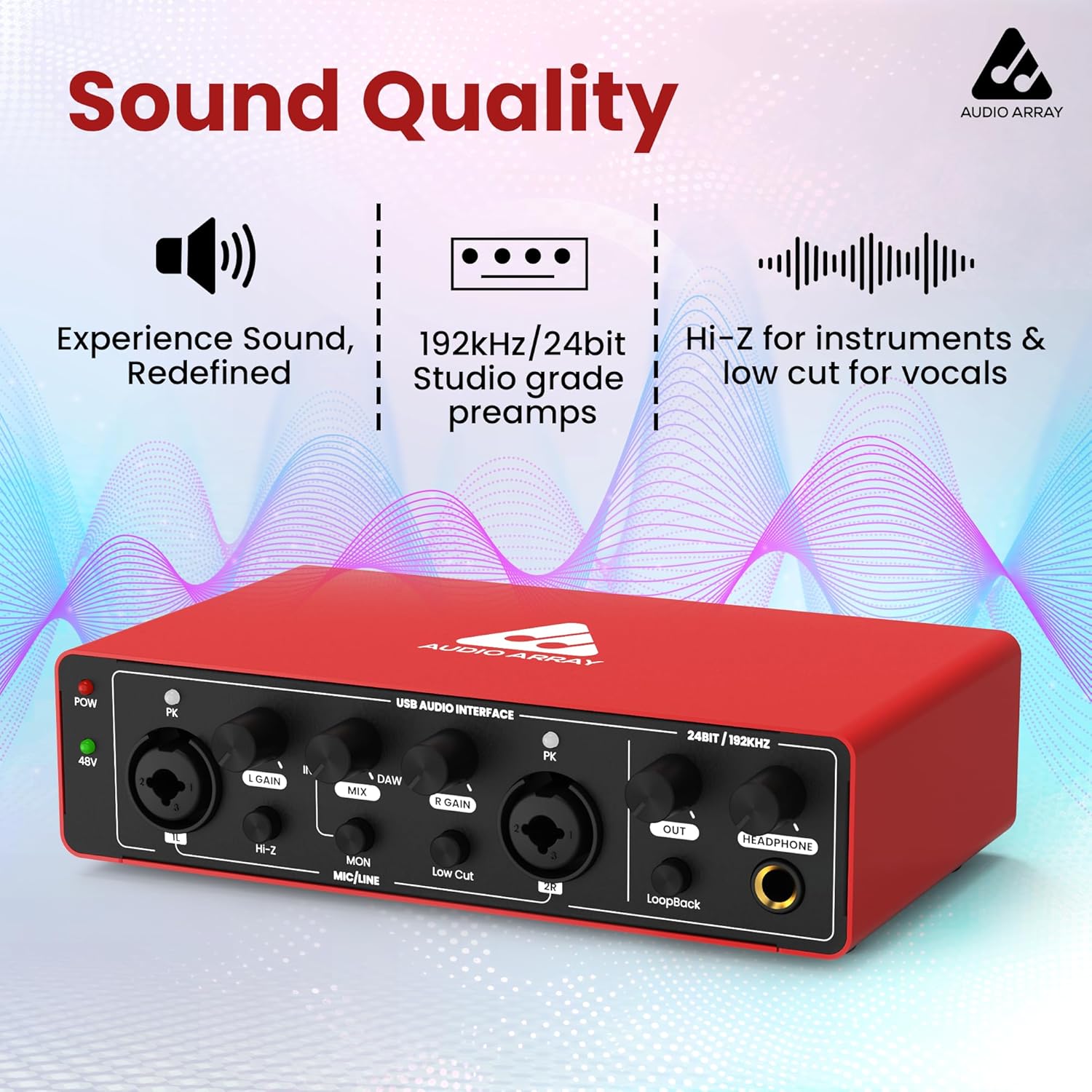
රූපය: ඉදිරිපස view of the Audio Array AI-04, emphasizing its sound quality features like studio-grade preamps and high-resolution audio.
4.3 නිල නිෂ්පාදන වීඩියෝව
Watch this official video for a visual guide on the Audio Array AI-04's features and usage:
Video: Official product video for the Audio Array AI-04, demonstrating its key features and applications.
5. නඩත්තු කිරීම
To ensure the longevity and optimal performance of your Audio Array AI-04, follow these maintenance guidelines:
- මෘදු වියළි රෙද්දකින් පිස දැමීමෙන් උපාංගය පිරිසිදුව තබා ගන්න. රළු රසායනික ද්රව්ය හෝ උල්ෙල්ඛ ද්රව්ය භාවිතා කිරීමෙන් වළකින්න.
- Protect the interface from dust, moisture, and extreme temperatures.
- ඒකකයට ඉහළින් බර වස්තූන් තැබීමෙන් වළකින්න.
- උපාංගය දිගු කාලයක් භාවිතයේ නොමැති විට සියලුම කේබල් විසන්ධි කරන්න.
6. දෝශ නිරාකරණය
If you encounter issues with your Audio Array AI-04, try the following steps:
- බලය නැත: Ensure the USB cable is securely connected to both the interface and your computer. If using a separate power source (for smartphone use), ensure it is properly connected and functional.
- No Sound Input/Output:
- Verify all cables (microphone, instrument, output, headphone) are securely connected.
- Check the gain knobs for each input and the master output/headphone volume.
- Confirm the correct input/output device is selected in your computer's sound settings (refer to Section 3.1).
- If using a condenser microphone, ensure 48V phantom power is activated.
- විකෘති ශ්රව්ය:
- Reduce the input gain to prevent clipping (indicated by the PK LED).
- Check the audio levels in your recording software.
- ප්රමාද ගැටළු: Ensure your DAW's buffer size is set appropriately for low-latency monitoring.
ගැටළු දිගටම පවතින්නේ නම්, කරුණාකර පාරිභෝගික සහාය අමතන්න.
7. පිරිවිතර
| විශේෂාංගය | විස්තර |
|---|---|
| ආදර්ශ අංකය | AI-04 |
| ශ්රව්ය විභේදනය | 24-bit/192kHz |
| යෙදවුම් | 2 x Combo XLR/MIC/LINE inputs |
| ප්රතිදාන | 2 x TRS/TS Stereo Jacks, 1 x Headphone Output |
| ෆැන්ටම් බලය | 48V switchable |
| සම්බන්ධතාවය | USB 2.0 (Type-B), USB Type-C (for power) |
| ගැළපුම | Mac OS, Windows XP+ |
| අයිතමයේ බර | රාත්තල් 1.15 කි |
| නිෂ්පාදන මානයන් | අඟල් 5.71 x 10.55 x 2.64 |
8. වගකීම් සහ සහාය
The Audio Array AI-04 is covered under a වසර 3ක වගකීමක්. If you have any questions or require assistance, please feel free to contact us. Refer to the contact information provided with your product packaging or visit the official Audio Array webසහාය සඳහා අඩවිය.


