1. හැඳින්වීම
Welcome to the user manual for your BUGANI M83 Portable Wireless Speaker. This guide provides detailed instructions to help you set up, operate, and maintain your speaker, ensuring optimal performance and longevity. Please read this manual carefully before using the product.
ආරක්ෂිත තොරතුරු
- දීර්ඝ කාලයක් තිස්සේ කථිකයා අධික උෂ්ණත්වයන්ට හෝ සෘජු හිරු එළියට නිරාවරණය නොකරන්න.
- කථිකයා ප්රබල බලපෑම්වලට වැටීමෙන් හෝ යටත් කිරීමෙන් වළකින්න.
- කථිකයා වෛද්ය උපකරණවලින් ඈත් කර තබන්න.
- ස්පීකරය විසුරුවා හැරීමට හෝ වෙනස් කිරීමට උත්සාහ නොකරන්න. මෙය වගකීම් අවලංගු කරයි.
- සපයා ඇති ආරෝපණ කේබලය හෝ සහතික කළ සමාන ආරෝපණ කේබලයක් පමණක් භාවිතා කරන්න.
2. පැකේජ අන්තර්ගතය
කරුණාකර පහත අයිතම සඳහා කොටුව සලකුණු කරන්න:
- 1 x BUGANI M83 Waterproof Bluetooth Speaker
- 1 x Micro USB Charging Cable
- 1 x AUX කේබලය
- 1 x ඉක්මන් ආරම්භක මාර්ගෝපදේශය
3. නිෂ්පාදන අවසන්view
කථිකයාගේ සංරචක සහ පාලන පිළිබඳව ඔබව හුරු කරවන්න.

ඉදිරිපස view of the BUGANI M83 speaker, highlighting its robust design, control panel, and integrated carrying handle.
පාලක පැනලයේ කාර්යයන්:
- බල බොත්තම: බලය සක්රිය / අක්රිය කිරීමට ඔබා අල්ලාගෙන සිටින්න.
- වාදනය/විරාම බොත්තම: Press to play or pause audio. Press to answer/end calls.
- පරිමාව වැඩි කරන්න (+): ශබ්දය වැඩි කිරීමට ඔබන්න. ඊළඟ ධාවන පථයට යාමට ඔබා අල්ලාගෙන සිටින්න.
- ශබ්දය අඩු කිරීම (-): ශබ්දය අඩු කිරීමට ඔබන්න. පෙර ධාවන පථයට යාමට ඔබා අල්ලාගෙන සිටින්න.
- මාදිලිය (M) බොත්තම: Press to switch between Bluetooth and AUX input modes.
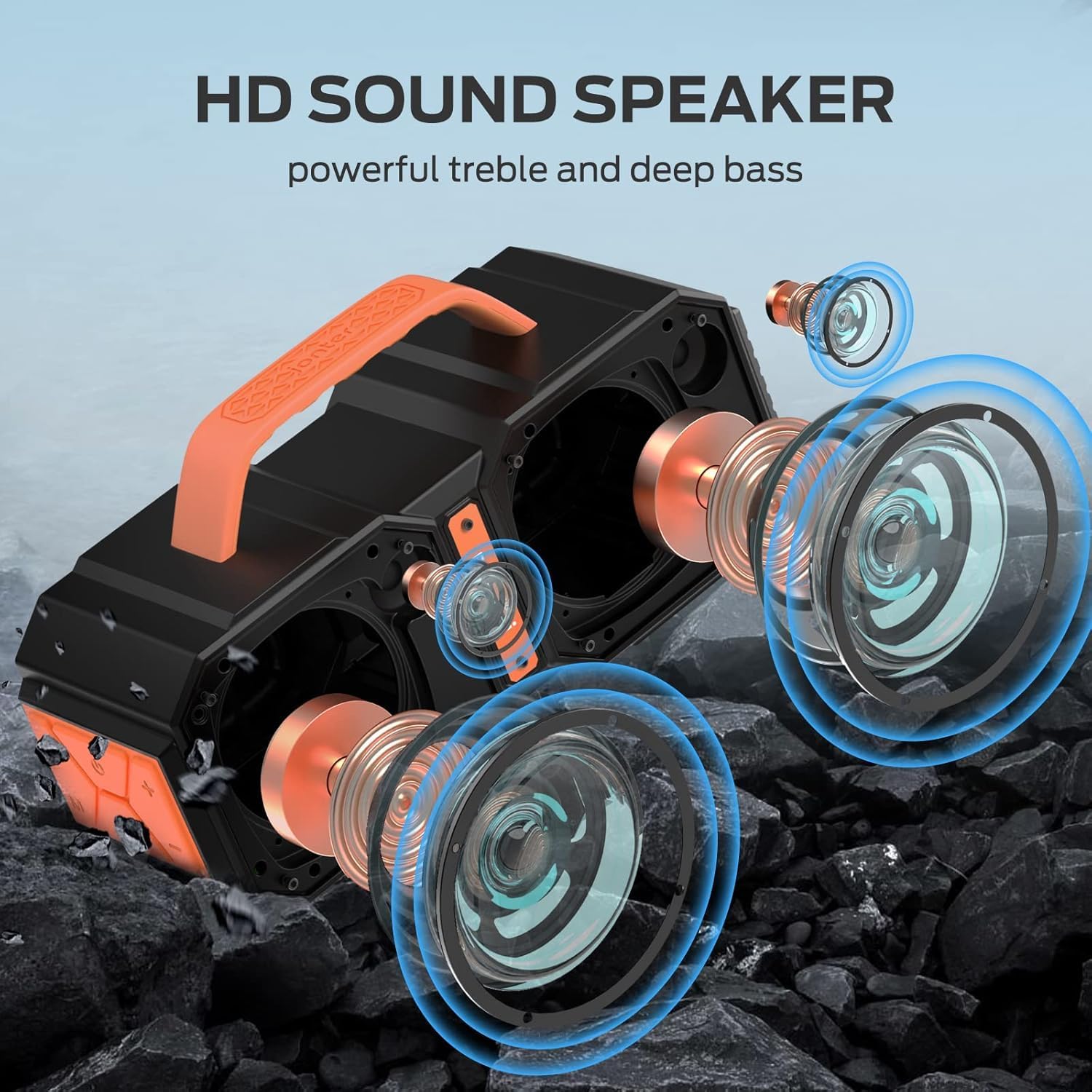
පුපුරා ගියේය view illustrating the internal acoustic components of the M83 speaker, including its powerful drivers and passive bass radiators designed for high-definition sound.
4. පිහිටුවීම
4.1 කථිකයා ආරෝපණය කිරීම
- මයික්රෝ USB ආරෝපණ කේබලය ස්පීකරයේ ආරෝපණ තොටට සම්බන්ධ කරන්න.
- කේබලයේ අනෙක් කෙළවර USB බල ඇඩැප්ටරයකට (ඇතුළත් කර නැත) හෝ පරිගණකයේ USB පෝට් එකකට සම්බන්ධ කරන්න.
- ආරෝපණ දර්ශක ආලෝකය දැල්වෙනු ඇත.
- සම්පූර්ණ ආරෝපණයක් සඳහා ආසන්න වශයෙන් පැය 5 ක් ගතවේ. ආරෝපණය සම්පූර්ණ වූ පසු දර්ශක ආලෝකය වෙනස් වේ හෝ නිවී යයි.
4.2 බල ගැන්වීම සක්රිය / අක්රිය කිරීම
- බල ගැන්වීමට: Press and hold the Power button for 2-3 seconds until you hear an audible prompt.
- බලය අක්රිය කිරීමට: Press and hold the Power button for 2-3 seconds until you hear an audible prompt.
5. මෙහෙයුම් උපදෙස්
5.1 බ්ලූටූත් යුගල කිරීම
The speaker uses Bluetooth 5.2 for a fast, stable, and energy-efficient wireless connection.
- ස්පීකරය ක්රියාත්මක කර ඇති බවත් බ්ලූටූත් යුගල කිරීමේ මාදිලියේ ඇති බවත් සහතික කර ගන්න (දැල්වෙන LED එකකින් දැක්වේ).
- ඔබගේ උපාංගයේ (ස්මාර්ට්ෆෝන්, ටැබ්ලටය, ආදිය), බ්ලූටූත් සක්රීය කර පවතින උපාංග සොයන්න.
- Select "BUGANI M83" from the list of devices.
- සම්බන්ධ වූ පසු, ඔබට තහවුරු කිරීමේ ශබ්දයක් ඇසෙනු ඇති අතර, LED දර්ශකය දැල්වීම නවත්වනු ඇත.

The M83 speaker connected via Bluetooth to a smartphone, ready for audio playback.
5.2 සත්ය රැහැන් රහිත ස්ටීරියෝ (TWS) යුගලනය
Two M83 speakers can be paired together using TWS technology to create a 100W stereo sound experience.
- Ensure both M83 speakers are powered on and not connected to any other Bluetooth device.
- On one speaker (this will be the primary speaker), press and hold the Play/Pause button for 3-5 seconds until you hear a pairing tone.
- The two speakers will automatically connect to each other. You will hear a confirmation sound once TWS pairing is successful.
- දැන්, 5.1 වගන්තියේ විස්තර කර ඇති පරිදි බ්ලූටූත් හරහා ඔබේ උපාංගය ප්රාථමික ස්පීකරයට සම්බන්ධ කරන්න.

Two M83 speakers connected via True Wireless Stereo (TWS) technology, providing enhanced stereo sound for a group enjoying music outdoors.
5.3 ශ්රව්ය නැවත ධාවනය
- වාදනය/විරාමය: Play/Pause බොත්තම ඔබන්න.
- ශබ්ද පාලනය: Press the '+' button to increase volume, '-' button to decrease volume.
- ඊළඟ ධාවන පථය: '+' බොත්තම ඔබා අල්ලාගෙන සිටින්න.
- පෙර ධාවන පථය: '-' බොත්තම ඔබා අල්ලාගෙන සිටින්න.
5.4 හෑන්ඩ්ස්-ෆ්රී ඇමතුම්
When connected to your smartphone via Bluetooth, the M83 speaker supports hands-free calling.

The M83 speaker demonstrating its hands-free calling capability, allowing users to manage calls directly through the speaker.
- පිළිතුරු ඇමතුම: Play/Pause බොත්තම වරක් ඔබන්න.
- ඇමතුම අවසන් කරන්න: ඇමතුමක් අතරතුර Play/Pause බොත්තම එක් වරක් ඔබන්න.
- ඇමතුම ප්රතික්ෂේප කරන්න: තත්පර 2ක් සඳහා Play/Pause බොත්තම ඔබාගෙන සිටින්න.
5.5 EQ මාදිලි
The speaker features two EQ modes for optimized sound indoors or outdoors.
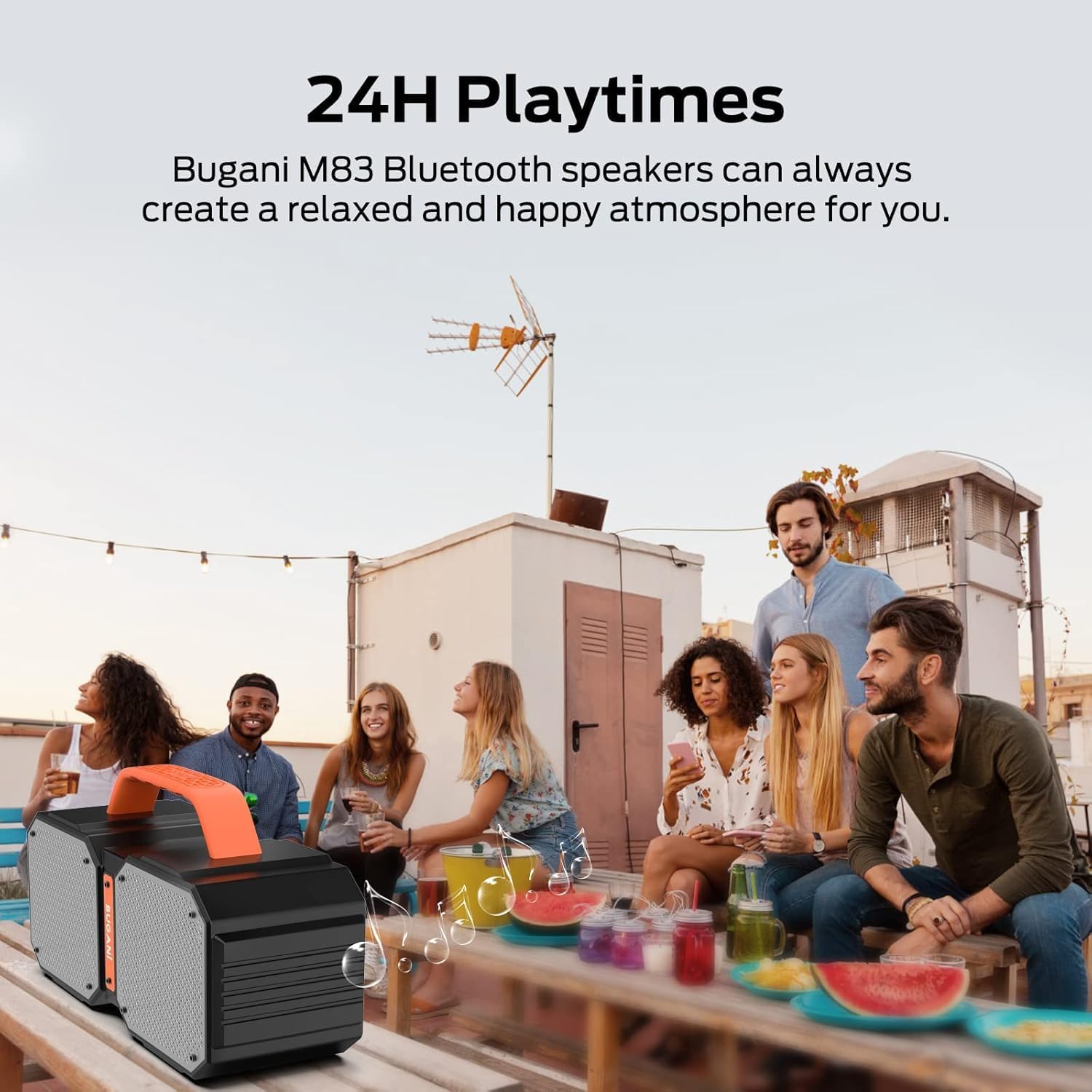
Illustration of the two available EQ modes (Outdoor and Indoor), demonstrating how the speaker can adapt its sound profile to different environments for optimal audio quality.
- Press the 'M' (Mode) button briefly to cycle between Indoor and Outdoor EQ modes.
- Each mode adjusts the audio profile to best suit the listening environment.
5.6 Using AUX Input
Connect external audio devices using the provided AUX cable.
- 3.5mm AUX කේබලයේ එක් කෙළවරක් ස්පීකරයේ AUX ආදාන තොටට සම්බන්ධ කරන්න.
- අනෙක් කෙළවර ඔබගේ බාහිර උපාංගයේ ශ්රව්ය ප්රතිදාන ජැක් එකට සම්බන්ධ කරන්න.
- The speaker will automatically switch to AUX mode, or you may need to press the 'M' (Mode) button to select AUX mode.
5.7 බලශක්ති බැංකු ක්රියාකාරිත්වය
The integrated rechargeable battery can also function as a power bank to charge other devices.
- Connect your device's charging cable to the USB output port on the BUGANI M83 speaker.
- The speaker will begin charging your device.
6. නඩත්තු කිරීම
6.1 පිරිසිදු කිරීම
- ශබ්ද විකාශන යන්ත්රය මෘදු ලෙස පිස දමන්න, ඩීamp රෙදි.
- උල්ෙල්ඛ පිරිසිදු කරන්නන් හෝ ද්රාවණ භාවිතා නොකරන්න.
6.2 ගබඩා කිරීම
- භාවිතා නොකරන විට ස්පීකරය සිසිල් වියළි ස්ථානයක ගබඩා කරන්න.
- Avoid storing in areas with high humidity or extreme temperatures.
6.3 ජල ප්රතිරෝධය (IPX6)
The BUGANI M83 speaker is IPX6 waterproof, making it resistant to strong water jets, dust, and sand. Its durable construction is suitable for outdoor use, including poolside or campපරිසරයන්.

The M83 speaker shown in a poolside setting, emphasizing its IPX6 waterproof design, making it resistant to splashes and water jets.
- ස්පීකරය ජලයට නිරාවරණය කිරීමට පෙර සියලුම වරාය ආවරණ ආරක්ෂිතව වසා ඇති බවට වග බලා ගන්න.
- Do not submerge the speaker completely in water.
7. දෝශ නිරාකරණය
If you encounter issues with your BUGANI M83 speaker, refer to the following common problems and solutions:
| ගැටලුව | විය හැකි හේතුව | විසඳුම |
|---|---|---|
| ස්පීකරය ක්රියාත්මක නොවේ. | අඩු බැටරි. | ස්පීකරය සම්පූර්ණයෙන්ම ආරෝපණය කරන්න. |
| ශබ්දයක් නැත. | Volume too low; device not connected; incorrect mode. | Increase volume on both speaker and device. Ensure Bluetooth is connected or AUX cable is properly inserted. Press 'M' to switch modes. |
| බ්ලූටූත් හරහා යුගල කළ නොහැක. | Speaker not in pairing mode; device Bluetooth off; interference. | Ensure speaker is flashing (pairing mode). Turn device Bluetooth off and on. Move closer to the speaker. Try plugging one speaker into a USB cable to reset pairing. |
| Bluetooth disconnects automatically. | පරාසයෙන් පිටත; බාධා; අඩු බැටරිය. | Move device closer to the speaker. Avoid obstacles. Ensure speaker is sufficiently charged. Try plugging one speaker into a USB cable to reset the connection. |
| TWS යුගලනය අසාර්ථකයි. | වෙනත් උපාංගවලට දැනටමත් සම්බන්ධ කර ඇති ස්පීකර්; වැරදි යුගල කිරීමේ ක්රියා පටිපාටිය. | Ensure both speakers are disconnected from all devices. Follow TWS pairing steps carefully. Try plugging one speaker into a USB cable to reset pairing. |
8. පිරිවිතර
Detailed technical specifications for the BUGANI M83 speaker:

A visual representation of the BUGANI M83 speaker's compact dimensions, indicating its portability.
| විශේෂාංගය | විස්තර |
|---|---|
| මාදිලියේ නම | M83 |
| වෙළඳ නාමය | බුගානි |
| ස්පීකර් උපරිම නිමැවුම් බලය | වොට් 50 |
| රැහැන් රහිත සන්නිවේදන තාක්ෂණය | බ්ලූටූත් 5.2 |
| බ්ලූටූත් පරාසය | මීටර් 10 |
| ජල ප්රතිරෝධක මට්ටම | IPX6 (ජල ආරක්ෂිත) |
| සෙල්ලම් කාලය | Up to 24 Hours (varies by content/volume) |
| ආරෝපණ කාලය | පැය 5 යි |
| බලශක්ති ප්රභවය | බැටරි බලගතු (1 ලිතියම් පොලිමර් බැටරිය ඇතුළත්) |
| නිෂ්පාදන මානයන් | 5"D x 5"W x 3"H |
| අයිතමයේ බර | කිලෝග්රෑම් 2.28 (රාත්තල් 5.02) |
| ශ්රව්ය ප්රතිදාන ප්රකාරය | ස්ටීරියෝ |
| පාලන ක්රමය | ස්පර්ශ කරන්න |
| ඇතුළත් සංරචක | Micro USB Charging Cable, AUX cable, quick start guide |
9. වගකීම් සහ සහාය
The BUGANI M83 speaker comes with a limited warranty. For specific warranty details, please refer to the documentation included with your purchase or contact BUGANI customer support.
BUGANI offers lifetime technical support for its products. If you have any questions, require assistance, or encounter issues not covered in this manual, please contact our support team through the official BUGANI webවෙබ් අඩවිය හෝ ඔබේ සිල්ලර වෙළෙන්දා.


