1 ආරක්ෂිත තොරතුරු
එකලස් කර භාවිතා කිරීමට පෙර කරුණාකර සියලු උපදෙස් හොඳින් කියවන්න. අනාගත යොමුව සඳහා මෙම අත්පොත තබා ගන්න.
- උපරිම බර ධාරිතාව රාත්තල් 88 (කිලෝග්රෑම් 40) නොඉක්මවන්න.
- ඔබේ රූපවාහිනියේ VESA රටාව අනුකූල බව සහතික කර ගන්න (100x100mm සිට 400x400mm දක්වා).
- Verify that all screws are securely tightened before placing the TV on the stand.
- Do not allow children to climb on or play with the TV stand.
- ඇලවීම වැළැක්වීම සඳහා ස්ථාවරය ස්ථාවර, සමතලා මතුපිටක් මත තබන්න.
- Avoid placing heavy objects on the stand's base that could compromise stability.
2. පැකේජ අන්තර්ගතය
එකලස් කිරීම ආරම්භ කිරීමට පෙර සියලුම සංරචක පවතින බවත් හානි වී නොමැති බවත් තහවුරු කර ගන්න. කිසියම් කොටසක් අස්ථානගත වී හෝ හානි වී ඇත්නම්, පාරිභෝගික සහාය අමතන්න.

රූපය: පුපුරා ගියේය view of the TV stand components.
- ටෙම්පර්ඩ් වීදුරු පදනම
- ආධාරක තීරුව
- TV Mounting Plate
- VESA Extension Brackets (if applicable for larger VESA patterns)
- Various Screws, Washers, and Spacers for TV attachment
- Assembly Hardware (bolts, nuts, Allen wrench)
- ලිස්සා නොයන රබර් අඩි
3. සැකසීම සහ එකලස් කිරීම
Follow these steps to assemble your XINLEI Universal TV Stand Base.
- Attach Non-Slip Feet to Base: Secure the non-slip rubber feet to the underside of the tempered glass base.
- Assemble Support Column: Attach the support column to the tempered glass base using the provided hardware. Ensure it is firmly secured.
- Attach TV Mounting Plate: Secure the TV mounting plate to the top of the support column.
- Prepare TV for Mounting:
- Identify your TV's VESA mounting holes on the back.
- Select the appropriate screws and spacers from the provided hardware kit that fit your TV's VESA pattern.
- Attach the VESA extension brackets to the TV mounting plate if your TV's VESA pattern requires them (e.g., 400x400mm).
- වැදගත්: Before attaching the TV to the stand, ensure that the mounting plate and screws will not block any ports or cables on the back of your television.
- රූපවාහිනිය සවි කරන්න: Carefully lift your TV and align its VESA holes with the mounting plate/brackets. Secure the TV using the selected screws and spacers. Ensure the TV is level and stable.

Image: Detail of the tempered glass base with non-slip feet.
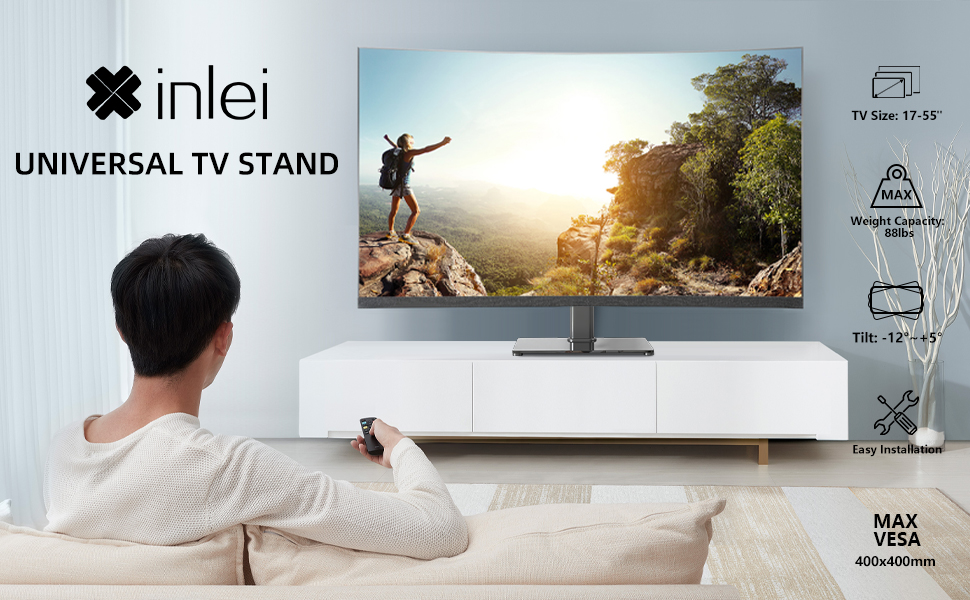
Image: Illustration emphasizing checking for port obstruction.

Image: Fully assembled TV stand with a television.
4. මෙහෙයුම් උපදෙස්
The XINLEI Universal TV Stand Base offers height adjustment and tilt functionality for optimal viewing.
4.1 උස ගැලපීම
This stand provides 3 adjustable height levels. To adjust the height:
- Carefully remove the TV from the mounting plate.
- Adjust the mounting plate's position on the support column to one of the three available height settings (11.1", 13.03", or 14.96" from the base).
- Secure the mounting plate at the desired height using the provided fasteners.
- Re-mount the TV onto the adjusted plate.
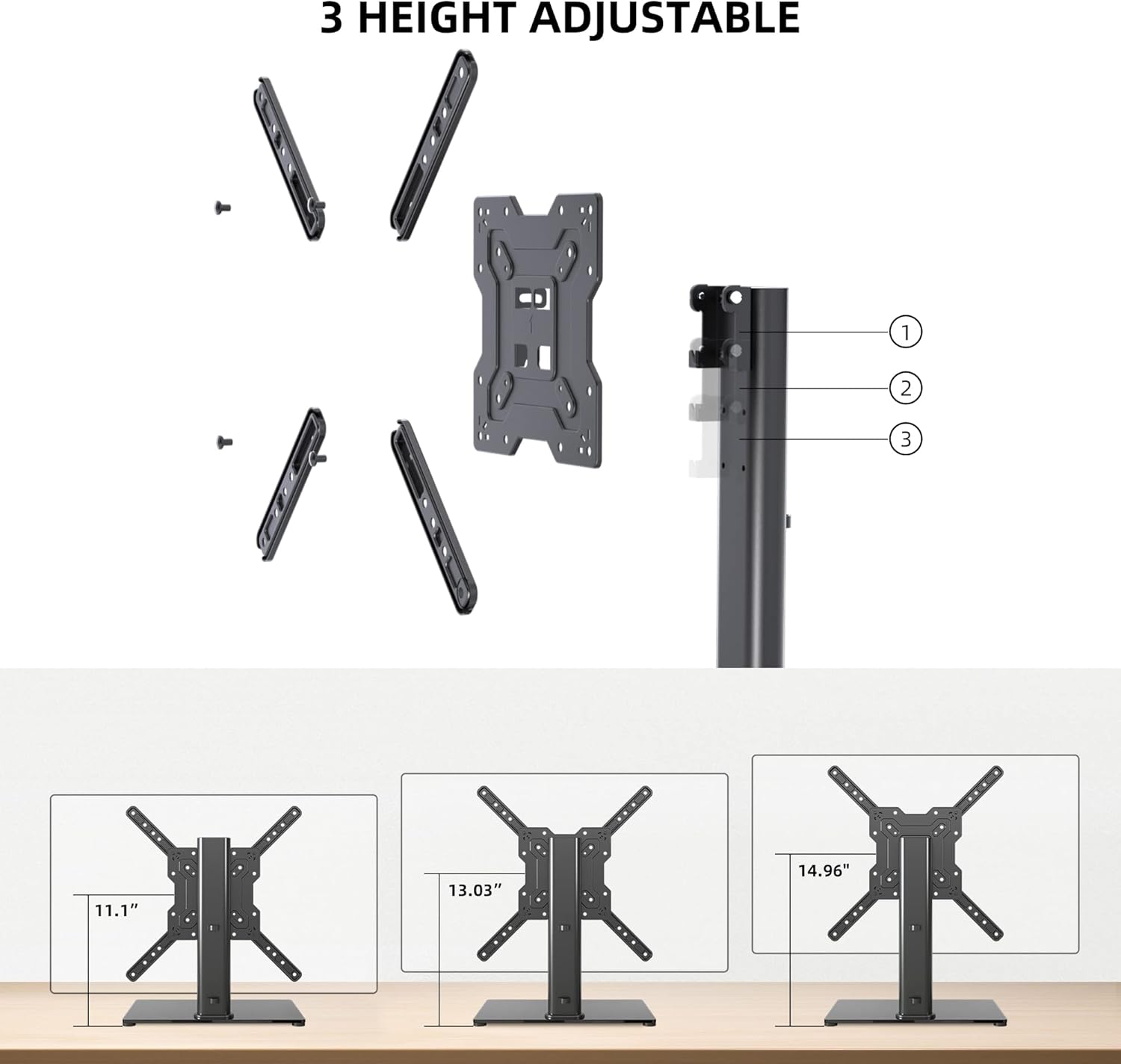
Image: Visual representation of the three height settings.
4.2 ඇල ගැලපීම
The TV mounting plate allows for a tilt range of -12 to +5 degrees.
- Loosen the tilt adjustment screws on the side of the mounting plate.
- Gently tilt the TV to your preferred viewing කෝණය.
- Tighten the tilt adjustment screws to secure the TV in position.

Image: Diagram demonstrating the tilt functionality.
4.3 කේබල් කළමනාකරණය
Utilize the integrated cable management system within the support column to keep cables organized and out of sight.

රූපය: උදාample of cable management through the stand's column.
5. නඩත්තු කිරීම
නිතිපතා නඩත්තු කිරීම ඔබේ රූපවාහිනී නැවතුමේ ආයු කාලය සහ ආරක්ෂිත ක්රියාකාරිත්වය සහතික කරයි.
- පිරිසිදු කිරීම: Wipe the tempered glass base and metal components with a soft, damp රෙදි. නිමාවට හානි කළ හැකි උල්ෙල්ඛ පිරිසිදු කරන්නන් හෝ ද්රාවක වලින් වළකින්න.
- පරීක්ෂාව: සියලුම ඉස්කුරුප්පු සහ සම්බන්ධතා තදින් පවතින බව සහතික කර ගැනීම සඳහා වරින් වර පරීක්ෂා කරන්න. අවශ්ය නම් නැවත තද කරන්න.
- ස්ථාවරත්වය: Ensure the stand remains on a level surface and that the non-slip feet are intact.
6. දෝශ නිරාකරණය
If you encounter issues during assembly or use, refer to the following common solutions.
- රූපවාහිනිය මට්ටමේ නැත: Ensure the stand is on a flat surface. Check that the TV mounting plate is securely attached and that the VESA screws are tightened evenly.
- Screws Too Long/Short: The kit includes various screw lengths and spacers. Refer to your TV's manual for recommended screw sizes for VESA mounting. Use the appropriate spacers to ensure a secure fit without over-tightening or damaging the TV.
- Mount Blocks Ports: Before final mounting, always verify that the mounting plate does not obstruct any necessary ports on your TV. If it does, adjust the TV's position on the VESA plate or consider using longer spacers if safe and compatible.
- ස්ථාවරය අස්ථායී බවක් දැනේ: Confirm that all assembly bolts are fully tightened. Ensure the tempered glass base is placed on a solid, flat surface and that the non-slip feet are properly installed.
7. පිරිවිතර
| විශේෂාංගය | පිරිවිතර |
|---|---|
| ආකෘතිය | TS102 |
| අනුකූල රූපවාහිනී ප්රමාණ | අඟල් 17 සිට 55 දක්වා |
| බර ධාරිතාව | රාත්තල් 88 (කිලෝග්රෑම් 40) |
| VESA අනුකූලතාව | 100x100mm සිට 400x400mm දක්වා |
| උස ගැලපීම | 3 levels (11.1", 13.03", 14.96") |
| ඇලවීමේ කෝණය | -12 ° සිට +5 ° දක්වා |
| මූලික මානයන් | 10.24" x 15.75" |
| ද්රව්ය | තෙම්පරාදු වීදුරු, වානේ |
| වර්ණය | කළු |
| අයිතමයේ බර | රාත්තල් 9.86 කි |

Image: Technical specifications and dimensions.
8. වගකීම් සහ සහාය
XINLEI products are designed for durability and performance. For warranty information or technical support, please refer to the product packaging or contact XINLEI customer service directly.
Please have your model number (TS102) and purchase information ready when contacting support.


