1. හැඳින්වීම
This manual provides detailed instructions for setting up, operating, and maintaining your MINISFORUM UM690L Slim Mini PC. Please read this manual thoroughly before using the device.
2. පැකේජ අන්තර්ගතය
The MINISFORUM UM690L Slim Mini PC package includes the following items:
- MINISFORUM UM690L Slim Mini PC
- බල ඇඩැප්ටරය
- බල කේබලය
- HDMI කේබලය
- ඉස්කුරුප්පු සහිත VESA සවි කිරීමේ වරහන
- උපදෙස් අත්පොත
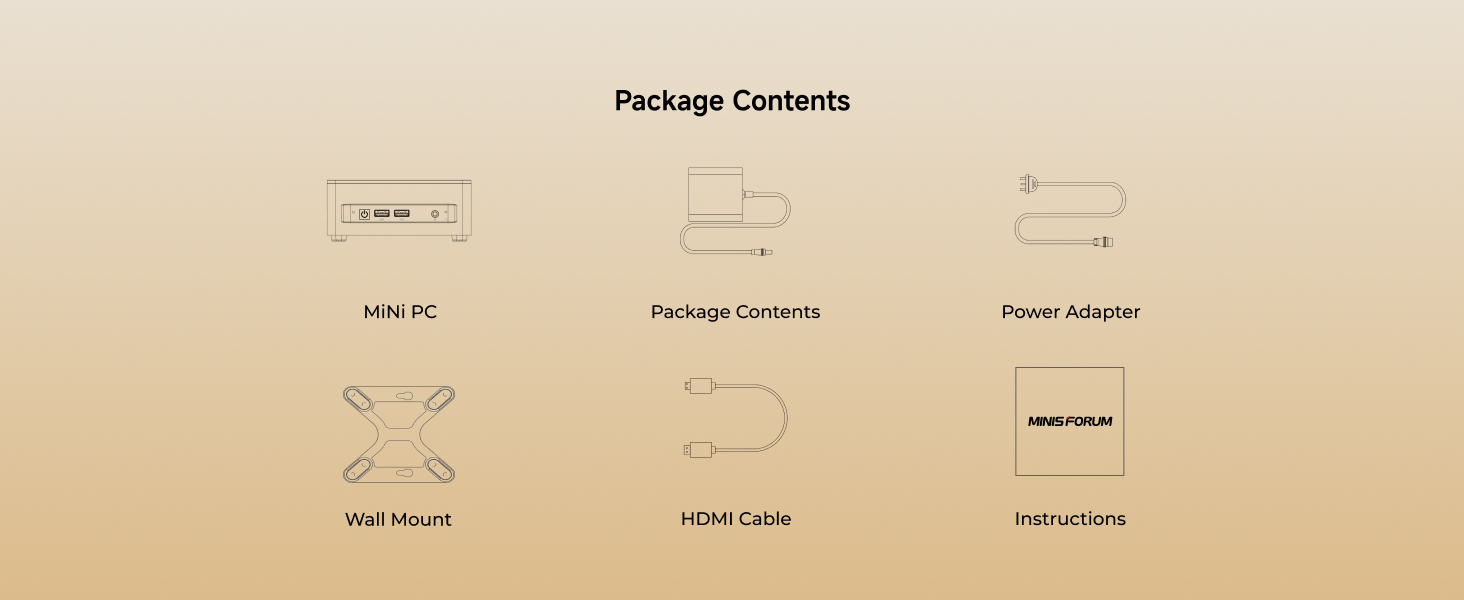
Image: Package contents for the MINISFORUM UM690L Slim Mini PC. Includes the mini PC unit, power adapter, power cable, HDMI cable, VESA mount bracket, and the instruction manual.
3. නිෂ්පාදන අවසන්view
3.1 ඉදිරිපස පුවරුව
The front panel of the UM690L Slim Mini PC features convenient access ports:
- බල බොත්තම
- 2 x USB 3.2 Gen2 Type-A ports
- 1 x USB4 port (supports Alt PD)
- ඕඩියෝ ජැක්
3.2 පසුපස පුවරුව
පසුපස පුවරුව අත්යවශ්ය සම්බන්ධතා විකල්ප සපයයි:
- DC Power Input (19V)
- 2 x 2.5G LAN ports
- 1 x HDMI 2.1 වරාය
- 1 x DisplayPort 1.4
- 2 x USB 2.0 ports
- CMOS බොත්තම හිස් කරන්න

රූපය: විස්තරාත්මක view of the front and rear I/O interfaces of the MINISFORUM UM690L Slim Mini PC, including USB, HDMI, DisplayPort, LAN, and power input.
4. පිහිටුවීම
4.1 සංදර්ශකයකට සම්බන්ධ වීම
Connect your monitor(s) to the Mini PC using the HDMI, DisplayPort, or USB4 port. The UM690L Slim supports up to three 4K displays simultaneously.
- HDMI2.1: Supports 4K@120Hz or 8K@60Hz.
- ඩිස්ප්ලේපෝට් 1.4: Supports 4K@120Hz.
- USB4: Supports 8K@60Hz output.

Image: The MINISFORUM UM690L Slim Mini PC connected to three external displays, showcasing its triple display output capabilities via HDMI, DisplayPort, and USB4.
4.2 බල සම්බන්ධතාවය
Connect the power adapter to the DC power input port on the rear panel of the Mini PC, then plug the power cable into a wall outlet.
4.3 පර්යන්ත සම්බන්ධතා
Connect your keyboard, mouse, and other USB devices to the available USB ports (USB 3.2 Gen2 Type-A or USB 2.0).
4.4 ජාල සම්බන්ධතාවය
For a wired connection, connect an Ethernet cable to one of the 2.5G LAN ports. For wireless connectivity, the device supports Wi-Fi 6E and Bluetooth 5.3.

Image: Close-up of the 2.5Gbps LAN port on the MINISFORUM UM690L Slim Mini PC, highlighting its faster network capabilities.
4.5 Mounting the Mini PC
The included VESA mount bracket allows you to attach the Mini PC to the back of a compatible monitor or to a wall, saving desk space.
Video: Instructions on how to install the MINISFORUM Mini PC using the VESA mount bracket to save space by attaching it to a monitor.
5. මෙහෙයුම් උපදෙස්
5.1 බලය සක්රිය / අක්රිය
Press the power button on the front panel to turn the Mini PC on or off.
5.2 මූලික සැකසුම
Upon first boot, follow the on-screen instructions to complete the Windows 11 Pro operating system setup.
5.3 BIOS සැකසුම්
To access the BIOS settings, press the designated key (usually DEL or F2) repeatedly during startup. The BIOS allows configuration of various system parameters.
Video: A detailed walkthrough of the BIOS settings for a MINISFORUM M1 Pro, demonstrating various configuration options including power profiles, CPU settings, and boot order.
6. නඩත්තු කිරීම
6.1 පිරිසිදු කිරීම
Regularly clean the exterior of the Mini PC with a soft, dry cloth. Ensure ventilation grilles are free from dust to maintain optimal cooling.
6.2 මෘදුකාංග යාවත්කාලීන
ප්රශස්ත කාර්ය සාධනය සහ ආරක්ෂාව සහතික කිරීම සඳහා ඔබේ මෙහෙයුම් පද්ධතිය සහ ධාවක යාවත්කාලීනව තබා ගන්න.
7. Storage and Memory Upgrade
The MINISFORUM UM690L Slim Mini PC is equipped with 32 GB LPDDR5 RAM and a 1 TB PCIe 4.0 SSD. It features two M.2 2280 PCIe 4.0 SSD slots, supporting up to 4 TB of storage capacity.
To upgrade or replace storage/memory components, carefully open the device by removing the screws on the bottom panel. Refer to the video for a visual guide.
Video: Step-by-step guide on how to install DDR RAM and SSD storage in a MINISFORUM UM870 Slim Mini PC, demonstrating the process of opening the case and inserting components.
8. දෝශ නිරාකරණය
8.1 සංදර්ශකය නැත
Ensure all display cables (HDMI, DisplayPort, USB4) are securely connected to both the Mini PC and the monitor. Verify the monitor is powered on and set to the correct input source.
8.2 බලය නැත
Check that the power adapter is correctly connected to the Mini PC and the power cable is securely plugged into a working electrical outlet.
8.3 Overheating/Loud Fan
Ensure the Mini PC's ventilation grilles are not obstructed. The active heat dissipation system is designed to keep the unit cool and quiet (under 35 dB under high load). If issues persist, ensure the device is placed in a well-ventilated area.
8.4 සම්බන්ධතා ගැටළු
For wired connections, check the Ethernet cable and router status. For Wi-Fi/Bluetooth, ensure drivers are updated and the devices are within range.
9. පිරිවිතර
| විශේෂාංගය | පිරිවිතර |
|---|---|
| ප්රොසෙසරය | AMD Ryzen 9 6900HX (8 Cores/16 Threads, up to 4.9 GHz) |
| ග්රැෆික්ස් | ඒකාබද්ධ AMD Radeon 680M |
| RAM | 32 GB LPDDR5 (6400 MHz) |
| ගබඩා කිරීම | 1 TB PCIe 4.0 SSD (2 x M.2 2280 slots, up to 4 TB) |
| වීඩියෝ ප්රතිදානය | HDMI 2.1, DisplayPort 1.4, USB4 (Triple 4K display support) |
| USB Ports | 2 x USB 3.2 Gen2 Type-A, 2 x USB 2.0, 1 x USB4 |
| ජාලය | 2.5G LAN, Wi-Fi 6E, Bluetooth 5.3 |
| සිසිලන පද්ධතිය | Active heat dissipation (Phase change materials, CPU/memory/SSD heat sinks) |
| මානයන් | අඟල් 7.13 x 6.34 x 4.49 |
| බර | රාත්තල් 2.7 කි |
| මෙහෙයුම් පද්ධතිය | Windows 11 Pro (පෙර-ස්ථාපිත) |
10. වගකීම් සහ සහාය
10.1 වගකීම්
This MINISFORUM UM690L Slim Mini PC comes with a 3-year protection plan. Please retain your proof of purchase for warranty claims.
10.2 ආපසු
A 30-day return policy is available for this product. Refer to your retailer's return policy for details.
10.3 පාරිභෝගික සහාය
For technical assistance or further inquiries, please visit the official MINISFORUM webවෙබ් අඩවිය හෝ ඔවුන්ගේ පාරිභෝගික සහාය අමතන්න.


