1. හැඳින්වීම
Thank you for choosing the Jasic SmartArc300D Inverter Welding Machine. This manual provides essential information for the safe and efficient operation, maintenance, and troubleshooting of your new welding equipment. Please read this manual thoroughly before operating the machine to ensure proper use and to prevent injury or damage.
2 ආරක්ෂිත තොරතුරු
Welding can be dangerous. It is crucial to follow all safety precautions to prevent electric shock, burns, fire, and other serious injuries. Always wear appropriate personal protective equipment (PPE) including welding helmet, gloves, protective clothing, and safety shoes.
2.1 සාමාන්ය ආරක්ෂණ පූර්වාරක්ෂාවන්
- වෙල්ඩින් දුම ආශ්වාස කිරීම වළක්වා ගැනීම සඳහා වැඩ කරන ප්රදේශය හොඳින් වාතාශ්රය ඇති බවට වග බලා ගන්න.
- වෙල්ඩින් ප්රදේශයෙන් ගිනි ගන්නා ද්රව්ය ඈත් කරන්න.
- ඕනෑම නඩත්තුවක් හෝ ගැලපීමක් සිදු කිරීමට පෙර සෑම විටම විදුලිය විසන්ධි කරන්න.
- d හි යන්ත්රය ක්රියාත්මක නොකරන්නamp හෝ තෙත් තත්ත්වයන්.
- වෙල්ඩින් යන්ත්රය නිසි ලෙස භූගත කිරීම සහතික කරන්න.
2.2 Electric Shock Prevention
- සජීවී විදුලි කොටස් කිසිවිටක ස්පර්ශ නොකරන්න.
- Inspect cables and connections for damage before each use.
- Use dry, insulated gloves and clothing.
2.3 Arc Ray Protection
- Always use a welding helmet with appropriate shade filter to protect eyes and face from arc rays.
- Protect bystanders from arc flash with welding screens or barriers.
3. නිෂ්පාදන අවසන්view
The Jasic SmartArc300D is a high-performance inverter welding machine designed for various arc welding applications. It supports both single-phase (AC 230V) and double-phase (AC 415V) power inputs, offering versatility for different work environments. Its compact design and advanced inverter technology ensure stable arc performance and efficient welding.
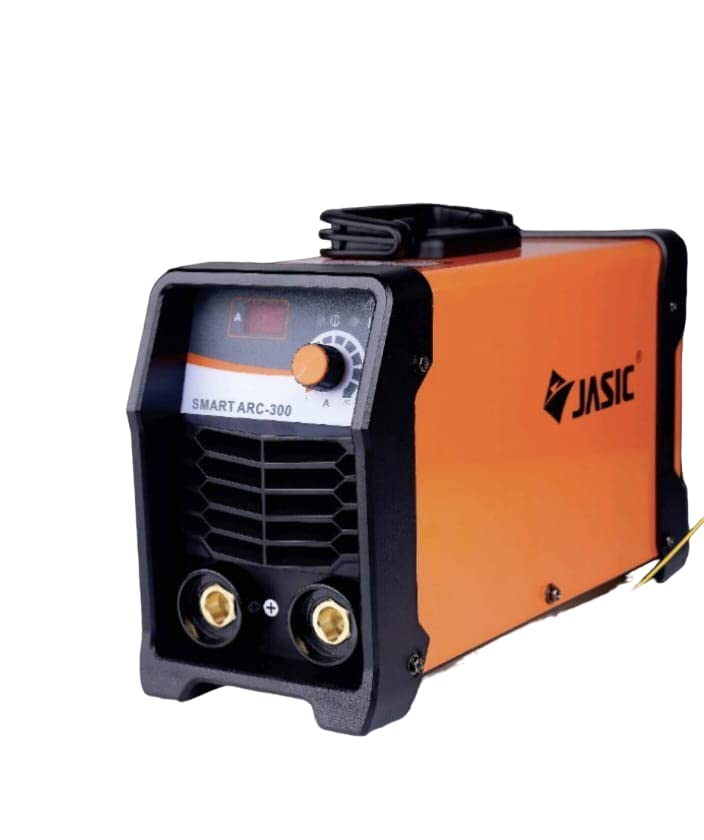
රූපය 3.1: ඉදිරිපස view of the Jasic SmartArc300D Inverter Welding Machine, showing the control panel, output terminals, and ventilation grilles.

Figure 3.2: The Jasic SmartArc300D Inverter Welding Machine shown with its included welding cables, electrode holder, and earth clamp.
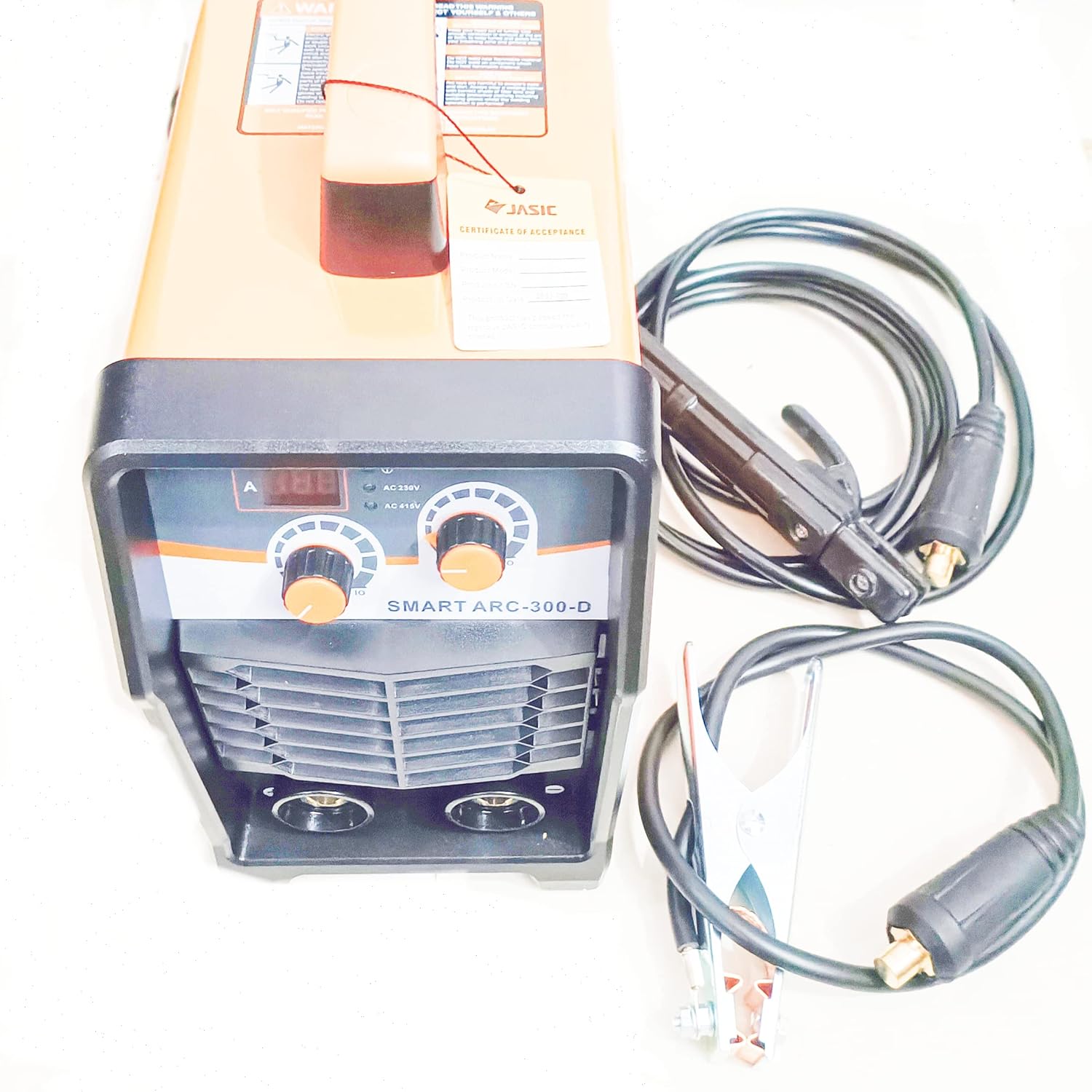
රූපය 3.3: ඉහළ-පහළ view of the Jasic SmartArc300D, highlighting the control panel with digital display and adjustment knobs, along with the welding cables.

රූපය 3.4: සවිස්තරාත්මක view of the SmartArc300D's front control panel, showing the digital current display, current adjustment knob, and input voltage selection indicators (AC 230V / AC 415V).
3.1 ප්රධාන සංරචක
- පාලන පුවරුව: Digital display for current, current adjustment knob, and power indicators.
- නිමැවුම් පර්යන්ත: Positive (+) and Negative (-) terminals for connecting welding cables.
- බල සැපයුම් සුවිචය: Located at the rear of the machine.
- සිසිලන විදුලි පංකාව: නිසි වාතාශ්රය සහතික කරන අතර අධික උනුසුම් වීම වළක්වයි.
- හසුරුව රැගෙන යන්න: පහසු අතේ ගෙන යා හැකි සඳහා.
4. පිහිටුවීම
4.1 ඉවත් කිරීම සහ පරීක්ෂා කිරීම
- Carefully remove the welding machine and all accessories from the packaging.
- Inspect the machine for any visible damage that may have occurred during transit. If damage is found, contact your supplier immediately.
- ඇසුරුම් ලැයිස්තුවේ ලැයිස්තුගත කර ඇති සියලුම සංරචක පවතින බව තහවුරු කරන්න.
4.2 බල සම්බන්ධතාවය
- The SmartArc300D supports AC 230V (single phase) and AC 415V (double phase) input. Ensure your power supply matches the machine's requirements.
- Connect the power cord to a suitable, grounded power outlet. Ensure the circuit breaker or fuse rating is sufficient for the welding machine's maximum current draw.
4.3 Welding Cable Connection
- ඉලෙක්ට්රෝඩ රඳවන කේබලය ධන (+) ප්රතිදාන පර්යන්තයට සම්බන්ධ කරන්න.
- පෘථිවිය සම්බන්ධ කරන්න clamp සෘණ (-) ප්රතිදාන පර්යන්තයට කේබලය.
- චාප වීම සහ අධික උනුසුම් වීම වැළැක්වීම සඳහා සියලුම සම්බන්ධතා තදින් සහ ආරක්ෂිතව ඇති බවට වග බලා ගන්න.
5. මෙහෙයුම් උපදෙස්
5.1 මූලික මෙහෙයුම් පියවර
- සියලුම ආරක්ෂක පූර්වෝපායන් නිරීක්ෂණය කර PPE පැළඳ සිටින බවට සහතික වන්න.
- පෘථිවිය සම්බන්ධ කරන්න clamp securely to the workpiece or welding table.
- සුදුසු ඉලෙක්ට්රෝඩය ඉලෙක්ට්රෝඩ රඳවනයට ඇතුළු කරන්න.
- Turn on the power switch located at the rear of the machine. The digital display will illuminate.
- Adjust the welding current using the control knob on the front panel. The digital display will show the set current. Refer to electrode manufacturer's recommendations for optimal current settings.
- Begin welding. Maintain a consistent arc length and travel speed for best results.
- After welding, turn off the power switch and allow the machine to cool down.
5.2 Welding Tips
- Practice on scrap material before welding critical components.
- Clean the workpiece thoroughly before welding to remove rust, paint, or grease.
- Maintain a short arc length for better arc stability and penetration.
- Adjust current based on electrode type, material thickness, and desired penetration.
6. නඩත්තු කිරීම
Regular maintenance ensures the longevity and optimal performance of your welding machine. Always disconnect the power supply before performing any maintenance.
6.1 දෛනික නඩත්තුව
- Inspect welding cables and connections for cuts, cracks, or loose fittings. Replace damaged cables immediately.
- Clean the electrode holder and earth clamp to ensure good electrical contact.
6.2 මාසික නඩත්තුව
- Use compressed air to blow dust and debris from inside the machine, especially from the cooling fan and heat sinks. Do this in a well-ventilated area.
- Check all external screws and fasteners for tightness.
6.3 ගබඩා කිරීම
Store the welding machine in a clean, dry, and dust-free environment when not in use. Protect it from extreme temperatures and humidity.
7. දෝශ නිරාකරණය
මෙම කොටසෙහි ඔබට මුහුණ දීමට සිදුවිය හැකි පොදු ගැටළු සඳහා විසඳුම් සපයයි. මෙහි ලැයිස්තුගත කර නොමැති ගැටළු සඳහා, හෝ විසඳුම් ගැටළුව විසඳා නොගන්නේ නම්, සුදුසුකම් ලත් සේවා නිලධාරීන් අමතන්න.
| ගැටලුව | විය හැකි හේතුව | විසඳුම |
|---|---|---|
| යන්ත්රය ක්රියාත්මක නොවේ. | බල සැපයුමක් නැත; විදුලි ස්විචය ක්රියා විරහිතයි; අභ්යන්තර ෆියුස් පුපුරා ගොස් ඇත. | Check power cord and outlet; Turn on power switch; Contact service for fuse replacement. |
| චාපයක් හෝ දුර්වල චාපයක් නොමැත. | Poor earth connection; Incorrect current setting; Damaged electrode holder/cable. | Ensure good earth contact; Adjust current; Inspect and replace damaged parts. |
| Overheating indicator on. | Exceeded duty cycle; Poor ventilation; Fan malfunction. | Allow machine to cool down; Ensure clear airflow; Contact service if fan is faulty. |
| අස්ථායී චාපය. | Improper electrode; Contaminated workpiece; Incorrect arc length. | Use correct electrode; Clean workpiece; Adjust arc length. |
8. පිරිවිතර
The following are the technical specifications for the Jasic SmartArc300D Inverter Welding Machine:
| විශේෂාංගය | පිරිවිතර |
|---|---|
| ආකෘතිය | SmartArc300D |
| වෙළඳ නාමය | ජැසික් |
| ආදාන වෙළුමtage | AC 230V (Single Phase) / AC 415V (Double Phase) |
| ශ්රේණිගත ආදාන ධාරාව | (Specific value not provided, typical for 350A machine) |
| ප්රතිදානය වත්මන් පරාසය | 350 දක්වා Ampකලින් |
| තාක්ෂණය | Inverter IGBT |
| සිසිලනය | බලහත්කාරයෙන් වායු සිසිලනය |
| මානයන් (ආසන්න වශයෙන්) | (Not provided in input, typical compact size) |
| බර (ආසන්න වශයෙන්) | (Not provided in input, typical for portable inverter) |
9. වගකීම් සහ සහාය
For warranty information, please refer to the warranty card included with your product or contact your local Jasic distributor. Keep your purchase receipt as proof of purchase.
For technical support, service, or spare parts, please contact the authorized Jasic service center in your region. Provide your product model number (SmartArc300D) and serial number when contacting support.