1. හැඳින්වීම
Thank you for choosing the LD Systems MAUI 28 G3 Compact Cardioid Column PA System. This system is designed to deliver powerful, clear, and precise sound for a variety of applications, including live music, DJ sets, and public address. Its compact design and advanced acoustic features make it an ideal solution for professionals seeking high-quality audio performance and ease of use.
This manual provides essential information for the safe and efficient operation of your MAUI 28 G3 system. Please read it thoroughly before initial use and keep it for future reference.
2. ආරක්ෂිත උපදෙස්
Please observe the following safety precautions to prevent electric shock, fire, or damage to the unit:
- බලශක්ති ප්රභවය: නිශ්චිත වෝල්ටීයතාවයේ AC බල අලෙවිසැලකට පමණක් ඒකකය සම්බන්ධ කරන්න.tage.
- භූගත කිරීම: විදුලි කම්පනය වැළැක්වීම සඳහා ඒකකය නිසි ලෙස බිම තබා ඇති බවට වග බලා ගන්න.
- තෙතමනය: ඒකකය වැස්සට හෝ තෙතමනයට නිරාවරණය නොකරන්න. ද්රවවලින් පිරුණු වස්තූන් ඒකකය මත තබන්න එපා.
- වාතාශ්රය: ප්රමාණවත් වාතාශ්රයක් සහතික කරන්න. වාතාශ්රය විවරයන් අවහිර නොකරන්න.
- තාපය: ඒකකය තාප ප්රභවයන් අසල හෝ සෘජු හිරු එළියේ තබන්න එපා.
- සේවා: ඒකකයට ඔබම සේවා සැපයීමට උත්සාහ නොකරන්න. සියලුම සේවා සුදුසුකම් ලත් පුද්ගලයින් වෙත යොමු කරන්න.
- කේබල්: විදුලි රැහැන් ඇවිදීමෙන් හෝ ඇණ ගැසීමෙන් ආරක්ෂා කරන්න.
- ස්ථාවරත්වය: Place the system on a stable, level surface to prevent tipping.
3. පැකේජ අන්තර්ගතය
ඔබගේ පැකේජයේ සියලුම සංරචක ඇති බව තහවුරු කරගන්න:
- 1 x MAUI 28 G3 Subwoofer
- 2 x MAUI 28 G3 Column Elements
- 1 x බල කේබලය
- 1 x පරිශීලක අත්පොත (මෙම ලේඛනය)
4. නිෂ්පාදන අවසන්view
The MAUI 28 G3 system consists of a powerful subwoofer and two column elements that integrate seamlessly to form a compact and high-performance PA system.
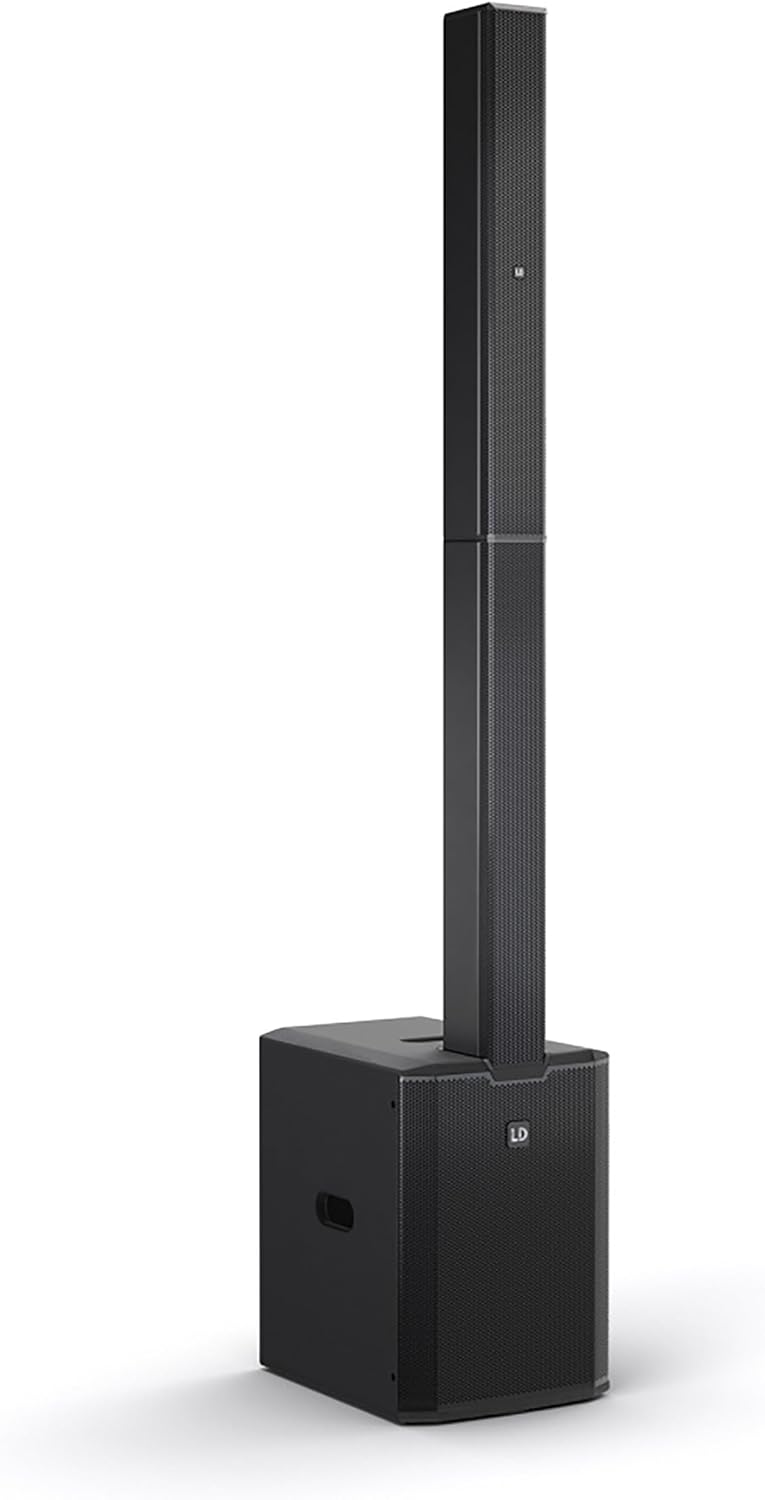
This image displays the complete LD Systems MAUI 28 G3 PA system, showing the subwoofer base with the two column elements securely mounted on top, forming a single, integrated unit.
4.1. සබ්වෝෆර්
The subwoofer houses the main amplifier, power supply, and all input/output connections and controls. It provides robust bass frequencies for a full-range sound experience.

A direct, clear view of the MAUI 28 G3 subwoofer's control panel, detailing all labels for inputs, outputs, and adjustment knobs for main, sub, and cardioid settings.
Subwoofer Rear Panel Controls:
- MAIN Level: පද්ධතියේ සමස්ත ප්රතිදාන පරිමාව සකසයි.
- SUB Level: Adjusts the volume of the subwoofer independently.
- Cardioid ON/OFF: Activates or deactivates the cardioid dispersion mode for the subwoofer, reducing rearward sound radiation.
- Input L/R: XLR/TS combo jacks for connecting audio sources (e.g., mixer, instrument).
- THRU L/R: XLR outputs for linking to additional PA systems or monitors.
- සබ් අවුට්: XLR output for connecting an external subwoofer.
- බල සැපයුම් සුවිචය: ඒකකය සක්රිය හෝ අක්රිය කරයි.
- බල ආදාන: AC බල කේබලය සම්බන්ධ කිරීම සඳහා.

An angled close-up of the subwoofer's rear panel, showing the various input and output connectors, level controls, and mode switches.
4.2. Column Elements
The two column elements contain 12 x 3.5-inch midrange drivers and 2 x 1-inch tweeters, designed for even sound distribution and constant horizontal dispersion. They connect directly to the subwoofer.

සවිස්තරාත්මක view of the protective metal grille covering the speakers within one of the MAUI 28 G3 column elements.

A close-up image of the base of a column element, highlighting the multi-pin connector and alignment pins used to secure it to the subwoofer or another column element.
5. පිහිටුවීම
Follow these steps to assemble and connect your MAUI 28 G3 system:
- සංරචක ඉවත් කරන්න: Carefully remove all components from their packaging.
- Position Subwoofer: Place the subwoofer on a stable, level surface in your desired location.
- Assemble Column Elements:
- Take the first column element and align its base connector with the top connector of the subwoofer. Gently push down until it clicks into place.
- Take the second column element and align its base connector with the top connector of the first column element. Gently push down until it clicks into place.
- ශ්රව්ය මූලාශ්රය සම්බන්ධ කරන්න: Connect your mixer, instrument, or other audio source to the Input L/R XLR/TS combo jacks on the subwoofer's rear panel.
- සම්බන්ධක බලය: Plug the supplied power cable into the power inlet on the subwoofer and then into a suitable AC power outlet.

The subwoofer and the two column elements are shown individually, positioned to demonstrate how they connect to form the complete PA system.

This image illustrates the three main components of the MAUI 28 G3 system: the subwoofer base and the two distinct column elements, shown detached and ready for assembly.
6. මෙහෙයුම
- බල ගැන්වීම: Ensure all connections are secure, then switch the power button on the subwoofer to the 'ON' position.
- මට්ටම් සකස් කරන්න: සමඟ ආරම්භ කරන්න MAIN Level සහ උප මට්ටම knobs set to their minimum positions. Gradually increase the MAIN Level to your desired overall volume. Adjust the උප මට්ටම to balance the bass frequencies with the rest of the sound.
- හෘද ප්රකාරය: If you wish to reduce sound radiation behind the subwoofer, activate the Cardioid ON switch. This can help minimize stage rumble and improve sound clarity in certain environments.
- Monitoring/Linking: භාවිතා කරන්න THRU L/R outputs to send the audio signal to additional PA systems or stage monitors if required. The ඉවත් වන්න can be used to connect an external subwoofer for enhanced bass.
- විදුලිය විසන්ධි කිරීම: Before disconnecting power, turn down all level controls to minimum, then switch the power button to 'OFF'.
7. නඩත්තු කිරීම
- පිරිසිදු කිරීම: Use a soft, dry cloth to clean the exterior surfaces of the system. Do not use abrasive cleaners or solvents.
- ගබඩා: When not in use, store the system in a dry, dust-free environment. If transporting, use appropriate protective covers or cases.
- පරීක්ෂාව: Periodically check all cables and connectors for signs of wear or damage.
8. දෝශ නිරාකරණය
| ගැටලුව | විය හැකි හේතුව | විසඳුම |
|---|---|---|
| බලය නැත | Power cable disconnected; Power outlet faulty; Unit switched off | Check power cable connection; Test power outlet; Ensure power switch is ON |
| ශබ්ද ප්රතිදානයක් නොමැත | Input cables disconnected; Volume levels too low; Source device not playing | Check all audio cable connections; Increase MAIN/SUB levels; Verify audio source is active |
| විකෘති ශබ්දය | Input signal too high; Volume levels too high; Faulty cable | Reduce input signal level from source; Lower MAIN/SUB levels; Try a different audio cable |
| සබ් වූෆර් ක්රියා නොකරයි | SUB Level too low; Cardioid mode affecting perception | Increase SUB Level; Test with Cardioid mode OFF |
9. පිරිවිතර
| විශේෂාංගය | විස්තර |
|---|---|
| ආදර්ශ අංකය | MAUI 28 G3 |
| බලශක්ති ප්රභවය | රැහැන්ගත විදුලි |
| ද්රව්ය | ඇලුමිනියම් |
| අයිතමයේ බර | පවුම් 60ක් |
| නාලිකා ගණන | 2 |
| ශ්රව්ය ආදානය | XLR/TS, 1/4'' (for line-level sources) |
| සම්බන්ධතා තාක්ෂණය | XLR |
| වර්ණය | කළු |
| සවිකිරීමේ වර්ගය | ප්ලග් මවුන්ට් |
| ගැළපෙන උපාංග | Headphone, Keyboard, DVD Player, Headset, Guitar, Smartphone, Television, Drum, Tablet, Laptop, Piano, MP3 Player |
10. වගකීම් සහ සහාය
LD Systems products are manufactured to high-quality standards and come with a manufacturer's warranty. For specific warranty terms and conditions, please refer to the warranty card included with your product or visit the official LD Systems webඅඩවිය.
For technical support, service, or inquiries, please contact your authorized LD Systems dealer or visit the LD පද්ධති webඅඩවිය සම්බන්ධතා තොරතුරු සඳහා.


