Keychron Q6P-M1

Keychron Q6 Pro සම්පූර්ණ ඇලුමිනියම් අභිරුචි යාන්ත්‍රික යතුරුපුවරු පරිශීලක අත්පොත

Model: Q6P-M1

1. හැඳින්වීම

Welcome to the user manual for your Keychron Q6 Pro Full Aluminum QMK/VIA Programmable Knob Bluetooth Custom Mechanical Keyboard. This keyboard is designed to provide an exceptional typing experience with its full-size layout, durable aluminum body, and advanced customization options. It features hot-swappable Keychron K Pro Red mechanical switches, KSA double-shot PBT keycaps, a double-gasket design, screw-in stabilizers, and south-facing RGB backlighting.

The Q6 Pro offers both wireless (Bluetooth 5.1) and wired (USB Type-C) connectivity, making it versatile for various devices including laptops, phones, and tablets. Its QMK/VIA compatibility allows for extensive key remapping and macro creation, powered by an ultra-low-power ARM Cortex-M4 32-bit STM32L432 chip.

Keychron Q6 Pro keyboard with red switch detail

Image 1.1: Keychron Q6 Pro Full Aluminum Custom Mechanical Keyboard with a close-up of a red switch.

2. පැකේජ අන්තර්ගතය

කරුණාකර ඔබගේ පැකේජයේ සියලුම අයිතම ඇති බව තහවුරු කරගන්න:

  • 1x සම්පුර්ණයෙන්ම එකලස් කරන ලද යතුරු පුවරුව
  • 1x ඇලුමිනියම් නඩුව
  • 1x PCB (Printed Circuit Board)
  • 1x PC තහඩුව
  • 1x ශබ්ද අවශෝෂණ පෙන
  • 1x කේස් ෆෝම්
  • 16x ගෑස්කට් (12 ස්ථාපනය කර ඇති අතර 4 පෙට්ටියේ)
  • කට්ටල 8 x ස්ථායීකාරක
  • 1 set x Keycaps (Double-Shot KSA PBT)
  • 1 කට්ටල x ස්විච
  • 1x Type-C සිට Type-C කේබල් දක්වා
  • 1x Type-A සිට Type-C ඇඩැප්ටරය
  • 1x Switch Puller
  • 1x Keycap Puller
  • 1x ඉස්කුරුප්පු නියනක්
  • 1x හෙක්ස් යතුර
Diagram showing contents of the Keychron Q6 Pro package

Image 2.1: Visual representation of the Keychron Q6 Pro package contents, including the keyboard, cables, and tools.

3. පිහිටුවීම

3.1 මූලික ආරෝපණය

Before first use, it is recommended to fully charge the keyboard. Connect the provided USB Type-C cable to the keyboard's Type-C port and the other end to a USB power source (e.g., computer, wall adapter). The keyboard contains a 4000 mAh rechargeable Li-polymer battery.

3.2 වයර් සම්බන්ධතාවය

To use the keyboard in wired mode, connect the USB Type-C cable from the keyboard to your computer. The keyboard will automatically detect the wired connection. The polling rate in wired mode is 1000 Hz.

3.3 බ්ලූටූත් රැහැන් රහිත සම්බන්ධතාවය

The Q6 Pro can connect to up to 3 devices wirelessly via Bluetooth 5.1.

  1. යතුරු පුවරුව ආරෝපණය කර ඇති බවට වග බලා ගන්න.
  2. Toggle the switch on the back of the keyboard to the Bluetooth (BT) mode.
  3. On your device (laptop, phone, tablet), enable Bluetooth and search for available devices.
  4. Select "Keychron Q6 Pro" from the list of devices.
  5. If prompted, enter the pairing code displayed on your screen.
  6. To switch between paired devices, use the designated function keys (refer to the keyboard layout or QMK/VIA software for specific key combinations). The polling rate in wireless mode is 90 Hz.
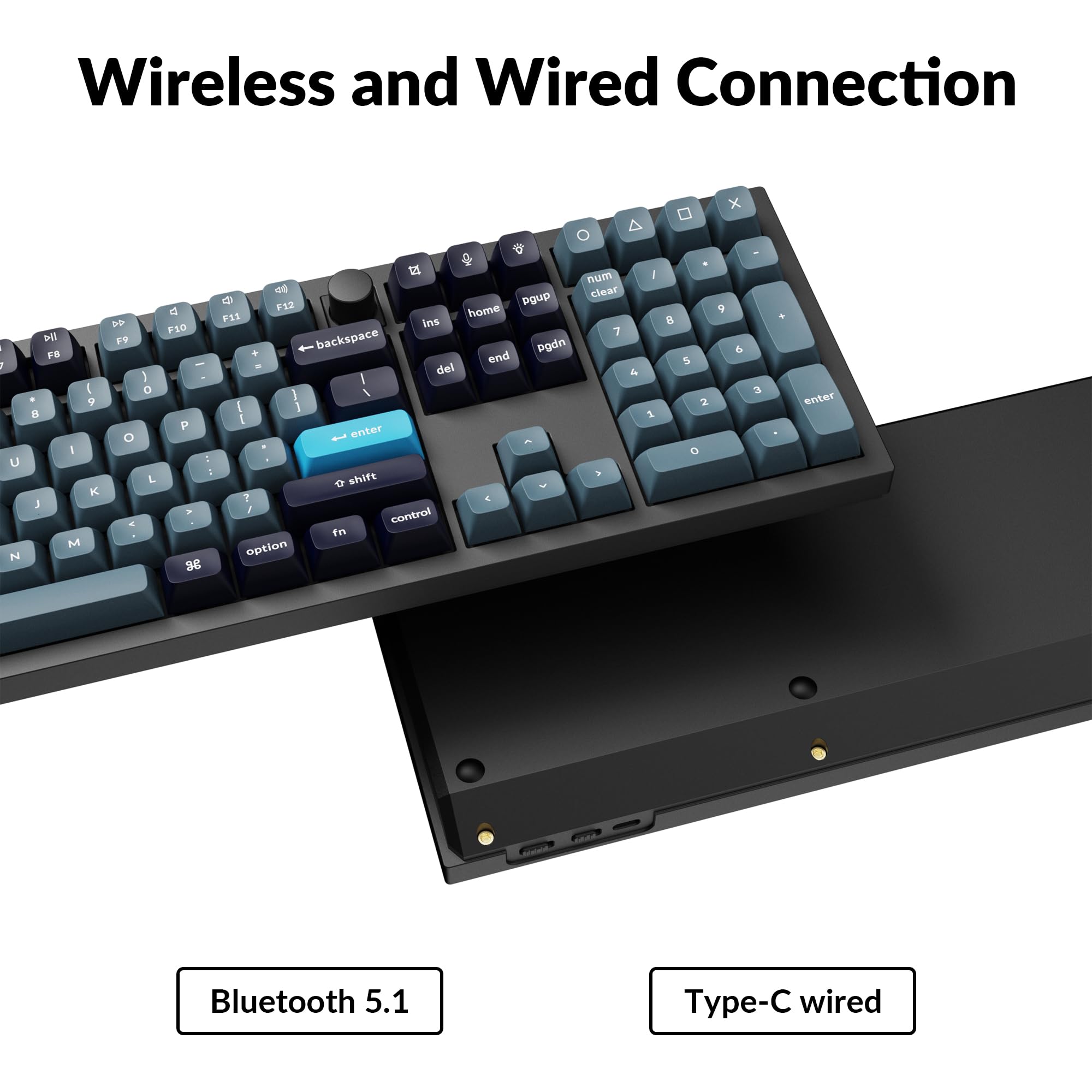
Close-up of Keychron Q6 Pro's USB-C port and wireless switch

Image 3.1: The USB Type-C port and the wireless/wired mode switch on the Keychron Q6 Pro keyboard.

3.4 මෙහෙයුම් පද්ධති ස්විචය

The keyboard is compatible with both Mac and Windows operating systems. Use the OS switch located on the back of the keyboard to select the appropriate mode for your system. This ensures correct key mapping for modifier keys like Command/Alt.

4. මෙහෙයුම් උපදෙස්

4.1 QMK/VIA Customization

The Keychron Q6 Pro supports QMK/VIA firmware, allowing extensive customization of key functions, macros, and lighting effects. To use VIA:

  1. Download the VIA software from the official Keychron webඅඩවිය (www.keychron.com/pages/qmk-via).
  2. Connect your keyboard to your computer via the USB Type-C cable.
  3. Launch the VIA application. The software should automatically detect your Q6 Pro keyboard.
  4. You can now remap any key, create complex macros, and customize lighting settings across multiple layers.
Screenshot of the VIA software interface for keyboard customization

Image 4.1: The VIA software interface demonstrating key remapping and layer management.

4.2 RGB පසුබිම් ආලෝකය

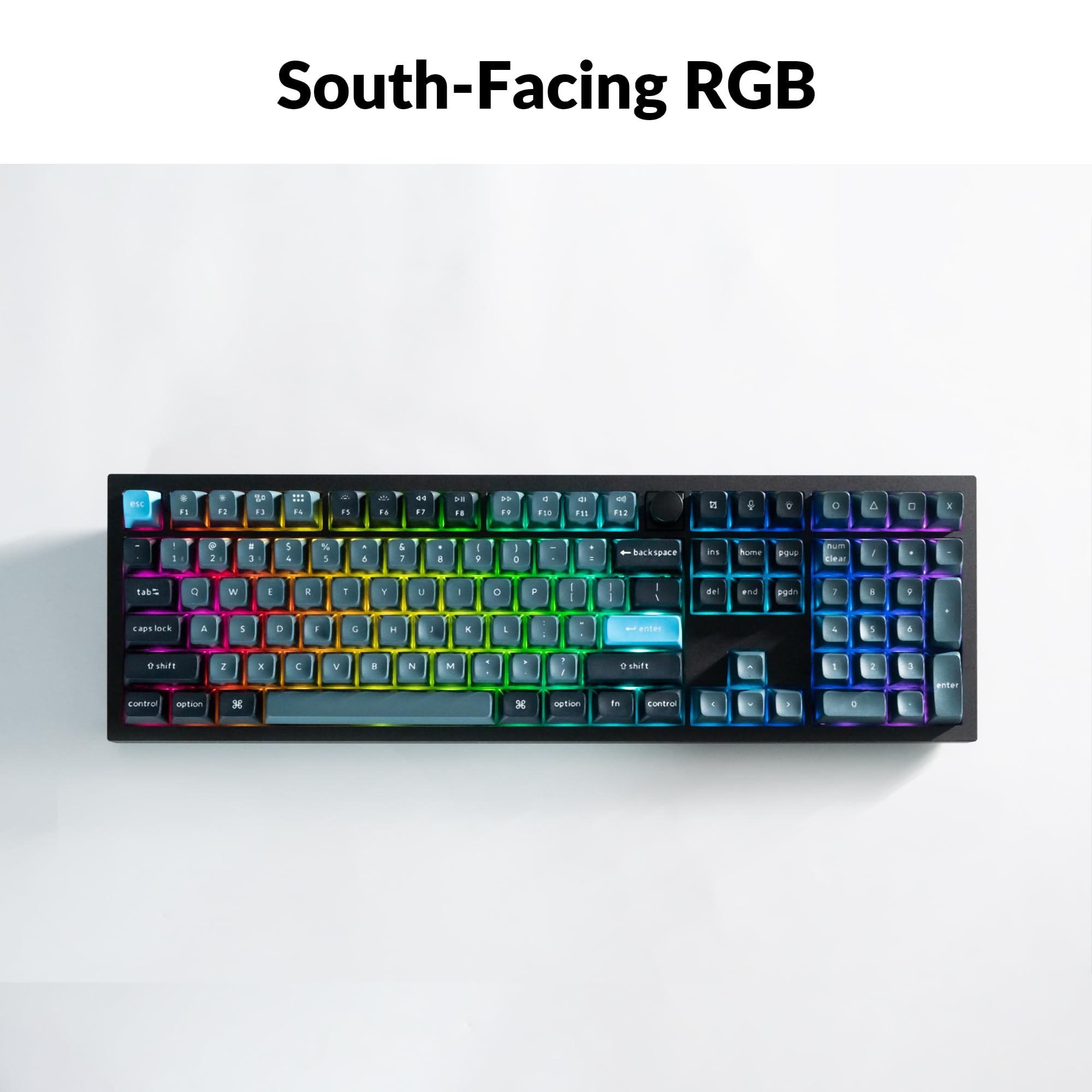
The Q6 Pro features south-facing RGB backlighting with 22 types of preset effects. You can adjust the RGB hue, saturation, brightness, and effect speed directly on the keyboard using specific key combinations (refer to the keyboard's default layout or VIA software for details). These settings can also be remapped via QMK/VIA.

Keychron Q6 Pro keyboard displaying vibrant RGB backlighting

Image 4.2: The Keychron Q6 Pro keyboard illuminated with south-facing RGB backlighting.

4.3 Programmable Knob

The integrated programmable knob typically controls volume by default (turn to adjust, press to mute/unmute). Its function can be fully customized using the QMK/VIA software to perform other actions such as scrolling, zooming, or switching applications.

5. නඩත්තු කිරීම

5.1 යතුරු පුවරුව පිරිසිදු කිරීම

ප්‍රශස්ත කාර්ය සාධනය සහ පෙනුම පවත්වා ගැනීම සඳහා, ඔබේ යතුරුපුවරුව නිතිපතා පිරිසිදු කරන්න:

5.2 උණුසුම් හුවමාරු ස්විච

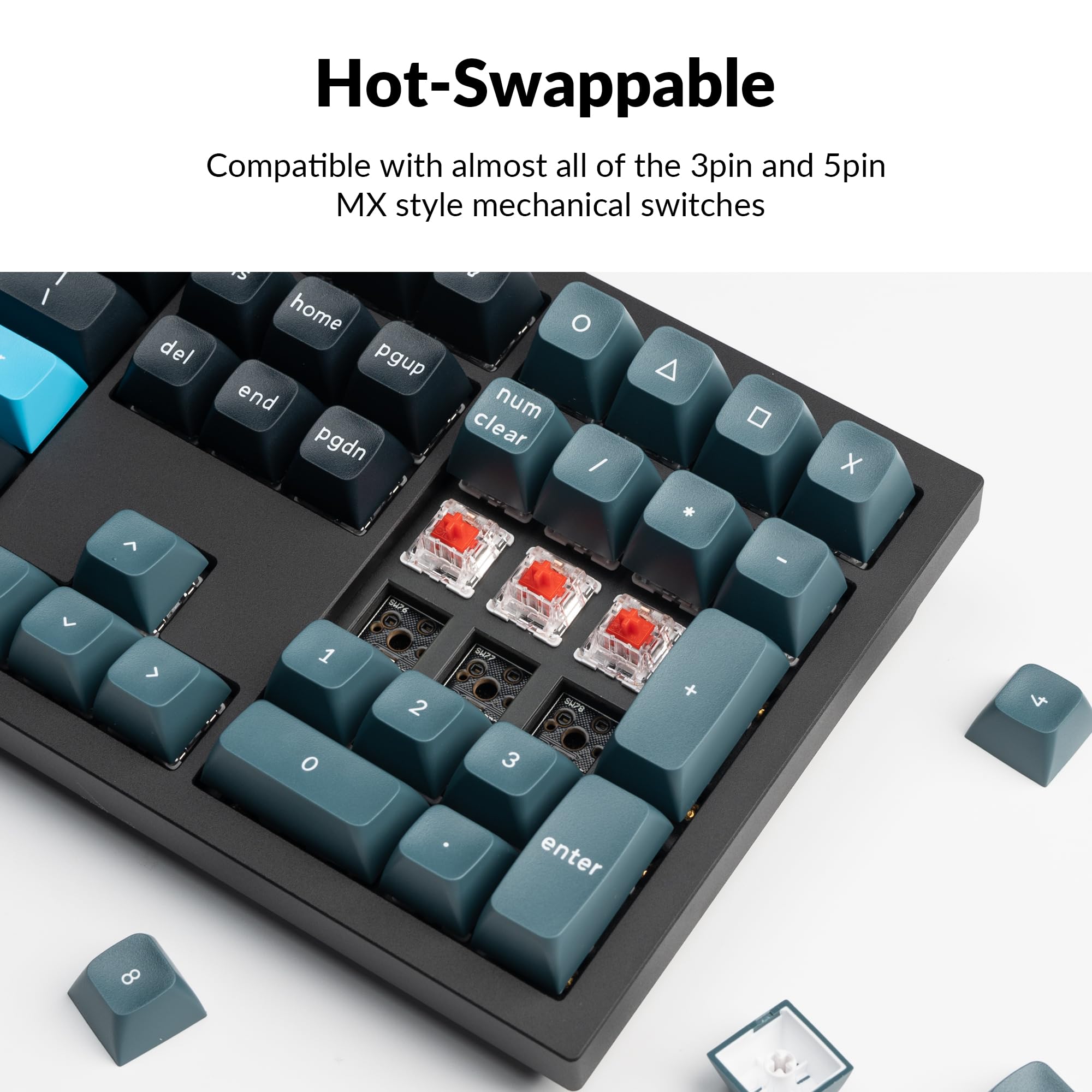
The Q6 Pro features hot-swappable sockets, allowing you to change switches without soldering. It is compatible with most 3-pin and 5-pin MX-style mechanical switches.

  1. යතුරු කැප් එක ඉවත් කරන්න: Use the keycap puller to gently remove the desired keycap.
  2. ස්විචය ඉවත් කරන්න: Use the switch puller to carefully grip the top and bottom clips of the switch and pull it straight up.
  3. නව ස්විචය ස්ථාපනය කරන්න: Align the pins of the new switch with the holes on the PCB. Ensure the pins are straight to avoid bending. Press the switch firmly until it clicks into place.
  4. Reattach Keycap: Place the keycap onto the new switch stem and press down gently.

Always ensure the keyboard is disconnected from power before hot-swapping switches to prevent damage.

Close-up of hot-swappable switches on the Keychron Q6 Pro keyboard

Image 5.1: Demonstrating the hot-swappable feature of the Keychron Q6 Pro, showing switches being removed and inserted.

6. දෝශ නිරාකරණය

6.1 යතුරු පුවරුව ප්‍රතිචාර නොදක්වයි

6.2 බ්ලූටූත් සම්බන්ධතා ගැටළු

6.3 යතුරු ලියාපදිංචි නොකිරීම හෝ දෙවරක් ටයිප් නොකිරීම

6.4 RGB Backlight Not Working

7. පිරිවිතර

Table of Keychron Q6 Pro technical specifications

Image 7.1: Detailed technical specifications for the Keychron Q6 Pro keyboard.

Keychron Q6 Pro Technical Specifications
විශේෂාංගයවිස්තර
ආකෘතියQ6P-M1
මානයන් (L x W x H)17.56 x 5.39 x 1.28 අඟල් (446 x 137 x 32.6 මි.මී.)
බරරාත්තල් 6.69 (ග්රෑම් 3034)
ශරීර ද්රව්යFull CNC machined aluminum
යතුරු කැප්KSA double-shot PBT (not shine-through)
ස්විචයන්Keychron K Pro Red Mechanical Switches (Hot-swappable)
පසුතල ආලෝකයSouth-facing RGB LED
සම්බන්ධතාවයBluetooth 5.1 / USB Type-C wired
ඡන්ද අනුපාතය1000 Hz (wired) / 90 Hz (wireless)
බැටරි4000 mAh Rechargeable Li-polymer battery
Battery Life (Backlight off)පැය 300 දක්වා
Battery Life (RGB)Up to 100 hours (lowest brightness)
අනුකූල පද්ධතිmacOS/Windows/Linux
MCUUltra-low-power ARM Cortex-M4 32-bit STM32L432 (128KB Flash)
N-Key Rollover (NKRO)Yes (both wireless and wired modes)
මෙහෙයුම් පරිසරය-10 සිට 50 ° C

8. වගකීම් සහ සහාය

Keychron products are manufactured with high-quality standards. For warranty information, technical support, or to access additional resources (such as firmware updates or VIA keymap files), please visit the official Keychron webඅඩවිය:

www.keychron.com

ඔබට මිලදී ගැනීමද සලකා බැලිය හැකියasing extended protection plans for your device. Details on available protection plans can be found where you purchased the product or through authorized retailers.

අදාළ ලියකියවිලි - Q6P-M1

පෙරview Keychron Q2 Pro Bluetooth Mechanical Keyboard: User Manual, Setup, and Features
Comprehensive guide to the Keychron Q2 Pro Bluetooth Mechanical Keyboard. Learn about its features, setup, VIA key remapping, layers, connectivity, troubleshooting, specifications, and safety information.
පෙරview Keychron C2 Pro Quick Start Guide: Setup, VIA Software, and Customization
A comprehensive quick start guide for the Keychron C2 Pro mechanical keyboard, covering system switching, VIA software setup, key remapping, backlighting adjustments, and factory reset procedures.
පෙරview Keychron Q5 Pro Bluetooth Mechanical Keyboard User Manual and Guide
Comprehensive user manual for the Keychron Q5 Pro Bluetooth Mechanical Keyboard, covering setup, connectivity, customization with VIA software, backlight controls, troubleshooting, and specifications.
පෙරview Keychron K2 Pro QMK/VIA Wireless Mechanical Keyboard Quick Start Guide
Quick start guide for the Keychron K2 Pro QMK/VIA Wireless Mechanical Keyboard, covering Bluetooth and cable connection, key remapping with VIA software, backlight controls, warranty, and factory reset.
පෙරview Keychron K2 Pro බ්ලූටූත් යාන්ත්‍රික යතුරුපුවරු පරිශීලක අත්පොත සහ මාර්ගෝපදේශය
A comprehensive user manual for the Keychron K2 Pro Bluetooth Mechanical Keyboard. This guide covers setup, connectivity (Bluetooth and wired), keymap customization with VIA software, layer management, backlight controls, troubleshooting, specifications, and safety precautions.
පෙරview Keychron K10 Wireless Mechanical Keyboard Version 2 User Manual
This document provides a comprehensive user manual for the Keychron K10 Wireless Mechanical Keyboard Version 2, covering setup, features, troubleshooting, and specifications. Learn how to connect via Bluetooth or wired mode, customize backlighting, manage layers, and utilize the Keychron Launcher app.