1. නිෂ්පාදන අවසන්view
The Xiaomi Redmi Buds 4 Lite are True Wireless Stereo (TWS) earbuds designed for a comfortable audio experience. They feature Bluetooth 5.3 connectivity, AI Call Noise Cancelling, and an IP54 water resistance rating, making them suitable for various activities including gaming, calls, music, and exercise.

Image: Xiaomi Redmi Buds 4 Lite TWS Wireless Earbuds in their charging case.
2. පැකේජ අන්තර්ගතය
සියලුම අයිතම පැකේජයේ ඇති බවට වග බලා ගන්න:
- Xiaomi Redmi Buds 4 Lite Earbuds (වම සහ දකුණ)
- අයකිරීමේ නඩුව
- පරිශීලක අත්පොත (මෙම ලේඛනය)
3. පිහිටුවීම
3.1. මූලික අයකිරීම
Before first use, fully charge the earbuds and the charging case. Connect the charging case to a power source using a compatible USB cable. The indicator light on the case will show charging status.

Image: The charging case connected to a power source for charging.
3.2. උපාංගයක් සමඟ යුගල කිරීම
- ඉයර්බඩ් ආරෝපණ පෙට්ටියේ ඇති බවත්, ආවරණ පියන විවෘතව ඇති බවත් සහතික කර ගන්න.
- ඔබගේ උපාංගයේ (ස්මාර්ට්ෆෝන්, ටැබ්ලටය, ආදිය), බ්ලූටූත් සක්රීය කරන්න.
- ඒ සඳහා සොයන්න ලබා ගත හැකි බ්ලූටූත් උපාංග සහ ලැයිස්තුවෙන් "Redmi Buds 4 Lite" තෝරන්න.
- The earbuds will automatically connect. A voice prompt or indicator light will confirm successful pairing.
The Redmi Buds 4 Lite support Google වේගවත් යුගල for quick and seamless connection with compatible Android devices.

Image: Earbuds and case illustrating Google Fast Pair feature.
3.3. ඉයර්බඩ් පැළඳීම
Gently insert the earbuds into your ears. Adjust them for a snug and comfortable fit. The lightweight design and rounded tips ensure they stay securely in place during various activities.
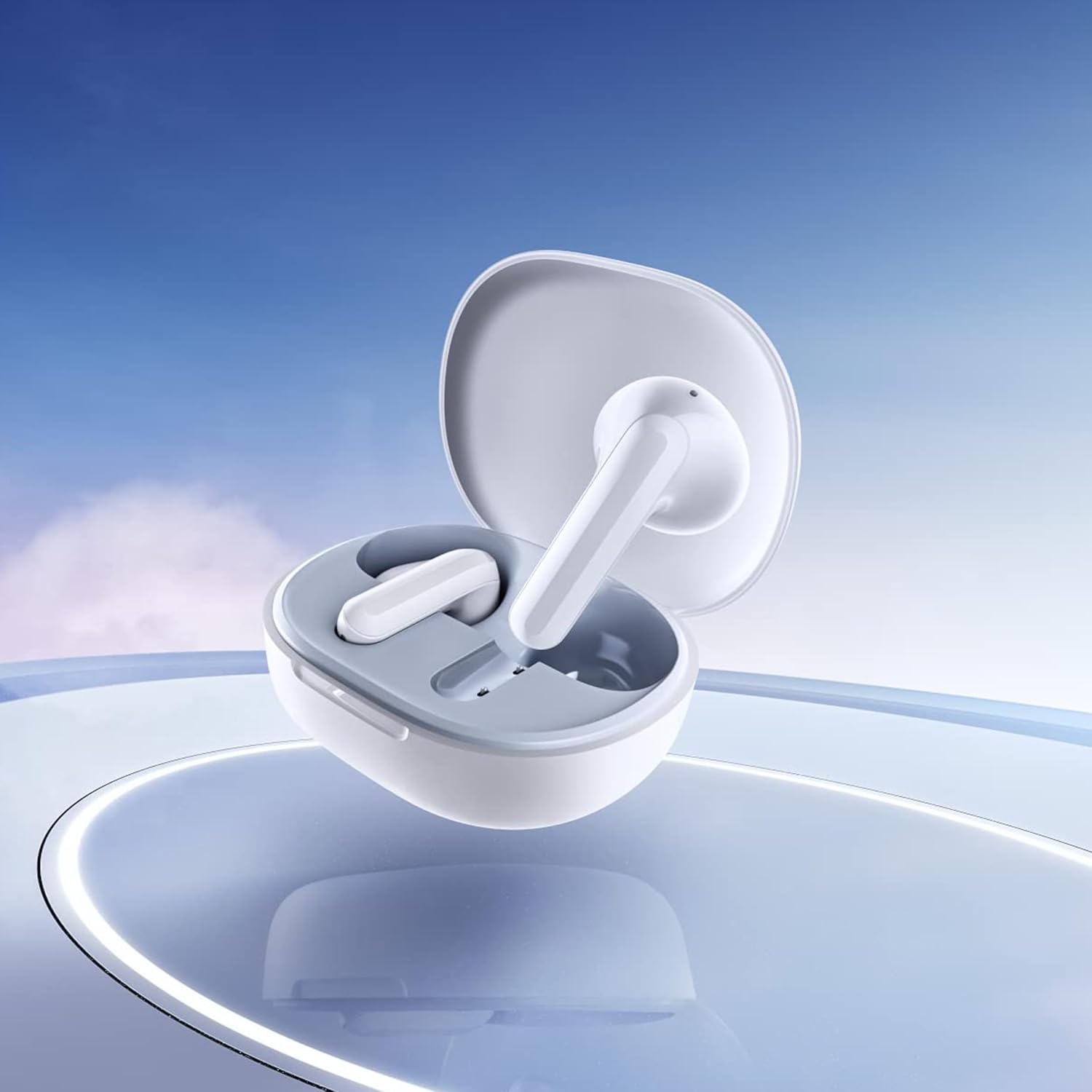
Image: Close-up of the individual earbuds, highlighting their design.
4. මෙහෙයුම් උපදෙස්
4.1. ස්පර්ශ පාලන
The Redmi Buds 4 Lite feature intuitive touch controls for media playback and call management. Specific touch gestures may vary slightly, but common functions include:
- වාදනය/විරාමය: ඉයර්බඩ් දෙකෙන් එකක් මත එක තට්ටු කරන්න.
- ඊළඟ ධාවන පථය: දකුණු ඉයර්බඩ් එක දෙවරක් තට්ටු කරන්න.
- පෙර ධාවන පථය: වම් ඉයර්බඩ් එක දෙවරක් තට්ටු කරන්න.
- පිළිතුර/අවසන් ඇමතුම: ඉයර්බඩ් දෙකෙන් එකක් මත එක තට්ටු කරන්න.
- ඇමතුම ප්රතික්ෂේප කරන්න: ඉයර්බඩ් දෙකෙන් එකක් ඔබාගෙන සිටින්න.
- හ oice සහකාර සක්රිය කරන්න: ඉයර්බඩ් දෙකෙන් එකක් තුන් වරක් තට්ටු කරන්න.
4.2. AI Call Noise Cancelling
The earbuds are equipped with AI Call Noise Cancelling technology to enhance call clarity by reducing background noise during phone conversations.
4.3. Low-Latency Gaming Mode
For an optimized gaming experience, the earbuds offer a low-latency mode. Refer to your device's Bluetooth settings or the official Xiaomi app (if available) for activation instructions.
5. නඩත්තු කිරීම
5.1 පිරිසිදු කිරීම
Regularly clean your earbuds and charging case to maintain optimal performance and hygiene. Use a soft, dry, lint-free cloth. Do not use abrasive cleaners or immerse the earbuds or case in water.
5.2. ජල ප්රතිරෝධය (IP54)
The Redmi Buds 4 Lite have an IP54 rating, meaning they are protected against dust ingress and splashing water from any direction. This makes them suitable for workouts and light rain. However, they are not designed for swimming or showering. Avoid exposing them to high-pressure water or submerging them.

Image: Earbuds shown with an IP54 water resistance indicator.
5.3. ගබඩා කිරීම
භාවිතයේ නොමැති විට, ඉයර්බඩ් ආරක්ෂා කර ගැනීමට සහ ඒවා ආරෝපණය කර ඇති බව සහතික කිරීමට ඒවායේ ආරෝපණ පෙට්ටියේ ගබඩා කරන්න. සෘජු හිරු එළියෙන් සහ අධික උෂ්ණත්වයන්ගෙන් ඈත්ව සිසිල්, වියළි ස්ථානයක ගබඩා කරන්න.
6. දෝශ නිරාකරණය
6.1. ඉයර්බඩ් යුගලනය නොවීම
- ඉයර්බඩ් දෙකම ආරෝපණය කර ඇති බව සහතික කර ගන්න.
- Place earbuds back in the case, close the lid, then open it again to reset.
- ඔබගේ උපාංගයේ බ්ලූටූත් අක්රිය කර ක්රියාත්මක කරන්න.
- Forget "Redmi Buds 4 Lite" from your device's Bluetooth list and try pairing again.
6.2. ශබ්දයක් නැත හෝ අඩු ශබ්දයක්
- ඔබගේ උපාංගයේ සහ ඉයර්බඩ් දෙකෙහිම ශබ්ද මට්ටම පරීක්ෂා කරන්න.
- ඉයර්බඩ් ඔබේ කන්වල නිසි ලෙස සවි කර ඇති බවට වග බලා ගන්න.
- ඉයර්බඩ් ස්පීකර්වලින් ඕනෑම සුන්බුන් පිරිසිදු කරන්න.
- ඔබේ උපාංගයට ඉයර්බඩ් නැවත සම්බන්ධ කරන්න.
6.3. Call Quality Issues
- ඉයර්බඩ් සම්පූර්ණයෙන්ම ආරෝපණය වී ඇති බව සහතික කර ගන්න.
- සංඥා බාධා වළක්වා ගැනීම සඳහා ඔබේ සම්බන්ධිත උපාංගයට සමීප වන්න.
- The AI Call Noise Cancelling feature helps, but extreme noisy environments may still affect clarity.
6.4. ඉයර්බඩ් ආරෝපණය නොවීම
- ආරෝපණ කේබලය නඩුවට සහ බල ප්රභවයට ආරක්ෂිතව සම්බන්ධ වී ඇති බව තහවුරු කර ගන්න.
- ඉයර්බඩ්වල සහ කේස් එක ඇතුළත ආරෝපණ සම්බන්ධතා පිරිසිදු හා සුන්බුන් වලින් තොර බව සහතික කර ගන්න.
- වෙනස් ආරෝපණ කේබලයක් හෝ බල ඇඩැප්ටරයක් උත්සාහ කරන්න.
7. පිරිවිතර
| විශේෂාංගය | විස්තර |
|---|---|
| මාදිලියේ නම | Redmi Buds 4 Lite |
| සම්බන්ධතා තාක්ෂණය | රැහැන් රහිත (බ්ලූටූත් 5.3) |
| බ්ලූටූත් අනුවාදය | 5.3 |
| බ්ලූටූත් පරාසය | මීටර් 10 |
| ශ්රව්ය ධාවක වර්ගය | ගතික ධාවකය (මි.මී. 12) |
| බැටරි ආයු කාලය | පැය 20ක් දක්වා (ආරෝපණ නඩුවක් සමඟ) |
| පාලන ක්රමය | ස්පර්ශය, මාධ්ය පාලනය |
| ශබ්ද පාලන විශේෂාංග | AI Call Noise Cancelling |
| ජල ප්රතිරෝධක මට්ටම | IP54 (ජල ප්රතිරෝධී) |
| අයිතමයේ බර | 39 Grams (total), 1.38 ounces (product) |
| නිෂ්පාදන මානයන් | අඟල් 2.56 x 1.89 x 1.02 |
| ද්රව්ය | Plastic (earbuds and case) |
| වර්ණය | සුදු |
| කන් ස්ථානගත කිරීම | කනේ |
| ගැළපෙන උපාංග | Devices with Bluetooth 5.3 and supporting A2DP, AVRCP, HFP profiles |

රූපය: ඉදිරිපස view of the Redmi Buds 4 Lite in their charging case.

රූපය: පැත්ත view of the Redmi Buds 4 Lite in their charging case.
8. වගකීම් සහ සහාය
8.1. වගකීම් තොරතුරු
Warranty details for the Xiaomi Redmi Buds 4 Lite are typically provided with your purchase documentation. Please refer to the warranty card or contact your retailer for specific terms and conditions regarding your product's warranty coverage.
8.2. පාරිභෝගික සහාය
For further assistance, technical support, or inquiries, please visit the official XIAOMI website or contact their customer service department. You can often find support contact information on the product packaging or the brand's official online channels.
නිල XIAOMI වෙළඳසැල: Amazon හි XIAOMI වෙළඳසැල


