හැඳින්වීම
The SanDisk 2TB Portable SSD (model SDSSDE30-2T00-G26) provides fast, reliable, and portable storage for your digital content. Designed for durability and convenience, this external solid-state drive offers high-speed data transfer and robust protection for your important files. This manual provides essential information for setting up, operating, maintaining, and troubleshooting your device.
පෙට්ටියේ ඇති දේ
- SanDisk 2TB Portable SSD (SDSSDE30-2T00-G26)
- USB Type-C සිට USB-A කේබලයක්
- ආරක්ෂාව සහ වගකීම් මාර්ගෝපදේශය
සැලසුම
- SSD සම්බන්ධ කරන්න: Use the included USB Type-C to USB-A cable to connect the portable SSD to an available USB port on your computer. If your computer only has USB-C ports, you may need a USB-A to USB-C adapter (not included).
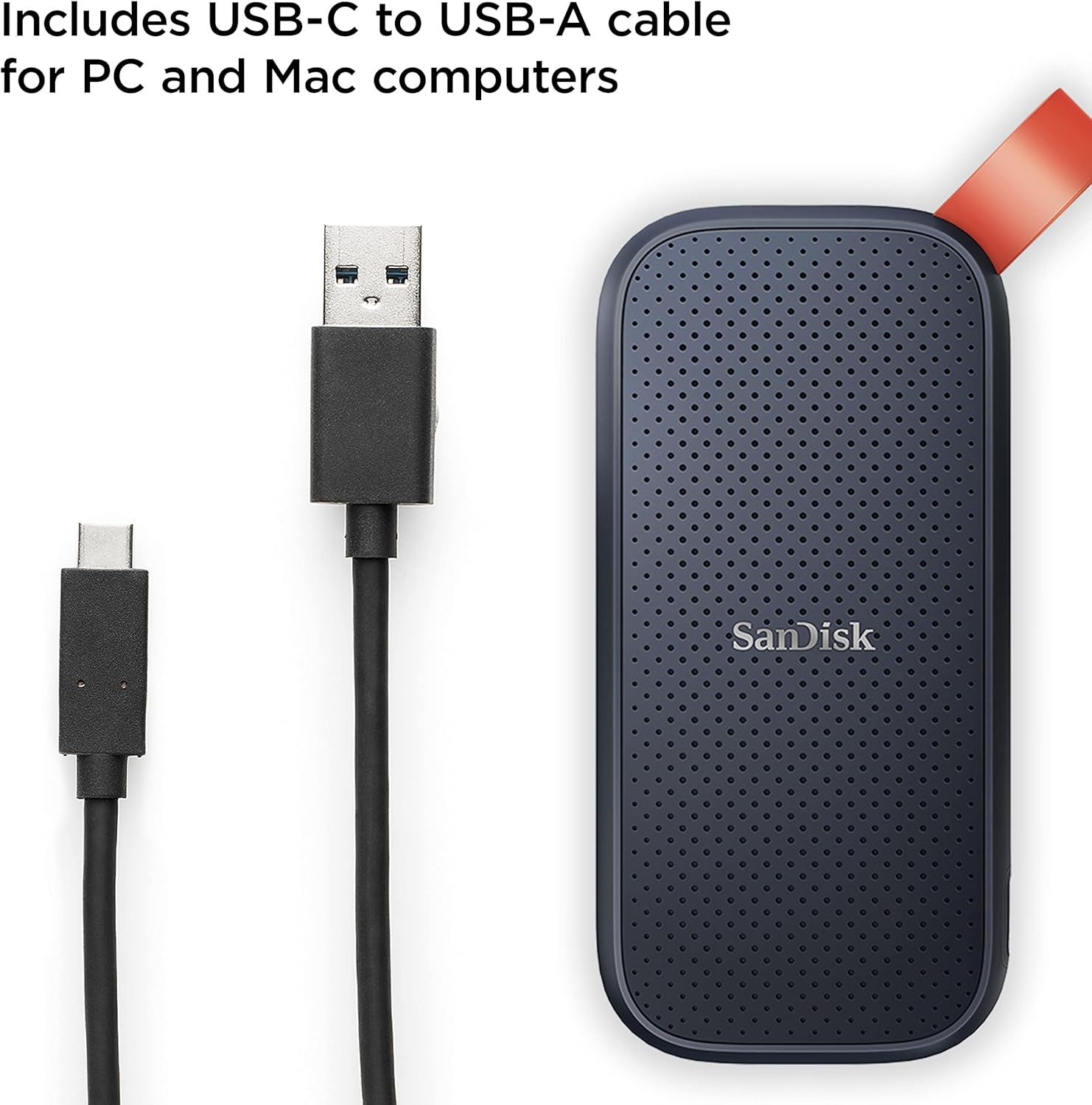
Image: The SanDisk Portable SSD connected to a laptop using the provided USB-C to USB-A cable.
- ප්ලග්-ඇන්ඩ්-ප්ලේ: The SanDisk Portable SSD is designed for plug-and-play functionality. Your computer should automatically detect the drive.
- Initial Formatting (if needed): For optimal performance and compatibility, especially with macOS, you may need to format the drive. Refer to your operating system's documentation for instructions on how to format an external drive. For Windows, you can use Disk Management; for macOS, use Disk Utility.
මෙහෙයුම් උපදෙස්
- මාරු කිරීම Files: Once connected and recognized by your computer, the SSD will appear as an external drive. You can drag and drop files directly to and from the drive, or use your operating system's copy/paste functions.
- අධිවේගී කාර්ය සාධනය: Experience solid-state performance with read speeds of up to 800MB/s. Actual performance may vary depending on your host device, interface, usage conditions, and other factors.

Image: A person transferring data from a laptop to the SanDisk Portable SSD, highlighting its speed.
- Secure Your Drive: The SanDisk Portable SSD may include optional security software. Refer to the included Safety & Warranty Guide or the SanDisk website for details on setting up password protection and encryption for your data.
නඩත්තු කිරීම
- කල්පැවැත්ම: The drive features up to two-meter drop protection, providing enhanced durability for on-the-go use. Its solid-state design means there are no moving parts, making it more resistant to physical shock compared to traditional hard drives.

Image: The SanDisk Portable SSD in mid-air, demonstrating its two-meter drop protection.
- අතේ ගෙන යා හැකි හැකියාව: Utilize the tough rubber hook to secure the drive to a belt loop or backpack, ensuring it stays with you and is less likely to be misplaced.

Image: The SanDisk Portable SSD with its red rubber hook attached to a backpack, emphasizing portability.
- පිරිසිදු කිරීම: Use a soft, dry cloth to clean the exterior of the drive. Avoid using harsh chemicals or abrasive materials.
- ආරක්ෂිත පිටකිරීම: Always safely eject the drive from your computer before disconnecting it to prevent data corruption.
දෝෂගවේෂණය
- ධාවකය අනාවරණය නොවීය:
- USB කේබලය SSD සහ ඔබේ පරිගණකය යන දෙකටම ආරක්ෂිතව සම්බන්ධ වී ඇති බවට වග බලා ගන්න.
- ඔබේ පරිගණකයේ තිබෙන වෙනත් USB පෝට් එකකට සම්බන්ධ වීමට උත්සාහ කරන්න.
- Test the drive with a different computer or cable if possible.
- Check your computer's Disk Management (Windows) or Disk Utility (macOS) to see if the drive is recognized but unformatted.
- මන්දගාමී හුවමාරු වේගයන්:
- Ensure you are using a USB 3.0 or higher port on your computer for optimal speeds. Older USB 2.0 ports will result in slower transfers.
- Verify that the cable used is the original SanDisk cable or a high-quality USB 3.2 Gen 2 compatible cable.
- පද්ධති සම්පත් පරිභෝජනය කළ හැකි පසුබිමේ ක්රියාත්මක වන අනවශ්ය යෙදුම් වසා දමන්න.
- දත්ත ප්රතිසාධනය: In the event of data loss, SanDisk may offer data recovery software or services. Refer to the SanDisk webපවතින විකල්ප සඳහා අඩවිය.
පිරිවිතර
| ආදර්ශ අංකය | SDSSDE30-2T00-G26 |
| ධාරිතාව | 2 TB |
| අතුරු මුහුණත | USB 3.2 Gen 2 (USB-C) |
| කියවීමේ වේගය | 800MB/s දක්වා |
| මානයන් (LxWxH) | අඟල් 3.81 x 1.85 x 0.39 |
| බර | අවුන්ස 1.44 කි |
| වර්ණය | කළු |
| වැටීම් ආරක්ෂණය | මීටර් 2 දක්වා |
| ගැළපෙන උපාංග | Laptop, PC, Mac, Android devices |
Image: Detailed dimensions of the SanDisk Portable SSD.
නිල නිෂ්පාදන වීඩියෝව
වීඩියෝ: නිල නිෂ්පාදනයක් අවසන්view of the SanDisk Portable SSD, showcasing its features and portability.
වගකීම් සහ සහාය
The SanDisk 2TB Portable SSD comes with a limited warranty. For detailed warranty information, technical support, and safety guidelines, please refer to the included Safety & Warranty Guide. You can also visit the official SanDisk support website for further assistance and resources: www.sandisk.com/support


