හැඳින්වීම
Welcome to your VTech VT680 Cordless Phone. This manual provides essential information for setting up, operating, and maintaining your new phone. The VTech VT680 is a DECT 6.0 cordless phone designed for reliable fixed-line communication.
Key features include Caller ID, a log of the last 10 received calls, a reminder alarm, and a 20-contact phonebook.

Image: VTech VT680 Cordless Phone handset and base unit positioned on a desk in a home office environment, alongside office supplies.
පැකේජයේ අන්තර්ගතය
කරුණාකර ඔබගේ පැකේජයේ පහත අයිතම අඩංගු දැයි තහවුරු කරගන්න:
- VTech VT680 Cordless Handset
- ආරෝපණ පදනම
- බල ඇඩැප්ටරය
- දුරකථන රැහැන් ලණුව
- AAA නැවත ආරෝපණය කළ හැකි බැටරි 2ක්
- පරිශීලක අත්පොත (මෙම ලේඛනය)
සැලසුම
1. බැටරි ස්ථාපනය
පියවර 1: ජංගම දුරකථනයේ පිටුපස බැටරි මැදිරිය සොයා ගන්න.
පියවර 2: Insert the two AAA rechargeable batteries, observing the correct polarity (+ and -) as indicated inside the compartment.
පියවර 3: බැටරි මැදිරි කවරය ආරක්ෂිතව වසා දමන්න.

රූපය: පසුපස view of the VTech VT680 cordless phone handset, showing the battery compartment area.
2. මූලික ඒකක සම්බන්ධතාවය
පියවර 1: Connect one end of the telephone line cord to the TEL LINE jack on the back of the charging base.
පියවර 2: දුරකථන රැහැන් ලණුවේ අනෙක් කෙළවර ඔබගේ දුරකථන බිත්ති ජැක් එකට සම්බන්ධ කරන්න.
පියවර 3: Connect the small end of the power adapter to the POWER jack on the back of the charging base.
පියවර 4: බල ඇඩැප්ටරයේ විශාල කෙළවර සම්මත විදුලි අලෙවිසැලකට සම්බන්ධ කරන්න.

රූපය: පැති ප්රෝfile of the VTech VT680 cordless phone handset docked in its charging base, illustrating its compact design.
3. මූලික අයකිරීම
Place the handset on the charging base. The handset display will show a charging indicator. Allow the handset to charge for at least 12 hours before initial use to ensure optimal battery performance and longevity.

රූපය: ඉදිරිපස view of the VTech VT680 cordless phone handset docked in its charging base, displaying the screen and keypad.
මෙහෙයුම් උපදෙස්
ඇමතුමක් ලබා දීම
- ජංගම දුරකථනය ගන්න හෝ ඔබන්න දුරකථනය බොත්තම.
- යතුරු පෑඩය භාවිතයෙන් අපේක්ෂිත දුරකථන අංකය අමතන්න.
- ඔබන්න දුරකථනය ඇමතුම අවසන් කිරීමට නැවත බොත්තම ඔබන්න.
ඇමතුමකට පිළිතුරු දීම
දුරකථනය නාද වන විට, ජංගම දුරකථනය ගන්න හෝ ඔබන්න දුරකථනය බොත්තම.
Using Caller ID
When a call comes in, the caller's name and number will appear on the handset display (requires subscription to Caller ID service from your telephone provider).
නැවත කිරීමටview the call log, press the ඇමතුම් ලැයිස්තුව බොත්තම. භාවිතා කරන්න UP සහ පහළට arrow buttons to scroll through the last 10 received calls.
දුරකථන පොත
දුරකථන පොතේ සම්බන්ධතා 20ක් දක්වා ගබඩා කළ හැක.
සම්බන්ධතාවක් එකතු කිරීම
- ඔබන්න මෙනුව බොත්තම.
- "දුරකථන පොත" වෙත සංචාලනය කර "නව ඇතුළත් කිරීමක් එක් කරන්න" තෝරන්න.
- Enter the contact's name and phone number using the keypad.
- ඔබන්න සුරකින්න ඇතුල්වීම ගබඩා කිරීමට.
Making a Call from Phonebook
- ඔබන්න දුරකථන නාමාවලිය බොත්තම.
- භාවිතා කරන්න UP සහ පහළට arrow buttons to find the desired contact.
- ඔබන්න දුරකථනය button to dial the contact.
Setting a Reminder Alarm
- ඔබන්න මෙනුව බොත්තම.
- Navigate to "Alarm" or "Reminders" in the menu.
- Set the desired time and activate the alarm function.
- ඔබන්න සුරකින්න තහවුරු කිරීමට.
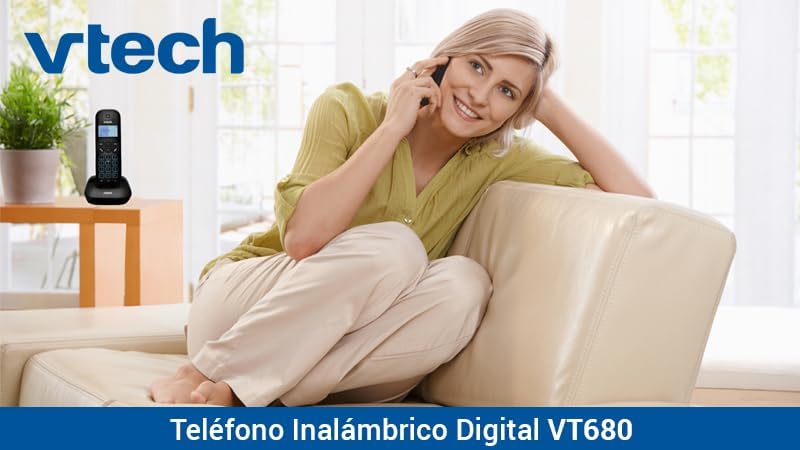
Image: A woman comfortably seated on a couch, engaged in a phone conversation using the VTech VT680 cordless phone.
නඩත්තු කිරීම
පිරිසිදු කිරීම
Wipe the handset and base unit with a soft, slightly damp cloth. Do not use harsh cleaning agents, abrasive materials, or excessive liquid, as these can damage the device.
බැටරි සත්කාර
Use only the specified AAA rechargeable batteries. Replace batteries when they no longer hold a charge effectively or if you notice a significant decrease in talk time.
දෝෂගවේෂණය
If you encounter any issues with your VTech VT680 Cordless Phone, please refer to the table below for common problems and their solutions.
| ගැටලුව | විසඳුම |
|---|---|
| ඩයල් ටෝන් නැත | Ensure the telephone line cord is securely connected to both the base unit and the telephone wall jack. Verify the power adapter is properly connected to the base unit and a working electrical outlet. |
| හෑන්ඩ්සෙට් එක ආරෝපණය නොවේ | Ensure the handset is correctly seated in the charging cradle. Verify the power adapter is plugged in. Clean the charging contacts on both the handset and base unit with a dry cloth. |
| දුර්වල ඇමතුම් ගුණාත්මකභාවය හෝ ස්ථිතික | Move closer to the base unit. Check for interference from other electronic devices (e.g., Wi-Fi routers, microwaves). Try relocating the base unit. |
| ඇමතුම්කරුගේ හැඳුනුම්පත ක්රියා නොකරයි | Ensure you are subscribed to Caller ID service from your telephone service provider. Contact your provider to confirm the service is active. |
පිරිවිතර
තාක්ෂණික පිරිවිතර
- වෙළඳ නාමය: වීටෙක්
- ආකෘතිය: VT680
- දුරකථන වර්ගය: Cordless, DECT 6.0 Technology
- වර්ණය: කළු
- ද්රව්ය: ප්ලාස්ටික්
- බලශක්ති ප්රභවය: Battery operated (2 AAA rechargeable batteries included)
- Dimensions (Handset on Base): ආසන්න වශයෙන් 16.8 x 7.8 x 15.8 සෙ.මී
- බර: ආසන්න වශයෙන් 680 ග්රෑම්
- විශේෂාංග: Caller ID, 10-call log, Reminder Alarm, 20-contact Phonebook
- Line Operation: Single-line operation
වගකීම් සහ සහාය
For detailed warranty information, technical support, or to register your product, please visit the official VTech website or contact VTech customer service. Specific warranty terms and support options may vary by region.


