1. හැඳින්වීම
This manual provides instructions for the assembly, operation, maintenance, and troubleshooting of your ANJ Electric Power Recliner Chair. Please read this manual thoroughly before use and retain it for future reference.
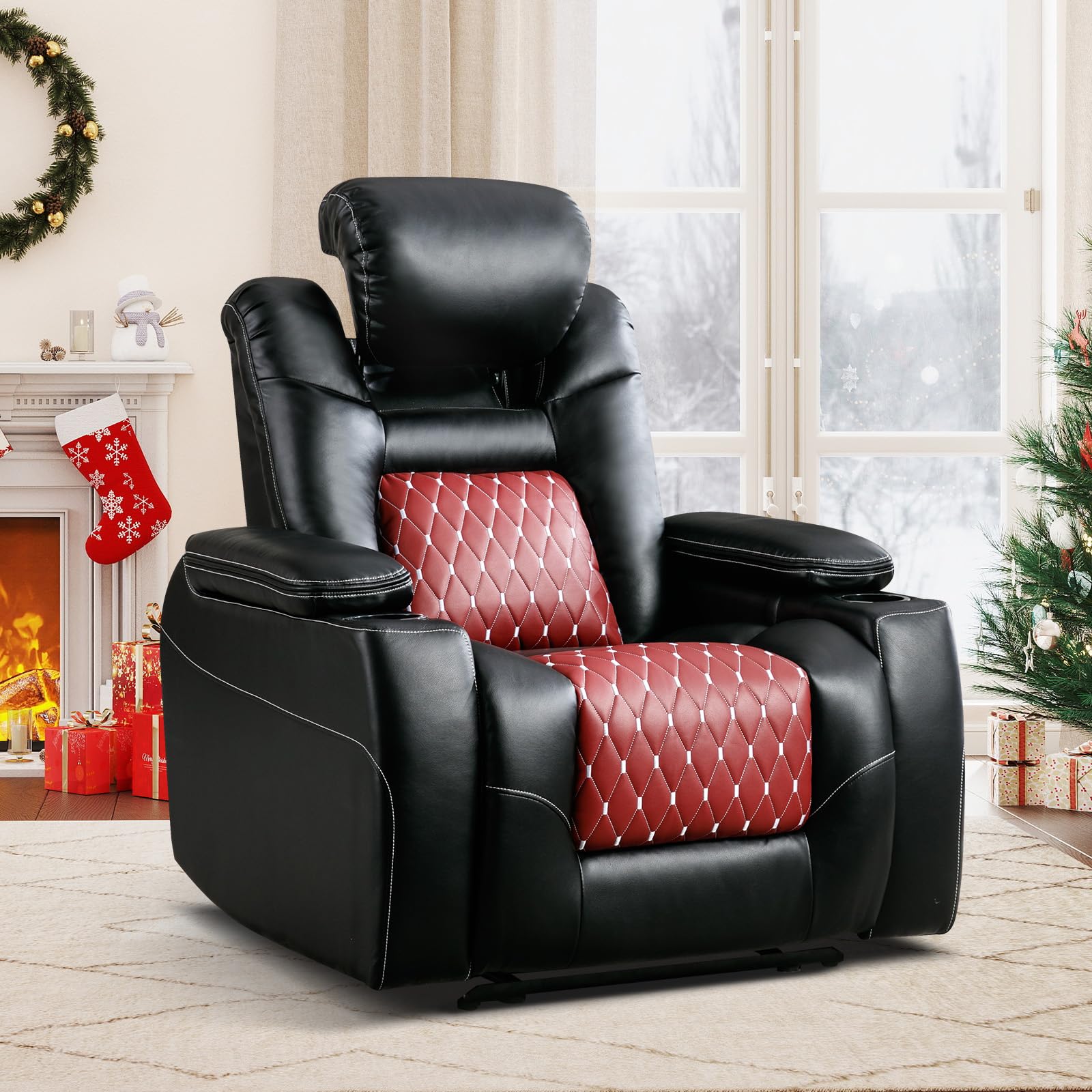
The ANJ Electric Power Recliner Chair features an adjustable powered headrest, power recline function, USB charging ports, dual cup holders, and hidden arm storage. It is designed for comfort and convenience in various living spaces.
2 ආරක්ෂිත තොරතුරු
- බර ධාරිතාව: උපරිම බර ධාරිතාව රාත්තල් 350 (කිලෝග්රෑම් 158) නොඉක්මවන්න.
- ළමුන් සහ සුරතල් සතුන්: Keep children and pets away from the chair's moving parts. Ensure they do not play on or around the recliner.
- විදුලි රැහැන්: Ensure the power cord is not pinched, tangled, or placed under the chair where it could be damaged. Disconnect power before cleaning or maintenance.
- නිෂ්කාශනය: Maintain adequate clearance around the chair when reclining to prevent obstruction or injury.
- දියර: පාලක පැනලය හෝ විදුලි උපාංග මත දියර වැගිරීමෙන් වළකින්න.
- එකලස් කිරීම: භාවිතයට පෙර සියලුම කොටස් නිවැරදිව එකලස් කර තද කර ඇති බවට වග බලා ගන්න.
3. පැකේජ අන්තර්ගතය
Your ANJ Electric Power Recliner Chair is shipped in three separate boxes. Please ensure all components are present before beginning assembly.
- Box 1: Chair Base and Power Cord
- Box 2: Chair Backrest
- Box 3: Armrests (Left and Right) and User Manual
4. සැකසීම සහ එකලස් කිරීම
Assembly typically takes 10-15 minutes and requires no additional tools. Follow these steps:
- සංරචක ඉවත් කරන්න: Carefully remove all parts from the three boxes.
- Backrest අමුණන්න: Slide the chair backrest onto the base until it locks securely into place.
- අත්වැසුම් අමුණන්න: Slide each armrest onto the corresponding side of the chair base until they lock into place.
- සම්බන්ධක බලය: Locate the power connection coming from the top of the chair base and connect it to the power cord. Connect the power cord to a wall outlet.
- Connect Armrest Controls: Locate the power connection under the chair base that connects the left armrest controls to the motor. Ensure this connection is secure.
5. මෙහෙයුම් උපදෙස්
5.1 Power Recline and Headrest Adjustment
The chair features a one-touch smart control panel located on the side of the armrest for adjusting the recline and headrest positions.

- සැතපෙන්න: Use the dedicated recline buttons to adjust the backrest and footrest simultaneously. Press the forward button to recline backward and the backward button to return to the upright position.
- හෙඩ්රෙස්ට්: Use the dedicated headrest buttons to adjust the angle of the powered headrest independently for optimal head and neck support.
- අවංක වෙත ආපසු යන්න: A third button is available to retract both the headrest and footrest to the upright position simultaneously.
5.2 USB ආරෝපණ වරායන්
The chair is equipped with USB ports for convenient charging of electronic devices.

- Locate the USB ports on the control panel or within the armrest compartment.
- Connect your device's USB cable to the port to begin charging.
5.3 Arm Storage and Cup Holders
The armrests include hidden storage compartments and dual cup holders.
- Arm Storage: Lift the armrest cover to access the hidden storage compartment, suitable for small items like remote controls or books.
- කුසලාන දරන්නන්: Use the integrated cup holders to securely hold beverages.
6. නඩත්තු කිරීම
6.1 Cleaning Faux Leather
- කෘතිම සම් මතුපිට මෘදු, d රෙදි කඩකින් පිස දමන්න.amp රෙදි.
- For stubborn stains, use a mild soap solution and wipe immediately with a clean, damp රෙදි, පසුව හොඳින් වියළන්න.
- Avoid abrasive cleaners, solvents, or harsh chemicals, as these can damage the material.
6.2 සාමාන්ය රැකවරණය
- Regularly inspect all connections and moving parts to ensure they are secure and functioning correctly.
- ද්රව්ය පිරිහීම වැළැක්වීම සඳහා පුටුව සෘජු හිරු එළියෙන් සහ තාප ප්රභවයන්ගෙන් ඈත් කර තබන්න.
- Avoid placing sharp objects on the chair's surface.
7. දෝශ නිරාකරණය
- Chair Not Reclining:
- Check if the power cord is securely plugged into both the chair and the wall outlet.
- Ensure the connection between the chair base and the left armrest controls is secure.
- වෙනත් උපාංගයක් සම්බන්ධ කිරීමෙන් බිත්ති පිටවීම ක්රියාකාරී බව තහවුරු කරන්න.
- හෙඩ්රෙස්ට් සකස් නොකිරීම:
- Confirm the main power is connected and the recline function works. If not, refer to 'Chair Not Reclining'.
- Ensure no obstructions are preventing headrest movement.
- USB පෝට් ආරෝපණය නොවේ:
- Check if the chair is powered on and the recline function is operational.
- කේබල්/උපාංග ගැටළු බැහැර කිරීමට වෙනත් USB කේබලයක් හෝ උපාංගයක් උත්සාහ කරන්න.
If issues persist after attempting these troubleshooting steps, please contact customer support.
8. පිරිවිතර
| විශේෂාංගය | විස්තර |
|---|---|
| වෙළඳ නාමය | ANJ |
| ආදර්ශ අංකය | CD0306B3-U011 |
| වර්ණය | රතු / කළු |
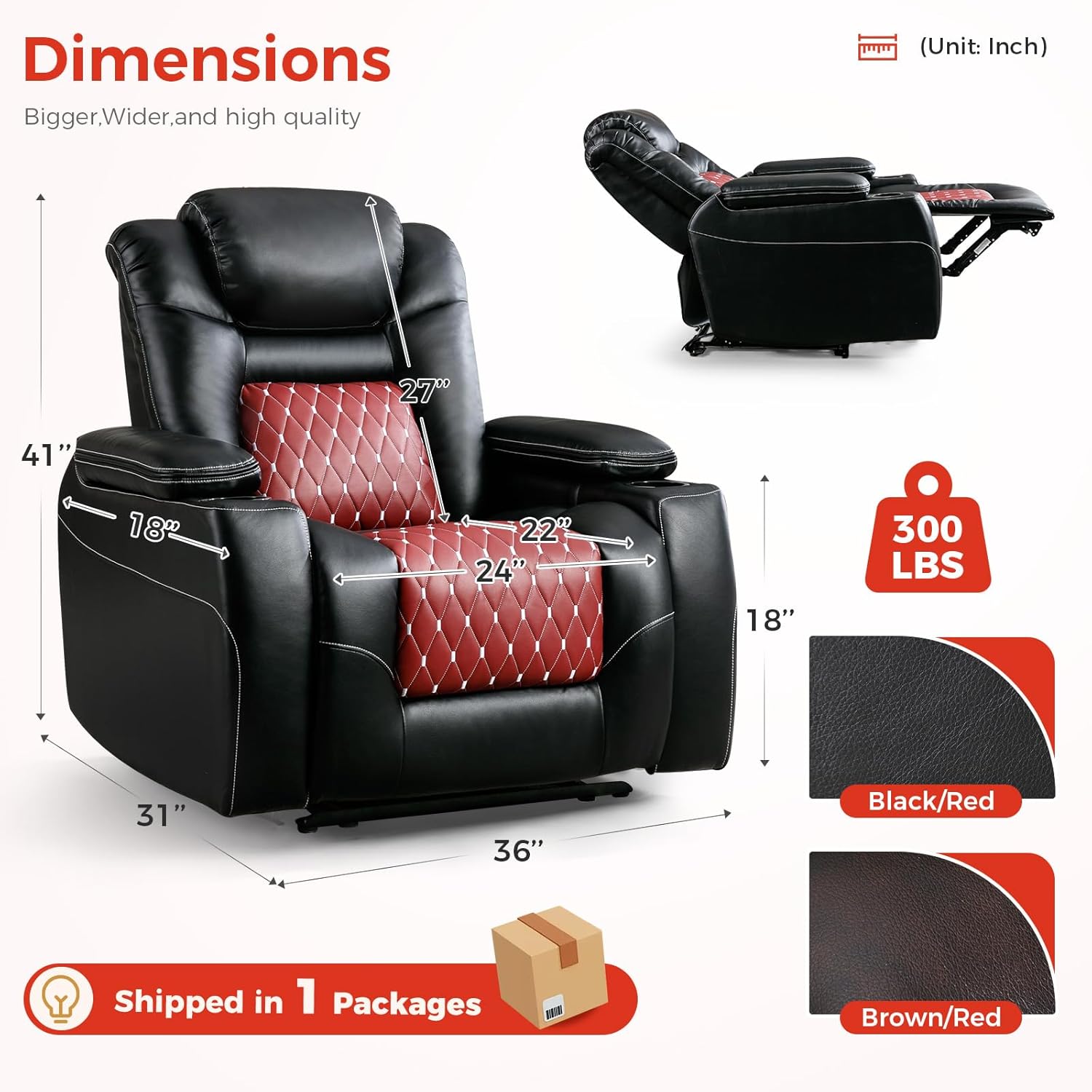
| නිෂ්පාදන මානයන් (D x W x H) | 31"D x 36"W x 41"H |
| ආසන උස | අඟල් 18 |
| ආසන ගැඹුර | අඟල් 22 |
| පසුපස උස | අඟල් 27 |
| උපරිම බර නිර්දේශ කිරීම | පවුම් 350ක් |
| ද්රව්ය | Faux Leather, Foam (Fill Material) |
| රාමු ද්රව්ය | FSC-Certified Wood, Steel-Reinforced Frame |
| විශේෂ ලක්ෂණ | Adjustable Headrest, Arm Rest, Arm Storage, Cup Holders, USB Charge |
| එකලස් කිරීමේ වේලාව | 10-15 minutes (no tools required) |
9. වගකීම් තොරතුරු
ANJ products are manufactured to high-quality standards. For specific warranty details regarding your Electric Power Recliner Chair, please refer to the warranty card included with your purchase or contact ANJ customer support.
10. පාරිභෝගික සහාය
If you have any questions, require assistance with assembly, or encounter any issues not covered in this manual, please contact our customer support team. We are committed to providing satisfactory solutions.
- මාර්ගගත සහාය: වෙත පිවිසෙන්න ANJ Store on Amazon නිතර අසන ප්රශ්න සහ සම්බන්ධතා විකල්ප සඳහා.
- විද්යුත් තැපෑල: සෘජු විද්යුත් තැපැල් සහාය සඳහා ඔබේ නිෂ්පාදන ඇසුරුම්කරණය හෝ වගකීම් කාඩ්පත බලන්න.


