1. නිෂ්පාදන අවසන්view
The TECLAST T40Air is a high-performance tablet designed for various tasks, from entertainment to productivity. It features a 10.4-inch display, 16GB RAM, 256GB ROM, and runs on Android 13, powered by an octa-core processor. Its lightweight design and robust battery ensure portability and extended usage.

රූපය 1.1: ඉදිරිපස සහ පසුපස view of the TECLAST T40Air Tablet, showcasing its sleek design and dual rear cameras.
වීඩියෝ 1.1: නිලධාරියෙක් අවසන්view of the TECLAST T40Air Android Tablet, highlighting its key features and design.
2. මූලික සැකසුම
2.1 පෙට්ටි ඉවත් කිරීම සහ පළමු භාවිතය
Carefully remove the tablet and all accessories from the packaging. Inspect the device for any physical damage. Before first use, it is recommended to fully charge the tablet.
2.2 ටැබ්ලටය ආරෝපණය කිරීම
Connect the provided USB-C cable to the tablet's charging port and the other end to the 18W PD fast charging adapter. Plug the adapter into a power outlet. The battery indicator on the screen will show the charging status. A full charge typically takes approximately 2-3 hours.
2.3 බල ගැන්වීම සක්රිය / අක්රිය කිරීම
- බල ගැන්වීමට: Press and hold the Power button located on the side of the tablet until the TECLAST logo appears on the screen.
- බලය අක්රිය කිරීමට: බල මෙනුවක් දිස්වන තුරු බල බොත්තම ඔබාගෙන සිටින්න. 'පවර් ඕෆ්' තෝරා තහවුරු කරන්න.
- නැවත ආරම්භ කිරීමට: From the power menu, select 'Restart'.
2.4 මූලික වින්යාසය
පළමු වරට බලගැන්වීමෙන් පසු, ටැබ්ලටය මූලික සැකසුම් ක්රියාවලිය හරහා ඔබට මග පෙන්වනු ඇත:
- භාෂා තේරීම: ඔබ කැමති භාෂාව තෝරන්න.
- Wi-Fi සම්බන්ධතාවය: ඔබගේ Wi-Fi ජාලය තෝරා අන්තර්ජාලයට සම්බන්ධ වීමට මුරපදය ඇතුළත් කරන්න.
- Google ගිණුම: Sign in with your Google account or create a new one. This is essential for downloading apps from the Google Play Store and syncing data.
- දිනය සහ වේලාව: නිවැරදි දිනය සහ වේලාව සකසන්න, නැතහොත් ජාලයට එය ස්වයංක්රීයව සැකසීමට ඉඩ දෙන්න.
- ආරක්ෂාව: තිර අගුලක් (PIN, රටාව, මුරපදය, හෝ මුහුණු අගුළු හැරීම) සකසන්න.
2.5 සිම් කාඩ්පත් ස්ථාපනය (විකල්ප)
The T40Air supports 4G LTE connectivity. To install a SIM card:
- ටැබ්ලටයේ පැත්තේ SIM කාඩ්පත් තැටිය සොයා ගන්න.
- තැටිය විවෘත කිරීමට සපයා ඇති SIM ඉජෙක්ටර් මෙවලම භාවිතා කරන්න.
- Place the Nano-SIM card(s) into the designated slots, ensuring correct orientation.
- තැටිය නිසි තැනට ක්ලික් වන තුරු මෘදු ලෙස ටැබ්ලටය තුළට තල්ලු කරන්න.

Image 2.1: The TECLAST T40Air Tablet highlighting its 4G LTE support and SIM card tray location.
3. මෙහෙයුම් උපදෙස්
3.1 Android 13 සංචාලනය කිරීම
The TECLAST T40Air runs on Android 13, offering an intuitive user experience. Use touch gestures to navigate:
- තට්ටු කරන්න: අයිතමයක් තෝරන්න.
- ස්වයිප්: තිර හෝ ලැයිස්තු හරහා අනුචලනය කරන්න.
- විශාලනය කිරීමට පින්ච් කරන්න: රූප විශාලනය කරන්න හෝ අඩු කරන්න සහ web පිටු.
- දිගු ඔබන්න: සන්දර්භීය මෙනු වෙත ප්රවේශ වන්න හෝ අයිකන ගෙන යන්න.
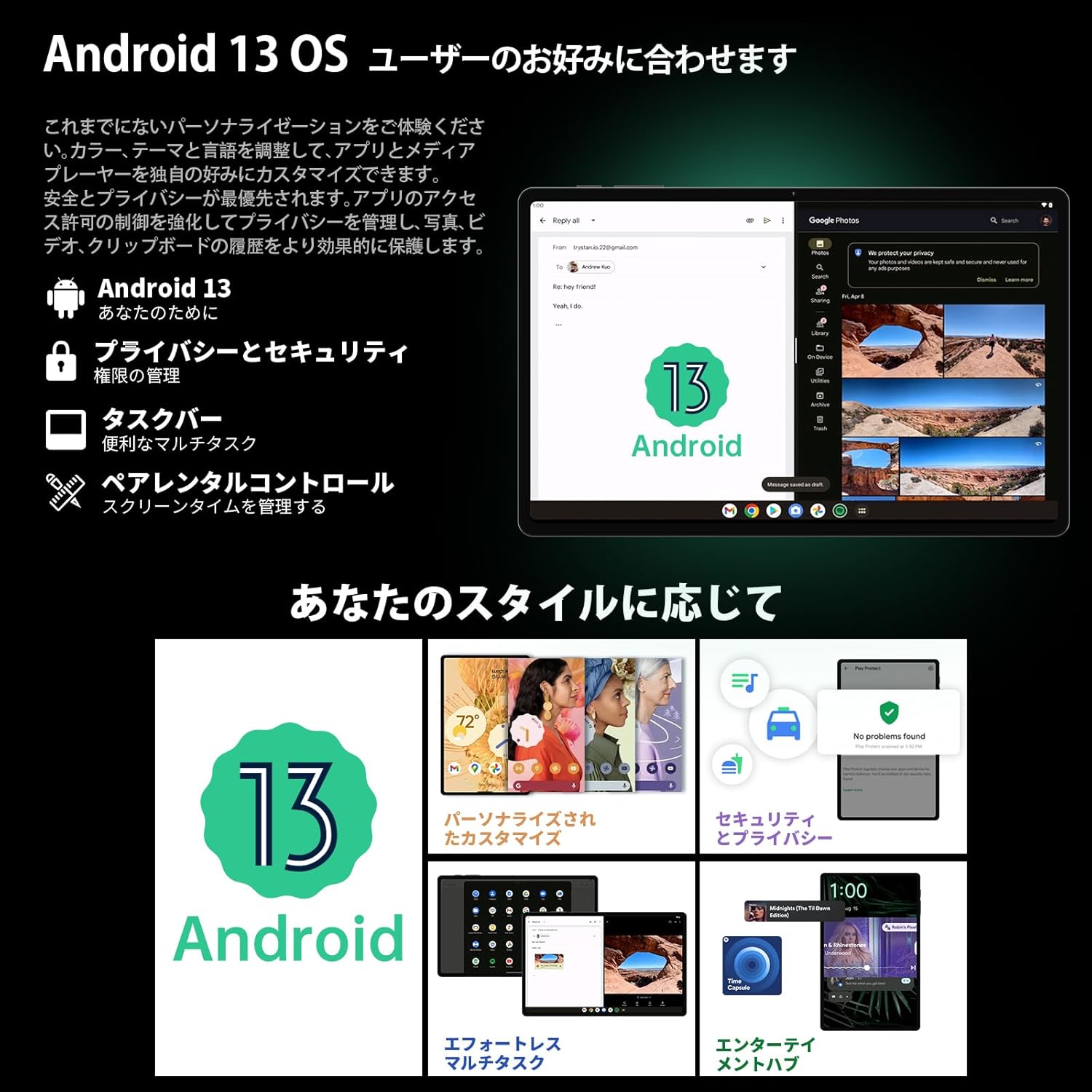
Image 3.1: The Android 13 interface on the TECLAST T40Air Tablet, showing personalization and security features.
3.2 සංදර්ශක විශේෂාංග
The 10.4-inch 2K FHD IPS display provides vibrant colors and sharp details. It features:
- TDDI Fully Laminated: Enhances touch responsiveness and visual clarity.
- අක්ෂි ආරක්ෂණ මාදිලිය: Reduces blue light to prevent eye strain.
- කියවීමේ මාදිලිය: Optimizes the screen for comfortable reading.
- Dark Mode & Dim Mode: Adjusts screen brightness and color for different lighting conditions.

Image 3.2: Visual representation of the TECLAST T40Air Tablet's display features, including eye protection and reading modes.
3.3 කැමරා භාවිතය
The tablet is equipped with a 13MP rear dual camera and an 8MP front camera.
- ඡායාරූප ගනිමින්: කැමරා යෙදුම විවෘත කරන්න, ඔබේ ඡායාරූපය රාමු කරන්න, සහ ෂටර් බොත්තම තට්ටු කරන්න.
- වීඩියෝ පටිගත කිරීම: කැමරා යෙදුමේ වීඩියෝ ප්රකාරයට මාරු වී පටිගත කිරීමේ බොත්තම තට්ටු කරන්න.
- ඉදිරිපස කැමරාව: Use for video calls and selfies.

Image 3.3: The TECLAST T40Air Tablet showcasing its camera capabilities and 3.5mm headphone jack.
3.4 ශ්රව්ය සහ සම්බන්ධතාවය
- SWEET 4 Speakers: Enjoy immersive audio with the tablet's quad-speaker system and Smart K Digital Ampජීවිතාරක්ෂකයා.
- 3.5mm හෙඩ්ෆෝන් ජැක්: Connect your wired headphones for private listening.
- Wifi: Supports 2.4GHz and 5GHz dual-band Wi-Fi (802.11ac) for stable and fast internet.
- බ්ලූටූත් 5.0: Connect wireless accessories like headphones, keyboards, and mice.
- VoLTE: Enables high-quality voice calls over 4G LTE networks.
3.5 මුහුණු අගුළු ඇරීම
The tablet supports Face Unlock for convenient and secure access. Set it up in the Security settings. Ensure good lighting conditions for optimal performance.
4. නඩත්තු කිරීම
4.1 ටැබ්ලටය පිරිසිදු කිරීම
ඔබේ ටැබ්ලටය පිරිසිදු කිරීමට මෘදු, ලින්ට් රහිත රෙද්දක් භාවිතා කරන්න. මුරණ්ඩු පැල්ලම් සඳහා, තරමක් dampරෙදි කැබැල්ල වතුරෙන් හෝ තිර පිරිසිදු කරන්නෙකුගෙන් සෝදන්න. රළු රසායනික ද්රව්ය, උල්ෙල්ඛ ද්රව්ය හෝ අධික තෙතමනය භාවිතා කිරීමෙන් වළකින්න.
4.2 බැටරි සත්කාර
- ටැබ්ලටය අධික උෂ්ණත්වයකට නිරාවරණය කිරීමෙන් වළකින්න.
- බැටරිය නිතර නිතර සම්පූර්ණයෙන්ම බැස යාමට ඉඩ නොදෙන්න.
- Use the original charger or a certified 18W PD charger for optimal charging.
4.3 මෘදුකාංග යාවත්කාලීන
ඔබගේ ටැබ්ලටයේ නවතම විශේෂාංග, ආරක්ෂක පැච් සහ කාර්ය සාධන වැඩිදියුණු කිරීම් ඇති බව සහතික කර ගැනීම සඳහා මෘදුකාංග යාවත්කාලීන කිරීම් නිතිපතා පරීක්ෂා කර ස්ථාපනය කරන්න. වෙත යන්න සැකසීම් > පද්ධතිය > පද්ධති යාවත්කාලීන කිරීම.
4.4 ගබඩා කළමනාකරණය
The tablet comes with 256GB of internal storage, expandable via microSD card up to 1TB. Regularly manage your storage by:
- අනවශ්ය ලෙස මකා දැමීම files සහ යෙදුම්.
- විශාල ලෙස ගමන් කිරීම files microSD කාඩ්පතකට.
- Utilizing cloud storage services.

Image 4.1: The TECLAST T40Air Tablet highlighting its 16GB RAM, 256GB ROM, and support for microSD card expansion.
5. දෝශ නිරාකරණය
This section addresses common issues you might encounter with your TECLAST T40Air Tablet.
5.1 උපාංගය ක්රියාත්මක නොවේ
- බැටරිය ප්රමාණවත් ලෙස ආරෝපණය වී ඇති බවට වග බලා ගන්න. චාජරය සම්බන්ධ කර බලය ක්රියාත්මක කිරීමට පෙර මිනිත්තු කිහිපයක් රැඳී සිටින්න.
- නැවත ආරම්භ කිරීමට බල කිරීම සඳහා අවම වශයෙන් තත්පර 10-15ක් බල බොත්තම ඔබාගෙන සිටින්න.
5.2 Wi-Fi සම්බන්ධතා ගැටළු
- Wi-Fi සක්රීය කර ඇත්දැයි පරීක්ෂා කරන්න සැකසීම් > ජාලය සහ අන්තර්ජාලය > Wi-Fi.
- ඔබ නිවැරදි Wi-Fi මුරපදය ඇතුළත් කර ඇති බවට සහතික වන්න.
- ඔබගේ Wi-Fi රවුටරය සහ ටැබ්ලටය නැවත ආරම්භ කරන්න.
- Try connecting to a different Wi-Fi network to isolate the issue.
5.3 මන්දගාමී කාර්ය සාධනය
- භාවිතයට නොගත් පසුබිම් යෙදුම් වසා දමන්න.
- Clear cache data for apps that are running slowly (සැකසීම් > යෙදුම් > [යෙදුම් නම] > ගබඩාව සහ හැඹිලිය > හැඹිලිය හිස් කරන්න).
- ඔබට ප්රමාණවත් නිදහස් ගබඩා ඉඩක් ඇති බවට වග බලා ගන්න.
- ටැබ්ලටය නැවත ආරම්භ කරන්න.
5.4 Screen Not Responding
- බල බොත්තම තද කරගෙන ටැබ්ලටය නැවත ආරම්භ කරන්න.
- තිරය පිරිසිදුව හා තෙතමනය හෝ සුන්බුන් වලින් තොර බවට වග බලා ගන්න.
5.5 කර්මාන්තශාලා යළි පිහිටුවීම (අවසාන විසඳුම)
ගැටළු දිගටම පවතින්නේ නම්, ඔබට කර්මාන්තශාලා යළි පිහිටුවීමක් සිදු කිරීම සලකා බැලිය හැකිය. අවවාදයයි: මෙය ඔබගේ ටැබ්ලටයේ ඇති සියලු දත්ත මකා දමනු ඇත. ඉදිරියට යාමට පෙර වැදගත් දත්ත උපස්ථ කරන්න.
වෙත යන්න සැකසීම් > පද්ධතිය > යළි පිහිටුවීමේ විකල්ප > සියලු දත්ත මකන්න (කර්මාන්තශාලා යළි පිහිටුවීම) සහ තිරයේ උපදෙස් අනුගමනය කරන්න.
6. පිරිවිතර
Below are the technical specifications for the TECLAST T40Air Tablet:
| විශේෂාංගය | පිරිවිතර |
|---|---|
| ආදර්ශ අංකය | T40Air |
| සංදර්ශක ප්රමාණය | අඟල් 10.4 |
| තිර විභේදනය | 1920 x 1080 pixels (2K FHD IPS) |
| RAM | 16 GB |
| ෆ්ලෑෂ් මතක ප්රමාණය (ROM) | 256 GB |
| Processor Brand | Rockchip or Unisoc (Octa-core) |
| මෙහෙයුම් පද්ධතිය | Android 13 |
| රැහැන් රහිත වර්ගය | 5 GHz Radio Frequency, 802.11a/b/g/n/ac |
| බ්ලූටූත් | බ්ලූටූත් 5.0 |
| සාමාන්ය බැටරි ආයු කාලය | පැය 5 (7200mAh) |
| අයිතමයේ බර | රාත්තල් 1.01 (දළ වශයෙන් ග්රෑම් 460) |
| නිෂ්පාදන මානයන් | අඟල් 9.6 x 6.1 x 0.3 |
| විශේෂ ලක්ෂණය | සැහැල්ලුයි |
7. වගකීම් සහ සහාය
7.1 නිෂ්පාදන වගකීම්
The TECLAST T40Air Tablet comes with a standard manufacturer's warranty. Please refer to the warranty card included in your product packaging for specific terms, conditions, and duration. Keep your proof of purchase for warranty claims.
7.2 පාරිභෝගික සහාය
If you encounter any issues not covered in this manual or require further assistance, please contact TECLAST customer support. You can typically find contact information on the official TECLAST webඅඩවියෙන් හෝ ඔබේ සිල්ලර වෙළෙන්දාගේ සහාය නාලිකා හරහා.
- Visit the official TECLAST webනිතර අසන ප්රශ්න සහ සහාය සම්පත් සඳහා අඩවිය.
- Contact the seller or retailer for product-specific support and return policies.