1. හැඳින්වීම
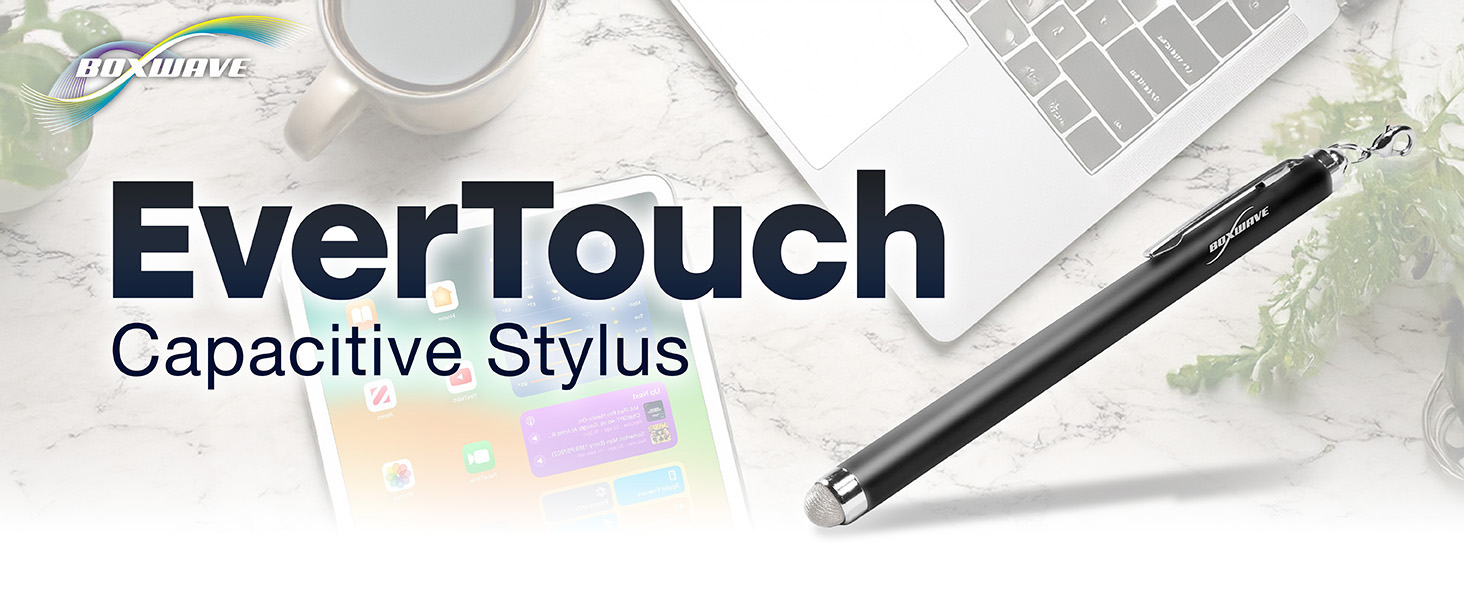
The BoxWave EverTouch Capacitive Stylus is designed to provide a natural and precise interaction with your touchscreen devices. Featuring a durable FiberMesh tip and a lightweight aluminum body, it offers a comfortable and responsive experience for drawing, writing, navigating, and selecting.
ඇතුළත් කර ඇති දේ:
- BoxWave EverTouch Capacitive Stylus
- 3 Clip-on Lanyard Attachments:
- 2-inch lanyard with 3.5mm headphone jack attachment
- 12-inch elastic coil with 3.5mm headphone jack attachment
- Charm clip for attachment to key chains, charms, or bracelets

2. නිෂ්පාදන ලක්ෂණ
The EverTouch Capacitive Stylus incorporates several design elements for optimal performance and user comfort:
- FiberMesh Tip: Constructed from a tightly-woven conductive material, the FiberMesh tip is highly durable, resistant to tearing, and provides ultra-accurate and responsive performance. It requires less pressure for each movement and works effectively at any screen angle.
- Natural and Comfortable Design: The stylus is designed with a generous length and balanced weighting, making it feel like a natural writing tool. The lightweight aluminum barrel ensures comfortable handling during extended use.
- Screen Cleaning Functionality: A unique benefit of the soft FiberMesh tip is its ability to clean the screen as you use the stylus, helping to remove streaks and fingerprints.
- Lanyard Attachments: The included lanyard attachments provide convenient portability, allowing you to keep the stylus readily accessible by attaching it to your device, keys, or other items.

3. පිහිටුවීම
The BoxWave EverTouch Capacitive Stylus requires no complex setup, batteries, or Bluetooth pairing. It is ready for immediate use upon unboxing.
Attaching Lanyards:
- Select the desired lanyard attachment (2-inch, 12-inch elastic coil, or charm clip).
- Attach the ring of the lanyard to the small loop located at the top end of the stylus.
- For the 3.5mm headphone jack attachments, insert the jack into your device's headphone port. For the charm clip, attach it to a keychain, bag, or other suitable item.

4. මෙහෙයුම් උපදෙස්
The EverTouch Capacitive Stylus simulates the touch of your finger on a capacitive touchscreen, providing enhanced precision and control.
මූලික භාවිතය:
- Holding the Stylus: Hold the stylus as you would a traditional pen or pencil for comfortable and natural interaction.
- තට්ටු කිරීම: Lightly tap the FiberMesh tip on the screen to select items, open applications, or activate functions.
- ස්වයිප් කිරීම: Drag the stylus across the screen to scroll, navigate through pages, or perform gestures.
- ඇඳීම / ලිවීම: Apply light pressure and move the stylus across the screen to draw, write, or sign documents in compatible applications. The FiberMesh tip's responsiveness allows for smooth and accurate lines.
The stylus is compatible with any capacitive touchscreen device, including smartphones, tablets, and car infotainment systems like the Unitopsci Double Din Wired Carplay (F133 CPU).

5. නඩත්තු කිරීම
Proper care will ensure the longevity and performance of your BoxWave EverTouch Capacitive Stylus.
පිරිසිදු කිරීම:
- The FiberMesh tip naturally cleans your screen during use.
- If the stylus body becomes dirty, wipe it gently with a soft, dry, lint-free cloth.
- Do not use harsh chemicals, abrasive cleaners, or immerse the stylus in water.
ගබඩා:
Store the stylus in a clean, dry place when not in use. Avoid exposing it to extreme temperatures or direct sunlight for prolonged periods.
6. දෝශ නිරාකරණය
If you encounter any issues with your EverTouch Capacitive Stylus, consider the following common solutions:
Stylus Not Responding or Inaccurate:
- තිරය පිරිසිදු කරන්න: Ensure your device's touchscreen is clean and free of smudges, dust, or debris. A dirty screen can interfere with stylus performance.
- Clean the Stylus Tip: While the FiberMesh tip is self-cleaning, occasionally wipe it gently with a clean, dry cloth to remove any accumulated residue.
- වෙනත් උපාංගයක පරීක්ෂා කරන්න: If possible, test the stylus on a different capacitive touchscreen device to determine if the issue is with the stylus or your original device.
- Tip Wear: Although the FiberMesh tip is highly durable, prolonged heavy use may eventually lead to wear. If the tip appears visibly damaged or performance significantly degrades, consider replacing the stylus.
If the problem persists after trying these steps, please refer to the support section.
7. පිරිවිතර
| ගුණාංගය | විස්තර |
|---|---|
| මාදිලියේ නම | EverTouch Capacitive Stylus |
| ASIN | B0CFZR8439 |
| අයිතමයේ බර | අවුන්ස 0.5 කි |
| නිෂ්පාදකයා | බොක්ස්වේව් |
| මුල් රට | චීනය |
| ඉඟි ද්රව්ය | FiberMesh |
| ශරීර ද්රව්ය | සැහැල්ලු ඇලුමිනියම් |
8. වගකීම් සහ සහාය
වගකීම් තොරතුරු:
For detailed warranty information regarding your BoxWave EverTouch Capacitive Stylus, please refer to the official BoxWave webවෙබ් අඩවිය හෝ නිෂ්පාදන ඇසුරුම්කරණය. වගකීම් නියමයන් සහ කොන්දේසි වෙනස් විය හැකිය.
තාක්ෂණික සහාය:
BoxWave offers limited 3rd party technical support for your device. If you require assistance or have questions not covered in this manual, please visit the official BoxWave support page or contact their customer service directly. You can typically find contact information on the BoxWave webඅඩවිය:


