1. හැඳින්වීම
Thank you for choosing the SETTY Wireless Rechargeable Mouse. This manual provides essential information for setting up, operating, and maintaining your new mouse. Please read these instructions carefully before use to ensure optimal performance and longevity of your device.
2. පැකේජ අන්තර්ගතය
- 1 x SETTY Wireless Rechargeable Mouse
- 1 x 2.4 GHz USB Receiver
- 1 x USB Charging Cable (25 cm)

Image 1: SETTY Wireless Rechargeable Mouse and its retail packaging.
3. නිෂ්පාදන අවසන්view
The SETTY Wireless Rechargeable Mouse is designed for comfort and efficiency in both office and home environments. It features a slim, ergonomic design, adjustable DPI settings, RGB lighting, and dual-mode connectivity (2.4 GHz and Bluetooth).
ප්රධාන ලක්ෂණ:
- ද්විත්ව මාදිලියේ සම්බන්ධතාවය: Supports 2.4 GHz wireless via USB receiver and Bluetooth 5.1.
- සකස් කළ හැකි DPI: Three sensitivity levels (800, 1200, 1600 DPI) for precise control.
- Ergonomic Design: දීර්ඝ කාලීන භාවිතය සඳහා සුවපහසුයි.
- නැවත ආරෝපණය කළ හැකි බැටරි: Built-in 500 mAh lithium battery.
- RGB ආලෝකකරණය: Dynamic LED lighting for enhanced aesthetics.
- 6 බොත්තම්: Including left, right, scroll wheel, DPI switch, and two side buttons.
- One-Click Desktop Function: Quickly minimize all windows.
- Silent Click Design: Reduces operational noise.

Image 2: The ergonomic shape of the mouse designed for comfortable hand placement.
4. පිහිටුවීම
4.1. මූසිකය ආරෝපණය කිරීම
Before first use, it is recommended to fully charge the mouse. Connect the provided USB charging cable to the charging port on the front of the mouse and the other end to a USB power source (e.g., computer USB port, USB wall adapter). The RGB lighting will indicate charging status and turn off when fully charged.
- ආරෝපණ කාලය: ආසන්න වශයෙන් පැය 2 යි.
- වැඩ කරන කාලය: සම්පූර්ණ ආරෝපණය මත පැය 150 දක්වා.

Image 3: The mouse being charged via its USB cable.
4.2. මූසිකය සම්බන්ධ කිරීම
The SETTY mouse offers two connection methods: 2.4 GHz wireless via USB receiver or Bluetooth 5.1.
4.2.1. 2.4 GHz රැහැන් රහිත සම්බන්ධතාවය
- Locate the USB receiver, usually stored in a compartment on the underside of the mouse.
- USB ග්රාහකය ඔබේ පරිගණකයේ තිබෙන USB පෝට් එකකට සම්බන්ධ කරන්න.
- මූසිකයේ යටි පැත්තේ ඇති බල ස්විචය භාවිතයෙන් එය ක්රියාත්මක කරන්න.
- මූසිකය ස්වයංක්රීයව ඔබේ පරිගණකයට සම්බන්ධ විය යුතුය.
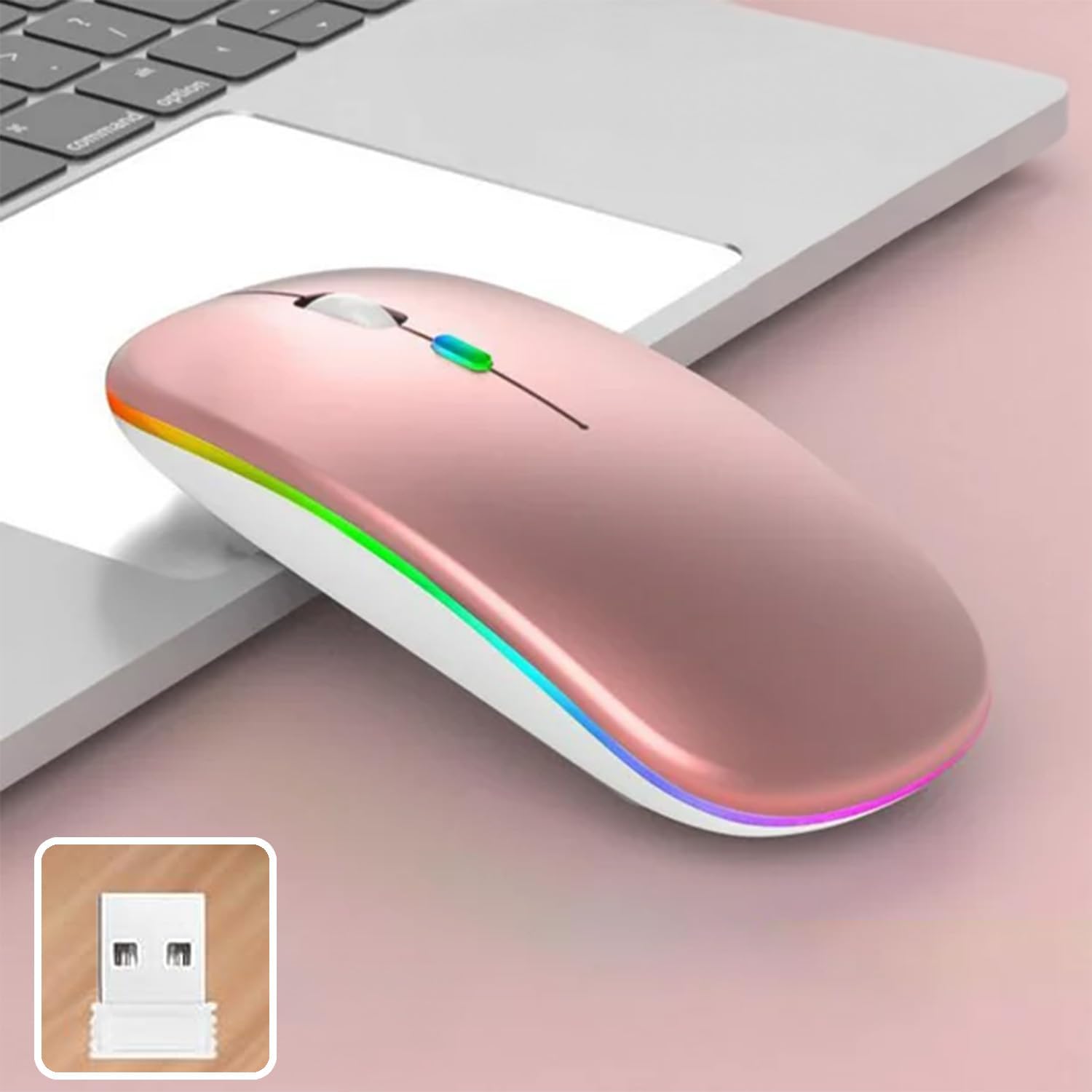
Image 4: The mouse and its 2.4 GHz USB receiver.
4.2.2. බ්ලූටූත් 5.1 සම්බන්ධතාවය
- බල ස්විචය භාවිතයෙන් මූසිකය සක්රිය කරන්න.
- Press and hold the Bluetooth pairing button (often located on the underside or a dedicated button) until the indicator light starts flashing, indicating pairing mode.
- On your device (Windows, Mac OS, Android), go to Bluetooth settings and search for new devices.
- Select "SETTY Mouse" or a similar name from the list of available devices to pair.
- යුගල කළ පසු, මූසිකයේ දර්ශක ආලෝකය දැල්වීම නවත්වනු ඇත.
4.3. ගැළපුම
The SETTY Wireless Rechargeable Mouse is compatible with a wide range of operating systems and devices:
- වින්ඩෝස් මෙහෙයුම් පද්ධති
- Mac OS
- Android උපාංග
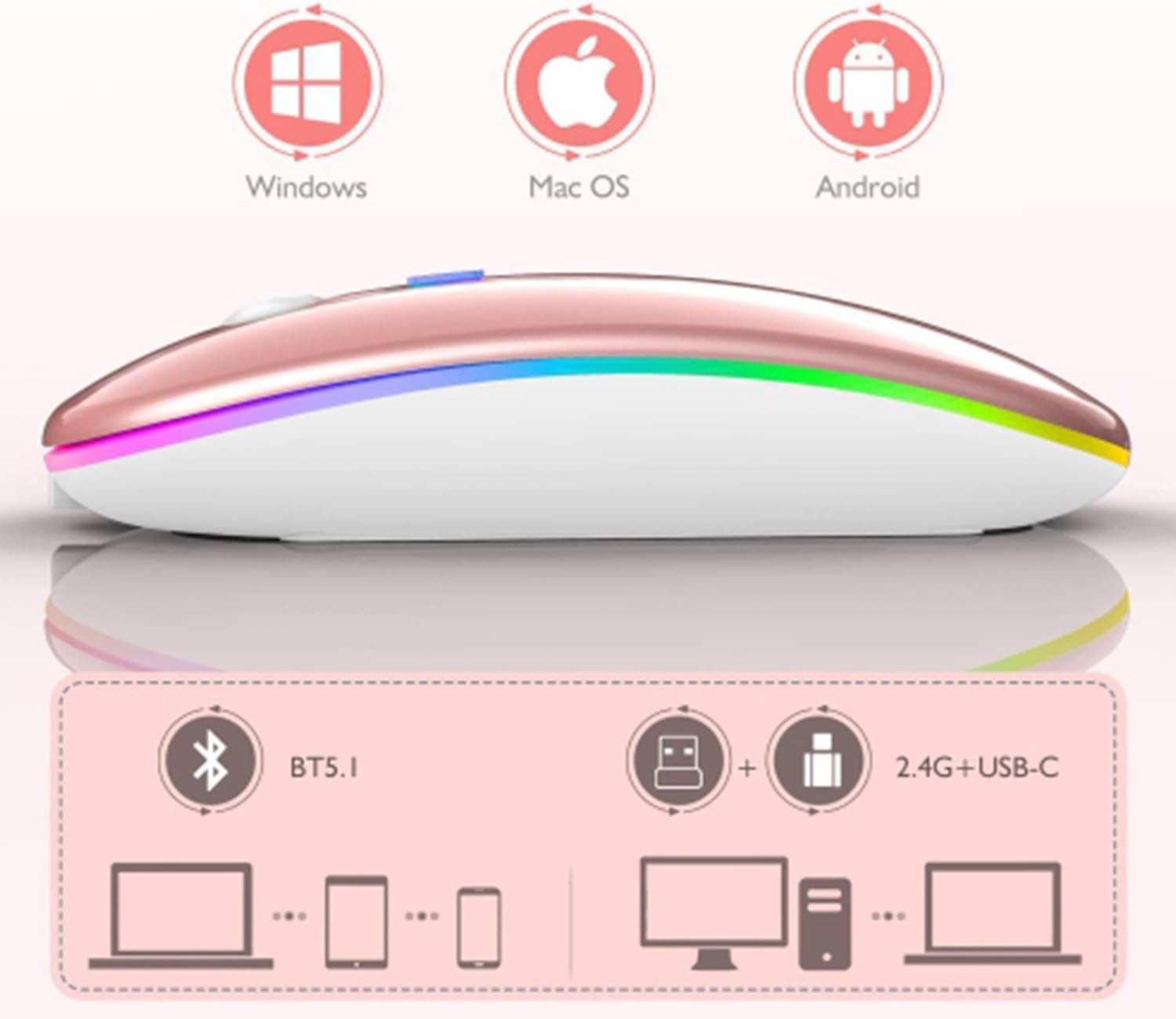
Image 5: Visual representation of the mouse's compatibility with various operating systems and connection types.
5. මෙහෙයුම් උපදෙස්
5.1. DPI ගැලපීම
The mouse features three adjustable DPI (Dots Per Inch) settings to suit your preference for cursor speed and precision. Press the DPI button (usually located behind the scroll wheel) to cycle through the settings:
- 800 DPI: නිශ්චිත කාර්යයන් සඳහා අඩු සංවේදීතාව.
- 1200 DPI: Standard sensitivity (default setting).
- 1600 DPI: වේගවත් කර්සර චලනය සඳහා ඉහළ සංවේදීතාව.
5.2. RGB ආලෝකකරණය
The mouse is equipped with dynamic RGB LED lighting. The lighting activates when the mouse is in use and enters power-saving modes when idle.
5.3. බල ඉතිරි කිරීමේ ක්රම
To conserve battery life, the mouse implements a three-level power-saving system:
- 1 මට්ටමේ නින්ද: After 3 seconds of inactivity, the mouse enters a light sleep mode, indicated by a continuously flashing light.
- 2 මට්ටමේ නින්ද: After approximately 1 minute of inactivity, the mouse enters a deeper sleep mode, indicated by intermittently flashing lights.
- 3 මට්ටමේ නින්ද: After 8 minutes of inactivity, the mouse enters its deepest sleep mode, and the lights turn off completely. To wake the mouse, simply move it or click any button.
5.4. One-Click Desktop Function
The mouse includes a dedicated button (often a side button) that, when pressed, instantly minimizes all open windows, allowing you to quickly access your desktop.
6. නඩත්තු කිරීම
To ensure the longevity and optimal performance of your SETTY Wireless Rechargeable Mouse, follow these maintenance guidelines:
- පිරිසිදු කිරීම: මූසිකයේ මතුපිට පිස දැමීමට මෘදු වියළි රෙද්දක් භාවිතා කරන්න. මුරණ්ඩු අපිරිසිදුකම සඳහා, තරමක් dampරෙදි කැබැල්ල වතුරෙන් හෝ මෘදු පිරිසිදු කිරීමේ ද්රාවණයකින් පිස දමන්න. සැර රසායනික ද්රව්ය හෝ උල්ෙල්ඛ ද්රව්ය භාවිතා කිරීමෙන් වළකින්න.
- ගබඩා: දිගු කාලයක් භාවිතයේ නොමැති විට, මූසිකය සිසිල් වියළි ස්ථානයක ගබඩා කරන්න.
- බැටරි සත්කාර: Avoid fully discharging the battery frequently. Charge the mouse when the low battery indicator appears.
- ආන්තික තත්වයන් වළක්වා ගන්න: මූසිකය අධික උෂ්ණත්වයන්ට, සෘජු හිරු එළියට හෝ අධික තෙතමනයට නිරාවරණය නොකරන්න.
7. දෝශ නිරාකරණය
If you encounter issues with your SETTY Wireless Rechargeable Mouse, please refer to the following common solutions:
- මූසිකය ප්රතිචාර නොදක්වයි:
- මූසිකය සක්රිය කර ඇති බවට වග බලා ගන්න.
- බැටරි මට්ටම පරීක්ෂා කර අවශ්ය නම් මූසිකය ආරෝපණය කරන්න.
- 2.4 GHz සම්බන්ධතාවයක් සඳහා, USB ග්රාහකය ක්රියාකාරී USB තොටකට ආරක්ෂිතව සම්බන්ධ කර ඇති බවට වග බලා ගන්න. වෙනත් USB තොටක් උත්සාහ කරන්න.
- බ්ලූටූත් සම්බන්ධතාවය සඳහා, ඔබගේ උපාංගයේ බ්ලූටූත් සක්රීය කර ඇති බවත් මූසිකය නිසි ලෙස යුගල කර ඇති බවත් සහතික කර ගන්න. මූසිකය නැවත යුගල කිරීමට උත්සාහ කරන්න.
- Move the mouse closer to the receiver/device to ensure it's within the 15m wireless range.
- කර්සර චලනය අක්රමවත් හෝ මන්දගාමී වේ:
- මූසිකයේ යටි පැත්තේ ඇති දෘශ්ය සංවේදකය පිරිසිදු කරන්න.
- ඔබ මූසිකය සුදුසු මතුපිටක් මත භාවිතා කරන බවට වග බලා ගන්න (පරාවර්තනය නොවන, පාරාන්ධ).
- Adjust the DPI setting to a higher value if the cursor is too slow.
- RGB ආලෝකකරණය ක්රියා නොකරයි:
- The lighting may be off due to power-saving mode. Move or click the mouse to wake it up.
- Ensure the mouse is sufficiently charged.
8. පිරිවිතර
| විශේෂාංගය | පිරිවිතර |
|---|---|
| ආකෘතිය | ජීඑස්එම් 111404 |
| සම්බන්ධතා තාක්ෂණය | 2.4 GHz Wireless, Bluetooth 5.1 |
| රැහැන් රහිත පරාසය | මීටර් 15 දක්වා |
| DPI සැකසුම් | 800 / 1200 / 1600 DPI (Default: 1200 DPI) |
| බොත්තම් ගණන | 6 |
| චලන හඳුනාගැනීමේ තාක්ෂණය | ඔප්ටිකල් |
| බැටරි වර්ගය | Built-in 500 mAh Lithium-ion Rechargeable Battery |
| ආරෝපණ කාලය | ආසන්න වශයෙන්. පැය 2 යි |
| වැඩ කරන කාලය | ආසන්න වශයෙන්. පැය 150 යි |
| ශ්රේණිගත කළ වෙළුමtagඊ / ධාරාව | 3.7 V / 18 එම්ඒ |
| ප්රධාන ජීවිතය | ක්ලික් කිරීම් මිලියන 5 ක් |
| ද්රව්ය | ABS + Metal parts |
| නිෂ්පාදන මානයන් (L x W x H) | 11.3 x 5.7 x 2.5 සෙ.මී |
| ආරෝපණ කේබල් දිග | 25 සෙ.මී |
| අනුකූල මෙහෙයුම් පද්ධති | Windows, Mac OS, Android |
9. වගකීම් සහ සහාය
For warranty information or technical support, please refer to the documentation provided at the point of purchase or contact SETTY customer service. Keep your proof of purchase for warranty claims.


