1. හැඳින්වීම
Thank you for choosing the Lumishore DL50 LUX Downlight. This manual provides essential information for the safe and efficient installation, operation, and maintenance of your new lighting product. The DL50 LUX Downlight is engineered to provide superior illumination for both interior and exterior overhead applications, particularly in marine environments. Its full spectrum CRGBW capabilities and dimmable features ensure versatile lighting options.
ස්ථාපනය කිරීමට පෙර කරුණාකර මෙම අත්පොත හොඳින් කියවා අනාගත යොමුව සඳහා තබා ගන්න.
2 ආරක්ෂිත තොරතුරු
අවවාදයයි: Failure to follow these safety instructions could result in fire, electric shock, injury, or damage to the product or property.
- Always disconnect power before installing, servicing, or cleaning the fixture.
- Installation should be performed by a qualified electrician or marine technician in accordance with all local and national electrical codes.
- බල සැපයුම් පරිමාව සහතික කරන්නtage matches the requirements specified for the DL50 LUX Downlight.
- Do not modify or alter the product in any way. Unauthorized modifications may void the warranty and create safety hazards.
- Avoid looking directly into the light source when illuminated, as it may cause eye strain or damage.
- This product is designed for marine and outdoor use with an IP68 rating, but ensure all connections are properly sealed and protected from water ingress during installation.
- ඇසුරුම් ද්රව්ය දරුවන්ගෙන් ඈත් කරන්න.
3. පැකේජ අන්තර්ගතය
Carefully unpack the box and ensure all items are present and undamaged. If any items are missing or damaged, please contact your Lumishore dealer immediately.
- Lumishore DL50 LUX Downlight (Full Color CRGBW, Black Bezel)
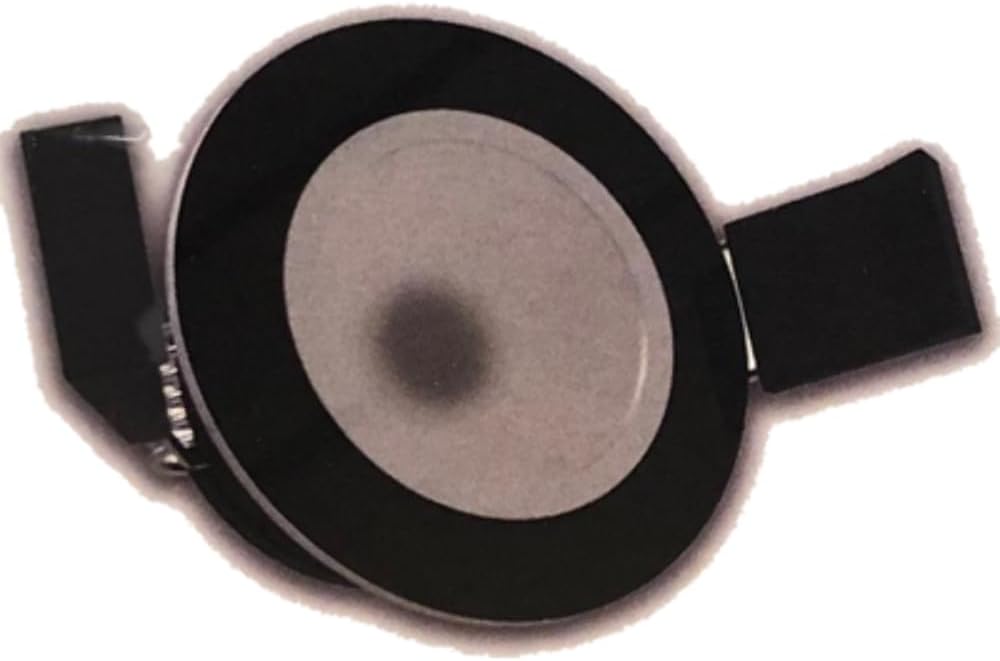
රූපය 3.1: ඉහළ-පහළ view of the Lumishore DL50 LUX Downlight, showing its black bezel and central light element.
4. සැකසුම සහ ස්ථාපනය
The Lumishore DL50 LUX Downlight is designed for flush mounting with a shallow depth, making it suitable for various overhead applications.
4.1 පෙර-ස්ථාපන පිරික්සුම් ලැයිස්තුව
- Verify power is disconnected at the source.
- Ensure you have the necessary tools: drill, hole saw (appropriate size for flush mount), wire strippers, crimpers, sealant (marine grade if applicable).
- Confirm the mounting surface is suitable and has sufficient clearance for the light's shallow depth.
4.2. ස්ථාපන පියවර
- ස්ථානය තෝරන්න: Select a suitable location for the downlight, ensuring it provides adequate illumination and is clear of obstructions.
- Cut Mounting Hole: Using a hole saw of the appropriate diameter (refer to specifications for exact dimensions), carefully cut the mounting hole in the desired location. Ensure the hole is clean and free of debris.
- රැහැන් ඇදීම: Route the power cables to the mounting hole. Connect the downlight's wires to your vessel's electrical system according to the wiring diagram provided with your LUX Light Control Module (sold separately or integrated). Pay close attention to polarity and color coding for CRGBW functionality. Ensure all connections are secure and properly insulated, especially in a marine environment.
- Secure Downlight: Gently push the downlight into the mounting hole. The spring clips on the sides of the downlight will secure it in place. Ensure the bezel sits flush against the mounting surface.
- Seal (Optional but Recommended for Marine): For added protection in wet environments, apply a thin bead of marine-grade sealant around the bezel where it meets the mounting surface.
- බලය ප්රතිස්ථාපනය කරන්න: ස්ථාපනය අවසන් වූ පසු සහ සියලු සම්බන්ධතා ආරක්ෂිත වූ පසු, පරිපථයට බලය ප්රතිස්ථාපනය කරන්න.

රූපය 4.1: පැත්ත view of the Lumishore DL50 LUX Downlight, illustrating its compact dimensions for flush mounting.
5. මෙහෙයුම් උපදෙස්
The Lumishore DL50 LUX Downlight is designed for easy control, offering a range of lighting options.
5.1. Basic Control (Momentary Switch)
If controlled by a momentary switch, the DL50 LUX Downlight can typically be operated as follows:
- බලය සක්රිය / අක්රිය: A quick press of the momentary switch will turn the light on or off.
- වර්ණ චක්රය: Rapidly pressing the switch multiple times may cycle through preset colors (Red, Green, Blue, Cold White, Warm White, etc.).
- අඳුරු වීම: Holding the switch down will typically initiate dimming. Release the switch at the desired brightness level.
5.2. Advanced Control (MFD/Lumishore Display Integration)
For full control over the DL50 LUX Downlight's features, including precise color selection (CRGBW), white color temperature tuning (2700k to 6500k), and advanced dimming, it is recommended to integrate with a compatible Multi-Function Display (MFD) or a dedicated Lumishore Display. Refer to the specific instructions for your MFD or Lumishore Display for detailed control procedures.
- වර්ණ තේරීම: Access the lighting control interface on your MFD/Display to select any color from the full CRGBW spectrum.
- White Temperature Tuning: Adjust the white light from a warm 2700K to a cool 6500K to suit your preference or environment.
- Precise Dimming: Utilize the on-screen controls for granular brightness adjustments.
- දර්ශන වැඩසටහන්කරණය: Create and save custom lighting scenes for quick recall.
6. නඩත්තු කිරීම
The Lumishore DL50 LUX Downlight is designed for durability and requires minimal maintenance. Regular cleaning and inspection will ensure optimal performance and longevity.
- පිරිසිදු කිරීම: Clean the bezel and lens with a soft, damp cloth and mild soap. Avoid abrasive cleaners, solvents, or harsh chemicals, as these can damage the finish or lens. Rinse with fresh water if used in a saltwater environment.
- පරීක්ෂාව: Periodically inspect the light for any signs of damage, loose connections, or corrosion, especially if installed in an outdoor or marine setting. Address any issues promptly.
- පරිශීලක-සේවා කළ හැකි කොටස් නොමැත: The DL50 LUX Downlight contains no user-serviceable parts. Do not attempt to open or repair the unit. Contact qualified service personnel if the unit requires repair.
7. දෝශ නිරාකරණය
If you experience issues with your Lumishore DL50 LUX Downlight, refer to the following common problems and solutions:
| ගැටලුව | විය හැකි හේතුව | විසඳුම |
|---|---|---|
| ආලෝකය ක්රියාත්මක නොවේ. | No power supply; Loose wiring connection; Faulty switch/controller; Blown fuse/tripped breaker. | Check power source; Verify all wiring connections are secure; Test switch/controller; Check and replace fuse or reset breaker. |
| Incorrect color or flickering. | Wiring issue (e.g., incorrect CRGBW connection); Controller malfunction; Power fluctuations. | Verify wiring against diagram; Restart controller/MFD; Ensure stable power supply. |
| Light is dim or not dimming properly. | Controller setting; Power supply issue; Compatibility issue with non-Lumishore dimming systems. | Adjust dimming settings on controller/MFD; Check power supply voltage; Ensure use with LUX Light Control Module for optimal dimming. |
| Water ingress/condensation inside light. | Improper sealing during installation; Damaged unit. | Ensure all connections are properly sealed; If unit is damaged, contact Lumishore support. |
If the problem persists after attempting these solutions, please contact Lumishore customer support or a qualified technician.
8. පිරිවිතර
Key technical specifications for the Lumishore DL50 LUX Downlight:
| විශේෂාංගය | පිරිවිතර |
|---|---|
| මාදිලියේ නම | LUX Downlight |
| අයිතම ආදර්ශ අංකය | DL50 |
| කොටස අංකය | 60-0391 |
| වෙළඳ නාමය | ලුමිෂෝර් |
| වර්ණය | Full Color (Black Bezel) |
| ද්රව්ය | ඇලුමිනියම් |
| ආලෝක ප්රභවයේ වර්ගය | LED |
| ආලෝක වර්ණාවලිය | CRGBW (Cold White, Red, Green, Blue, Warm White) |
| සුදු වර්ණ උෂ්ණත්වය | Tuneable from 2700K to 6500K |
| අඳුරු කළ හැකි | ඔව් (සම්මත) |
| පාලන ක්රමය | Remote Control (Momentary Switch, MFD/Lumishore Display) |
| ස්ථාපන වර්ගය | ෆ්ලෂ් කන්ද |
| සවිකෘත වර්ගය | ඉවත් කළ නොහැකි |
| ගෘහස්ථ / එළිමහන් භාවිතය | එළිමහන් |
| විශේෂ ලක්ෂණය | ජල ආරක්ෂිත (IP68 ශ්රේණිගත කිරීම) |
| ඇතුළත් සංරචක | පහළට ආලෝකය |
| නිෂ්පාදකයා | ලුමිෂෝර් |
| UPC | 847772002616 |
9. වගකීම් සහ සහාය
Lumishore products are manufactured to the highest standards and are backed by a manufacturer's warranty. For specific warranty terms and conditions, please refer to the warranty card included with your product or visit the official Lumishore webඅඩවිය.
For technical support, troubleshooting assistance, or warranty claims, please contact Lumishore customer service or your authorized Lumishore dealer. You can also visit the official Lumishore store on Amazon for more information and product resources:


