1. හැඳින්වීම
ස්තූතියි, උදව් කළාටasing the ULTIMEA Nova S50 Dolby Atmos Soundbar. This 2.1 channel sound system, featuring a powerful 190W output and a dedicated subwoofer, is designed to deliver an immersive audio experience for your home theater, PC, or TV. This manual provides detailed instructions for setting up, operating, maintaining, and troubleshooting your device to ensure optimal performance.

Figure 1.1: ULTIMEA Nova S50 Soundbar delivering immersive Dolby Atmos sound.
2. පිහිටුවීම
2.1 පැකේජයේ අන්තර්ගතය
ඔබ ආරම්භ කිරීමට පෙර, කරුණාකර සියලුම අයිතම පැකේජයේ ඇති බව තහවුරු කරගන්න:
- ශබ්ද තීරුව (x1)
- Wired Subwoofer (x1)
- බල ඇඩැප්ටරය (x1)
- HDMI කේබලය (x1)
- HDMI Adapter (x1)
- Remote Control (x1, batteries not included)
- Optical Cable (x1)
- 3.5mm ශ්රව්ය කේබල් (x1)
- Wall Mounting Kit (x1)
- පරිශීලක අත්පොත (x1)

රූපය 2.1: ඇතුළත් උපාංග සහ සංරචක.
2.2 භෞතික ස්ථානගත කිරීම
The Nova S50 soundbar features a compact and slim design, allowing for flexible placement options. It can be placed on a TV stand, a tabletop, or wall-mounted. Ensure the soundbar is positioned centrally in front of your TV for the best audio experience. The subwoofer can be placed on the floor near the soundbar.

Figure 2.2: Compact design allows for placement under a TV without obstructing the view.
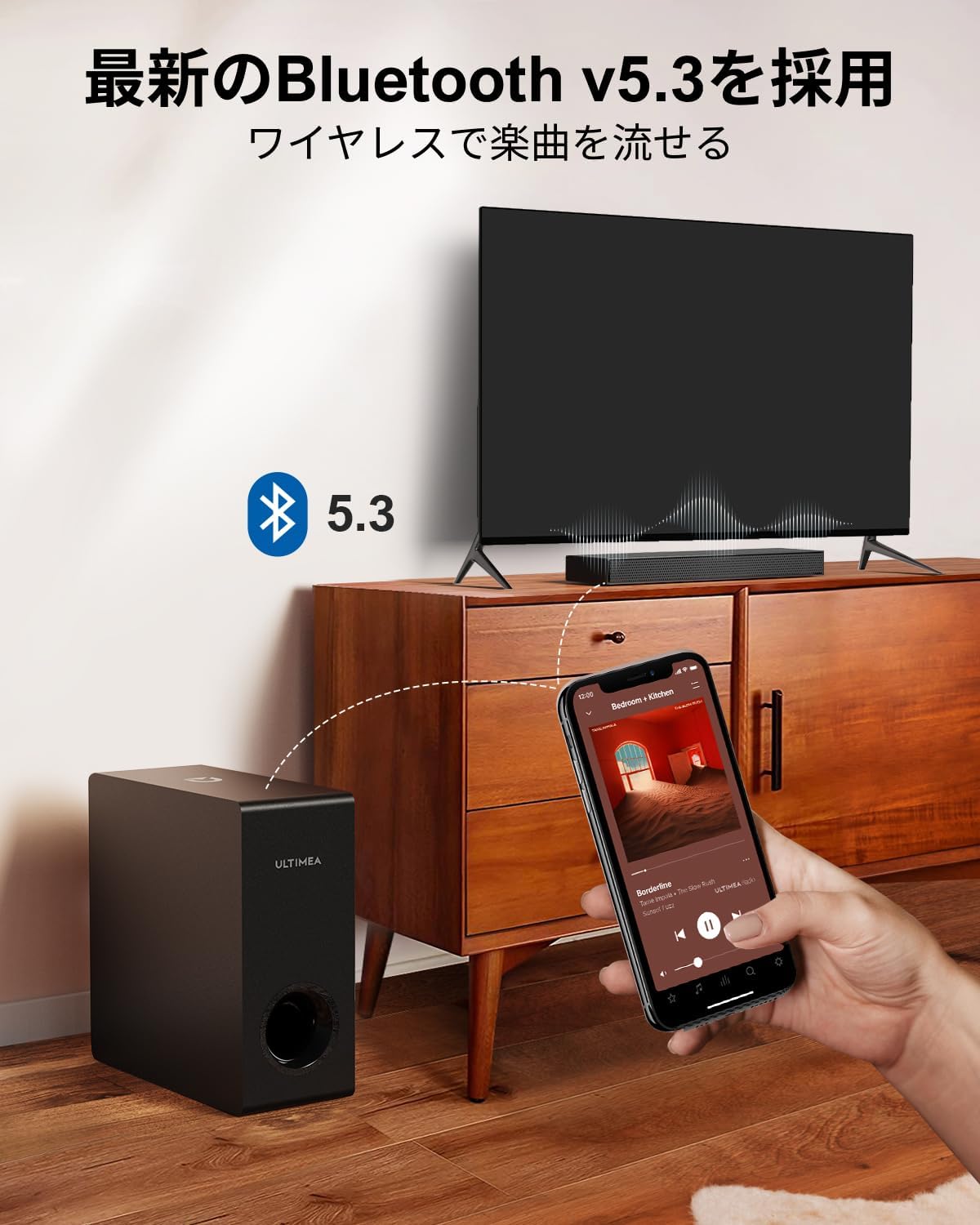
Figure 2.3: Dimensions of the soundbar and subwoofer.
2.3 සම්බන්ධතා
The Nova S50 offers multiple connectivity options. Choose the method that best suits your device.

රූපය 2.4: පසුපස පැනල් සම්බන්ධතා.
2.3.1 HDMI eARC Connection
For the highest quality audio transmission, connect your TV to the soundbar using the HDMI eARC port.
- සපයා ඇති HDMI කේබලයේ එක් කෙළවරක් ඔබේ රූපවාහිනියේ HDMI eARC තොටට සම්බන්ධ කරන්න.
- Connect the other end of the HDMI cable to the HDMI eARC port on the soundbar.
- On the soundbar's remote control, press the 'eARC' button to select the HDMI eARC input mode.
- Ensure your TV's audio output settings are configured for HDMI eARC (usually found under TV Settings > Sound > Digital Audio Output > Auto).

Figure 2.5: HDMI eARC connection steps.
2.3.2 දෘශ්ය සම්බන්ධතාවය
Use the optical cable for digital audio connection if your TV does not support HDMI eARC.
- Connect one end of the optical cable to the optical output port on your TV.
- Connect the other end of the optical cable to the optical input port on the soundbar.
- Select the 'OPT' input mode on the soundbar using the remote control.
2.3.3 AUX සම්බන්ධතාවය
For analog audio devices, use the 3.5mm AUX cable.
- Connect one end of the 3.5mm audio cable to the audio output of your device (e.g., PC, smartphone).
- Connect the other end to the AUX input port on the soundbar.
- Select the 'AUX' input mode on the soundbar using the remote control.
2.3.4 බ්ලූටූත් සම්බන්ධතාවය
Connect your mobile devices wirelessly via Bluetooth 5.3.
- Turn on the soundbar and select 'BT' input mode using the remote control. The soundbar will enter pairing mode.
- On your mobile device, enable Bluetooth and search for 'Nova S50'.
- Select 'Nova S50' from the list of available devices to pair. Once connected, you will hear an audible confirmation.

Figure 2.6: Wireless audio streaming via Bluetooth 5.3.
3. මෙහෙයුම් උපදෙස්
3.1 බලය සක්රිය / අක්රිය
ඒකකය සක්රිය හෝ අක්රිය කිරීමට ශබ්ද තීරුවේ හෝ දුරස්ථ පාලකයේ බල බොත්තම ඔබන්න.
3.2 ආදාන තේරීම
Use the dedicated input buttons (HDMI eARC, OPT, AUX, BT, USB) on the remote control to switch between audio sources.
3.3 වෙළුම් පාලනය
Adjust the volume using the Volume Up (+) and Volume Down (-) buttons on the remote control or the soundbar. The soundbar also supports HDMI-CEC, allowing you to control its volume with your TV remote if your TV supports this feature.

Figure 3.1: Remote control with HDMI-CEC support.
3.4 ශබ්ද මාදිලි
The Nova S50 features audio algorithms and machine learning technology to optimize sound based on content. Use the remote control to select from the following sound modes:
- චිත්රපටය: Enhances cinematic sound for movies and TV shows, emphasizing vocals and dynamic scenes.
- ක්රීඩාව: Optimized for gaming, providing clear sound effects and immersive spatial audio.
3.5 BassMX Adjustment
The dedicated subwoofer and ULTIMEA's proprietary BassMX technology provide powerful and adjustable bass. Use the BassMX button on the remote to cycle through different bass levels (Weak, Medium, Strong) to suit your preference.

Figure 3.2: BassMX technology for enhanced bass.
4. නඩත්තු කිරීම
4.1 පිරිසිදු කිරීම
To maintain the appearance and performance of your soundbar, regularly clean it with a soft, dry cloth. Do not use liquid cleaners or abrasive materials, as these can damage the finish or internal components.
4.2 ගබඩා කිරීම
If storing the soundbar for an extended period, disconnect it from the power source and store it in a cool, dry place, away from direct sunlight and extreme temperatures.
5. දෝශ නිරාකරණය
If you encounter issues with your ULTIMEA Nova S50 soundbar, refer to the following common problems and solutions:
- ශබ්දයක් නැත:
- ශබ්ද තීරුව ක්රියාත්මක කර නිවැරදි ආදාන ප්රභවය තෝරාගෙන ඇති බවට වග බලා ගන්න.
- Check all cable connections (HDMI, Optical, AUX) are secure.
- Verify the TV's audio output settings are correctly configured for the chosen connection type (e.g., HDMI eARC, PCM for Optical).
- ශබ්ද තීරුවේ සහ ඔබේ සම්බන්ධිත උපාංගයේ ශබ්දය වැඩි කරන්න.
- If using HDMI eARC, ensure HDMI-CEC is enabled on your TV.
- බ්ලූටූත් සම්බන්ධතා ගැටළු:
- ශබ්ද තීරුව බ්ලූටූත් යුගල කිරීමේ මාදිලියේ ඇති බව සහතික කර ගන්න.
- ඔබගේ ජංගම උපාංගයේ බ්ලූටූත් අක්රිය කර නැවත සක්රිය කරන්න.
- Move your device closer to the soundbar to ensure it is within the 10-meter range.
- Clear previous Bluetooth pairings on your device and try pairing again.
- විකෘති ශබ්දය:
- Reduce the volume on both the soundbar and the connected device.
- Check for any physical obstructions or interference near the soundbar or subwoofer.
- කේබල් වලට හානි සිදු නොවන බවට හෝ ලිහිල්ව සම්බන්ධ වී නොමැති බවට වග බලා ගන්න.
- දුරස්ථ පාලකය ක්රියා නොකරයි:
- දුරස්ථ පාලකයේ බැටරි ප්රතිස්ථාපනය කරන්න.
- දුරස්ථ පාලකය සහ ශබ්ද තීරුවේ සංවේදකය අතර කිසිදු බාධාවක් නොමැති බවට වග බලා ගන්න.
- දුරස්ථ පාලකය සෘජුවම ශබ්ද තීරුව වෙත යොමු කරන්න.
6. පිරිවිතර
| විශේෂාංගය | විස්තර |
|---|---|
| මාදිලියේ නම | Nova S50 |
| ස්පීකර් වර්ගය | Dolby Atmos Soundbar 2.1ch (with Subwoofer) |
| සම්බන්ධතා තාක්ෂණය | AUX, Bluetooth, HDMI-eARC, Optical |
| රැහැන් රහිත සන්නිවේදන තාක්ෂණය | බ්ලූටූත් 5.3 |
| උපරිම ප්රතිදාන බලය | 190 ඩබ්ලිව් |
| සංඛ්යාත ප්රතිචාරය | 45 Hz - 18 kHz |
| ශබ්ද තීරු මානයන් (L x W x H) | 40 cm x 7.9 cm x 3.8 cm |
| සබ් වූෆර් මානයන් (L x W x H) | 27 cm x 11.4 cm x 27 cm |
| නිෂ්පාදන බර | කිලෝ ග්රෑම් 4.52 කි |
| පාලන ක්රමය | දුරස්ථ |
| නිර්දේශිත කාමර ප්රදේශය | ≤ 25 m² |

Figure 6.1: Ultra-thin driver technology for high-fidelity sound.
7. වගකීම් සහ සහාය
7.1 සීමිත වගකීම්
ULTIMEA products come with a limited warranty. Please refer to the warranty card included in your package or visit the official ULTIMEA webසවිස්තරාත්මක වගකීම් නියමයන් සහ කොන්දේසි සඳහා අඩවිය.
7.2 පාරිභෝගික සහාය
For any questions, technical assistance, or support needs, please contact ULTIMEA customer service. We offer 365-day support and a 30-day free return policy. You can find contact information on our official webඅඩවිය හෝ ඔබේ මිලදී ගැනීමේ වේදිකාව හරහා.


