හැඳින්වීම
ස්තූතියි, උදව් කළාටasing the Present Time Flat LED Alarm Clock with Wireless Charger. This device combines a modern digital alarm clock with the convenience of wireless charging, all housed in an elegant bamboo design. Please read this manual carefully to ensure proper use and maintenance of your new device.
ආරක්ෂිත තොරතුරු
ආරක්ෂිත ක්රියාකාරිත්වය සහතික කිරීමට සහ හානි වැළැක්වීමට, කරුණාකර පහත ආරක්ෂක පියවරයන් නිරීක්ෂණය කරන්න:
- උපාංගය ජලය, තෙතමනය හෝ අධික උෂ්ණත්වයන්ට නිරාවරණය නොකරන්න.
- උපාංගය ප්රබල බලපෑම්වලට වැටීමෙන් හෝ යටත් කිරීමෙන් වළකින්න.
- උපාංගය ඔබම විසුරුවා හැරීමට, අලුත්වැඩියා කිරීමට හෝ වෙනස් කිරීමට උත්සාහ නොකරන්න. සියලුම සේවා සුදුසුකම් ලත් පුද්ගලයින් වෙත යොමු කරන්න.
- Use only the provided power adapter or a compatible power source.
- උපාංගය තාප ප්රභවයන්ගෙන් සහ සෘජු හිරු එළියෙන් ඈත් කරන්න.
- Ensure proper ventilation around the device during operation, especially when using the wireless charging function.
පැකේජයේ අන්තර්ගතය
කරුණාකර සියලුම අයිතම පැකේජයේ තිබේදැයි පරීක්ෂා කරන්න:
- Present Time Flat LED Alarm Clock with Wireless Charger (Model: PTG-KA5934)
- බල ඇඩැප්ටරය
- පරිශීලක අත්පොත
නිෂ්පාදනය අවසන්view
ඉදිරිපස සහ ඉහළ View
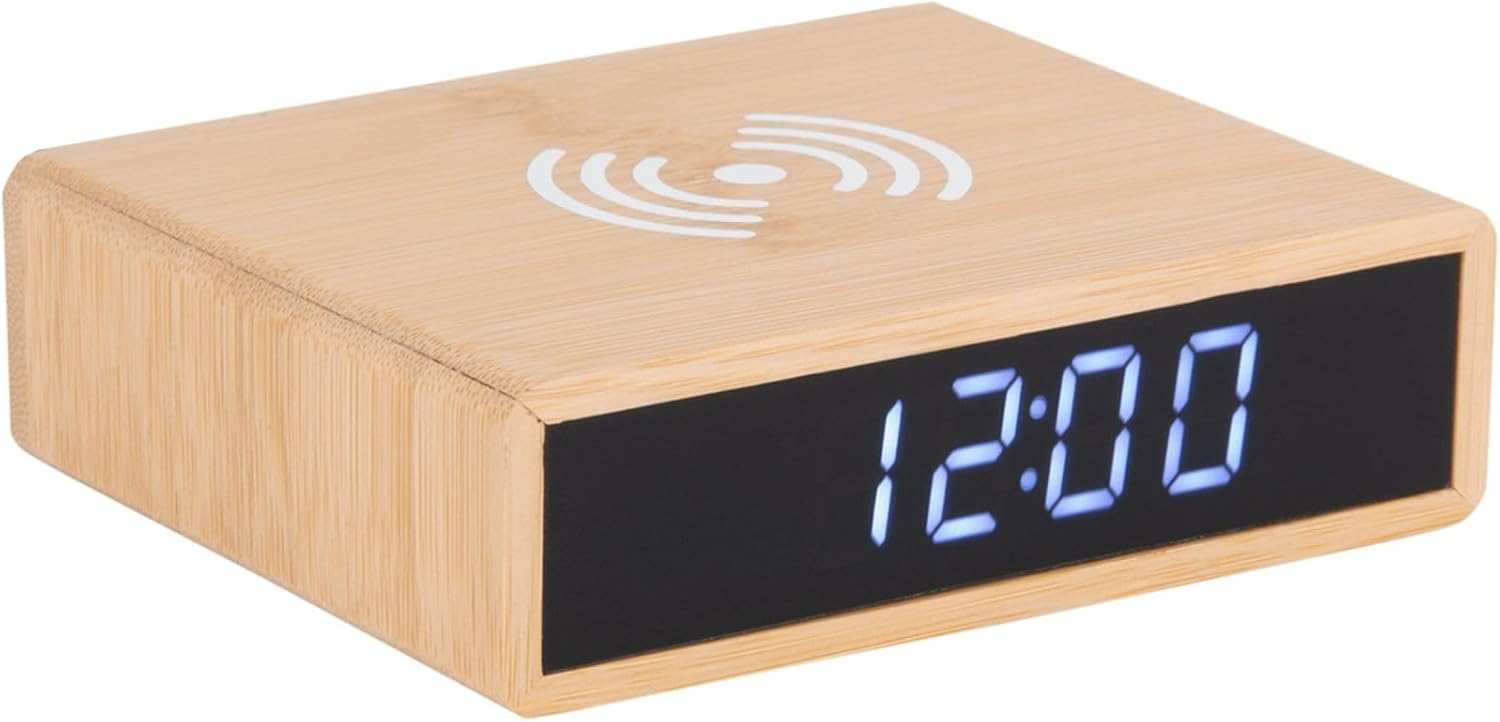
This image displays the front of the alarm clock with its clear digital LED time display and the top surface featuring the wireless charging pad symbol. The clock is made of bamboo.

This image illustrates the wireless charging functionality, showing a smartphone being placed on the top surface of the alarm clock, aligning with the charging symbol.
පසුපස View සහ පාලන
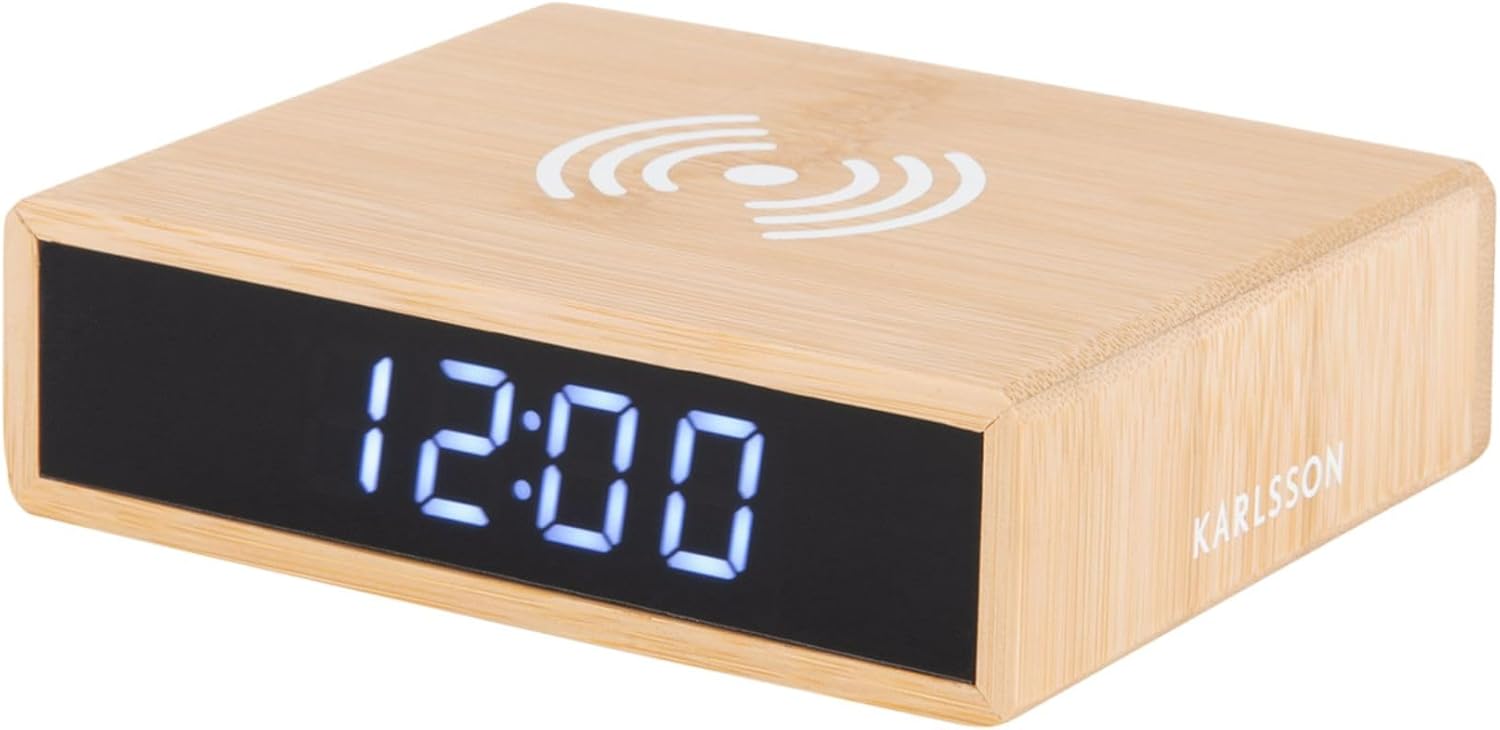
පසුපස view of the device reveals the control panel, including buttons for setting time and alarm, a small reset pinhole, and the DC power input jack.
- කාල සැකසුම් බොත්තම: කාල සැකසුම් මාදිලියට ඇතුළු වීමට භාවිතා කරයි.
- Alarm Set Button: අනතුරු ඇඟවීමේ සැකසුම් මාදිලියට ඇතුළු වීමට භාවිතා කරයි.
- ඉහළ/පහළ බොත්තම්: Adjust values during setting.
- Pinhole නැවත සකසන්න: For factory reset (use a thin object like a paperclip).
- වරායේ DC: බල ඇඩැප්ටරයට සම්බන්ධ වේ.
- රැහැන් රහිත ආරෝපණ පෑඩ්: ඉහළ මතුපිට පිහිටා ඇත.
සැලසුම
1. බල සම්බන්ධතාවය
- Connect the provided power adapter to the DC IN port on the back of the alarm clock.
- Plug the power adapter into a standard wall outlet. The LED display will light up.
2. කාලය නියම කිරීම
- ඔබා අල්ලාගෙන සිටින්න කාල නියමය button on the back of the clock until the hour digits begin to flash.
- භාවිතා කරන්න Up සහ පහළට පැය සකස් කිරීමට බොත්තම්.
- ඔබන්න කාල නියමය පැය තහවුරු කිරීමට සහ මිනිත්තු සැකසුම වෙත යාමට නැවත බොත්තම ඔබන්න. මිනිත්තු ඉලක්කම් දැල්වෙනු ඇත.
- භාවිතා කරන්න Up සහ පහළට මිනිත්තු සකස් කිරීමට බොත්තම්.
- ඔබන්න කාල නියමය button one more time to save the time and exit setting mode.
3. අනතුරු ඇඟවීම සැකසීම
- ඔබා අල්ලාගෙන සිටින්න අනතුරු ඇඟවීමේ කට්ටලය button on the back of the clock until the alarm hour digits begin to flash.
- භාවිතා කරන්න Up සහ පහළට අනතුරු ඇඟවීමේ වේලාව සකස් කිරීමට බොත්තම්.
- ඔබන්න අනතුරු ඇඟවීමේ කට්ටලය button again to confirm the alarm hour and move to the alarm minute setting. The alarm minute digits will flash.
- භාවිතා කරන්න Up සහ පහළට අනතුරු ඇඟවීමේ මිනිත්තු සකස් කිරීමට බොත්තම්.
- ඔබන්න අනතුරු ඇඟවීමේ කට්ටලය button one more time to save the alarm time.
- අනතුරු ඇඟවීම සක්රිය කිරීමට හෝ අක්රිය කිරීමට, කෙටියෙන් ඔබන්න අනතුරු ඇඟවීමේ කට්ටලය button. An alarm icon will appear on the display when the alarm is active.
මෙහෙයුම් උපදෙස්
රැහැන් රහිත ආරෝපණ කාර්යය
The top surface of the alarm clock features a built-in wireless charging pad compatible with Qi-enabled devices.
- Place your Qi-enabled smartphone or device directly onto the wireless charging symbol on the top of the clock.
- Ensure the device is centered on the charging pad for optimal charging efficiency.
- A charging indicator (if available on your phone) will confirm that charging has begun.
- සම්පුර්ණයෙන්ම ආරෝපණය වූ පසු ඔබගේ උපාංගය ඉවත් කරන්න.
සටහන: Wireless charging may not work through thick phone cases or cases containing metal. Remove such cases if charging issues occur.
සංදර්ශක දීප්තිය ගැලපීම
The display brightness can typically be adjusted by briefly pressing one of the control buttons (often the Up/Down buttons when not in setting mode, or a dedicated brightness button if present). Refer to the specific button functions on the rear panel for your model.
ස්නූස් කාර්යය
When the alarm sounds, briefly press any button (often the large button on top or a dedicated snooze button) to activate the snooze function. The alarm will temporarily stop and sound again after a set interval (e.g., 5 or 9 minutes). To turn off the alarm completely, press and hold the Alarm Set button or the designated alarm off button.
නඩත්තු කිරීම
- පිරිසිදු කිරීම: මෘදු වියළි රෙද්දකින් උපාංගය පිස දමන්න. උල්ෙල්ඛ පිරිසිදු කරන්නන් හෝ ද්රාවක භාවිතා නොකරන්න.
- ගබඩා: දිගු කාලයක් භාවිතයේ නොමැති නම්, උපාංගය විසන්ධි කර සිසිල් වියළි ස්ථානයක ගබඩා කරන්න.
- සාමාන්ය රැකවරණය: Avoid placing heavy objects on the device or exposing it to excessive dust.
දෝෂගවේෂණය
| ගැටලුව | විය හැකි හේතුව | විසඳුම |
|---|---|---|
| Display is off or not lighting up. | බල සම්බන්ධතාවයක් නොමැත. | Ensure the power adapter is securely plugged into the clock and the wall outlet. |
| රැහැන් රහිත ආරෝපණය ක්රියා නොකරයි. | Phone not Qi-enabled; phone not centered; thick case; foreign objects. | Verify phone compatibility. Reposition phone. Remove thick/metal case. Remove objects from charging pad. |
| එලාම් නාද නොවේ. | Alarm not activated; alarm volume too low (if adjustable); incorrect time set. | Check if alarm icon is displayed. Ensure alarm time is correctly set. |
| කාලය වැරදියි. | Time not set correctly; power interruption. | Reset the time as per "Setting the Time" instructions. |
පිරිවිතර
| වෙළඳ නාමය | Karlsson |
| ආදර්ශ අංකය | PTG-KA5934 |
| වර්ණය | ලී (උණ) |
| ද්රව්ය | උණ බම්බු |
| මානයන් (L x W x H) | 42 x 3.81 x 6 සෙ.මී. (ආසන්න වශයෙන් 16.5 x 1.5 x 2.4 අඟල්) |
| බර | ග්රෑම් 190 (ආසන්න වශයෙන් රාත්තල් 0.42) |
| සංදර්ශක වර්ගය | ඩිජිටල් LED |
| විශේෂාංග | Alarm, Wireless Charging (Qi-compatible) |
| බලශක්ති ප්රභවය | AC/DC ඇඩැප්ටරය (ඇතුළත්) |
වගකීම් සහ සහාය
This product is covered by a standard manufacturer's warranty. For detailed warranty information, please refer to the warranty card included in your package or contact your retailer. For technical support or service inquiries, please contact the customer service department of Karlsson or your point of purchase.
For further assistance, please visit the official Karlsson webවෙබ් අඩවිය හෝ ඔවුන්ගේ පාරිභෝගික සහාය අමතන්න.


