හැඳින්වීම
ස්තූතියි, උදව් කළාටasing the Mesqool Vibrating Alarm Clock. This device is designed to provide a reliable and discreet wake-up experience through powerful vibration, sound, or a combination of both. Its compact, cordless design and long-lasting battery make it ideal for various settings, including bedrooms, living rooms, and offices. This manual provides detailed instructions for setup, operation, and maintenance to ensure optimal performance.
ආරක්ෂිත තොරතුරු
- උපාංගය ජලයෙන් හා අධික ආර්ද්රතාවයෙන් ඈත් කරන්න.
- අධික උෂ්ණත්වයට හෝ සෘජු හිරු එළිය නිරාවරණය නොකරන්න.
- උපාංගය ප්රබල බලපෑම්වලට වැටීමෙන් හෝ යටත් කිරීමෙන් වළකින්න.
- සපයා ඇති Type-C ආරෝපණ කේබලය පමණක් භාවිතා කරන්න.
- උපාංගය ඔබම විසුරුවා හැරීමට හෝ අලුත්වැඩියා කිරීමට උත්සාහ නොකරන්න.
- Keep out of reach of small children to prevent accidental operation or damage.
පැකේජයේ අන්තර්ගතය
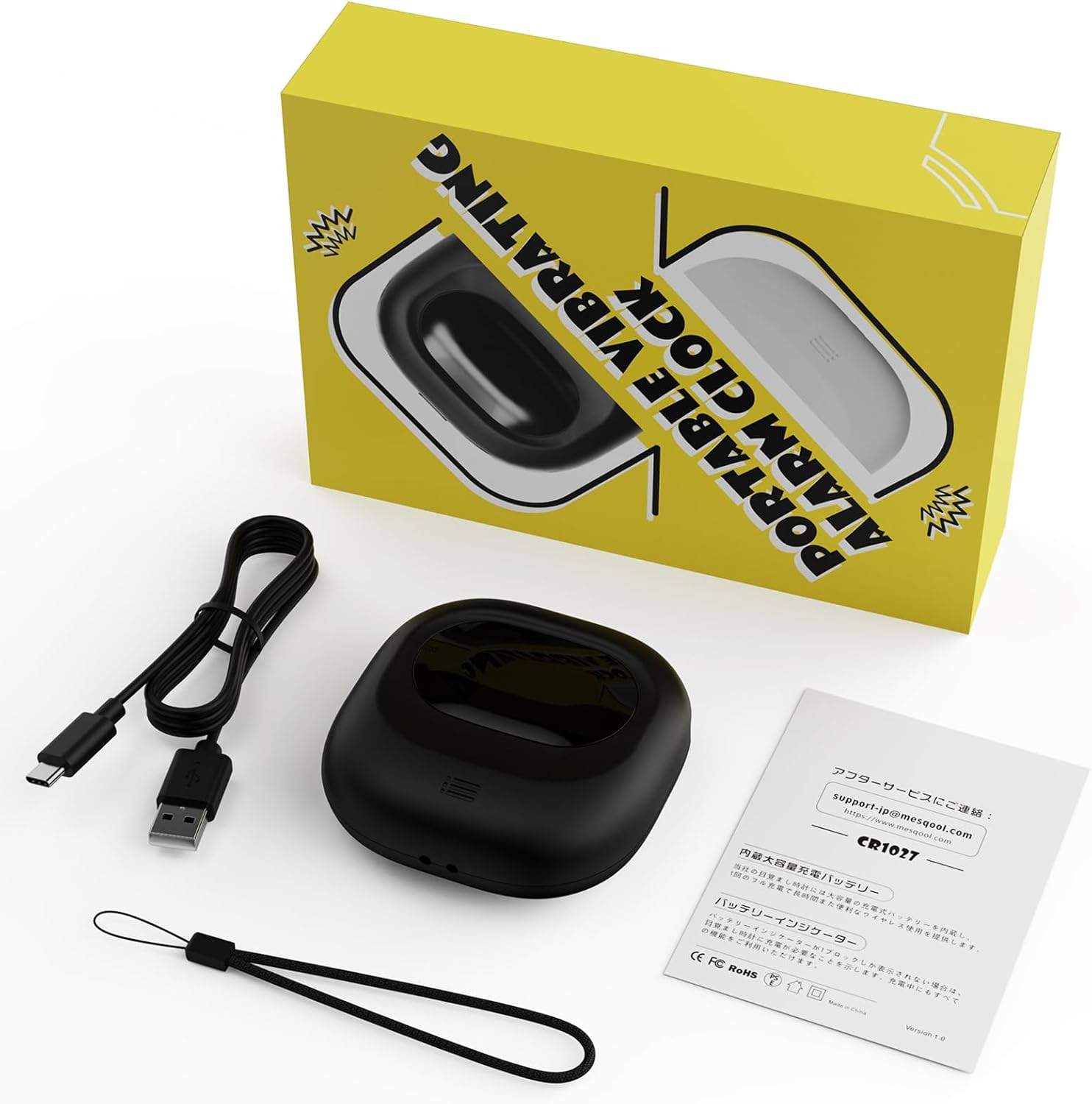
Image: Mesqool Vibrating Alarm Clock package contents, showing the black alarm clock, a Type-C charging cable, and the user manual.
- Mesqool Vibrating Alarm Clock (Model: CR1027)
- Type-C USB Charging Cable
- පරිශීලක අත්පොත
නිෂ්පාදනය අවසන්view
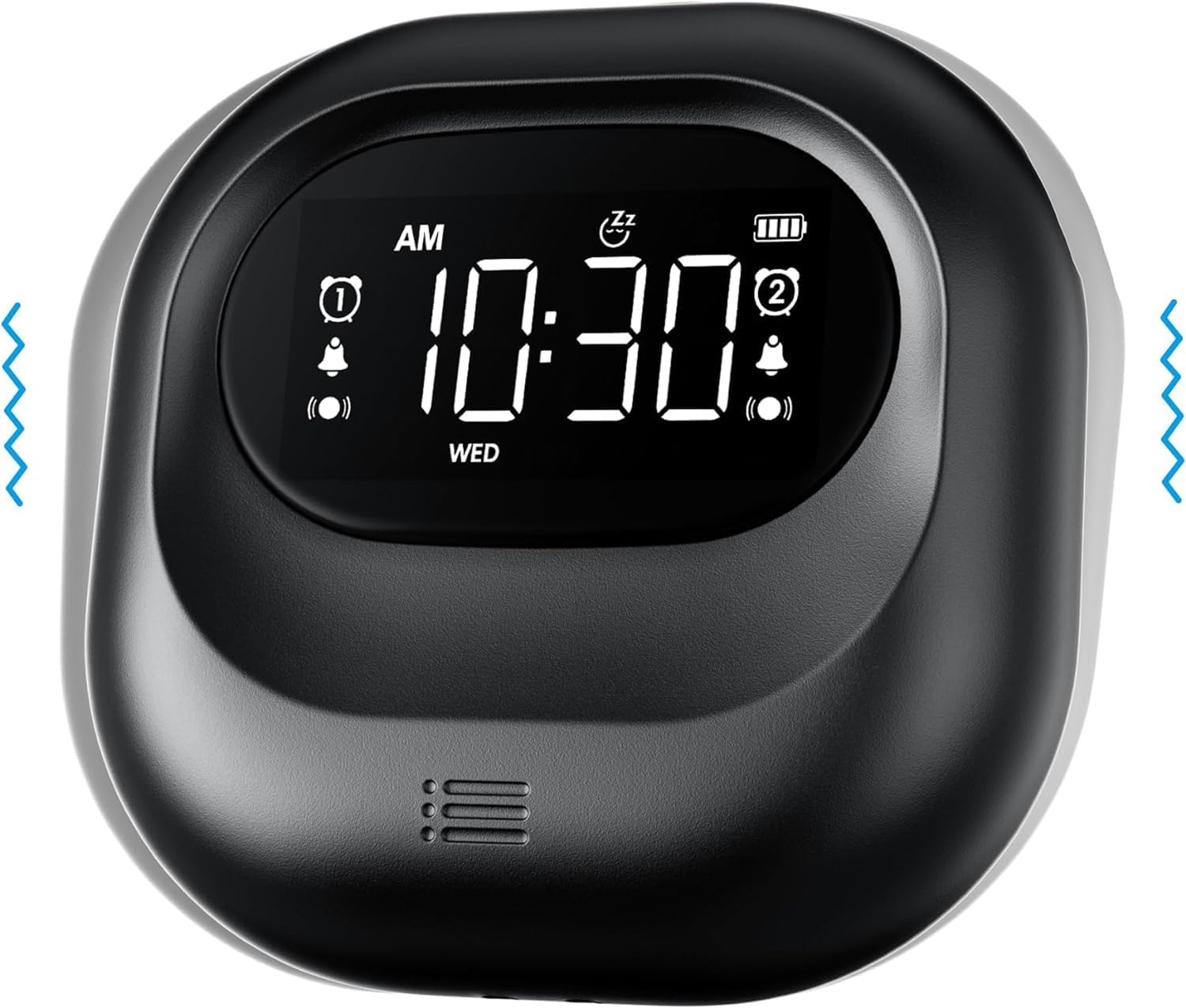
රූපය: ඉදිරිපස view of the Mesqool Vibrating Alarm Clock, highlighting the digital display with time, alarm indicators, and battery level.
පාලන සහ සංදර්ශකය:
- ඩිජිටල් LCD සංදර්ශකය: Shows time, alarm status, day of the week, and battery level. Features a backlight for visibility in the dark.
- Time/Snooze Button: Used to set time and activate snooze.
- +/- බොත්තම්: Adjust values (time, alarm, volume, vibration intensity).
- Alarm 1/2 Buttons: Activate/deactivate and set individual alarms.
- මාදිලියේ ස්විචය: Select alarm mode (Buzzer, Vibration, Both).
- Vibration Intensity Switch: Adjust vibration strength (Low, Medium, High).
- අගුළු ස්විචය: අහම්බෙන් බොත්තම් එබීම වළක්වයි.
- Type-C Charging Port: අභ්යන්තර බැටරිය ආරෝපණය කිරීම සඳහා.
සැලසුම
1. මූලික ආරෝපණය:
Before first use, fully charge the alarm clock. Connect the provided Type-C USB cable to the charging port on the device and the other end to a USB power adapter (not included), computer, or power bank. The battery indicator on the display will show charging status. A full charge ensures optimal battery life.
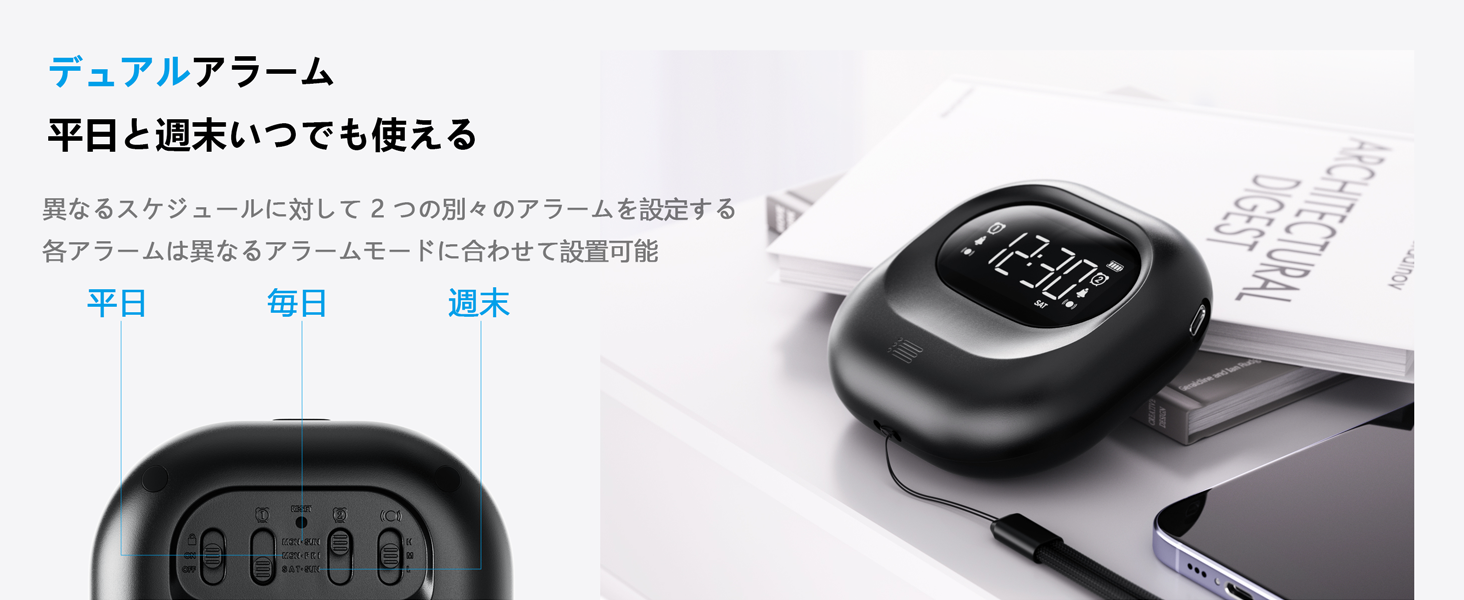
Image: The alarm clock connected to a Type-C charging cable, illustrating the charging process and battery indicator on the display.
2. බලය සක්රිය / අක්රිය:
The device powers on automatically when charged or a button is pressed. It enters an automatic standby mode after 30 seconds of inactivity to conserve power. To fully power off, use the dedicated power switch if available (refer to product overview for specific button layout).
මෙහෙයුම් උපදෙස්
1. වේලාව සැකසීම:
- ඔබා අල්ලාගෙන සිටින්න TIME/SNOOZE button until the hour digit flashes.
- භාවිතා කරන්න +/- පැය සකස් කිරීමට බොත්තම්.
- ඔබන්න TIME/SNOOZE again to move to minutes, then adjust with +/-.
- Repeat for year, month, and day settings.
- ඔබන්න TIME/SNOOZE තහවුරු කිරීමට සහ පිටවීමට.
- පැය 12 සහ පැය 24 ආකෘතිය අතර මාරු වීමට, ඔබන්න TIME/SNOOZE button briefly during normal time display.
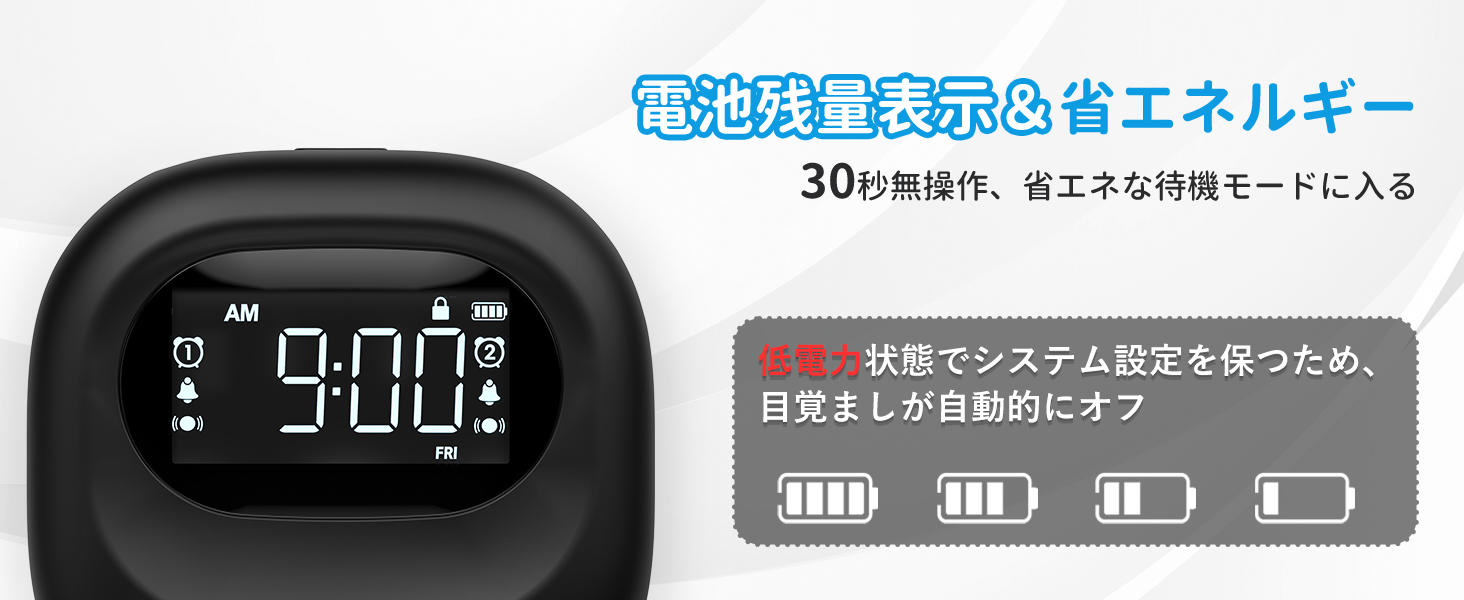
Image: The alarm clock displaying time in both 12-hour and 24-hour formats, demonstrating the adjustable time format feature.
2. Setting Alarms (Alarm 1 & Alarm 2):
The clock features two independent alarms. You can set different times for weekdays, weekends, or every day.
- ඔබා අල්ලාගෙන සිටින්න ඇලාර්ම් 1 or ඇලාර්ම් 2 අනතුරු ඇඟවීමේ වේලාව දැල්වෙන තුරු බොත්තම ඔබාගෙන සිටින්න.
- භාවිතා කරන්න +/- අනතුරු ඇඟවීමේ වේලාව සකස් කිරීමට බොත්තම්.
- අදාළ ඔබන්න අනතුරු ඇඟවීම button again to move to minutes, then adjust with +/-.
- ඔබන්න අනතුරු ඇඟවීම button again to select the alarm frequency:
- MON-FRI: Alarm activates on weekdays.
- SAT-SUN: Alarm activates on weekends.
- සෑම දිනම: Alarm activates daily.
- ඔබන්න අනතුරු ඇඟවීම තහවුරු කිරීමට සහ පිටවීමට බොත්තම.
- අනතුරු ඇඟවීමක් සක්රිය/අක්රිය කිරීමට, අදාළ බොත්තම කෙටියෙන් ඔබන්න ඇලාර්ම් 1 or ඇලාර්ම් 2 බොත්තම. සංදර්ශකය මත අනතුරු ඇඟවීමේ නිරූපකයක් දිස්වනු ඇත/අතුරුදහන් වනු ඇත.
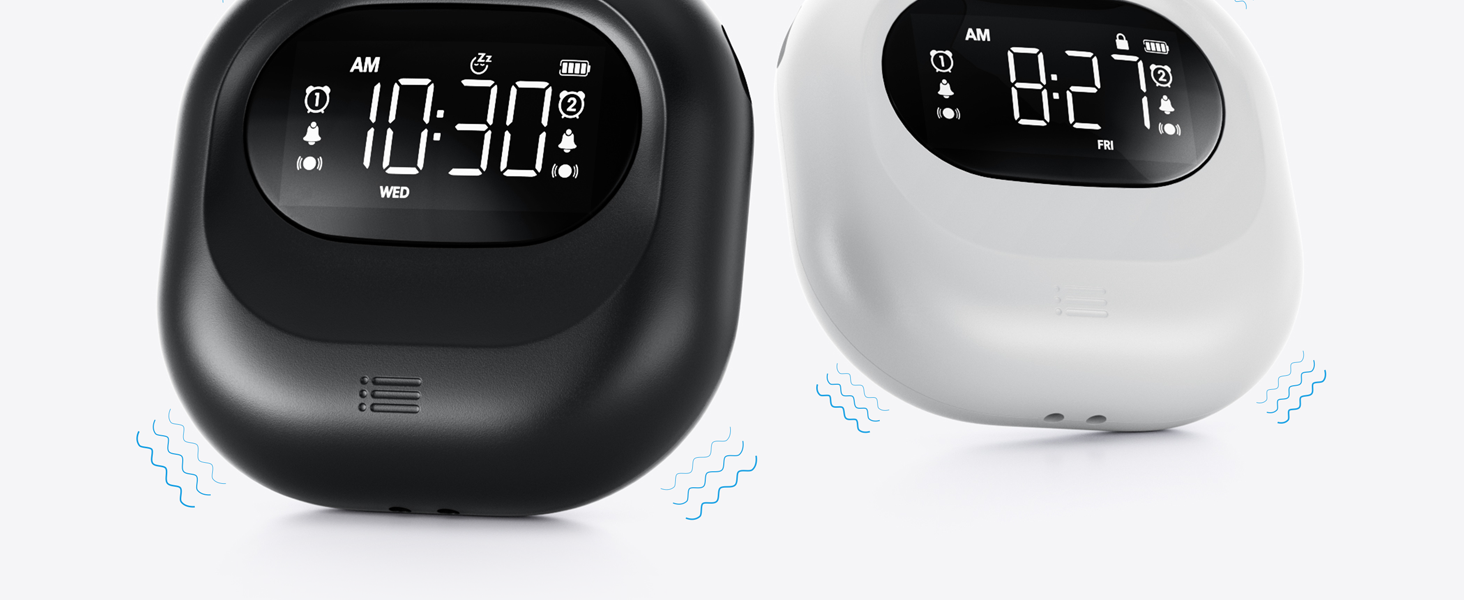
Image: The alarm clock illustrating the dual alarm feature with options for weekday, weekend, and everyday settings.
3. Alarm Modes:
Choose from three wake-up modes to suit your preference:
- Buzzer Only: Standard audible alarm.
- Vibration Only: Silent vibration for discreet wake-up.
- Buzzer + Vibration: Both audible and vibrating alarm for heavy sleepers.
භාවිතා කරන්න මාදිලිය switch on the side/back of the device to select your desired mode.
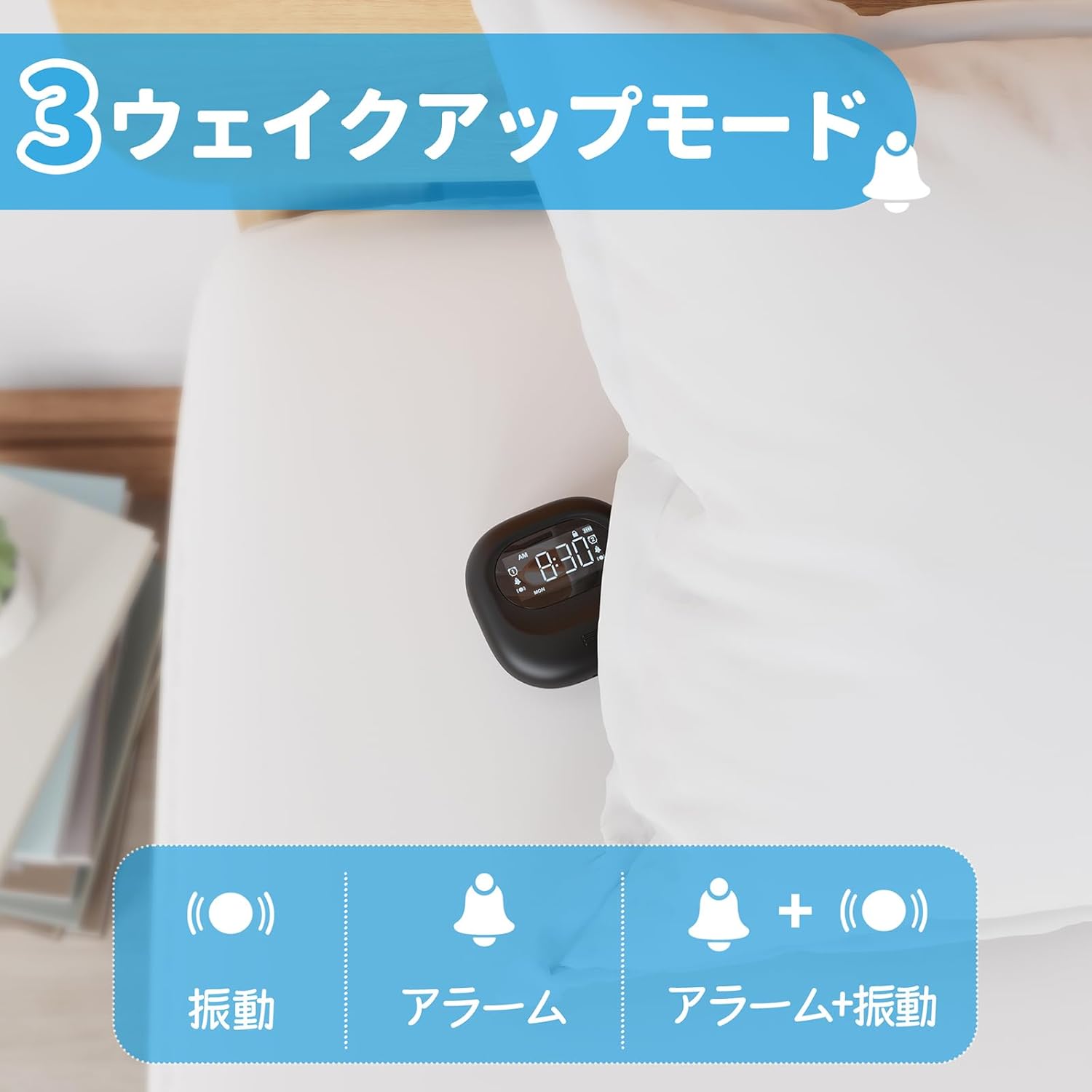
Image: A visual representation of the three alarm modes available on the Mesqool alarm clock: vibration only, buzzer only, and a combination of buzzer and vibration.
4. Vibration Intensity:
Adjust the vibration strength to your comfort level (Low, Medium, High) using the dedicated switch on the device. This is particularly useful for heavy sleepers or those who prefer a gentler wake-up.

Image: The alarm clock demonstrating its three adjustable vibration intensity levels (Low, Medium, High) for personalized wake-up.
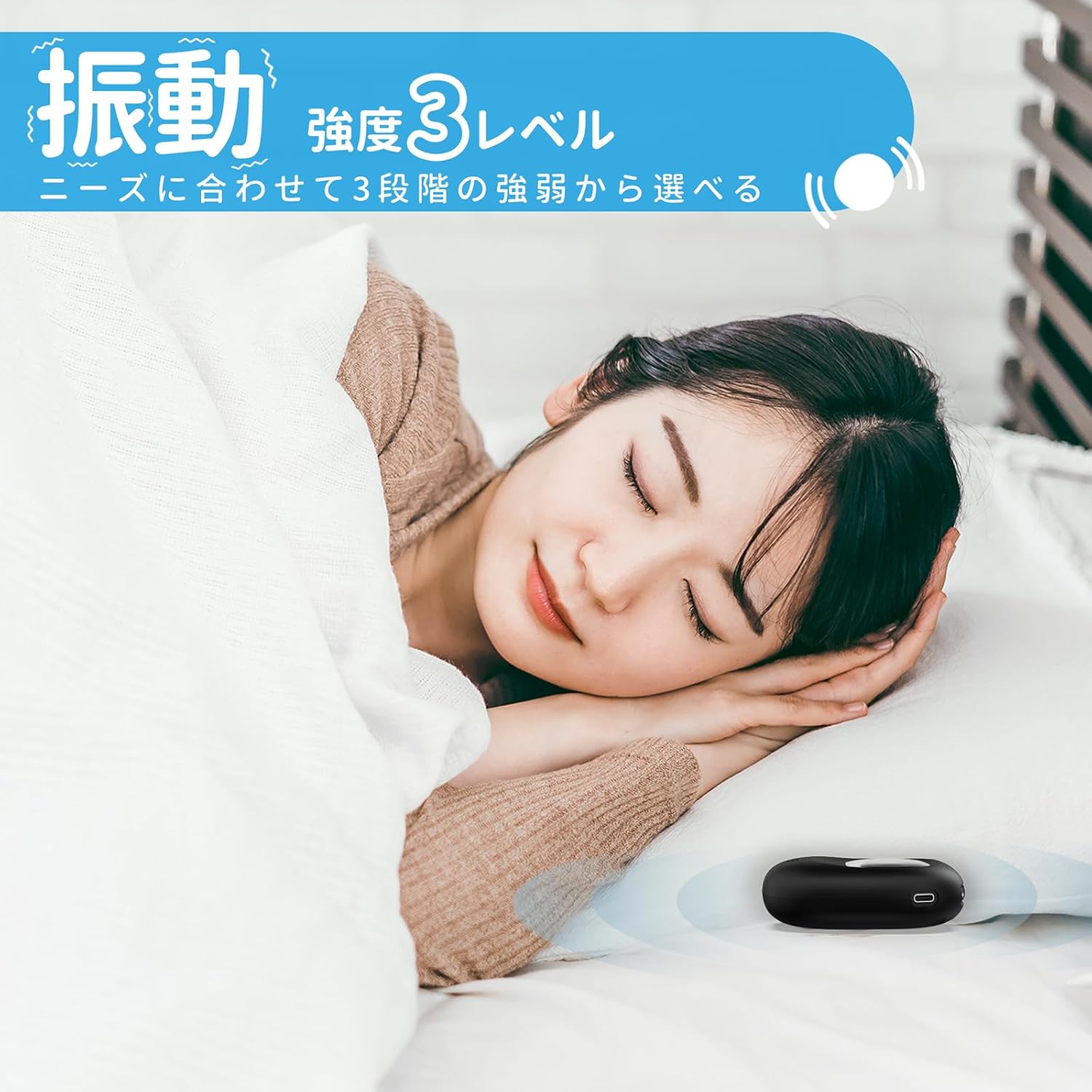
Image: A woman sleeping peacefully with the Mesqool Vibrating Alarm Clock positioned discreetly under her pillow, highlighting its silent wake-up capability.
5. ස්නූස් කාර්යය:
අනතුරු ඇඟවීමේ ශබ්දය ඇසෙන විට, එය ඔබන්න TIME/SNOOZE button to activate the snooze function. The alarm will pause for 9 minutes and then sound again. This can be repeated up to 9 times.
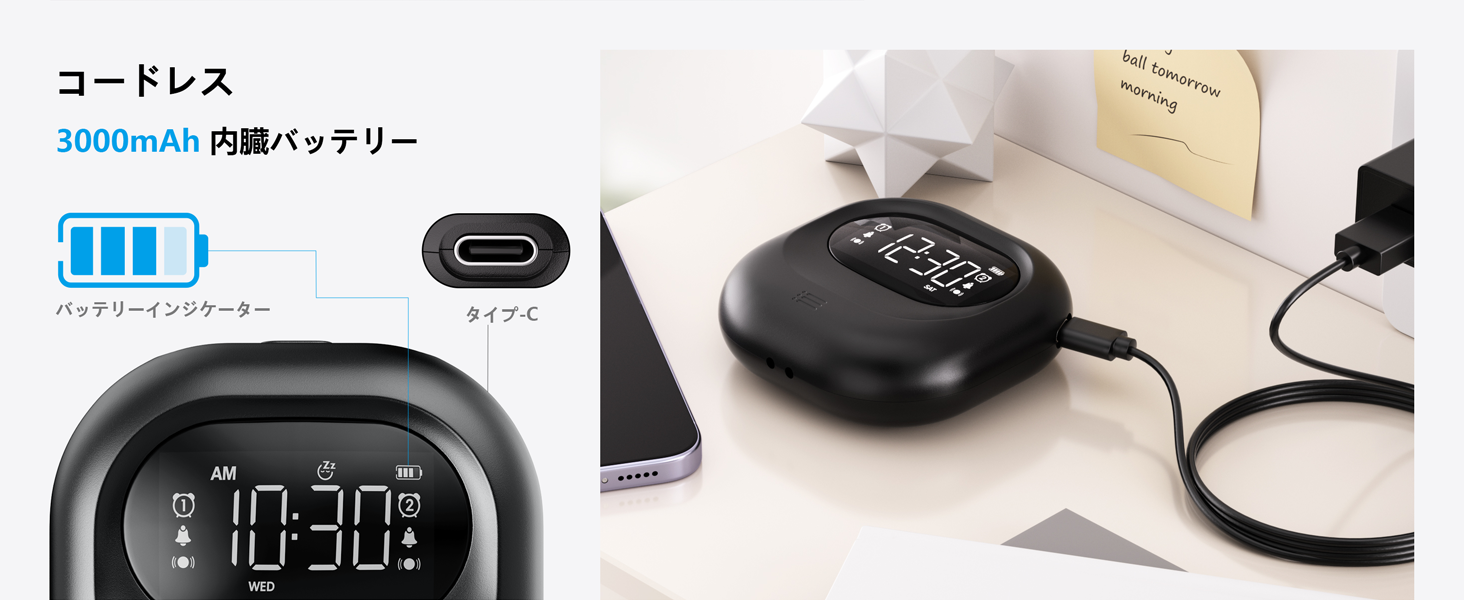
Image: The alarm clock illustrating its snooze feature, which allows for a 9-minute delay before the alarm sounds again.
6. Display Backlight and Lock Mode:
- පසුතල ආලෝකය: The LCD display features a backlight for easy viewing in low light conditions. It automatically enters standby mode after 30 seconds of inactivity to save power and prevent sleep disturbance.
- අගුළු මාදිලිය: To prevent accidental changes to settings, especially during sleep or when handled by children, activate the lock mode using the ලොක් කරන්න switch. Once locked, buttons will not respond to presses.
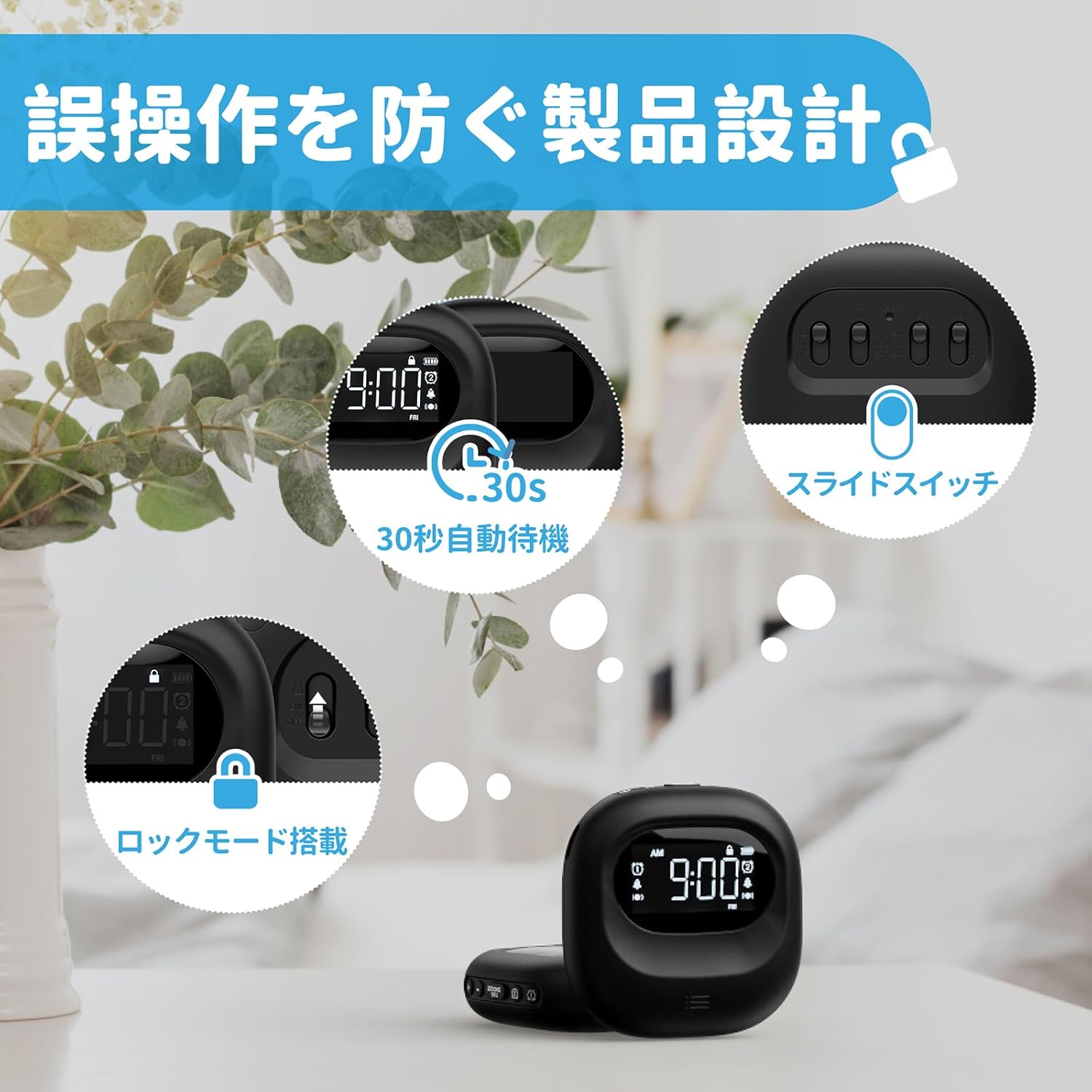
Image: The alarm clock highlighting its lock mode, designed to prevent unintended changes to settings, particularly useful when placed under a pillow or near children.
නඩත්තු කිරීම
- මෘදු වියළි රෙද්දකින් උපාංගය පිරිසිදු කරන්න. උල්ෙල්ඛ පිරිසිදු කරන්නන් හෝ ද්රාවක භාවිතා නොකරන්න.
- දිගු කාලයක් සඳහා උපාංගය අධික උෂ්ණත්වයට හෝ සෘජු හිරු එළියට නිරාවරණය කිරීමෙන් වළකින්න.
- භාවිතයේ නොමැති විට සිසිල් වියළි ස්ථානයක ගබඩා කරන්න.
දෝෂගවේෂණය
| ගැටලුව | විය හැකි හේතුව | විසඳුම |
|---|---|---|
| උපාංගය ක්රියාත්මක නොවේ. | බැටරිය ක්ෂය වී ඇත. | Type-C කේබලය භාවිතයෙන් උපාංගය සම්පූර්ණයෙන්ම ආරෝපණය කරන්න. |
| අනතුරු ඇඟවීම නාද නොවේ/කම්පනය නොවේ. | Alarm is not activated or mode is incorrect. | Ensure the alarm icon is displayed and the alarm mode switch is set correctly (Buzzer, Vibration, or Both). |
| බොත්තම් ප්රතිචාර නොදක්වයි. | Lock mode is enabled. | Disable the lock mode using the ලොක් කරන්න මාරු කරන්න. |
| සංදර්ශකය අඳුරු හෝ අක්රියයි. | Device is in power-saving standby mode. | Press any button to reactivate the display. Ensure battery is charged. |
පිරිවිතර
- ආකෘතිය: CR1027
- වෙළඳ නාමය: මෙස්කුල්
- මානයන්: 8.5 සෙ.මී. (පළල) x 2.7 සෙ.මී. (උස)
- පැකේජ ප්රමාණය: 14.7 x 10.1 x 3.4 සෙ.මී
- බර: කිලෝ ග්රෑම් 0.19 කි
- වර්ණය: කළු
- සංදර්ශක වර්ගය: ඩිජිටල් එල්සීඩී
- බලශක්ති ප්රභවය: බැටරි බලයෙන් ක්රියාත්මක (නැවත ආරෝපණය කළ හැකි ලිතියම්-අයන)
- බැටරි ධාරිතාව: 3000mAh (Internal)
- විශේෂාංග: Large Capacity Battery, Vibration, Dual Alarm, Snooze, Backlight, 12/24H Time Format, Lock Mode.
- රාමු ද්රව්ය: ප්ලාස්ටික්
නිල නිෂ්පාදන වීඩියෝව
Video: An official product video demonstrating the features and usage of the Mesqool Vibrating Alarm Clock, including its vibration function and dual alarm capabilities.
වගකීම් සහ සහාය
Mesqool products are designed for durability and performance. For warranty information, technical support, or any inquiries regarding your device, please refer to the contact information provided on the product packaging or visit the official Mesqool webවෙබ් අඩවිය. වගකීම් හිමිකම් සඳහා කරුණාකර ඔබගේ මිලදී ගැනීමේ රිසිට්පත තබා ගන්න.


