1. හැඳින්වීම
This manual provides detailed instructions for the FREEWOLF RK-K8 Wireless Mechanical Gaming Keyboard. Please read this manual thoroughly before using the product to ensure proper operation and to maximize your user experience.
ප්රධාන ලක්ෂණ:
- Triple-Mode Connectivity: Supports Type-C wired, 2.4GHz wireless, and Bluetooth 5.0 connections.
- Hot-Swappable Switches: Compatible with most 3-pin mechanical switches for customization.
- Gasket Mounted Structure: Enhances typing feel and reduces hollow sound.
- Customizable Rainbow Backlight: Features 18 backlight effects.
- Long-Lasting Battery: Equipped with a 4000mAh battery.
- 96% Layout: 100-key design that saves space while retaining essential keys.
- Wide Compatibility: Supports Windows and Mac operating systems.
2. පැකේජ අන්තර්ගතය
කරුණාකර ඔබගේ පැකේජයේ සියලුම අයිතම ඇති බව තහවුරු කරගන්න:
- 1 x FREEWOLF RK-K8 Mechanical Keyboard
- 1 x USB Receiver (2.4Ghz)
- 1 x Type-C to USB-A Braided Coiled Cable
- 1 x Keycap Puller
- 1 x Switch Puller
- 2 x Original Switches (spare)
- 1 x පරිශීලක අත්පොත (මෙම ලේඛනය)

Image 2.1: Contents of the FREEWOLF RK-K8 package, showing the keyboard, coiled USB-C cable, USB 2.4G receiver, keycap puller, switch puller, and two spare switches.
3. පිහිටුවීම සහ සම්බන්ධ කිරීම
3.1 යතුරු පුවරුව ආරෝපණය කිරීම
Before first use, it is recommended to fully charge the keyboard. Connect the provided Type-C cable to the keyboard's Type-C port and the USB-A end to a power source (e.g., computer USB port, USB wall adapter). The keyboard features a 4000mAh battery.
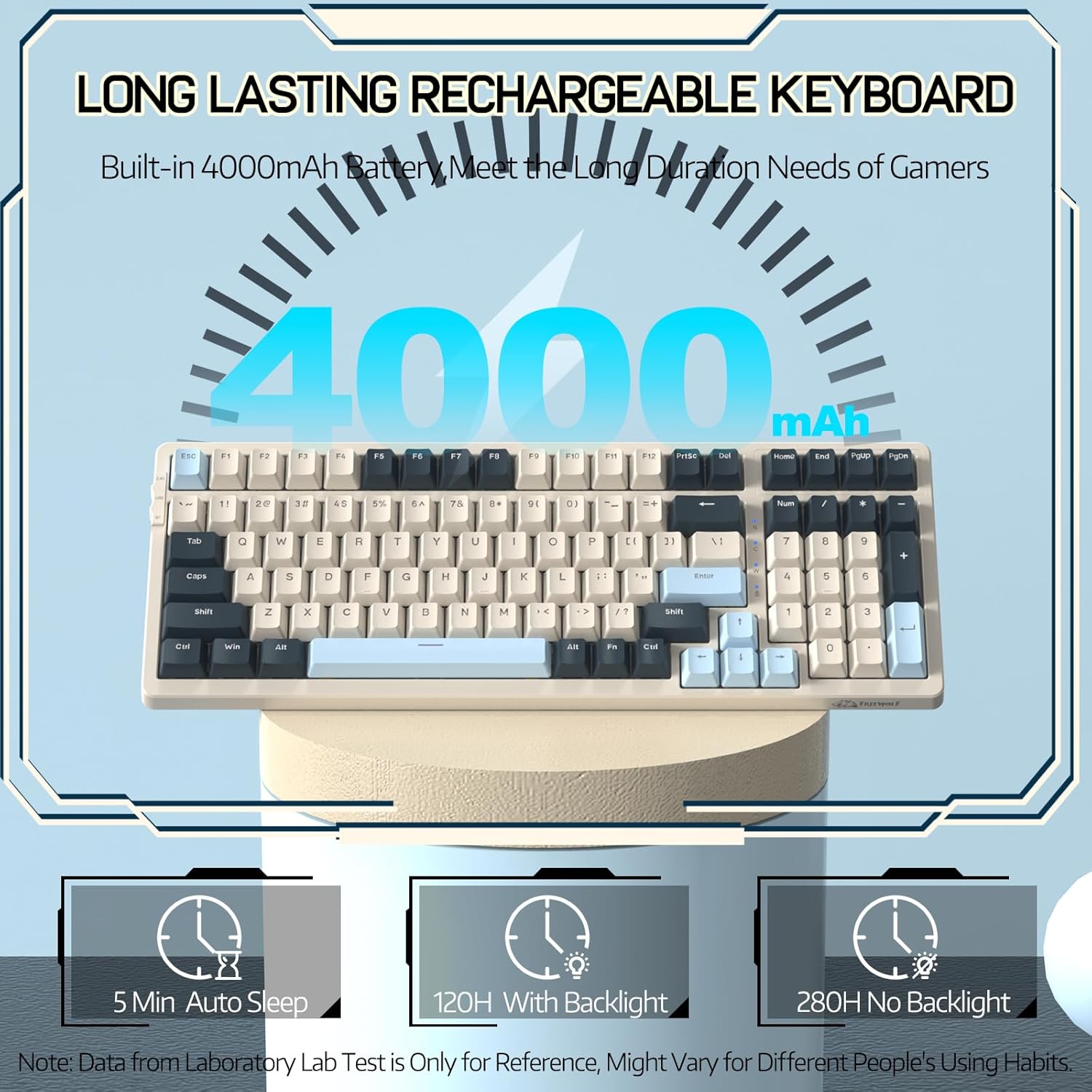
Image 3.1: The keyboard's 4000mAh battery capacity, indicating extended usage time.
3.2 සම්බන්ධතා මාතයන්
The RK-K8 keyboard supports three connection modes: Wired, 2.4GHz Wireless, and Bluetooth 5.0.

Image 3.2: Visual guide for switching between 2.4G wireless, wired, and Bluetooth connection modes.
3.2.1 රැහැන්ගත මාදිලිය
- Connect the provided Type-C coiled cable to the keyboard's Type-C port.
- කේබලයේ USB-A කෙළවර ඔබේ පරිගණකයේ USB පෝට් එකට සම්බන්ධ කරන්න.
- Ensure the mode switch on the keyboard is set to "USB" (or wired mode indicator).
- යතුරු පුවරුව ඔබේ පද්ධතිය විසින් ස්වයංක්රීයව හඳුනා ගනු ඇත.

Image 3.3: The Type-C to USB-A braided coiled cable, featuring a metal aviation connector for wired connection.
3.2.2 2.4GHz රැහැන් රහිත මාදිලිය
- Locate the 2.4GHz USB receiver, typically stored in a slot on the keyboard.
- USB ග්රාහකය ඔබේ පරිගණකයේ තිබෙන USB පෝට් එකකට සම්බන්ධ කරන්න.
- Toggle the mode switch on the keyboard to "2.4G".
- යතුරු පුවරුව ස්වයංක්රීයව සම්බන්ධ විය යුතුය.
3.2.3 බ්ලූටූත් 5.0 මාදිලිය
යතුරුපුවරුව බ්ලූටූත් උපාංග තුනක් දක්වා සම්බන්ධ කිරීමට සහය දක්වයි.
- Toggle the mode switch on the keyboard to "BT".
- යුගල කිරීමේ ප්රකාරයට ඇතුළු වීමට, ඔබා අල්ලාගෙන සිටින්න එෆ්එන් + ප්ර, එෆ්එන් + ඩබ්ලිව්, හෝ එෆ්එන් + ඊ for 3-5 seconds. The corresponding key's backlight will flash rapidly, indicating it's ready to pair.
- On your device (PC, Mac, tablet, phone), open Bluetooth settings and search for "RK-K8" or a similar device name.
- Select the keyboard to pair. Once connected, the backlight on the chosen key (Q, W, or E) will stop flashing and remain steadily lit.
- යුගල කළ බ්ලූටූත් උපාංග අතර මාරු වීමට, සරලව ඔබන්න එෆ්එන් + ප්ර, එෆ්එන් + ඩබ්ලිව්, හෝ එෆ්එන් + ඊ.
3.3 පද්ධති අනුකූලතාව
The RK-K8 keyboard is compatible with both Windows and Mac operating systems. Use the appropriate FN key combinations for specific functions on each system.
වීඩියෝ 3.1: ඕවරයක්view of the FREEWOLF K8 mechanical keyboard, showcasing its features including customizable keycaps, lighting effects, hot-swappable design, compact layout, and multi-device compatibility across Windows, Mac, and mobile devices.
4. මෙහෙයුම
4.1 Backlight Control
The RK-K8 features 18 customizable rainbow backlight effects.
- එෆ්එන් + |: Switch between 18 backlight effects.
- FN + ↑ / ↓: Adjust backlight brightness.
- එෆ්එන් + ← / →: Adjust the flowing speed of dynamic backlight effects.
- FN + X: Turn on/off backlight.
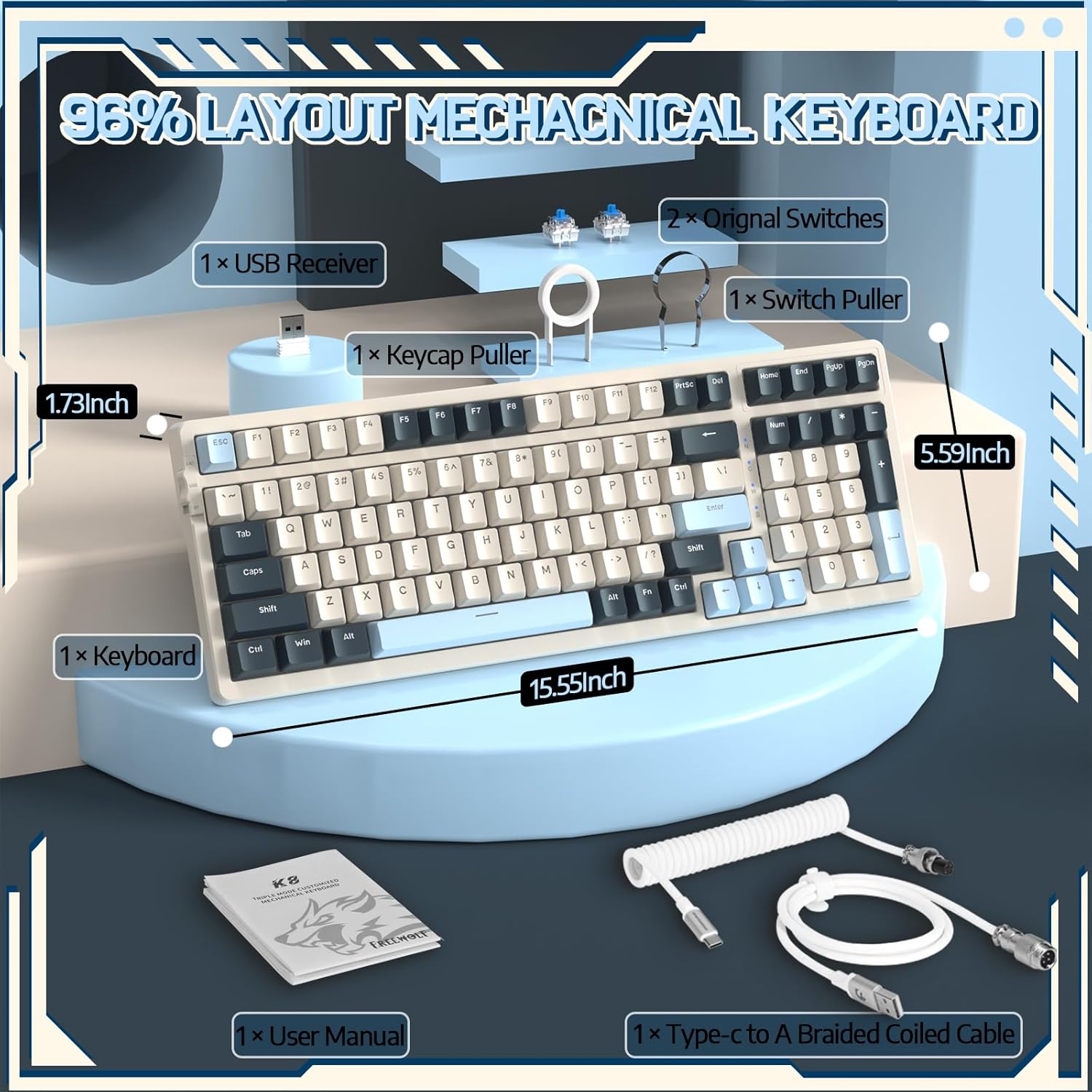
Image 4.1: The RK-K8 keyboard displaying various customizable rainbow backlight patterns.
4.2 උණුසුම්-ස්වාප් කළ හැකි ස්විච
The keyboard is equipped with a hot-swappable PCB, allowing you to change switches without soldering. It is compatible with most 3-pin mechanical switches (e.g., Cherry MX, Gateron, Kailh Box, AKKO, Epomaker, Glorious switches).
- Use the provided switch puller to carefully remove the existing switch. Grip the switch firmly and pull straight up.
- නව 3-පින් ස්විචයේ අල්ෙපෙනති PCB හි සිදුරු සමඟ පෙළගස්වන්න.
- Gently press the new switch into place until it clicks. Ensure the switch is seated properly and the pins are not bent.
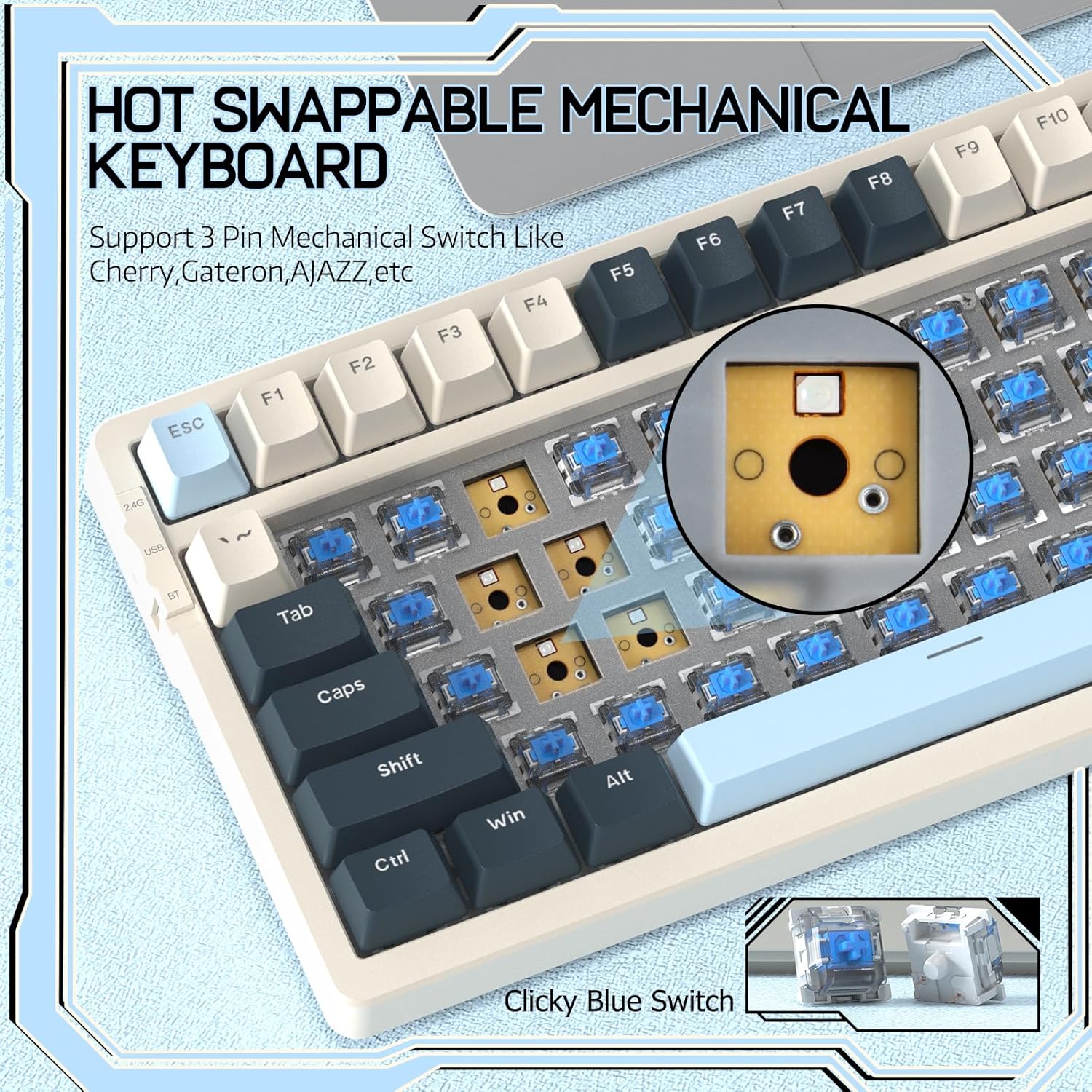
Image 4.2: Demonstrating the hot-swappable feature, showing a switch being removed from the keyboard.
4.3 Gasket Mounted Structure
The keyboard features a gasket-mounted design with sound-dampening materials between the plate and the housing. This construction reduces hollow sounds and provides a more consistent and comfortable typing experience.

Image 4.3: Diagram illustrating the internal layers of the gasket-mounted keyboard structure, designed for improved acoustics and feel.
4.4 ප්රධාන කාර්යයන් සහ පිරිසැලසුම
The RK-K8 utilizes a 96% layout with 100 keys, retaining essential modifiers, arrow keys, a separate numpad, and function row while maintaining a compact form factor.
Refer to the keyboard layout for specific key placements. Many keys have secondary functions accessible via the FN යතුර.
- FN + F1-F12: Multimedia and system control functions (e.g., volume, play/pause).
- FN + ජය: Lock/unlock Windows key.
- FN + A: Switch to Windows layout.
- එෆ්එන් + එස්: Switch to Mac layout.
5. නඩත්තු කිරීම
5.1 පිරිසිදු කිරීම
යතුරුපුවරුවේ පෙනුම සහ ක්රියාකාරීත්වය පවත්වා ගැනීමට:
- පිරිසිදු කිරීමට පෙර ඔබේ පරිගණකයෙන් යතුරු පුවරුව විසන්ධි කරන්න.
- මෘදු, ලින්ට් රහිත රෙදි තරමක් භාවිතා කරන්න dampයතුරු කැප් සහ චැසිය පිස දැමීම සඳහා ජලය හෝ මෘදු පිරිසිදු කිරීමේ ද්රාවණයකින් ආලේප කර ඇත.
- යතුරු කැප් අතර දූවිලි හා සුන්බුන් සඳහා, සම්පීඩිත වාතය හෝ සපයා ඇති යතුරු කැප් අදින්නෙකු භාවිතා කර යතුරු කැප් ඉවත් කර යටින් පිරිසිදු කරන්න.
- සැර රසායනික ද්රව්ය, උල්ෙල්ඛ හෝ ද්රාවක භාවිතා කිරීමෙන් වළකින්න.
5.2 යතුරු කැප් සහ ස්විච ප්රතිස්ථාපනය
The provided keycap and switch pullers facilitate easy replacement of keycaps and switches. Refer to section 4.2 for switch replacement instructions.
6. දෝශ නිරාකරණය
If you encounter issues with your FREEWOLF RK-K8 keyboard, please refer to the following common solutions:
- යතුරුපුවරුව ප්රතිචාර නොදක්වයි:
- යතුරු පුවරුව ආරෝපණය කර ඇති බවට වග බලා ගන්න.
- Check the connection mode switch (Wired, 2.4G, BT) matches your intended connection.
- For wired mode, ensure the cable is securely connected to both the keyboard and the computer.
- For 2.4G wireless, ensure the USB receiver is plugged in and the keyboard is in 2.4G mode.
- For Bluetooth, re-pair the device if necessary (see section 3.2.3).
- Keys repeating or not registering:
- This can sometimes occur with wireless connections. Try switching to wired mode to see if the issue persists.
- Ensure the switches are properly seated. If a switch is loose, carefully remove and re-insert it.
- බලපෑමට ලක් වූ යතුර වටා ඇති ඕනෑම සුන්බුන් පිරිසිදු කරන්න.
- පසුබිම් ආලෝකය ක්රියා නොකරයි හෝ හිරවී ඇත:
- පසුතල ආලෝකය නිවා දමා නොමැති බවට වග බලා ගන්න (ඔබන්න FN + X).
- භාවිතා කර දීප්තිය සකසන්න FN + ↑ / ↓.
- Try cycling through backlight effects with එෆ්එන් + |.
- බ්ලූටූත් සම්බන්ධතා ගැටළු:
- Ensure the keyboard is in Bluetooth mode and sufficient battery.
- Forget the device on your computer/phone and re-pair it.
- Ensure your device's Bluetooth is enabled and working correctly.
7. පිරිවිතර
| විශේෂාංගය | විස්තර |
|---|---|
| වෙළඳ නාමය | නිදහස් වුල්ෆ් |
| ආකෘතිය | RK-K8 |
| සම්බන්ධතා තාක්ෂණය | Bluetooth 5.0 / 2.4GHz Wireless / Wired (Type-C) |
| යතුරුපුවරු විස්තරය | යාන්ත්රික |
| මාරු වර්ගය | Tactile Blue Switch (Hot-Swappable 3-pin) |
| බැටරි ධාරිතාව | 4000mAh |
| පසුතල ආලෝකය | Rainbow Backlit (18 effects) |
| පිරිසැලසුම | 96% (යතුරු 100) |
| ගැළපෙන උපාංග | PC, Mac, PS4 (via USB) |
| ද්රව්ය | ඇක්රිලෝනයිට්රයිල් බියුඩඩීන් ස්ටයිරීන් (ABS) |
| අයිතමයේ බර | රාත්තල් 2.25 (දළ වශයෙන් කිලෝග්රෑම් 1.02) |
| පැකේජ මානයන් | අඟල් 16.14 x 6.69 x 2.01 |
8. වගකීම් සහ සහාය
For warranty information or technical support, please refer to the contact details provided with your purchase or visit the official FREEWOLF webඅඩවිය. වගකීම් හිමිකම් සඳහා ඔබේ මිලදී ගැනීමේ රිසිට්පත තබා ගන්න.


