හැඳින්වීම
Welcome to the user manual for your Baseus Bowie EZ10 Wireless Bluetooth Earbuds. This guide provides detailed instructions on how to set up, operate, and maintain your earbuds to ensure optimal performance and a seamless audio experience. Please read this manual carefully before using your device.
නිෂ්පාදනය අවසන්view
පැකේජයේ අන්තර්ගතය

Image: The package contents for the Baseus Bowie EZ10, including the two earbuds, the charging case, a USB charging cable, and multiple pairs of silicone ear tips in various sizes.
- Baseus Bowie EZ10 Wireless Earbuds (Left and Right)
- අයකිරීමේ නඩුව
- USB ආරෝපණ කේබලය
- Multiple Pairs of Ear Tips (various sizes)
- පරිශීලක අත්පොත (මෙම ලේඛනය)
ප්රධාන ලක්ෂණ
- Adaptive Noise Cancellation (ANC) up to -42dB: Experience high-quality, immersive audio regardless of your environment.
- ENC Noise Cancellation with 4 Microphones: Ensures clear and high-quality calls even in noisy surroundings.
- Ultra-Low Latency (0.038s): Guarantees audio and video synchronization for an immersive experience, especially for gaming and video playback.
- දිගු බැටරි ආයු කාලය: Up to 30 hours of total playback with the charging case, and 5 hours on a single charge.
- Simultaneous Device Connection: Connect to two devices at the same time for seamless switching.
- Customizable App Support: Personalize your audio experience and controls via the dedicated Baseus application.
නිෂ්පාදන රූප සටහන
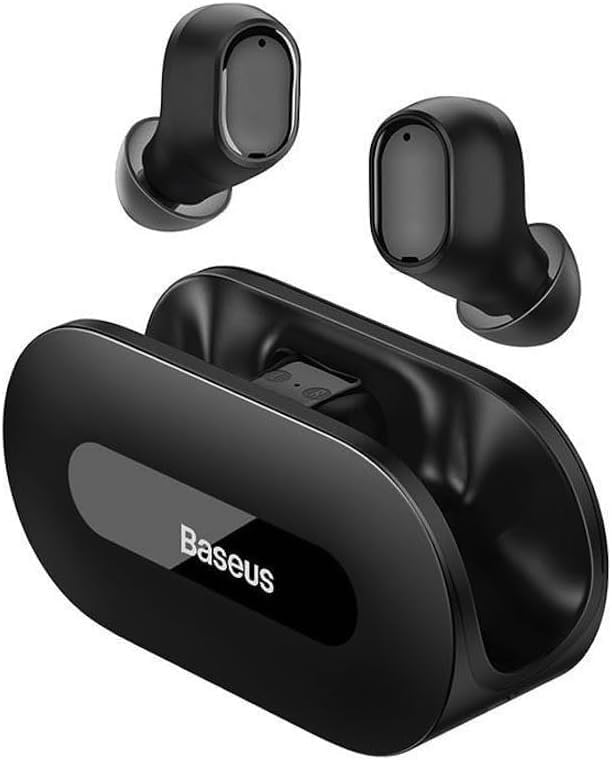
රූපය: පැහැදිලි view of the Baseus Bowie EZ10 wireless earbuds and their sleek black charging case, showcasing ඔවුන්ගේ සංයුක්ත නිර්මාණය.
The Baseus Bowie EZ10 earbuds feature a compact in-ear design for a comfortable and secure fit. The charging case is designed for easy portability and secure storage, with magnetic slots to hold the earbuds in place.
සැලසුම
ඉයර්බඩ් සහ කේස් ආරෝපණය කිරීම

Image: A graphic illustrating the long battery life of the Baseus Bowie EZ10 earbuds, indicating extended listening time with the charging case and quick charging capabilities.
- මූලික ගාස්තුව: Before first use, fully charge both the earbuds and the charging case. Place the earbuds into the charging case.
- චාජරය සම්බන්ධ කරන්න: Connect the USB charging cable to the charging port on the case and plug the other end into a compatible USB power source (e.g., wall adapter, computer USB port).
- ආරෝපණ දර්ශක: The LED indicators on the charging case will show the charging status. Refer to the specific light patterns in your quick start guide for detailed information.
- වේගවත් ආරෝපණය: The earbuds support fast charging, providing significant playback time with a short charge.
ඔබේ උපාංගය සමඟ යුගල කිරීම
Image: A visual representation of Bluetooth 5.3 technology, highlighting its role in providing a fast and stable wireless connection for the Baseus Bowie EZ10 earbuds.
- බල ගැන්වීම: ආරෝපණ පෙට්ටිය විවෘත කරන්න. ඉයර්බඩ් ස්වයංක්රීයව ක්රියාත්මක වී යුගල කිරීමේ ප්රකාරයට ඇතුළු වේ.
- බ්ලූටූත් සක්රිය කරන්න: ඔබගේ උපාංගයේ (ස්මාර්ට්ෆෝන්, ටැබ්ලටය, පරිගණකය), බ්ලූටූත් සක්රීය කරන්න.
- ඒ සඳහා සොයන්න උපාංග: In your device's Bluetooth settings, search for available devices.
- Select 'Baseus Bowie EZ10': From the list of found devices, select 'Baseus Bowie EZ10' to connect.
- තහවුරු කිරීම: Once connected, you will hear an audio prompt from the earbuds, and the device's Bluetooth settings will show them as connected.
- බහු උපාංග සම්බන්ධතාවය: The earbuds can connect to two devices simultaneously. After pairing with the first device, disable Bluetooth on it, then pair with the second device. Re-enable Bluetooth on the first device, and the earbuds should connect to both.
මෙහෙයුම් උපදෙස්
ඉයර්බඩ් පැළඳීම
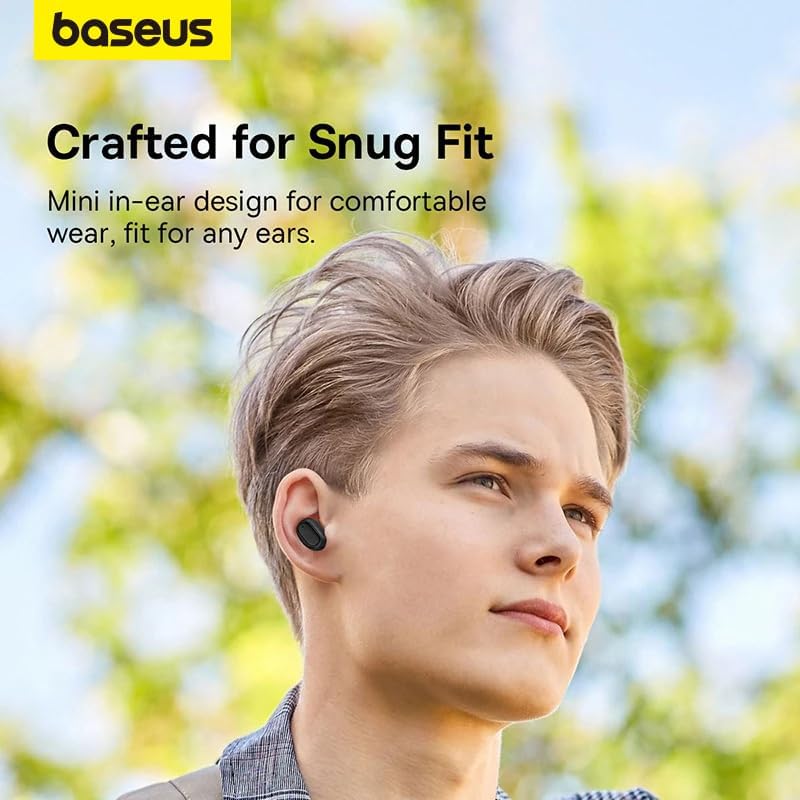
Image: A person wearing a Baseus Bowie EZ10 earbud, illustrating the comfortable and snug fit of the mini in-ear design.
- Choose Right Ear Tips: Select the ear tips that provide the best seal and comfort for your ears.
- ඉයර්බඩ් ඇතුළු කරන්න: සෑම ඉයර්බඩ් එකක්ම ඔබේ කන ඇලට මෘදු ලෙස ඇතුළු කරන්න.
- ගැළපුම සඳහා සකසන්න: Rotate the earbuds slightly until they feel secure and comfortable, ensuring a good seal for optimal sound quality and noise cancellation.
ස්පර්ශ පාලන
The Baseus Bowie EZ10 earbuds feature intuitive touch controls on each earbud. Specific functions may vary or be customizable via the Baseus app.
- වාදනය/විරාමය: ඉයර්බඩ් දෙකෙන් එකක් මත එක තට්ටු කරන්න.
- ඊළඟ ධාවන පථය: දකුණු ඉයර්බඩ් එක දෙවරක් තට්ටු කරන්න.
- පෙර ධාවන පථය: වම් ඉයර්බඩ් එක දෙවරක් තට්ටු කරන්න.
- පිළිතුර/අවසන් ඇමතුම: ඉයර්බඩ් දෙකෙන් එකක් මත එක තට්ටු කරන්න.
- ඇමතුම ප්රතික්ෂේප කරන්න: ඉයර්බඩ් දෙකෙන් එකක් ඔබාගෙන සිටින්න.
- හ oice සහකාර සක්රිය කරන්න: ඉයර්බඩ් දෙකෙන් එකක් තුන් වරක් තට්ටු කරන්න.
- ශබ්ද පාලනය: Specific gestures for volume control can often be set up in the Baseus app.
Noise Cancellation (ANC/ENC)
The Baseus Bowie EZ10 earbuds offer advanced noise cancellation features:
- අනුවර්තන ශබ්ද අවලංගු කිරීම (ANC): Reduces ambient noise for an immersive listening experience. This mode can often be toggled on/off or adjusted via the touch controls or the Baseus app.
- ENC Noise Cancellation for Calls: The 4-microphone ENC system automatically works during calls to ensure your voice is clear and background noise is minimized for the person on the other end.
අඩු ප්රමාද ප්රකාරය
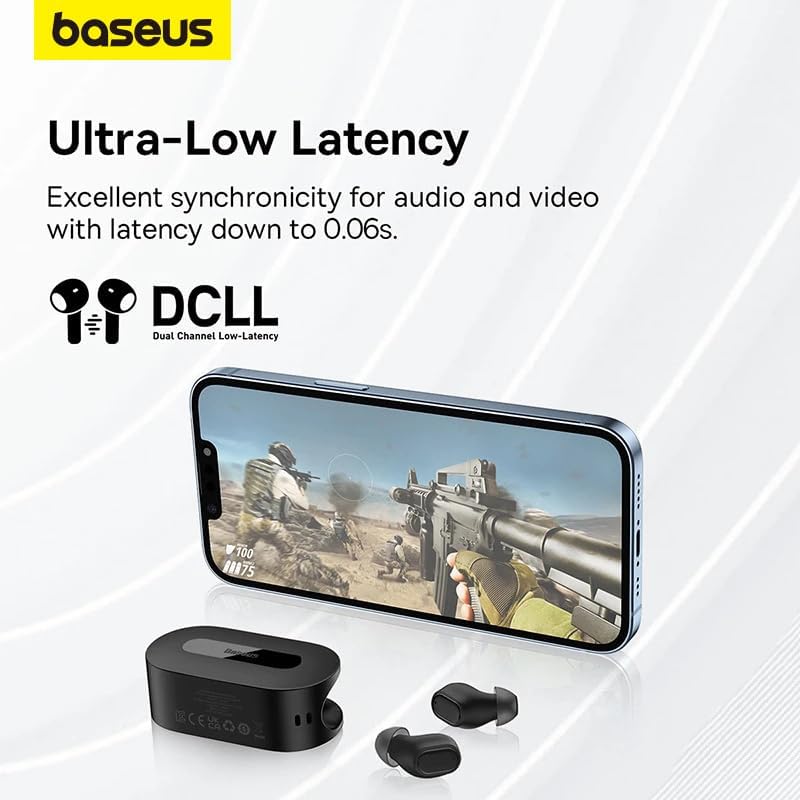
Image: The Baseus Bowie EZ10 earbuds and charging case positioned next to a smartphone displaying a gaming scene, emphasizing the ultra-low latency feature for synchronized audio and video.
For gaming or watching videos, activate the ultra-low latency mode to ensure perfect synchronization between audio and video. This mode can typically be activated via a specific touch gesture or through the Baseus app.
Using the Baseus App
Download the official Baseus app from your device's app store. The app allows you to:
- ස්පර්ශ පාලන අභිරුචිකරණය කරන්න.
- EQ සැකසුම් සකසන්න.
- Toggle noise cancellation modes.
- බැටරි මට්ටම් පරීක්ෂා කරන්න.
- ස්ථිරාංග යාවත්කාලීන කරන්න.
නඩත්තු කිරීම
පිරිසිදු කිරීම
- කරාබු: Use a soft, dry, lint-free cloth to wipe the earbuds. For earwax or debris, gently clean with a small, soft brush or cotton swab. Do not use liquids or abrasive cleaners.
- කන් ඉඟි: සිලිකොන් කන් ඉඟි ඉවත් කර මෘදු සබන් හා වතුරෙන් සෝදන්න. හොඳින් සෝදා නැවත සවි කිරීමට පෙර සම්පූර්ණයෙන්ම වියළීමට ඉඩ දෙන්න.
- අයකිරීමේ නඩුව: Wipe the case with a soft, dry cloth. Ensure the charging contacts inside the case are clean and free of debris.
ගබඩා කිරීම
- ඉයර්බඩ් ආරක්ෂා කර ගැනීමට සහ ආරෝපණය කර තබා ගැනීමට, භාවිතයේ නොමැති විට සෑම විටම ඒවායේ ආරෝපණ පෙට්ටියේ ගබඩා කරන්න.
- උපාංගය අධික උෂ්ණත්වයන්ගෙන් සහ සෘජු හිරු එළියෙන් ඈත්ව සිසිල් වියළි ස්ථානයක ගබඩා කරන්න.
දෝෂගවේෂණය
| ගැටලුව | විය හැකි හේතුව | විසඳුම |
|---|---|---|
| ඉයර්බඩ් යුගල නොවේ | ඉයර්බඩ් යුගල කිරීමේ මාදිලියේ නැත; උපාංගයේ බ්ලූටූත් ක්රියාවිරහිතයි; කලින් යුගල කළ උපාංගය බාධා කරයි. | Ensure earbuds are in pairing mode (open case); turn on Bluetooth on your device; forget previous connections on your device and try again. |
| එක් ඉයර්බඩ් එකකින් ශබ්දයක් නැත | Low battery; earbud not properly connected; earbud dirty. | Place both earbuds in the case to charge; ensure they are properly seated; clean earbud and charging contacts. |
| අයකිරීමේ ගැටළු | Cable or adapter faulty; charging contacts dirty; case battery empty. | Try a different USB cable and power adapter; clean charging contacts on earbuds and case; ensure charging case is charged. |
| දුර්වල ශබ්ද ගුණාත්මකභාවය | Improper fit; ear tips dirty; interference. | Adjust earbud fit and try different ear tips; clean ear tips and earbuds; move closer to your device or away from sources of interference. |
පිරිවිතර
| විශේෂාංගය | විස්තර |
|---|---|
| මාදිලියේ නම | Bowie EZ10 |
| සම්බන්ධතා තාක්ෂණය | රැහැන් රහිත (බ්ලූටූත් 5.3) |
| කන් ස්ථානගත කිරීම | In-ear |
| ශබ්ද පාලනය | Adaptive Noise Cancellation, ENC for calls |
| ප්රමාදය | 0.038s (Ultra-Low Latency Mode) |
| බැටරි ආයු කාලය (ඉයර්බඩ්) | පැය 5ක් දක්වා (තනි ආරෝපණයකින්) |
| බැටරි ආයු කාලය (ආවරණය සමඟ) | පැය 30 දක්වා |
| පාලන වර්ගය | Media Control, Volume Control (customizable) |
| ද්රව්ය | Plastic, Silicone/Memory Foam (ear tips) |
| වර්ණය | කළු |
| නිෂ්පාදකයා | Baseus_Inc |
| සහතික කිරීම | CE |
වගකීම් සහ සහාය
The Baseus Bowie EZ10 Wireless Bluetooth Earbuds come with a manufacturer's warranty. Please refer to the warranty card included in your package or visit the official Baseus webසවිස්තරාත්මක වගකීම් නියමයන් සහ කොන්දේසි සඳහා අඩවිය.
For technical support, troubleshooting assistance, or any product-related inquiries, please contact Baseus customer service through their official webවෙබ් අඩවිය හෝ ඔබේ නිෂ්පාදන ඇසුරුම්වල සපයා ඇති සම්බන්ධතා තොරතුරු.




