1. හැඳින්වීම
This manual provides detailed instructions for the Carlinkit 4.0 Wireless CarPlay & Android Auto Adapter. This device enables wireless connectivity for both Apple CarPlay and Android Auto in vehicles equipped with factory wired CarPlay. Please read this manual thoroughly before use to ensure proper installation and operation.
2. නිෂ්පාදන අවසන්view
2.1 ප්රධාන ලක්ෂණ
- රැහැන් රහිත සම්බන්ධතාවය: Converts wired CarPlay to wireless CarPlay and wireless Android Auto.
- අධිවේගී කාර්ය සාධනය: Features two antennas and 5G Wi-Fi (2.4GHz/5.8GHz) for speeds up to 866Mbps, ensuring real-time navigation and music streaming.
- ප්ලග් සහ ප්ලේ නිර්මාණය: Simple USB connection without requiring car modifications.
- ස්වයංක්රීය නැවත සම්බන්ධ කිරීම: Once paired, the adapter automatically connects upon car restart.
- Retains Original Functions: Supports existing car features such as voice control and touchscreen operations.
- පුළුල් ගැළපුම: Compatible with over 98% of factory wired CarPlay cars from 2015 onwards.
- Versatile Cables: Includes both USB Type-A and Type-C cables for various car ports.
2.2 පෙට්ටියේ ඇති දේ
- Carlinkit 4.0 Adapter (Product*1)
- USB-A to USB-C Data Cable (Data Cable*1)
- USB-C to USB-C Data Cable (Data Cable*1)
- Instruction Manual (Manual*1)

Image: Carlinkit 4.0 Adapter and its accessories.
3. සැකසුම් උපදෙස්
3.1 අනුකූලතා පරීක්ෂාව
The Carlinkit 4.0 adapter is designed for vehicles with factory-installed wired CarPlay, manufactured from 2015 to the present. It is compatible with iOS 11+ and Android 13+ devices.
වැදගත් අනුකූලතා සටහන්:
- Not compatible with cars without factory CarPlay preparation.
- BMW series cars are currently not compatible.
- Caution is advised for Volvo/Dodge models, which are undergoing optimization.

Image: Carlinkit 4.0 compatibility with various car brands.
3.2 මූලික සැකසුම් පියවර
- ප්ලග් ඉන්: Connect the Carlinkit 4.0 adapter to your car's USB/TYPE-C port that supports wired CarPlay. Use the appropriate data cable provided.
- පිළිගැනීම සඳහා රැඳී සිටින්න: The automotive head unit will read the adapter's data. The car screen will display a message indicating it is waiting to be connected.
- Pairing for CarPlay (iPhone):
- ඔබගේ iPhone හි Bluetooth සහ Wi-Fi ක්රියාත්මක කරන්න.
- ඒ සඳහා සොයන්න the Bluetooth name displayed on your car screen in your iPhone's Bluetooth list.
- Select the device to connect. Your iPhone will prompt you to enable CarPlay. Confirm to establish a wireless CarPlay connection.
- Pairing for Android Auto (Android Phone):
- First, open your phone's Bluetooth and Wi-Fi.
- ඒ සඳහා සොයන්න the adapter's Bluetooth name in your phone's Bluetooth settings.
- After a successful Bluetooth connection, the Android Auto interface will appear on your car screen, enabling wireless Android Auto.

Image: Visual guide for Carlinkit 4.0 setup.
3.3 Cautions for Connection
- රැහැන්ගත සම්බන්ධතාවය: If using a wired connection, ensure your phone's Bluetooth is open.
- රැහැන් රහිත සම්බන්ධතාවය: For wireless functionality, ensure your phone's Bluetooth and Wi-Fi are both active. Turn off the original car's Bluetooth and Wi-Fi to prevent interference, and ensure your phone's Bluetooth and Wi-Fi are not occupied by other devices.
4. මෙහෙයුම් උපදෙස්
Once successfully paired, the Carlinkit 4.0 adapter will automatically connect to your phone when the car engine starts. You can then use CarPlay or Android Auto wirelessly.
- සංචාලනය: Utilize your preferred navigation apps (e.g., Google Maps, Apple Maps) directly on your car's display.
- සංගීතය සහ මාධ්ය: ඔබේ මෝටර් රථයේ ශබ්ද පද්ධතිය හරහා සංගීතය, පොඩ්කාස්ට් සහ ශ්රව්ය පොත් ප්රවාහය කරන්න.
- හඬ පාලනය: Use your car's built-in voice assistant (Siri for CarPlay, Google Assistant for Android Auto) for hands-free commands, calls, and messages.
- Touchscreen/Controls: Interact with the interface using your car's touchscreen or physical controls as usual.
Video: Demonstration of Carlinkit 4.0 Wireless CarPlay & Android Auto Adapter in use, showcasing navigation, music playback, and voice commands.
5. Online Upgrade & Maintenance
The Carlinkit 4.0 adapter supports online software upgrades to ensure optimal performance and compatibility. Follow these steps to check for and install updates:
- Connect to Adapter: After your phone is connected to wireless CarPlay or Android Auto via the adapter.
- Access Upgrade Interface: Use your phone's web browser to visit the IP address 192.168.50.2.
- Detect Updates: මත webpage, you will find options to detect and install available updates.

Image: Accessing the online upgrade interface via web බ්රවුසරය.
For general maintenance, keep the adapter in a dry environment and avoid extreme temperatures. Ensure cables are not bent or damaged.
6. දෝශ නිරාකරණය
If you encounter issues with your Carlinkit 4.0 adapter, refer to the following common problems and solutions:
- ගැටලුව: My car is equipped with wired CarPlay but I can't use Carlinkit 4.0.
විසඳුම: Try replacing the data cable. Alternatively, log in to the webඅඩවිය 192.168.50.2 and reset the product. - ගැටලුව: The car screen shows CarPlay when I connect to Android Auto.
පැහැදිලි කිරීම: The product converts wired CarPlay to wireless Android Auto. The information read from the original CarPlay system may cause the car screen to display 'CarPlay' even when Android Auto is active. This is normal operation. - ගැටලුව: CarPlay to Android Auto may have some resolution problems.
සටහන: Some users may experience minor resolution inconsistencies when switching between CarPlay and Android Auto. If this is a significant concern, please consider product compatibility before purchase. - ගැටලුව: Phone prefers connecting to the car's Bluetooth, leaving the adapter in limbo.
විසඳුම: Manually disconnect from the car's Bluetooth and then reconnect to the adapter's Bluetooth. Ensure the car's original Bluetooth is not actively connected to your phone when using the adapter. - ගැටලුව: Car provides power to USB ports even when the car is shut off, keeping the adapter active all the time.
විසඳුම: If your car's USB ports remain powered after the engine is off, you may need to unplug the Carlinkit adapter from the car each time you leave the vehicle to prevent your phone from continuously routing audio to the car.

Image: Common troubleshooting questions and solutions.
7. පිරිවිතර
| විශේෂාංගය | පිරිවිතර |
|---|---|
| ආදර්ශ අංකය | CPC200-CP2A |
| අයිතමයේ බර | අවුන්ස 4.8 කි |
| නිෂ්පාදන මානයන් | 3.15 x 1.81 x 0.51 අඟල් (හෝ 3.15"L x 1.42"W x 4.53"H) |
| සංදර්ශක ප්රමාණය | අඟල් 2 |
| සම්බන්ධතා තාක්ෂණය | Bluetooth, Wi-Fi (5G Wi-Fi: 2.4GHz/5.8GHz) |
| හඬ විධානය | Touchscreen (via car's system) |
| මෙහෙයුම් පද්ධතිය | Android (Android Auto ක්රියාකාරිත්වය සඳහා) |
| සවිකිරීමේ වර්ගය | Dashboard Mount (suggested placement) |
| ඇතුළත් සංරචක | Product, 2 Data Cables, Manual |
8. වගකීම් සහ සහාය
Carlinkit is committed to providing excellent customer service and product support.
- ආපසු දෙන ප්රතිපත්තිය: 90-day return policy for product-related problems (non-artificial damage).
- Hardware Guarantee: 365-day (1-year) hardware guarantee period.
- මෘදුකාංග වැඩිදියුණු කිරීම්: Lifetime software upgrades.
- තාක්ෂණික සේවා: ජීවිත කාලය තාක්ෂණික සහාය.
සහාය අමතන්න
For any product-related issues or technical assistance, please contact Carlinkit customer service. We aim to reply within 24 hours.
විද්යුත් තැපෑල: support@carlinkit.com
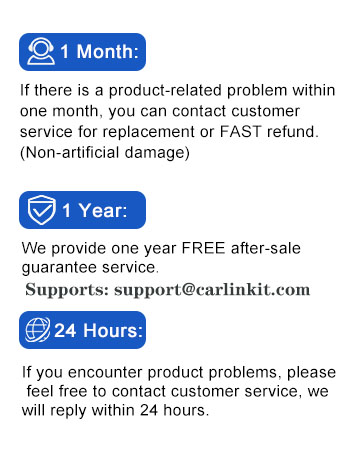
Image: Carlinkit customer support and warranty information.


