හැඳින්වීම
Thank you for choosing the CORN Gaming Wired USB Mouse. This manual provides detailed instructions for setting up, operating, and maintaining your new mouse, ensuring optimal performance and longevity. Please read this manual thoroughly before using the product.
සැකසුම් මාර්ගෝපදේශය
පැකේජයේ අන්තර්ගතය:
- 1 x CORN Gaming Wired USB Mouse (Model SB-186)
- 1 x පරිශීලක අත්පොත (මෙම ලේඛනය)
පද්ධති අවශ්යතා:
- Operating System: Windows 2000/2003/XP/Vista/Win7/Win8/Win10, Mac OS, Android
- පවතින USB port
ස්ථාපනය:
- Locate an available USB port on your computer (PC, Desktop, Laptop, Macbook, Tablet).
- Insert the USB connector of the CORN Gaming Wired USB Mouse into the USB port.
- මෙහෙයුම් පද්ධතිය අවශ්ය ධාවක ස්වයංක්රීයව හඳුනාගෙන ස්ථාපනය කරනු ඇත. මෙම ක්රියාවලියට මිනිත්තු කිහිපයක් ගතවනු ඇත.
- Once the installation is complete, the mouse will be ready for use. No additional software installation is required.
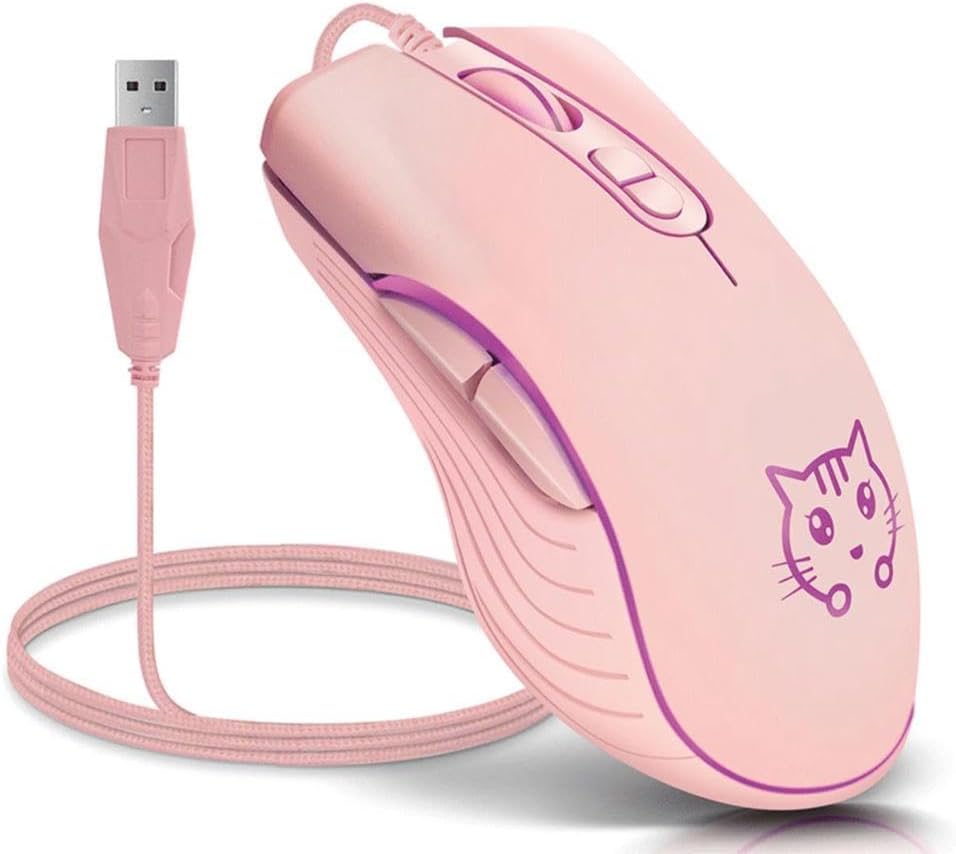
Image: The CORN Gaming Wired USB Mouse with its USB cable, illustrating the wired connection.
මෙහෙයුම් උපදෙස්
Mouse Layout and Functions:
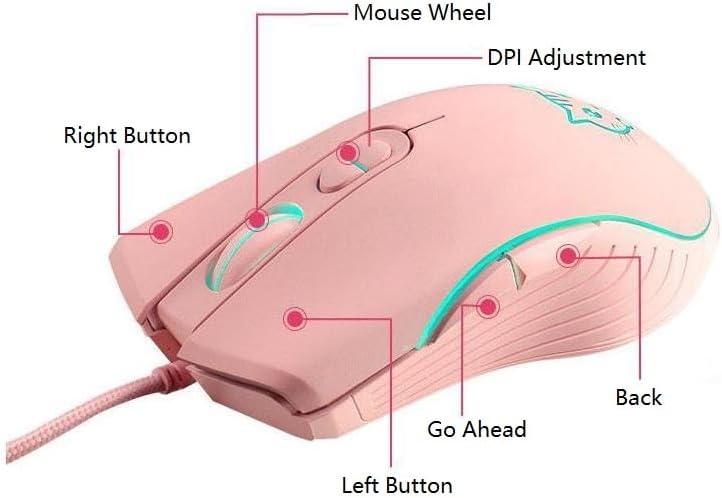
Image: Labeled diagram of the mouse showing the location and function of each button.
- වම් බොත්තම: සම්මත වම්-ක්ලික් ශ්රිතය.
- දකුණු බොත්තම: සම්මත දකුණු-ක්ලික් ශ්රිතය.
- මූසික රෝදය: Scroll up or down. Can also be pressed for middle-click functionality.
- DPI ගැලපුම් බොත්තම: Cycles through DPI settings.
- Go Ahead Button: ඉදිරියට සංචාලනය කරයි web බ්රවුසර හෝ file ගවේෂකයන්.
- පසුපස බොත්තම: පසුපසට සංචාලනය කරයි web බ්රවුසර හෝ file ගවේෂකයන්.
Adjusting DPI (Dots Per Inch):
The mouse features 4 adjustable DPI levels, allowing you to change cursor sensitivity on the fly. Press the DPI Adjustment Button located behind the scroll wheel to cycle through the following settings:
- 800 DPI (Lowest sensitivity, suitable for precise tasks)
- 1200 DPI (Standard sensitivity)
- 1600 DPI (Increased sensitivity)
- 2400 DPI (Highest sensitivity, ideal for fast-paced gaming)
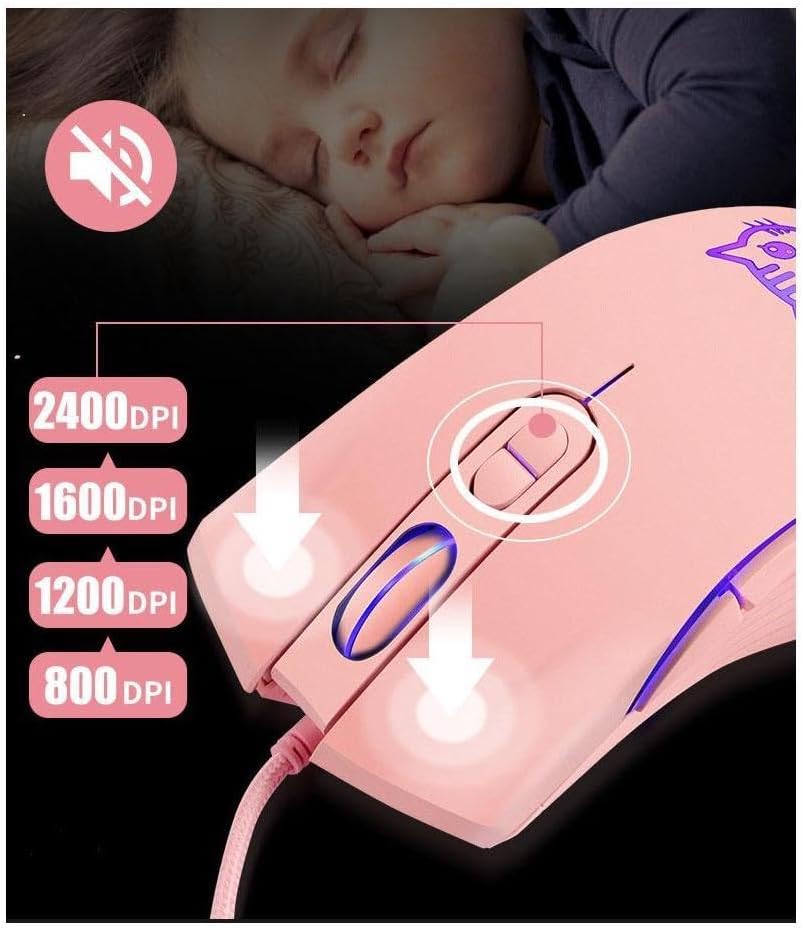
Image: Visual guide for DPI adjustment, highlighting the button and available sensitivity levels.
Silent Click Feature:
The CORN Gaming Mouse is designed with noiseless click buttons, reducing sound output during use. This feature is beneficial in quiet environments, preventing disturbance to others.

Image: Depiction of the mouse's silent click functionality, emphasizing its quiet operation.
7-Color Backlight Modes:
The mouse features a dynamic 7-color backlight system that changes automatically, adding to its aesthetic appeal. The cute kitten pattern on the mouse also illuminates with these changing colors.
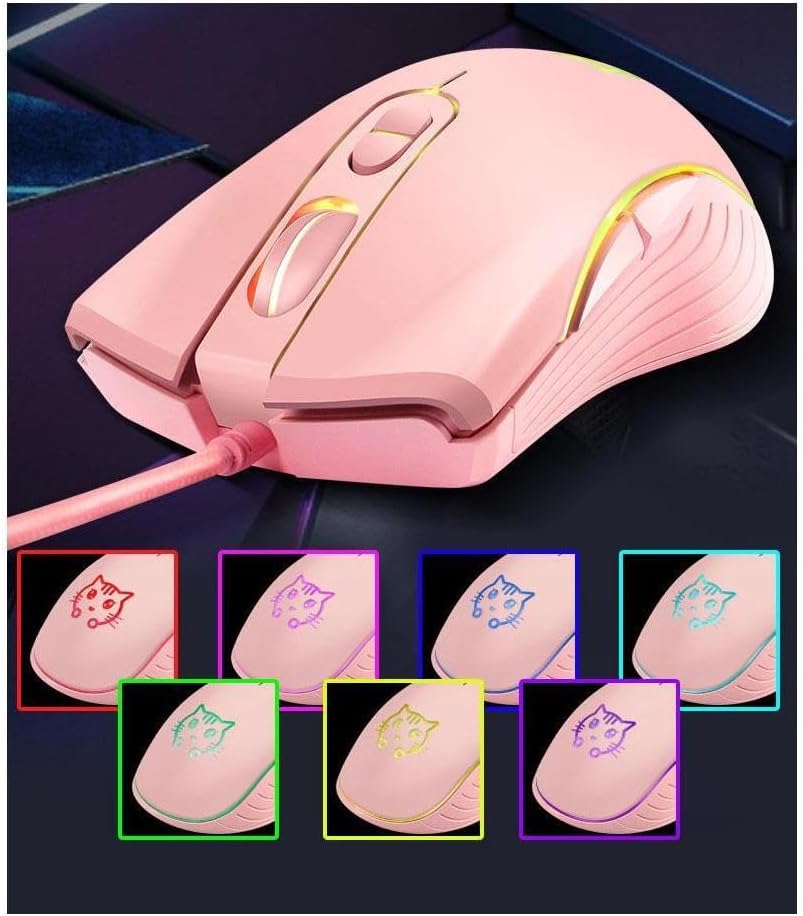
රූපය: මූසික දර්ශනයasing its 7-color backlight modes, highlighting the visual effects.
Ergonomic Design:
The mouse is designed to fit the natural curvature of your palm, providing a comfortable and breathable grip for extended use. Its anti-skid side wing design further enhances stability and prevents slipping.
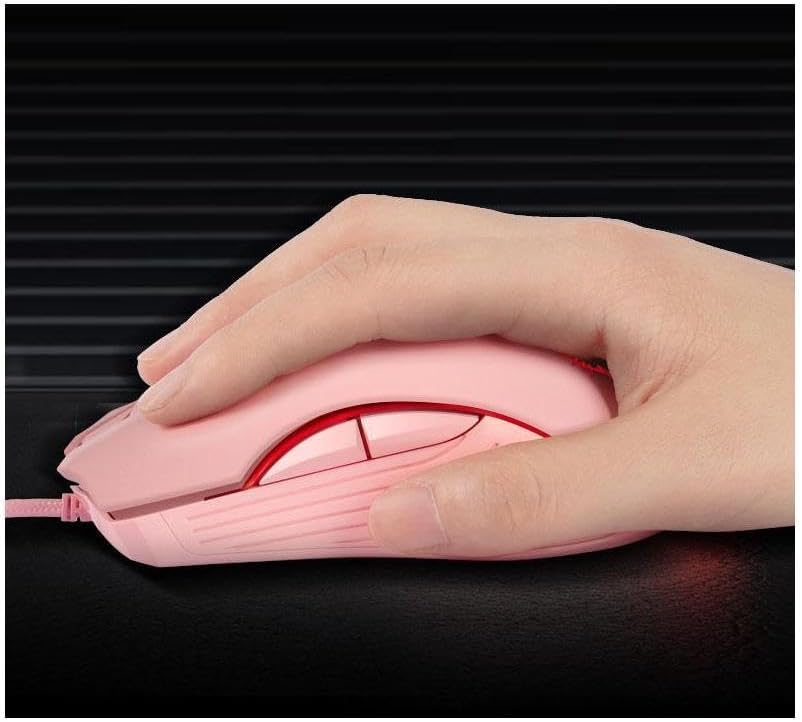
Image: A hand demonstrating the ergonomic grip of the mouse.
නඩත්තු කිරීම
To ensure the longevity and optimal performance of your CORN Gaming Wired USB Mouse, follow these simple maintenance guidelines:
- පිරිසිදු කිරීම: මූසිකයේ මතුපිට පිස දැමීමට මෘදු වියළි රෙද්දක් භාවිතා කරන්න. මුරණ්ඩු අපිරිසිදුකම සඳහා, තරමක් dampරෙදි කැබැල්ල වතුරෙන් හෝ මෘදු පිරිසිදු කිරීමේ ද්රාවණයකින් පිස දමන්න. සැර රසායනික ද්රව්ය හෝ උල්ෙල්ඛ ද්රව්ය භාවිතා කිරීමෙන් වළකින්න.
- සංවේදක සත්කාරය: Keep the optical sensor on the bottom of the mouse clean and free from dust or debris. Use a cotton swab or compressed air to gently clean the sensor area.
- කේබල් කළමනාකරණය: Avoid sharp bends or kinks in the USB cable. Store the mouse with the cable neatly coiled to prevent damage.
- ගබඩා: When not in use for extended periods, store the mouse in a clean, dry place away from extreme temperatures and direct sunlight.
- බිංදු වළකින්න: While built with solid construction, avoid dropping the mouse or subjecting it to strong impacts, as this can damage internal components.
දෝෂගවේෂණය
If you encounter any issues with your CORN Gaming Wired USB Mouse, please refer to the following common problems and their solutions:
| ගැටලුව | විය හැකි හේතුව | විසඳුම |
|---|---|---|
| මූසිකය ප්රතිචාර නොදක්වයි. | USB cable not properly connected; faulty USB port; driver issue. |
|
| කර්සරයේ චලනය අක්රමවත් හෝ පැනීමකි. | Dirty optical sensor; unsuitable mouse pad surface. |
|
| DPI adjustment button not changing sensitivity. | Software conflict; temporary glitch. |
|
| Back/Forward buttons not working. | Application specific; driver issue. |
|
නිෂ්පාදන පිරිවිතර
| වෙළඳ නාමය | ඉරිඟු |
| ආදර්ශ අංකය | SB-186 |
| සම්බන්ධතා තාක්ෂණය | USB Wired |
| චලන හඳුනාගැනීමේ තාක්ෂණය | ඔප්ටිකල් |
| DPI මට්ටම් | 800 / 1200 / 1600 / 2400 DPI |
| බොත්තම් ගණන | 6 |
| විශේෂ ලක්ෂණ | Ergonomic Design, LED Lights, Silent Click |
| වර්ණය | රෝස |
| අයිතමයේ බර | අවුන්ස 9.9 (දළ වශයෙන් ග්රෑම් 280) |
| පැකේජ මානයන් | අඟල් 5.59 x 4.02 x 2.05 |
| මෙහෙයුම් වෙළුමtage | DC 5V |
| මෙහෙයුම් ධාරාව | 10mA |
| ජීවිතය මාරු කරන්න | මිලියන 5 වාරයක් |
| Roller Life | මිලියන 10 වාරයක් |
| අනුකූල පද්ධති | Windows 2000/2003/XP/Vista/Win7/Win8/Win10, Mac OS, Android |

Image: Detailed product information including a labeled diagram and a table of technical specifications.
වගකීම් තොරතුරු
CORN products are manufactured to the highest quality standards. This product comes with a standard manufacturer's warranty against defects in materials and workmanship from the date of purchase. Please retain your proof of purchase for warranty claims. The warranty does not cover damage caused by misuse, accident, unauthorized modification, or normal wear and tear.
පාරිභෝගික සහාය
For further assistance, technical support, or warranty inquiries, please contact CORN customer service through the retailer's platform where you purchased the product or visit the official CORN webසම්බන්ධතා විස්තර සඳහා අඩවිය.
We are committed to providing you with the best possible experience with your CORN product.


