Deeyaple S207

Deeyaple S207 Cell Phone Stand with Wireless Bluetooth Speaker and 12H Time Display User Manual

හැඳින්වීම

This manual provides comprehensive instructions for the Deeyaple S207 Cell Phone Stand with Wireless Bluetooth Speaker and 12H Time Display. Please read this manual thoroughly before using the product to ensure proper operation and to maximize its features. Keep this manual for future reference.

Deeyaple S207 Cell Phone Stand with Wireless Bluetooth Speaker and 12H Time Display in black.

රූපය 1: The Deeyaple S207 multi-functional device.

නිෂ්පාදනය අවසන්view

The Deeyaple S207 is a versatile device combining a cell phone stand, a wireless Bluetooth speaker, and a 12-hour time display. It is designed for convenience and enhanced audio experience.

Image illustrating the 3-in-1 functionality of the Deeyaple S207 as a stand, speaker, and digital clock.

රූපය 2: The Deeyaple S207 functions as a stand, speaker, and digital clock.

ප්රධාන ලක්ෂණ:

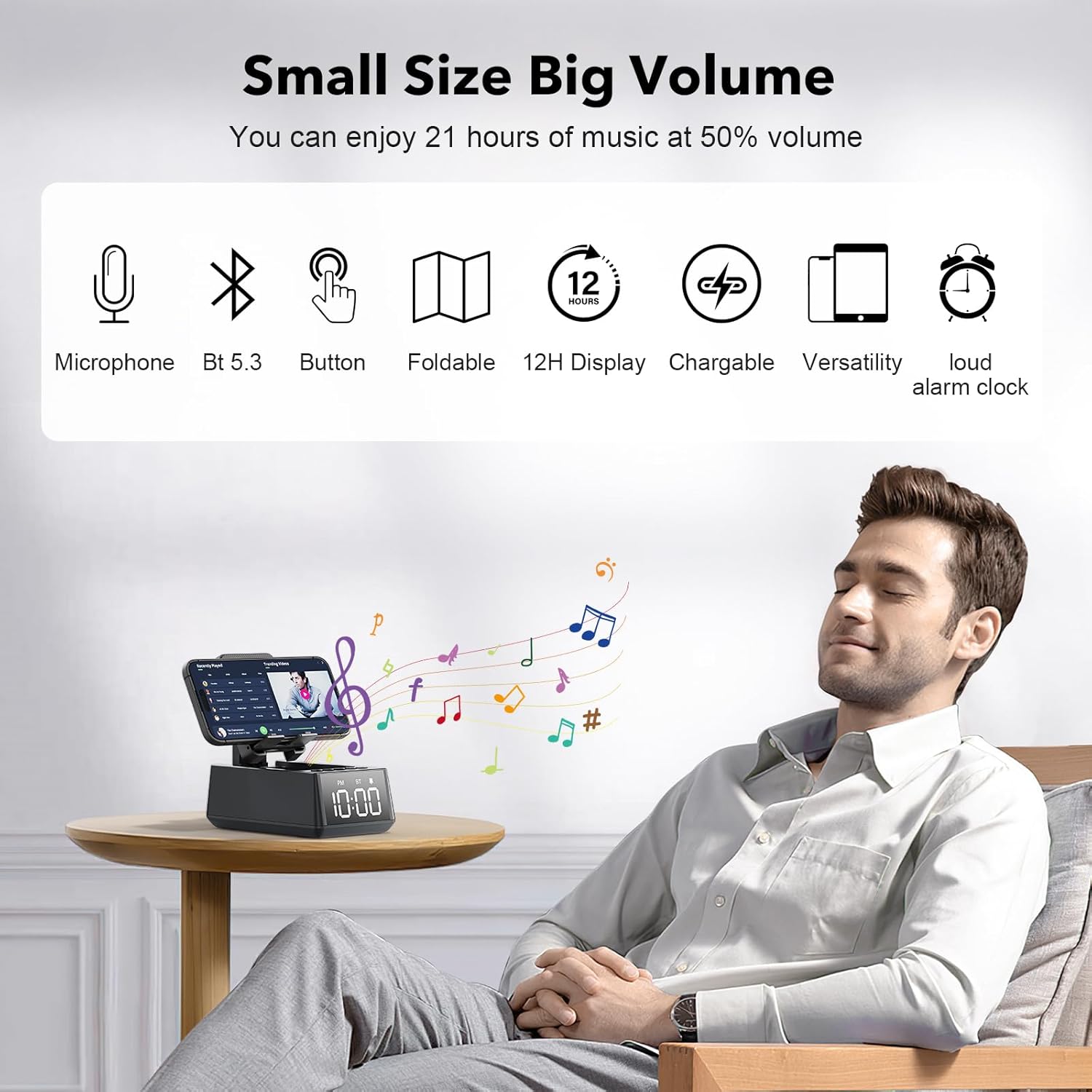
Deeyaple S207 features including 1200mAh battery, Type-C interface, TF card reader, loud alarm clock, built-in microphone, foldable stand, and HD surround sound.

රූපය 3: ඉවරයිview of Deeyaple S207 features, including battery capacity, charging ports, audio capabilities, and stand design.

පැකේජයේ අන්තර්ගතය

කරුණාකර පහත අයිතම සඳහා පැකේජය පරීක්ෂා කරන්න:

පාලන සහ දර්ශක

Familiarize yourself with the device's buttons and display:

සවිස්තරාත්මක view of Deeyaple S207 controls, showing the bracket, base, and non-slip mat.

රූපය 4: සවිස්තරාත්මක view of the device's adjustable bracket, base, and non-slip mat.

සැලසුම

උපාංගය ආරෝපණය කිරීම:

  1. Connect the provided USB charging cable to the Type-C port on the side of the Deeyaple S207.
  2. USB කේබලයේ අනෙක් කෙළවර අනුකූල USB බල ඇඩැප්ටරයකට (ඇතුළත් කර නැත) හෝ පරිගණකයේ USB පෝට් එකකට සම්බන්ධ කරන්න.
  3. The LED display will indicate charging status. A full charge typically takes approximately 2-3 hours.

වීඩියෝ 1: Demonstration of the Deeyaple S207 speaker's display and basic operation, including volume adjustment and mode switching.

මෙහෙයුම

බ්ලූටූත් යුගලනය:

  1. Turn on the Deeyaple S207 by pressing and holding the Power button. The device will enter Bluetooth pairing mode, indicated by a flashing "BT" on the display.
  2. ඔබගේ ස්මාර්ට් ජංගම දුරකථනයේ, ටැබ්ලටයේ හෝ ලැප්ටොප් පරිගණකයේ, බ්ලූටූත් සක්‍රීය කර පවතින උපාංග සොයන්න.
  3. Select "Deeyaple S207" from the list of devices.
  4. Once paired, the "BT" indicator will stop flashing and remain solid. You can now play audio through the speaker.
Image showing a smartphone connected via Bluetooth to the Deeyaple S207 speaker.

රූපය 5: Bluetooth 5.3 technology allows quick and easy connection to smart devices.

වේලාව සහ අනතුරු ඇඟවීම සැකසීම:

Close-up of the Deeyaple S207's LED time display.

රූපය 6: The LED digital display shows the current time.

Using as a Phone/Tablet Stand:

Image showing various mobile phones and tablets placed on the Deeyaple S207 stand, demonstrating its high adaptability.

රූපය 7: The stand is highly adaptable for various mobile phones and tablets.

Close-up of a smartphone charging while on the Deeyaple S207 stand.

රූපය 8: A small hole at the base of the stand allows for charging your phone while in use.

TF කාඩ්පත් නැවත ධාවනය:

හෑන්ඩ්ස්-ෆ්‍රී ඇමතීම:

පිරිවිතර

විශේෂාංගයවිස්තර
මාදිලියේ නමS207
වෙළඳ නාමයDeeyaple
සම්බන්ධතා තාක්ෂණයබ්ලූටූත් 5.3
ස්පීකර් වර්ගයසරවුන්ඩ් සවුන්ඩ්
විශේෂ ලක්ෂණයBuilt-in Microphone, 12H Time Display, Foldable Stand, TF Card Reader
නිෂ්පාදන මානයන්6.61"D x 2.46"W x 3.54"H
අයිතමයේ බරඅවුන්ස 15.8 (කිලෝග්‍රෑම් 0.45)
බැටරි1 ලිතියම් අයන බැටරි (ඇතුළත්), 1200mAh
බැටරි ආයු කාලය12% පරිමාවකින් පැය 21-50
ගැළපෙන උපාංගSmartphones (iPhone 4S to 15 Pro Max), Tablets (iPad, iPad Air, iPad Mini, iPad Pro, Microsoft Surface series), e-readers (Kindle)
UPC728990656310

දෝෂගවේෂණය

ගැටලුවහැකි විසඳුම
උපාංගය ක්‍රියාත්මක නොවේ.Ensure the device is fully charged. Connect to a power source using the USB charging cable.
බ්ලූටූත් හරහා යුගල කළ නොහැක.Make sure the device is in Bluetooth pairing mode (flashing "BT"). Ensure your phone's Bluetooth is enabled and within range. Forget previous pairings on your phone and try again.
ශබ්දයක් නැත හෝ අඩු පරිමාවක් නැත.Check the volume levels on both the Deeyaple S207 and your connected device. Ensure the device is not muted.
කාල සංදර්ශකය වැරදියි.For iPhones, ensure Bluetooth is connected for automatic sync. Manual adjustment steps are not detailed in product information, refer to device buttons for potential setting options.
බ්ලූටූත් සම්බන්ධතාවය නිතර බිඳ වැටේ.Ensure there are no obstructions between the speaker and your device. Move closer to the speaker. Reduce interference from other wireless devices.

නඩත්තු කිරීම

වගකීම් සහ සහාය

For warranty information or technical support, please contact Deeyaple customer service through the retailer where the product was purchased. Please retain your proof of purchase for warranty claims.

අදාළ ලියකියවිලි - S207

පෙරview ඩීපැපල් මැජික් ආම් ඉක්මන් ආරම්භක මාර්ගෝපදේශය: රැහැන් රහිත ස්පීකර් සහ දුරකථන ස්ටෑන්ඩ්
රැහැන් රහිත බ්ලූටූත් ස්පීකරයක් සහ දුරකථන නැවතුමක් වන Deeyaple Magic Arm සඳහා ඉක්මන් ආරම්භක මාර්ගෝපදේශයක්. එහි විශේෂාංග, පිරිවිතර, පාලන, දර්ශක ලයිට්, යුගලනය සහ වගකීම් ගැන ඉගෙන ගන්න.
පෙරview P1S රැහැන් රහිත බ්ලූටූත් ස්පීකර් පරිශීලක අත්පොත
සැකසුම, ක්‍රියාකාරිත්වය, ආරක්ෂක උපදෙස්, පිරිවිතර සහ විශේෂාංග ආවරණය කරමින්, deeyaple මගින් P1S රැහැන් රහිත බ්ලූටූත් ස්පීකර් සඳහා පරිශීලක අත්පොත. බහුභාෂා අන්තර්ගතය ඇතුළත් වේ.
පෙරview Sony CDP-S37/S207 සංයුක්ත තැටි වාදක සේවා අත්පොත
Sony CDP-S37 සහ CDP-S207 සංයුක්ත තැටි වාදක සඳහා වන පුළුල් සේවා අත්පොත, පිරිවිතරයන්, ආරක්ෂක ක්‍රියා පටිපාටි, විදුලි ගැලපුම්, පරිපථ රූප සටහන්, පුපුරා ගිය ආකාරය විස්තර කරයි. views, සහ සේවා කාර්මිකයන් සඳහා සම්පූර්ණ විදුලි කොටස් ලැයිස්තුවක්.
පෙරview Volkswagen Phaeton Fuse සහ Relay ස්ථාන මාර්ගෝපදේශය
Volkswagen Phaeton මාදිලිය තුළ ෆියුස් සහ රිලේ වල පිහිටීම සහ ක්‍රියාකාරිත්වය පිළිබඳ සවිස්තරාත්මක මාර්ගෝපදේශය, වාහනයේ විදුලි පද්ධති ගෘහ නිර්මාණ ශිල්පය අවබෝධ කර ගැනීම සඳහා තාක්ෂණික යොමුවක් ලෙස සේවය කරයි.