1. හැඳින්වීම
Thank you for choosing the ABSOSO Single Din Wireless CarPlay Stereo. This manual provides essential information for the proper installation, operation, and maintenance of your new car stereo system. Please read this manual thoroughly before use to ensure optimal performance and safety.
2 ආරක්ෂිත තොරතුරු
- සෑම විටම උපාංගය වගකීමෙන් යුතුව සහ දේශීය රථවාහන නීතිවලට අනුකූලව ක්රියාත්මක කරන්න. අවධානය වෙනතකට යොමු කර රිය පැදවීම අනතුරු වලට හේතු විය හැක.
- Do not attempt to install or repair the unit yourself if you are not qualified. Improper installation can cause damage to the unit or your vehicle.
- කෙටි පරිපථ හෝ විදුලි අනතුරු වළක්වා ගැනීම සඳහා සියලුම රැහැන් නිවැරදිව සම්බන්ධ කර ඇති බවට වග බලා ගන්න.
- පැහැදිලි දෘශ්යතාව පවත්වා ගැනීම සඳහා තිරය පිරිසිදුව හා බාධාවකින් තොරව තබා ගන්න.
- ඒකකය අධික උෂ්ණත්වයන්ට, දිගු කාලයක් සෘජු හිරු එළියට හෝ අධික තෙතමනයට නිරාවරණය වීමෙන් වළකින්න.
3. පෙට්ටියේ ඇති දේ
ස්ථාපනය සමඟ ඉදිරියට යාමට පෙර සියලුම සංරචක පවතින බව තහවුරු කර ගන්න:
- Single Din CarPlay Stereo Unit
- Dual USB Cable
- GPS ඇන්ටනාව
- උපස්ථ කැමරා කේබලය
- Wiring Harness & Wires
- සවි කිරීම් කට්ටල
- පරිශීලක අත්පොත (මෙම ලේඛනය)
4. නිෂ්පාදන අවසන්view
The ABSOSO Single Din Wireless CarPlay Stereo features a 10.1-inch rotatable touchscreen designed for enhanced in-car entertainment and navigation. It supports wireless Apple CarPlay and Android Auto, Bluetooth connectivity, AM/FM radio, and includes GPS navigation capabilities.
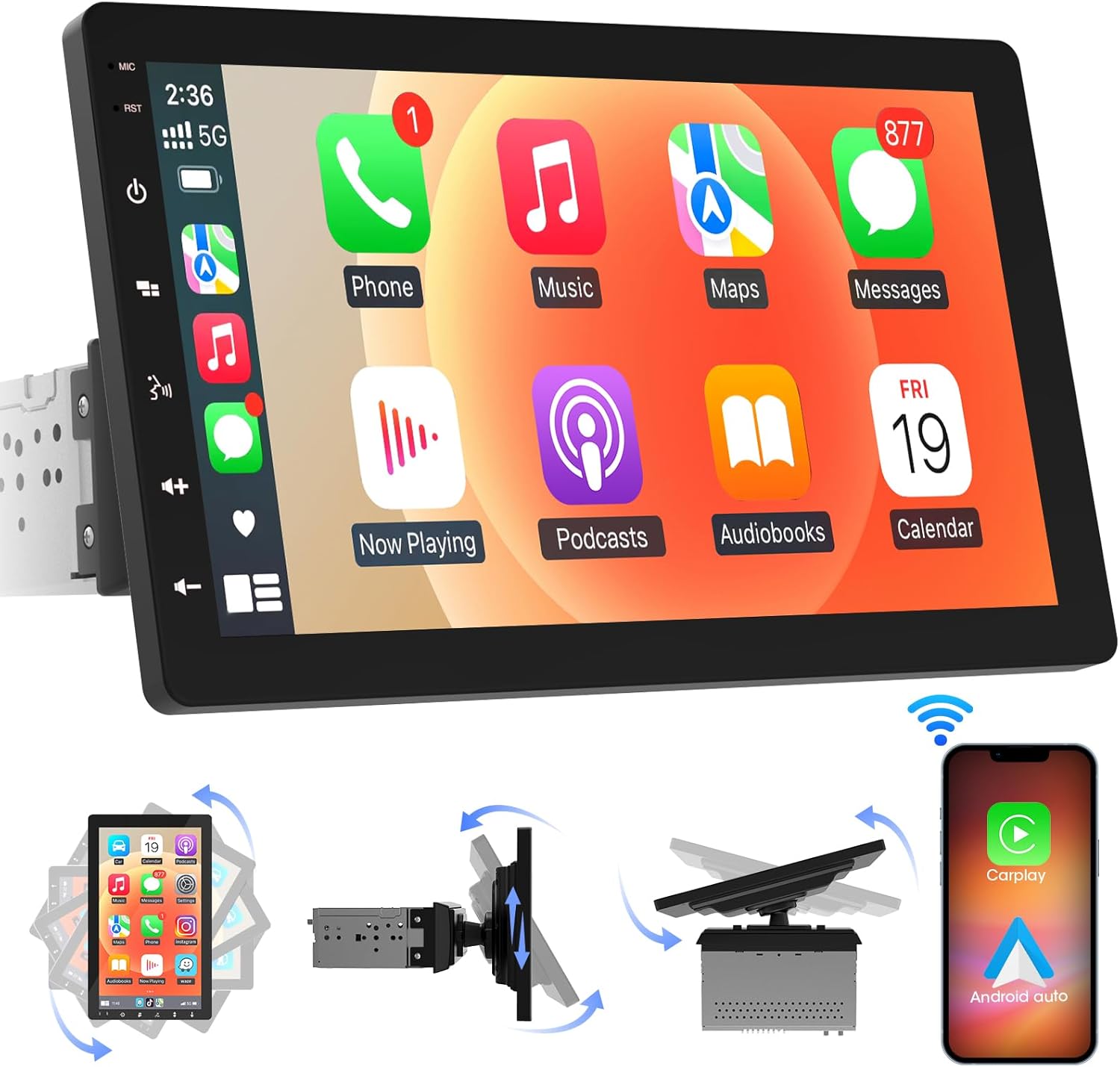
රූපය 4.1: ඉදිරිපස view of the ABSOSO Single Din Wireless CarPlay Stereo displaying the Apple CarPlay interface.
5. පිහිටුවීම සහ ස්ථාපනය
This unit is designed for standard single DIN dash openings. Professional installation is recommended to ensure correct wiring and functionality. Refer to the wiring diagram provided with the unit for specific connections.
5.1 ඒකකය සවි කිරීම
The modular design allows for flexible installation. The main unit fits into a single DIN slot, and the 10.1-inch screen can be adjusted for optimal viewing.

Image 5.1: Visual comparison of a car dashboard before and after the installation of the ABSOSO 10.1-inch rotatable car stereo, highlighting the integrated appearance.
5.2 රැහැන් සම්බන්ධතා
Connect the power, speaker, and accessory wires according to your vehicle's wiring harness and the provided diagram. Ensure the backup camera input cable is routed correctly if you plan to use a rearview කැමරාව.
5.3 GPS ඇන්ටෙනා ස්ථාපනය
පැහැදිලි ආලෝකයක් සහිත ස්ථානයක GPS ඇන්ටනාව සවි කරන්න. view of the sky, typically on the dashboard or under the windshield, to ensure accurate satellite reception.
6. මෙහෙයුම් උපදෙස්
6.1 බලය සක්රිය / අක්රිය
The unit will power on automatically with the vehicle's ignition. To manually power off, press and hold the power button on the unit.
6.2 රැහැන් රහිත CarPlay සහ Android Auto
This stereo supports wireless Apple CarPlay and Android Auto. To connect, enable Bluetooth and Wi-Fi on your smartphone and follow the on-screen prompts to pair with the stereo. Once connected, you can access navigation, music, messages, and voice assistants directly from the stereo's display.

Image 6.1: The ABSOSO car stereo showcasing its wireless connectivity features, including Apple CarPlay, Android Auto, and MirrorLink, with various app interfaces.
6.3 HD Touchscreen Operation
The 10.1-inch HD IPS display offers a responsive touch interface. Navigate through menus and applications by tapping, swiping, and pinching. Five capacitive touch buttons are located along the left edge for quick access to common functions.

Image 6.2: The 10.1-inch screen of the ABSOSO car stereo, emphasizing its HD resolution, sleek touch buttons, and 178-degree viewing angle for optimal clarity.
6.4 Mirrorlink Functionality
Mirrorlink allows you to display your smartphone's screen directly onto the stereo. This feature is useful for viewing navigation, videos, or other content from your phone on a larger display.
6.5 බ්ලූටූත් සම්බන්ධතාවය
Pair your smartphone via Bluetooth for hands-free calling and wireless audio streaming. Access your phone's contacts and call history directly from the stereo.
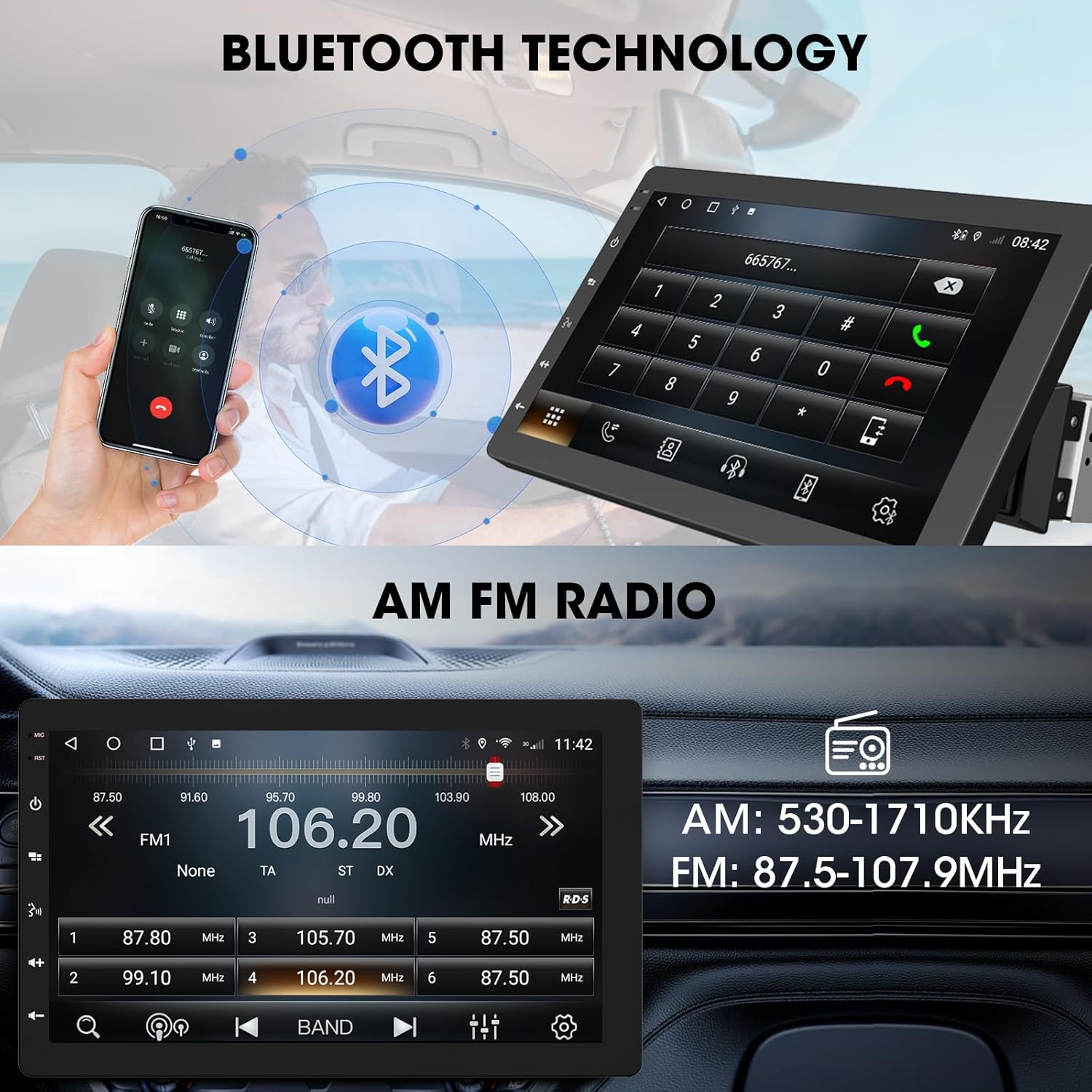
Image 6.3: The ABSOSO car stereo illustrating Bluetooth technology for hands-free calls and the interface for AM/FM radio tuning.
6.6 FM/AM රේඩියෝව
Tune into your favorite FM and AM radio stations. The unit features 30 station memory presets for quick access to sports, news, and music.
6.7 GPS Navigation & WiFi Hotspot
The stereo includes built-in GPS navigation with support for offline maps (2G RAM + 64GB ROM storage). Connect to a 2.4 GHz or 5 GHz Wi-Fi hotspot for online navigation and app downloads.
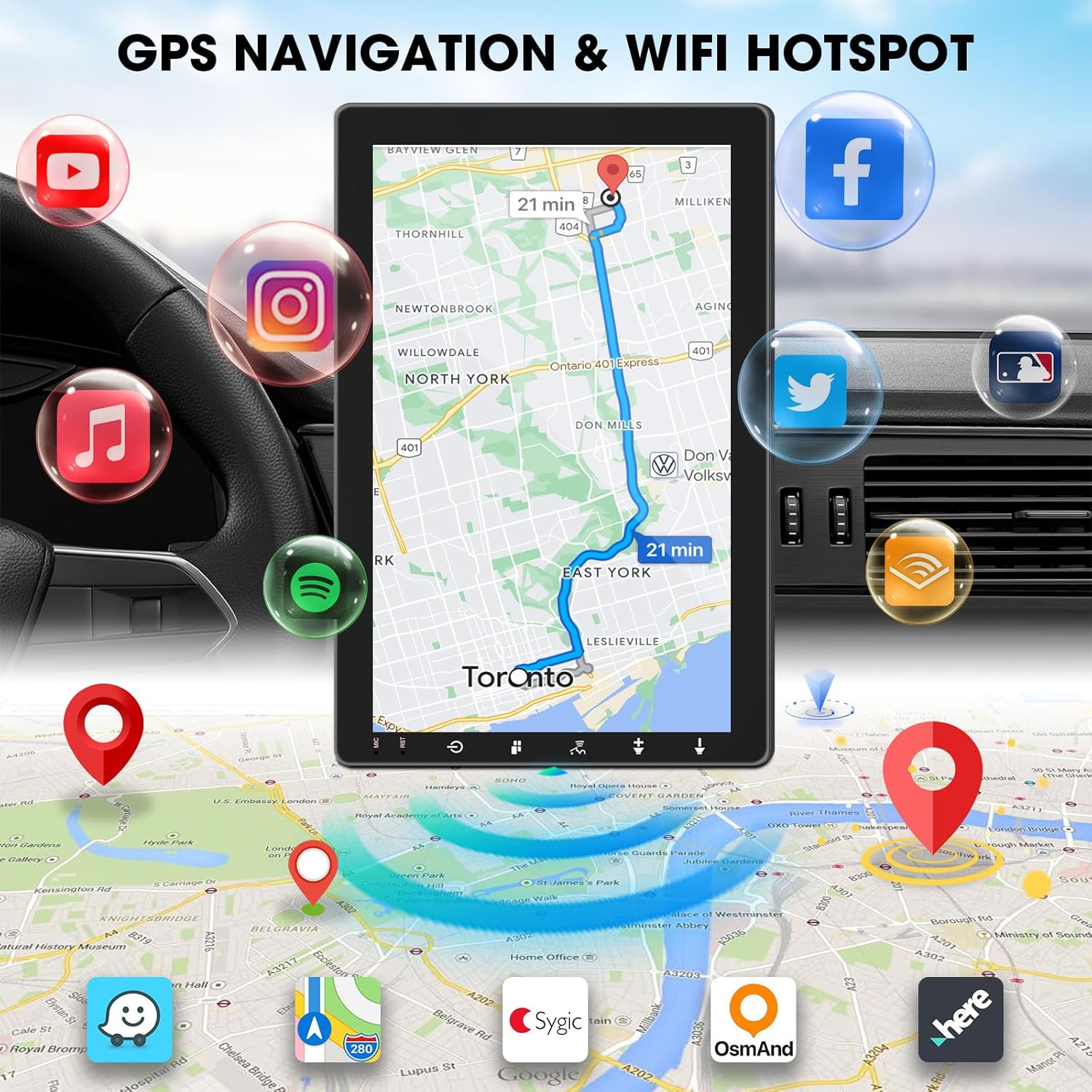
Image 6.4: The ABSOSO car stereo screen showing GPS navigation with a map, surrounded by icons representing various applications accessible via WiFi hotspot.
6.8 Adjustable Floating Screen
The 10.1-inch display is rotatable by 360 degrees and can be adjusted vertically and tilted to achieve optimal viewing angles, reducing glare and improving visibility.
6.9 Sound Tuning
Customize your audio experience with preset equalizer settings. The unit delivers a maximum power output of 200W and includes pre-amp and subwoofer outputs for enhanced sound quality.
6.10 උපස්ථ කැමරා ආදානය
Connect a compatible backup camera (sold separately) to the RCA input. The stereo will automatically display the rearview camera feed when the vehicle is in reverse, aiding in accurate parking and maneuvering.

Image 6.5: Illustration of the backup camera input connection to the ABSOSO car stereo, showing how the camera feed is displayed on the screen when reversing.
7. නඩත්තු කිරීම
7.1 තිර පිරිසිදු කිරීම
ස්පර්ශ තිරය මෘදු ලෙස පිස දැමීමට මෘදු, ලින්ට් රහිත රෙද්දක් භාවිතා කරන්න. මුරණ්ඩු පැල්ලම් සඳහා, තරමක් dampරෙදි කැබැල්ල වතුරෙන් හෝ තිර ආරක්ෂිත පිරිසිදුකාරකයකින් සෝදන්න. උල්ෙල්ඛ ද්රව්ය හෝ රළු රසායනික ද්රව්ය වලින් වළකින්න.
7.2 සාමාන්ය රැකවරණය
Keep the unit free from dust and debris. Ensure proper ventilation around the unit to prevent overheating. Do not block any vents or openings.
8. දෝශ නිරාකරණය
- බලය නැත: සියලුම බල සම්බන්ධතා සහ ෆියුස් පරීක්ෂා කරන්න. වාහනයේ ජ්වලනය ක්රියාත්මක බව සහතික කර ගන්න.
- ශබ්දයක් නැත: Verify speaker connections. Check volume levels and mute settings. Ensure the correct audio source is selected.
- බ්ලූටූත්/කාර්ප්ලේ/ඇන්ඩ්රොයිඩ් ස්වයංක්රීය සම්බන්ධතා ගැටළු: Ensure your phone's Bluetooth and Wi-Fi are enabled. Try restarting both the stereo and your phone. Forget and re-pair the device.
- GPS සංඥා නැතිවීම: GPS ඇන්ටෙනාව පැහැදිලි බව සහතික කර ගන්න view අහසේ. ඇන්ටෙනා සම්බන්ධතාවය පරීක්ෂා කරන්න.
- තිරය ප්රතිචාර නොදක්වයි: ඒකකය නැවත ආරම්භ කිරීමට උත්සාහ කරන්න. ගැටලුව දිගටම පවතින්නේ නම්, පාරිභෝගික සහාය අමතන්න.
9. පිරිවිතර
- නිෂ්පාදන මානයන්: 6.4"D x 9.8"W x 5.9"H
- අයිතමයේ බර: රාත්තල් 4.73 කි
- සංදර්ශකය: 10.1 Inch HD IPS Touchscreen (1280*720P)
- සම්බන්ධතාවය: Bluetooth, USB, Wi-Fi (2.4 GHz & 5 GHz)
- විශේෂ ලක්ෂණ: 360° Rotatable Floating Touchscreen, Wireless Android Auto, Apple CarPlay, Mirrorlink, GPS Navigation (Online/Offline Maps), AM/FM Radio, AV Input, Rearview Camera Input, USB Charging, Voice Control, Preset EQ, Video Output, Amplifier/Subwoofer Output
- මතකය: 2G RAM + 64GB ROM
- ශ්රව්ය ප්රතිදාන ප්රකාරය: ස්ටීරියෝ
- සරවුන්ඩ් සවුන්ඩ් චැනල් වින්යාසය: 4
- වීඩියෝ කේතීකරණය: එච්.264, එච්.265/එච්ඊවීසී
10. වගකීම් සහ සහාය
For warranty information and technical support, please refer to the documentation included with your purchase or contact ABSOSO customer service directly. Keep your purchase receipt as proof of purchase for any warranty claims.
For further assistance, visit the official ABSOSO webඅඩවියට පිවිසෙන්න හෝ ඔවුන්ගේ සහාය නාලිකා අමතන්න.


