1. හැඳින්වීම
This manual provides detailed instructions for the installation, operation, and maintenance of your Alpine INE-W970HD Audio/Video/Navigation System and Alpine PXE-C80-88 OPTIM8 8-Channel Hi-Res DSP Amplifier. Please read this manual thoroughly before using the product to ensure proper and safe operation.
The Alpine INE-W970HD is an advanced in-dash unit compatible with Apple CarPlay and Android Auto, offering comprehensive audio, video, and navigation functionalities. The Alpine PXE-C80-88 OPTIM8 is a high-resolution digital sound processor amplifier designed to enhance your vehicle's audio system with precise sound tuning capabilities.
2 ආරක්ෂිත තොරතුරු
ඒකකයට තුවාල හෝ හානි වැළැක්වීම සඳහා සෑම විටම පහත සඳහන් ආරක්ෂක පියවරයන් නිරීක්ෂණය කරන්න:
- Do not operate the system in a way that distracts you from driving.
- Ensure proper wiring and connections to avoid electrical shorts or fire hazards.
- ඔබට කිසියම් පියවරක් ගැන විශ්වාස නැත්නම්, ස්ථාපනය සඳහා වෘත්තිකයෙකුගෙන් විමසන්න.
- ඒකකය තෙතමනය හා අධික උෂ්ණත්වයෙන් ඈත් කරන්න.
3. පැකේජ අන්තර්ගතය
ඔබගේ පැකේජයේ සියලුම අයිතම ඇති බව තහවුරු කරගන්න:
- Alpine INE-W970HD Audio/Video/Nav System
- Alpine PXE-C80-88 OPTIM8 8-Channel Hi-Res DSP Ampජීවිතාරක්ෂකයා
- රැහැන් පටි
- දෘඪාංග සවිකිරීම
- GPS Antenna (for INE-W970HD)
- USB දිගු කේබල්
- User Manuals (this document)

Image: The Alpine INE-W970HD head unit and the Alpine PXE-C80-88 DSP amplifier, showing both main components of the bundle.
4. පිහිටුවීම සහ ස්ථාපනය
Professional installation is highly recommended for these components. Incorrect wiring can cause damage to the units or your vehicle's electrical system.
4.1. INE-W970HD Installation
The INE-W970HD is designed for in-dash mounting. Ensure adequate space and proper ventilation.
- සකස් කිරීම: ඕනෑම විදුලි වැඩක් ආරම්භ කිරීමට පෙර වාහනයේ ඍණ බැටරි අග්රය විසන්ධි කරන්න.
- සවි කිරීම: Securely mount the INE-W970HD into the vehicle's double-DIN opening using the provided mounting brackets.
- රැහැන් ඇදීම: Connect the main power harness, speaker wires, and other input/output cables (RCA, USB, HDMI, GPS antenna) as per the wiring diagram provided in the separate installation guide.
- ඇන්ටෙනා සම්බන්ධතාවය: Connect the GPS antenna and radio antenna. Position the GPS antenna in a location with a clear view අහසින්.

Image: The Alpine INE-W970HD head unit displaying the Apple CarPlay interface, showing various app icons.
4.2. PXE-C80-88 OPTIM8 Installation
The PXE-C80-88 OPTIM8 should be mounted in a dry, well-ventilated area, such as under a seat or in the trunk.
- සවිකරන ස්ථානය: Choose a location that is protected from moisture and excessive heat, and allows for proper cable routing.
- බල සම්බන්ධතාවය: Connect the power and ground wires directly to the vehicle's battery, ensuring proper fusing.
- ආදාන සම්බන්ධතා: Connect the audio input signals from the INE-W970HD (or other source) to the PXE-C80-88. This can be done via RCA or speaker-level inputs.
- ප්රතිදාන සම්බන්ධතා: Connect the speaker outputs from the PXE-C80-88 to your vehicle's speakers.

රූපය: සවිස්තරාත්මක view of the Alpine PXE-C80-88 OPTIM8 DSP amplifier, highlighting its compact design and connection ports.
5. මෙහෙයුම් උපදෙස්
5.1. INE-W970HD Basic Operation
- බලය සක්රිය / අක්රිය: ඒකකය සක්රිය හෝ අක්රිය කිරීමට බල බොත්තම (සාමාන්යයෙන් ඉදිරිපස පුවරුවේ පිහිටා ඇත) ඔබාගෙන සිටින්න.
- ශබ්ද පාලනය: Use the rotary encoder or on-screen controls to adjust the volume.
- මූලාශ්ර තේරීම: Tap the "Source" icon on the touchscreen or use the physical buttons to select between Radio, USB, Bluetooth Audio, HDMI, Apple CarPlay, Android Auto, and other inputs.
- සංචාලනය: Access the built-in navigation system by tapping the "NAV" button. Enter destinations, view සිතියම්, සහ හැරීමෙන් හැරීමේ උපදෙස් අනුගමනය කරන්න.
- ඇපල් කාර්ප්ලේ / ඇන්ඩ්රොයිඩ් ඔටෝ: Connect your compatible smartphone via USB. The system will automatically launch the respective interface, allowing access to phone functions, messaging, music, and navigation apps.

Image: The Alpine INE-W970HD head unit displaying the Android Auto interface, showing various app icons like Maps, Spotify, and YouTube Music.
5.2. PXE-C80-88 OPTIM8 Sound Tuning
The OPTIM8 offers advanced sound tuning capabilities. It can be configured via a PC application or an iOS app.
- යෙදුම් සම්බන්ධතාවය: Connect your PC or iOS device to the PXE-C80-88 via USB or Bluetooth (if applicable).
- ස්වයංක්රීය සුසර කිරීම: Utilize the "5 Minute Self-Tuning" feature for quick and optimized sound calibration. This process uses a microphone (sold separately) to analyze your vehicle's acoustics.
- අත්පොත සුසර කිරීම: For advanced users, the PC App provides comprehensive control over equalization, crossovers, time correction, and level adjustments for each of the 8 channels.
- පෙර සැකසූ කළමනාකරණය: Save and recall custom sound presets for different music genres or listening preferences.

රූපය: ඉහළ-පහළ view of the Alpine PXE-C80-88 OPTIM8 DSP ampලිෆයර්, ප්රදර්ශනයasing its sleek design and central branding.
6. නඩත්තු කිරීම
නිතිපතා නඩත්තු කිරීම ඔබේ ඇල්පයින් පද්ධතියේ දීර්ඝායුෂ සහ ප්රශස්ත ක්රියාකාරිත්වය සහතික කරයි.
- සංදර්ශකය පිරිසිදු කිරීම: ස්පර්ශ තිරය පිස දැමීමට මෘදු, වියළි රෙද්දක් භාවිතා කරන්න. මුරණ්ඩු පැල්ලම් සඳහා, තරමක් dampen the cloth with water or a screen cleaner designed for electronics. Do not use abrasive cleaners.
- මෘදුකාංග යාවත්කාලීන: ඇල්පයින් කඳු වැටිය වරින් වර පරීක්ෂා කරන්න. website for firmware updates for both the INE-W970HD and PXE-C80-88. Updates can improve performance, add features, and fix bugs.
- කේබල් සම්බන්ධතා: Occasionally check all cable connections to ensure they are secure and free from corrosion.
- වාතාශ්රය: Ensure that the PXE-C80-88's ventilation fins are not obstructed to prevent overheating.
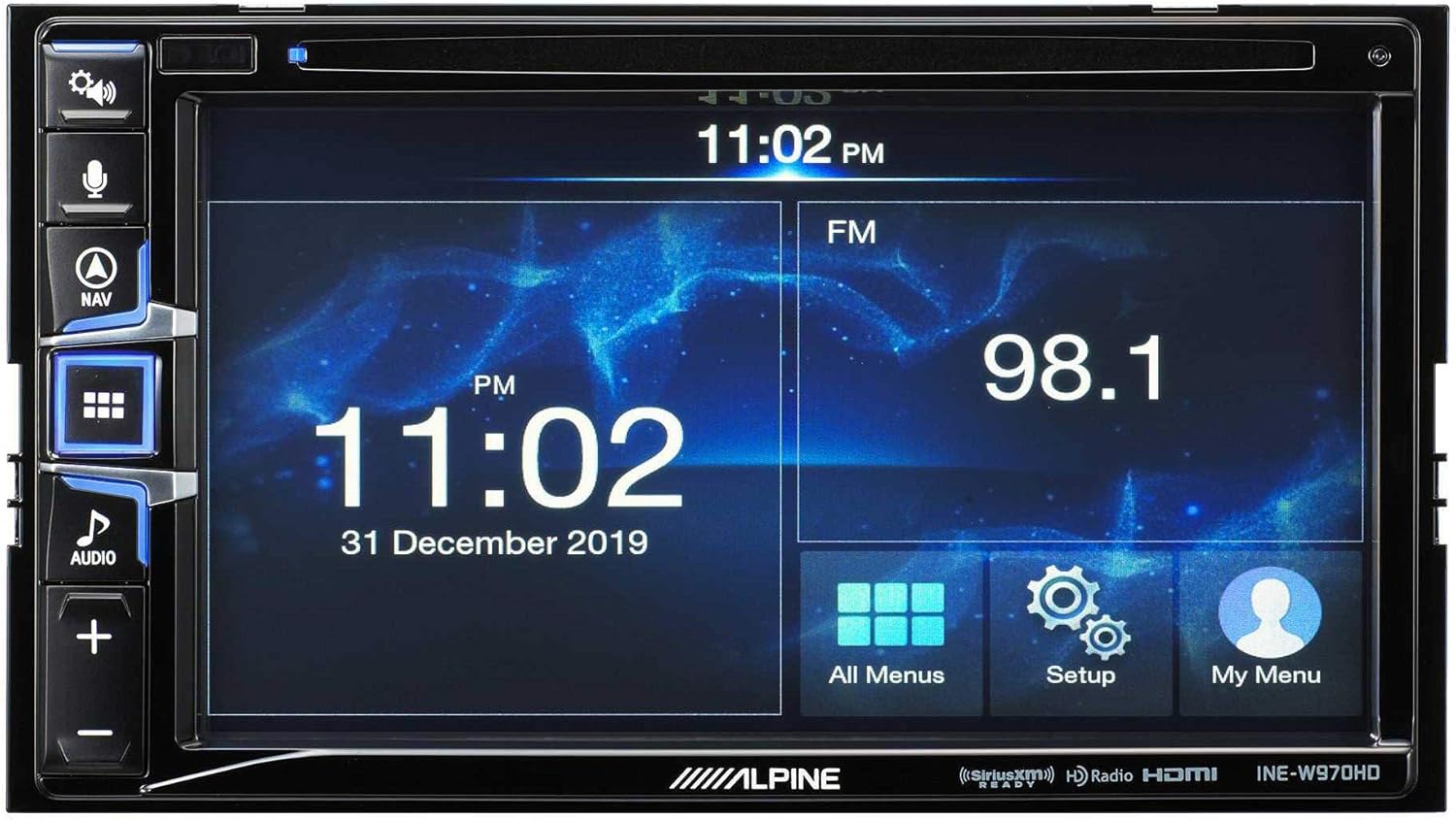
Image: The Alpine INE-W970HD head unit displaying the radio interface, showing frequency and time information.
7. දෝශ නිරාකරණය
ඔබට ගැටළු ඇති වුවහොත්, පහත පොදු ගැටළු සහ විසඳුම් වෙත යොමු වන්න:
| ගැටලුව | විය හැකි හේතුව | විසඳුම |
|---|---|---|
| බලය නැත | පිඹින ලද ෆියුස්, ලිහිල් බල සම්බන්ධතාවය. | Check vehicle fuses and unit's inline fuse. Verify power and ground connections. |
| ශබ්දයක් නැත | Muted, incorrect source, loose speaker wires, DSP not configured. | Check mute function. Select correct audio source. Verify speaker connections. Ensure PXE-C80-88 is properly configured via its app. |
| සංචාලනය ක්රියා නොකරයි | GPS antenna not connected or obstructed. | GPS ඇන්ටනාව ආරක්ෂිතව සම්බන්ධ වී ඇති බවත් පැහැදිලි එකක් ඇති බවත් සහතික කර ගන්න view අහසින්. |
| CarPlay/Android Auto සම්බන්ධ නොවේ | Faulty USB cable, phone not compatible, software glitch. | Try a different USB cable. Ensure your phone's OS is up to date. Restart both phone and head unit. |

Image: The Alpine INE-W970HD head unit displaying a navigation map with route information.
8. පිරිවිතර
8.1. Alpine INE-W970HD
- සංදර්ශකය: ස්පර්ශ තිරය
- සම්බන්ධතාවය: USB, HDMI, Ethernet, optical audio, component video, RCA
- ගැළපුම: Apple CarPlay, Android Auto
- ශ්රව්ය ප්රතිදාන ප්රකාරය: ස්ටීරියෝ, සරවුන්ඩ්
- සරවුන්ඩ් සවුන්ඩ් චැනල් වින්යාසය: 7.1
- වීඩියෝ කේතීකරණය: එච්.264, එච්.265/එච්ඊවීසී
8.2. Alpine PXE-C80-88 OPTIM8
- Ampලයිෆයර් නාලිකා: 8-නාලිකාව
- බල ප්රතිදානය: 50W x 6 @ 2Ω + 300W x 2 @ 2Ω
- සැකසීම: Hi-Res Digital Sound Processor (96kHz/24Bit)
- සුසර කිරීම: Automatic (5-minute self-tuning) & Manual via PC/iOS App

රූපය: පැත්තක් view of the Alpine PXE-C80-88 OPTIM8 DSP amplifier, showing its compact profile සහ සම්බන්ධතා ස්ථාන.
9. වගකීම් තොරතුරු
Alpine products are covered by a limited warranty. Please refer to the warranty card included with your product or visit the official Alpine website for detailed terms and conditions. Typically, the warranty covers defects in materials and workmanship for a specified period from the date of purchase.
ඕනෑම වගකීම් හිමිකම් පෑමක් සඳහා අවශ්ය වන බැවින්, ඔබේ මිලදී ගැනීමේ සාක්ෂි (රිසිට්පත) තබා ගන්න.
10. පාරිභෝගික සහාය
තාක්ෂණික සහාය, මෙම අත්පොතෙන් ඔබ්බට දෝශ නිරාකරණය හෝ වගකීම් විමසීම් සඳහා, කරුණාකර ඇල්පයින් පාරිභෝගික සහාය අමතන්න:
- Webඅඩවිය: පිවිසෙන්න www.alpine-usa.com/support නිතර අසන ප්රශ්න, මෘදුකාංග බාගැනීම් සහ සම්බන්ධතා තොරතුරු සඳහා.
- දුරකථනය: ඇල්පයින් වෙත යොමු වන්න webවඩාත්ම යාවත්කාලීන පාරිභෝගික සේවා දුරකථන අංක සඳහා අඩවිය.
- බලයලත් අලෙවිකරුවන්: ඔබේ බලයලත් ඇල්පයින් අලෙවිකරුට සහාය සහ සේවාව ද සැපයිය හැකිය.
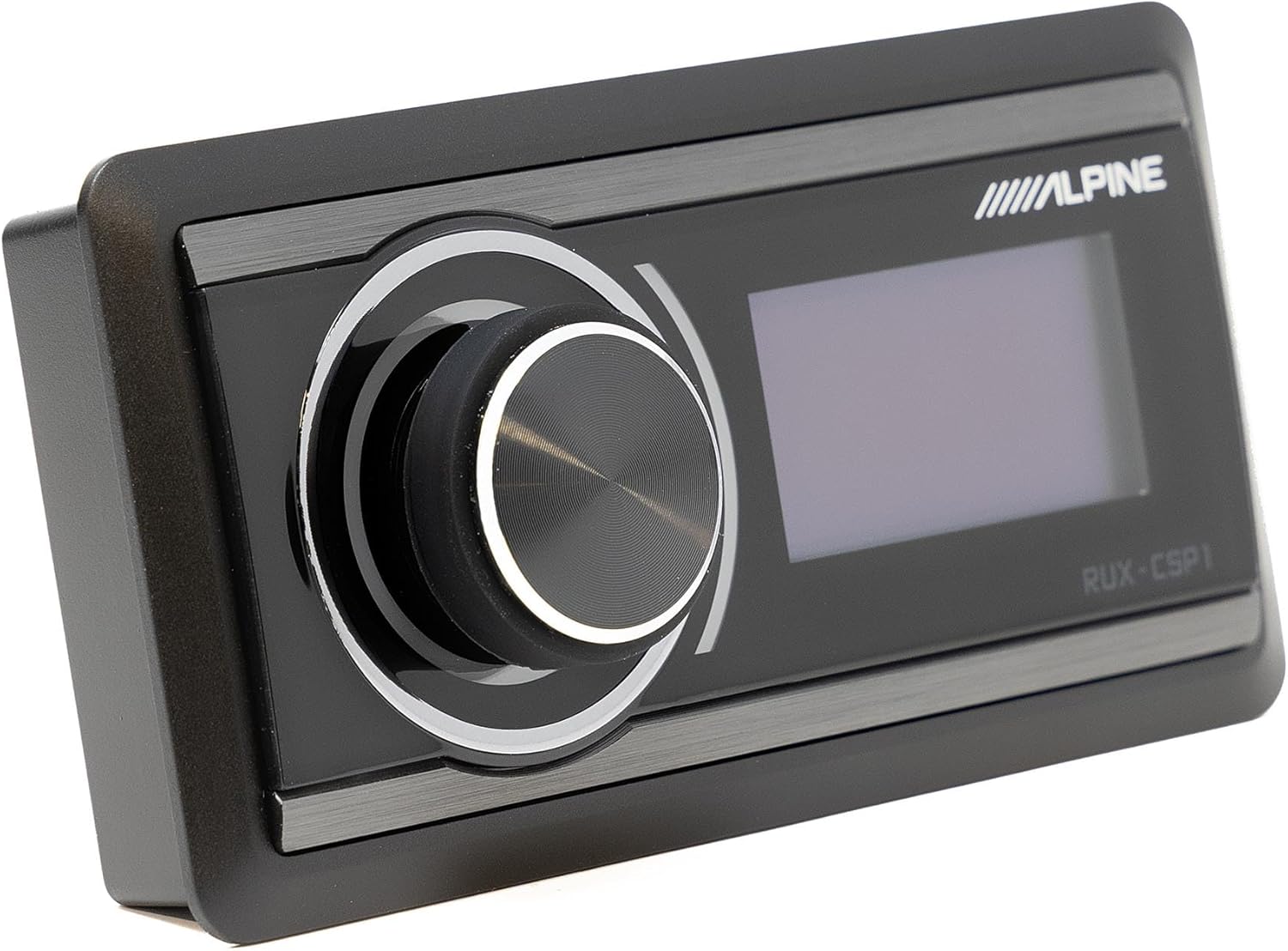
Image: The Alpine RUX-CSP1 remote control, an optional accessory for the DSP, featuring a rotary knob and display.


