1. හැඳින්වීම සහ ආරක්ෂාව පිළිබඳ තොරතුරු
ස්තූතියි, උදව් කළාටasing the SLuB SK20 80000mAh Mobile Power Bank. This device is designed to provide reliable portable power for your electronic devices. Please read this manual carefully before use to ensure safe and optimal performance.
වැදගත් ආරක්ෂක උපදෙස්
- බලශක්ති බැංකුව අධික උෂ්ණත්වයන්ට (60°C/140°F ට වැඩි හෝ 0°C/32°F ට අඩු), සෘජු හිරු එළියට හෝ ගින්නට නිරාවරණය නොකරන්න.
- Avoid dropping, disassembling, or attempting to repair the device yourself. This may cause damage or injury.
- විදුලිබල බැංකුව ජලය, තෙතමනය සහ විඛාදන ද්රව්ය වලින් ඈත් කර තබන්න.
- සහතික කළ ආරෝපණ කේබල් සහ ඇඩැප්ටර පමණක් භාවිතා කරන්න.
- දරුවන්ට ළඟා විය නොහැකි ලෙස තබා ගන්න.
- දේශීය රෙගුලාසි වලට අනුව බලශක්ති බැංකුව බැහැර කරන්න. ගෘහස්ථ අපද්රව්ය සමඟ එය බැහැර නොකරන්න.
The SLuB SK20 is equipped with multiple protection systems, including overcharge, over-discharge, overheating, and short-circuit protection, to ensure safe operation.
2. පැකේජ අන්තර්ගතය
ඔබගේ පැකේජයේ සියලුම අයිතම ඇති බව තහවුරු කරගන්න:
- SLuB SK20 Mobile Power Bank
- USB Data Cable (Type-C)
- පරිශීලක අත්පොත

3. නිෂ්පාදන ලක්ෂණ
- 80000mAh ඉහළ ධාරිතාව: Provides multiple full charges for most smartphones and tablets, ideal for extended use or emergencies.
- Simultaneous 3-Device Charging: Equipped with multiple output ports to charge up to three devices concurrently.
- 22.5W වේගවත් ආරෝපණය: Supports rapid charging for compatible devices, significantly reducing charging time.
- පැහැදිලි LCD සංදර්ශකය: An easy-to-read digital screen shows the remaining battery percentage at a glance.
- ඒකාබද්ධ LED ආලෝකය: A high-brightness LED light provides illumination for dark environments, useful for outdoor activities or emergencies.
- බහු ආරක්ෂණ ආරක්ෂණ: Built-in safeguards against overcharge, over-discharge, overheating, and short circuits.


4. පිහිටුවීම
විදුලිබල බැංකුවේ මූලික ආරෝපණය
Before first use, fully charge your SLuB SK20 Mobile Power Bank. This ensures optimal battery performance and longevity.
- Connect the provided USB Type-C cable to the Type-C input port on the power bank.
- Connect the other end of the cable to a compatible USB wall adapter (not included). For fast charging, an 18W or higher PD/QC compatible adapter is recommended.
- The LCD display will show the charging progress. The power bank is fully charged when the display shows 100%.

5. මෙහෙයුම් උපදෙස්
බාහිර උපාංග ආරෝපණය කිරීම
The SLuB SK20 offers multiple output ports for charging various devices.
- Identify the appropriate charging cable for your device.
- Connect one end of the charging cable to your device.
- Connect the other end of the cable to one of the output ports on the power bank (USB-A or Type-C).
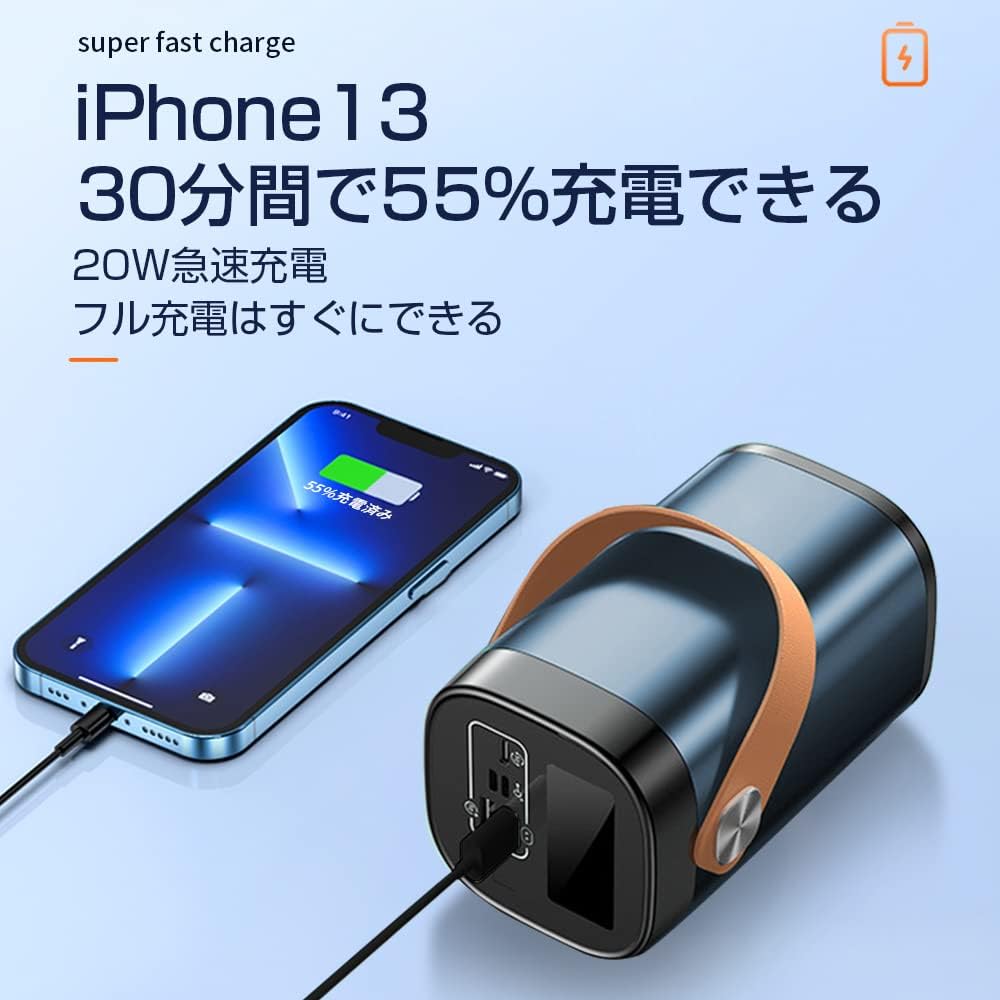
- The power bank will automatically begin charging your device. The LCD display will show the power bank's remaining battery level.

LED ආලෝකය භාවිතා කිරීම
To activate the LED light, press and hold the power button for a few seconds. Repeat the action to turn it off.
පෝට් ඕවර්view

The power bank features the following ports:
- Input Ports (for charging the power bank):
- මයික්රෝ USB ආදානය
- අකුණු ආදානය
- Type-C Input (also functions as an output)
- Output Ports (for charging devices):
- 22.5W USB Output (x2)
- Type-C Output (also functions as an input)
6. නඩත්තු කිරීම
Proper maintenance ensures the longevity and performance of your power bank.
- පිරිසිදු කිරීම: Use a soft, dry cloth to clean the exterior of the power bank. Do not use harsh chemicals or abrasive cleaners.
- ගබඩා: Store the power bank in a cool, dry place away from direct sunlight and extreme temperatures. If storing for extended periods, charge the power bank to about 50-70% every 3 months to maintain battery health.
- අධික ලෙස විසර්ජනය වීමෙන් වළකින්න: Do not allow the power bank to completely drain its battery frequently, as this can reduce its lifespan.
7. දෝශ නිරාකරණය
If you encounter issues with your SLuB SK20 Mobile Power Bank, refer to the following common problems and solutions:
| ගැටලුව | විය හැකි හේතුව | විසඳුම |
|---|---|---|
| බලශක්ති බැංකුව ආරෝපණය නොවේ | Cable or adapter issue; power bank fully charged; faulty port. | Check cable and adapter connections. Try a different cable or adapter. Ensure the power bank is not already at 100%. Try a different input port. |
| උපාංගය බලශක්ති බැංකුවෙන් ආරෝපණය නොවේ | Power bank is empty; cable issue; device issue; incompatible device. | Recharge the power bank. Try a different charging cable. Ensure your device is functioning correctly. Verify device compatibility. |
| මන්දගාමී ආරෝපණය | Non-fast charging cable/adapter; device not supporting fast charge; multiple devices charging. | Use a fast-charging compatible cable and adapter. Ensure your device supports fast charging. Charging multiple devices simultaneously may reduce individual charging speeds. |
| LED ආලෝකය ක්රියා නොකරයි | Not activated correctly; malfunction. | Press and hold the power button for a few seconds to activate. If it still doesn't work, contact customer support. |
If the problem persists after trying these solutions, please contact SLuB customer service for further assistance.
8. පිරිවිතර
| විශේෂාංගය | විස්තර |
|---|---|
| ආදර්ශ අංකය | SK20 |
| බැටරි ධාරිතාව | 80000mAh |
| ආදානය (වර්ගය-C) | 22.5W (උපරිම) |
| ප්රතිදානය (වර්ගය-C) | 22.5W (උපරිම) |
| ප්රතිදානය (USB-A) | 22.5W (උපරිම) |
| විශේෂ ලක්ෂණ | LED Indicator Light, Digital Display, LED Flashlight |
| වර්ණය | නිල් |
| නිෂ්පාදන මානයන් | 14.5 සෙ.මී. (දිග) x 8.5 සෙ.මී. (පළල) x 8.5 සෙ.මී. (ඝනකම) |
| ගැළපෙන උපාංග | Smartphones, Tablets, Smartwatches, Headphones |
9. වගකීම් සහ සහාය
SLuB provides customer support for its products. In case of initial defects upon product arrival or shipping errors, we offer prompt exchange services.
If you have any questions, concerns, or require assistance with your SLuB SK20 Mobile Power Bank, please do not hesitate to contact our customer service team. Please refer to the contact information provided on the product packaging or the official SLuB webඅඩවිය.


