හැඳින්වීම
ස්තූතියි, උදව් කළාටasing the Edifier MG300 Computer Speakers PC SoundBar. This manual provides essential information for setting up, operating, and maintaining your new soundbar. Please read this manual thoroughly before use to ensure proper functionality and to maximize your listening experience.
ආරක්ෂිත තොරතුරු
විදුලි කම්පනය, ගින්න හෝ ඔබගේ උපාංගයට හානි වීමේ අවදානම අවම කිරීම සඳහා, කරුණාකර පහත ආරක්ෂක පියවරයන් නිරීක්ෂණය කරන්න:
- උපාංගය වැසි හෝ තෙතමනය නිරාවරණය නොකරන්න.
- බඳුන් වැනි දියර වලින් පුරවන ලද වස්තූන් උපාංගයේ තබන්න එපා.
- රේඩියේටර්, තාප රෙජිස්ටර්, ලිප, හෝ වෙනත් උපකරණ (ඇතුළුව) වැනි තාප ප්රභවයන් අසල ස්ථාපනය නොකරන්න. ampලිෆයර්) තාපය නිපදවන.
- නිෂ්පාදකයා විසින් නිශ්චිතව දක්වා ඇති ඇමුණුම්/උපාංග පමණක් භාවිතා කරන්න.
- සියලුම සේවා සුදුසුකම් ලත් සේවා පුද්ගලයින් වෙත යොමු කරන්න.
පැකේජයේ අන්තර්ගතය
කරුණාකර පහත අයිතම සඳහා කොටුව සලකුණු කරන්න:
- Edifier MG300 Soundbar
- USB-A සිට USB-C කේබලය
- පරිශීලක අත්පොත
නිෂ්පාදනය අවසන්view
The Edifier MG300 Soundbar features dual 52mm full-range speakers and dual inverter tubes for balanced audio. It includes dynamic RGB lighting effects and a hidden microphone for clear voice communication. Control buttons are located on the top panel for easy access.
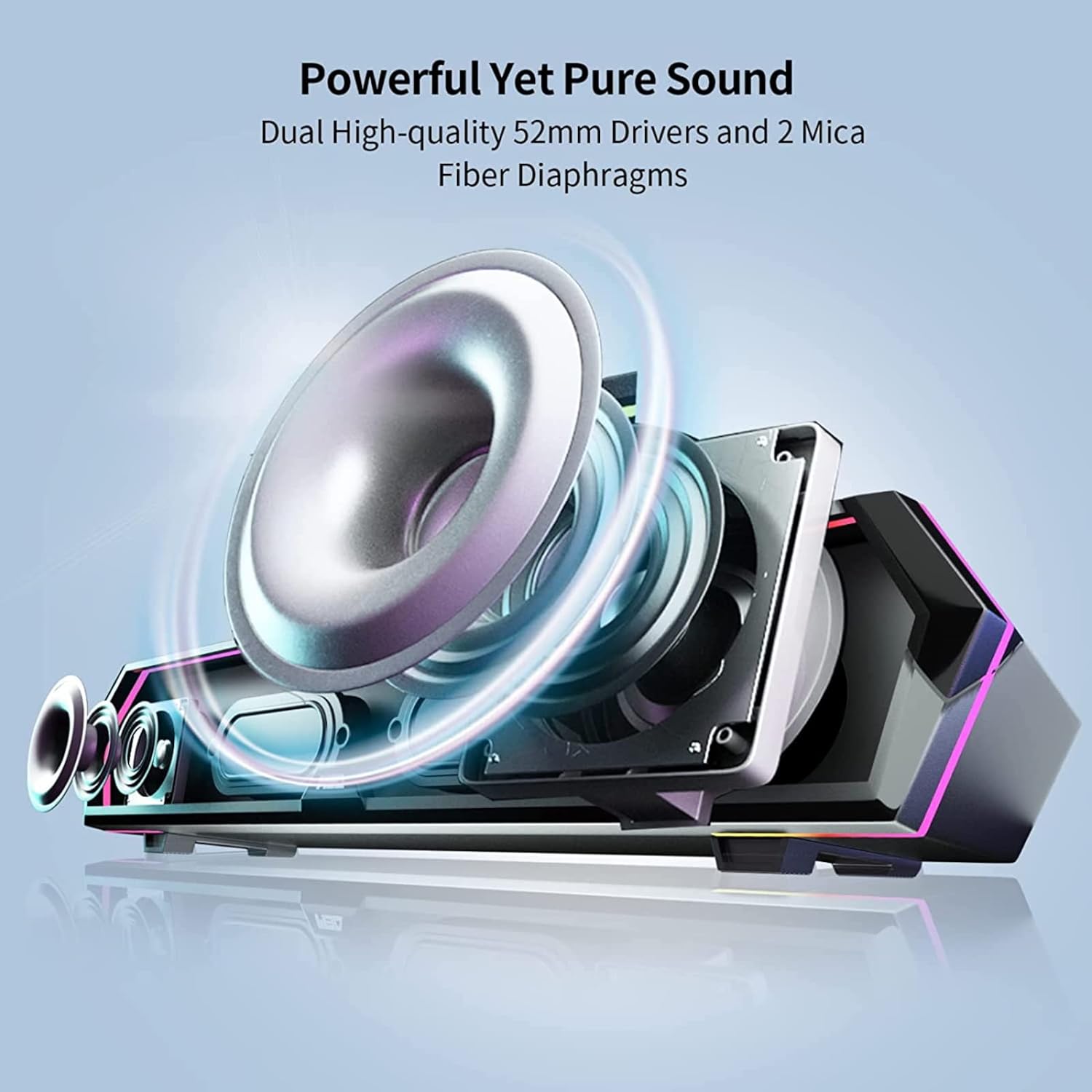
Image: Internal Speaker Components
This image illustrates the internal structure of the soundbar, showcasing the dual 52mm drivers and mica fiber diaphragms designed for powerful and pure sound reproduction.
සැලසුම
1. ස්ථානගත කිරීම
Position the Edifier MG300 soundbar on a stable, flat surface, ideally directly under your computer monitor. Its compact design (485mm x 70mm x 80mm) is optimized to save desktop space.

Image: Soundbar Placement
The soundbar is shown positioned beneath a computer monitor, demonstrating its space-saving design and ideal placement for desktop use.
2. Power and Connection Options
The MG300 offers two primary connection methods: USB-A and Bluetooth 5.3.
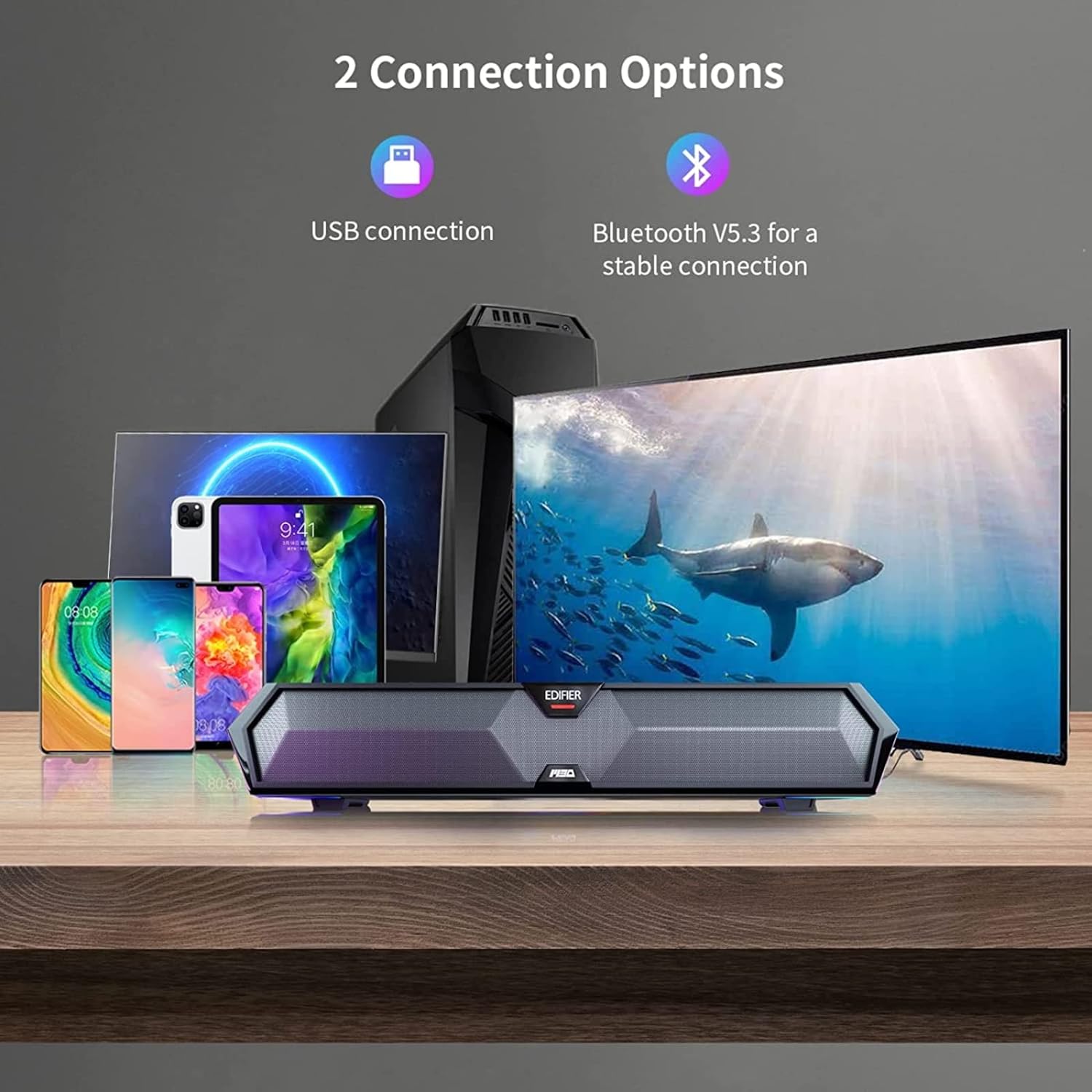
Image: Connection Options
This image illustrates the two main ways to connect the soundbar: via USB to a computer or wirelessly via Bluetooth to mobile devices.
USB Connection (for PC)
- Connect the provided USB-A to USB-C cable to the USB-C port on the back of the soundbar.
- Plug the USB-A end into an available USB port on your computer.
- The soundbar will power on automatically and be recognized as an audio output device by your computer.
බ්ලූටූත් සම්බන්ධතාවය (ජංගම උපාංග සඳහා)
- Press the Bluetooth button on the top panel of the soundbar to enter Bluetooth pairing mode. The RGB lights will flash to indicate pairing mode.
- ඔබගේ ජංගම උපාංගයේ (ස්මාර්ට්ෆෝන්, ටැබ්ලටය), බ්ලූටූත් සක්රීය කර පවතින උපාංග සොයන්න.
- Select "Edifier MG300" from the list of devices to pair.
- Once connected, the RGB lights will stop flashing and remain solid.
මෙහෙයුම් උපදෙස්
1. බලය සක්රිය / අක්රිය කරන්න
බල බොත්තම ඔබා අල්ලාගෙන සිටින්න (U) on the top panel to turn the soundbar on or off.
2. වෙළුම් පාලනය
Use the volume up (+) සහ ශබ්දය අඩු කරන්න (-) buttons on the top panel to adjust the audio level.
3. RGB ආලෝකකරණ පාලනය
The soundbar features dynamic RGB lighting effects. Press the light control button (O:) on the top panel to cycle through different lighting modes or to turn the lights off.
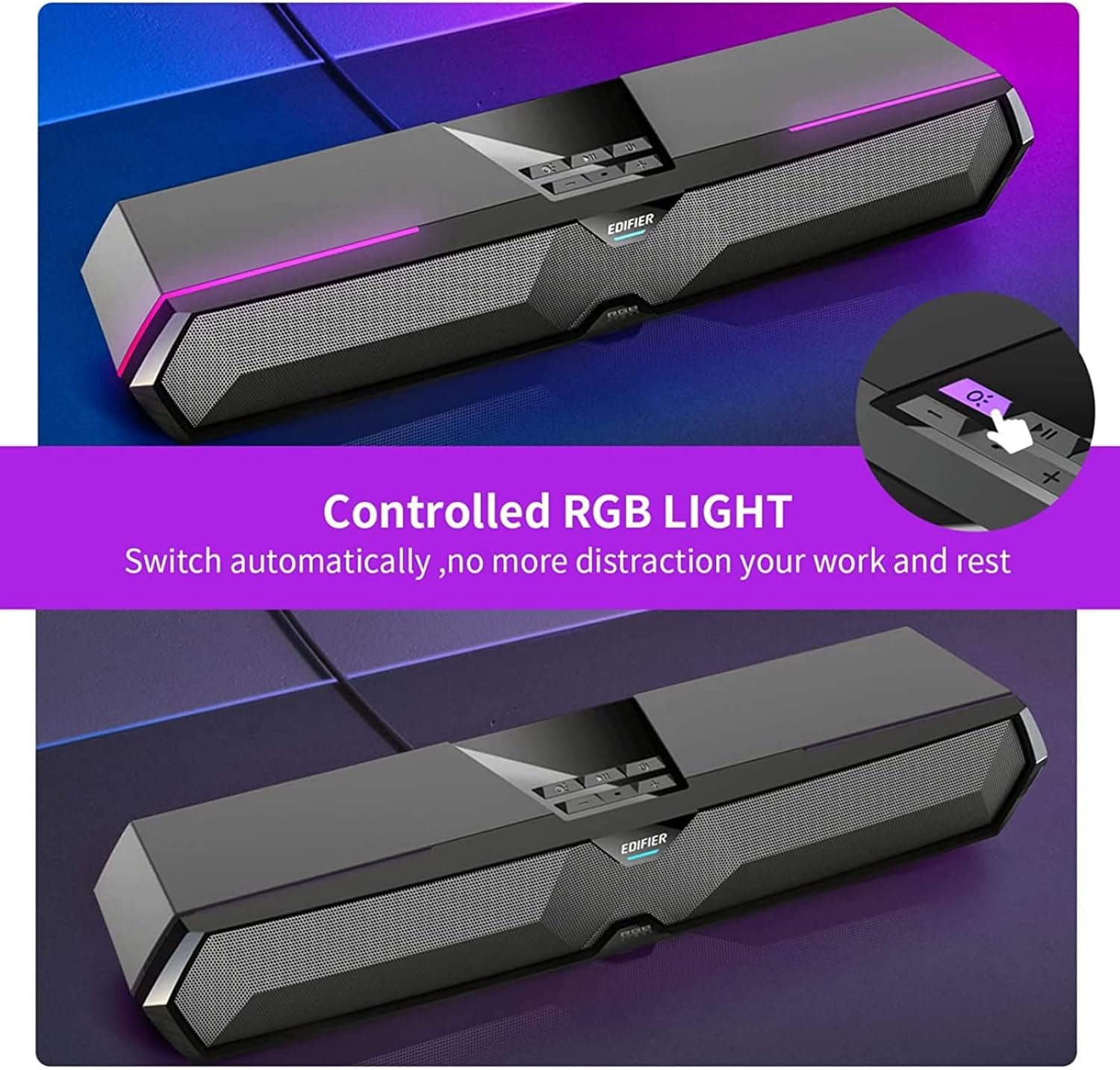
Image: RGB Light Control
This image shows the control panel on the soundbar, indicating the button used to manage the RGB lighting effects.
4. Music and Game Sound Modes
The MG300 offers optimized sound effects for both music and gaming. Press the mode button (often integrated with play/pause or a dedicated button) to switch between these modes. In music mode, vocals are amplified for a richer listening experience. In game mode, environmental details are enhanced for immersive realism.

Image: Game and Music Modes
This image demonstrates the soundbar's adaptability, showing it in use for both gaming and music listening, each with optimized sound profiles.
5. Using the Hidden Microphone
The soundbar features a hidden microphone, cleverly integrated under a silicone protective sleeve on the top panel. This design helps isolate external vibrations, ensuring crystal clear voice calls and communication during gaming or online meetings.

Image: Hidden Microphone in Use
This image depicts the soundbar's hidden microphone being utilized during a gaming session, emphasizing its clarity for in-game communication.
නඩත්තු කිරීම
To ensure the longevity and optimal performance of your Edifier MG300 soundbar, follow these maintenance guidelines:
- පිරිසිදු කිරීම: Use a soft, dry cloth to wipe the surface of the soundbar. Do not use liquid cleaners or aerosol sprays, as they may damage the finish or internal components.
- ගබඩා: දිගු කාලයක් භාවිතයේ නොමැති විට, සෘජු හිරු එළියෙන් සහ අධික උෂ්ණත්වයන්ගෙන් ඈත්ව සිසිල් වියළි ස්ථානයක ශබ්ද තීරුව ගබඩා කරන්න.
- බාධා වළක්වා ගන්න: Ensure that the speaker grilles are not obstructed to maintain proper sound dispersion and prevent overheating.
දෝෂගවේෂණය
If you encounter any issues with your Edifier MG300 soundbar, please refer to the following common problems and solutions:
- ශබ්දයක් නැත:
- Ensure the soundbar is powered on and connected correctly (USB or Bluetooth).
- Check the volume levels on both the soundbar and your connected device.
- If using USB, verify that the soundbar is selected as the default audio output device in your computer's sound settings.
- If using Bluetooth, ensure the device is paired and within range. - දුර්වල ශබ්ද තත්ත්වය:
- Ensure the soundbar is placed on a stable surface and not obstructed.
- Try adjusting the volume and switching between music/game modes.
- If connected via Bluetooth, try moving closer to the soundbar to improve signal strength. - RGB ලයිට් ක්රියා නොකරයි:
- Press the light control button (O:) to cycle through modes or turn them on.
- Ensure the soundbar is powered on. - මයික්රෆෝනය ක්රියා නොකරයි:
- Ensure the soundbar is connected via USB to your PC.
- Check your computer's sound settings to ensure the soundbar's microphone is selected as the input device.
පිරිවිතර
| මාදිලියේ නම | MG300 |
| ස්පීකර් වර්ගය | බහු කාමරය |
| විශේෂ ලක්ෂණය | අතේ ගෙන යා හැකි |
| නිර්දේශිත භාවිතයන් | පරිගණක සඳහා |
| ගැළපෙන උපාංග | Computer, Laptop, Smartphone, Tablet |
| සරවුන්ඩ් සවුන්ඩ් චැනල් වින්යාසය | 2.0 |
| මුළු නිමැවුම් බලය (RMS) | 2.5W + 2.5W (5 Watts total) |
| බ්ලූටූත් අනුවාදය | V5.3 |
| සංඛ්යාත ප්රතිචාරය | 80Hz - 20kHz |
| මානයන් (W x H x D) | 485mm x 70mm x 80mm (15.67"D x 3.33"W x 2.89"H) |
| ශුද්ධ බර | 0.9kg (රාත්තල් 2.6) |
| ශ්රව්ය යෙදවුම් | Bluetooth, USB-A Soundcard |
| පාලන ක්රමය | ස්පර්ශ කරන්න |
| ශ්රව්ය ධාවක ප්රමාණය | මිලිමීටර් 52 යි |
නිල නිෂ්පාදන වීඩියෝව
Video: Edifier MG300 Overview
මෙම වීඩියෝව අවසන් කිරීමක් සපයයිview of the Edifier MG300 soundbar, showcasing its features and design. It highlights the multi-driver PC soundbar and subwoofer, Bluetooth 5.3 connectivity, seamless PC and mobile connection, game sound effects, dynamic RGB lighting, USB connection, hidden mic, and immersive sound capabilities.
වගකීම් සහ සහාය
The Edifier MG300 SoundBar comes with a Limited Warranty. For detailed warranty information or technical support, please refer to the official Edifier website or contact their customer service. Protection plans are also available for extended coverage.


