1. හැඳින්වීම
Thank you for choosing the MARVO HG9086W-BK Wireless RGB Gaming Headset. This manual provides essential information for setting up, operating, and maintaining your headset to ensure optimal performance and longevity. Please read this guide thoroughly before use.
2. පැකේජ අන්තර්ගතය
ඔබගේ පැකේජයේ සියලුම අයිතම ඇති බව තහවුරු කරගන්න:
- 1 x MARVO HG9086W-BK Wireless RGB Gaming Headset
- 1 x USB රැහැන් රහිත ග්රාහකය
- 1 x ඉවත් කළ හැකි මයික්රෆෝනය
- 1 x ආරෝපණ කේබල් (USB-C)
- 1 x පරිශීලක අත්පොත
3. නිෂ්පාදන අවසන්view
The MARVO HG9086W-BK is a lightweight, ergonomic gaming headset designed for comfort during extended use. It features 40mm drivers for immersive sound, dynamic RGB lighting, and a versatile tri-mode connection system.
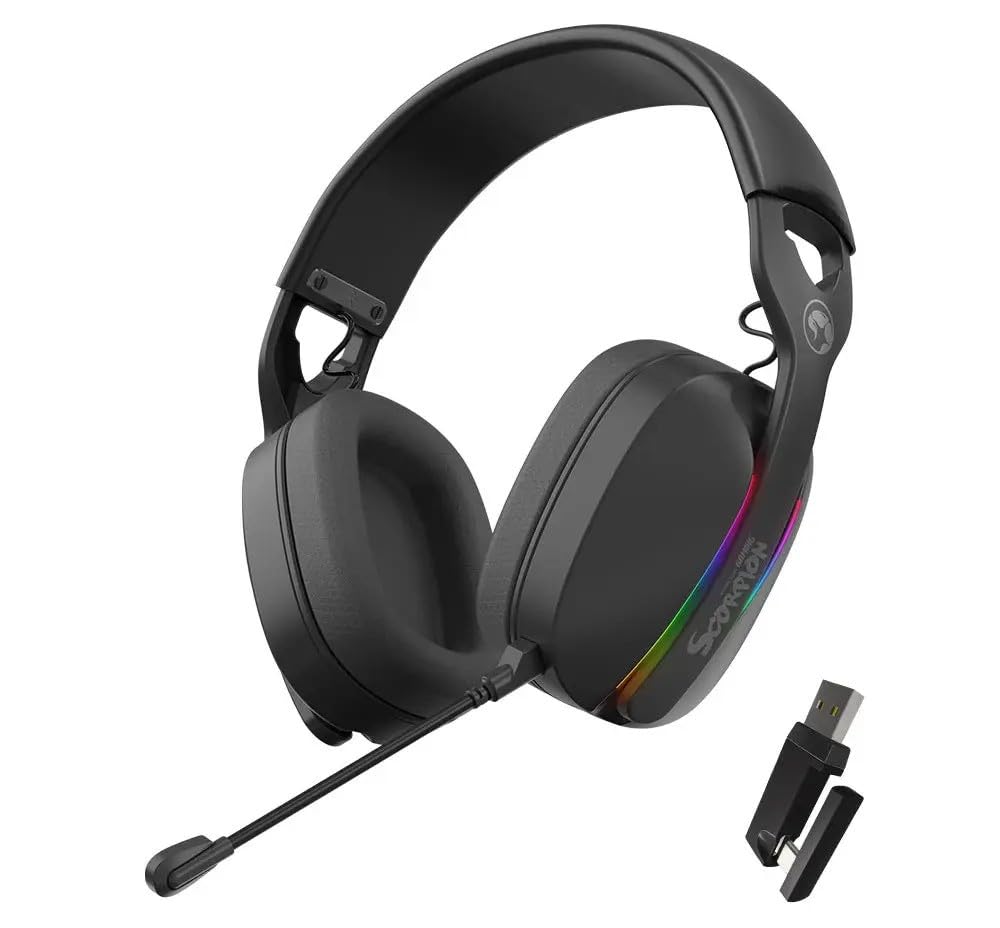
රූපය 3.1: ඉදිරිපස view of the MARVO HG9086W-BK Gaming Headset, showcasing its overall design and earcups.

රූපය 3.2: Left earcup of the headset, showing control buttons for power, volume, and mode selection.
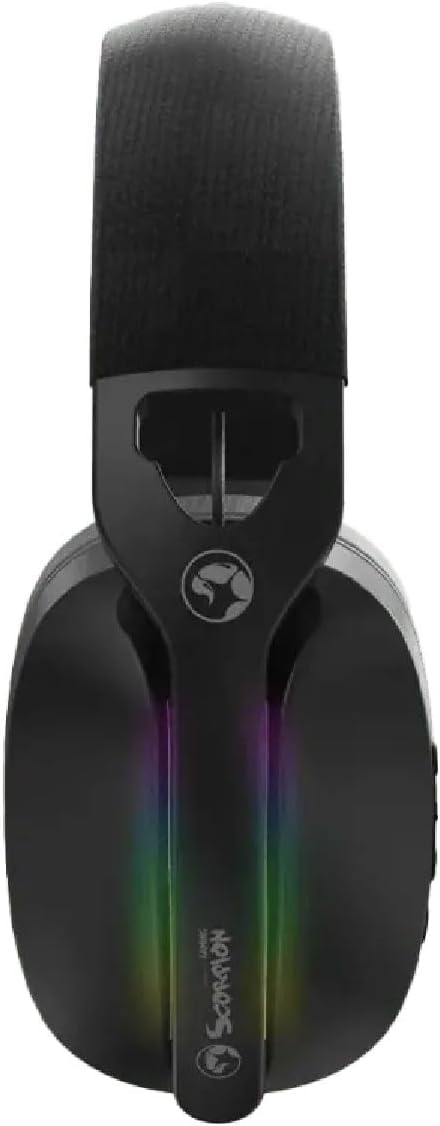
රූපය 3.3: ඉහළ view of the headset, highlighting the adjustable headband and the integrated RGB lighting strip on the earcups.
4. පිහිටුවීම සහ සම්බන්ධ කිරීම
The HG9086W-BK headset offers three connection modes: 2.4G Wireless, Bluetooth 5.3, and Wired.
4.1. 2.4G Wireless Connection (Recommended for Gaming)
- Insert the USB wireless receiver into an available USB port on your PC or compatible device.
- Power on the headset by pressing and holding the Power button until the indicator light illuminates.
- The headset will automatically connect to the receiver. The indicator light will turn solid blue when connected.
- Ensure the headset is selected as the default audio input and output device in your device's sound settings.
4.2. බ්ලූටූත් 5.3 සම්බන්ධතාවය
- හෙඩ්සෙට් එකේ බලය.
- Press and hold the Mode button (or a dedicated Bluetooth button if available) until the indicator light flashes blue rapidly, indicating pairing mode.
- On your device (smartphone, tablet, etc.), go to Bluetooth settings and search for "MARVO HG9086W-BK".
- Select the headset to pair. The indicator light will turn solid blue upon successful connection.
4.3. රැහැන්ගත සම්බන්ධතාවය
For wired use, connect a 3.5mm audio cable (not included) from the headset's audio jack to your device's 3.5mm audio port. The headset will function as a passive wired headset. Note that RGB lighting and some wireless functions may not be available in wired mode.
5. මෙහෙයුම් උපදෙස්
5.1. බලය සක්රිය / අක්රිය කරන්න
- බල ගැන්වීම: බල බොත්තම ඔබාගෙන තත්පර 3ක් පමණ අල්ලාගෙන සිටින්න.
- විදුලිය විසන්ධි කිරීම: බල බොත්තම ඔබාගෙන තත්පර 3ක් පමණ අල්ලාගෙන සිටින්න.
5.2. වෙළුම් පාලනය
- පරිමාව: ශබ්දය වැඩි කිරීමේ බොත්තම ඔබන්න.
- ශබ්දය පහළට: ශබ්දය අඩු කිරීමේ බොත්තම ඔබන්න.
5.3. මයික්රෆෝන භාවිතය
- මයික්රෆෝනය අමුණන්න: Insert the detachable microphone into the designated port on the left earcup.
- නිශ්ශබ්ද කරන්න/නිශ්ශබ්ද කරන්න: Use the microphone mute button located on the earcup or the microphone itself.
- Adjust the flexible microphone boom for optimal voice pickup.
5.4. RGB ආලෝකකරණය
The headset features dynamic RGB lighting. The lighting typically activates automatically when the headset is powered on. Specific controls for changing RGB modes or turning them off may be available via a dedicated button or software (if applicable). Refer to the product's official website for any software downloads.
6. ආරෝපණය කිරීම
The MARVO HG9086W-BK headset is equipped with a durable battery for extended gameplay. When the battery is low, the indicator light may flash red or an audible alert may sound.
- Connect the included USB-C charging cable to the charging port on the headset.
- කේබලයේ අනෙක් කෙළවර USB බල ප්රභවයකට සම්බන්ධ කරන්න (උදා: පරිගණක USB පෝට් එක, USB බිත්ති ඇඩැප්ටරය).
- The indicator light will typically show red during charging and turn off or change color when fully charged.
සටහන: Avoid using the headset while charging for optimal battery health, though it may be possible depending on the device.
7. නඩත්තු කිරීම
නිසි නඩත්තුව ඔබේ හෙඩ්සෙට් එකේ ආයු කාලය සහ ක්රියාකාරිත්වය සහතික කරයි.
- පිරිසිදු කිරීම: Use a soft, dry cloth to wipe the headset. For earcups, a slightly damp රෙදි භාවිතා කළ හැකි නමුත්, ස්පීකර් ග්රිල් වලට තෙතමනය ඇතුළු නොවන බවට වග බලා ගන්න.
- ගබඩා: හෙඩ්සෙට් එක සෘජු හිරු එළියෙන් සහ අධික උෂ්ණත්වයන්ගෙන් ඈත්ව සිසිල් වියළි ස්ථානයක ගබඩා කරන්න.
- දියර වලින් වළකින්න: Do not expose the headset to water or other liquids.
- පරිස්සමින් හැසිරවීම: හෙඩ්සෙට් එක බිම හෙළීමෙන් හෝ දැඩි බලපෑම්වලට ලක් කිරීමෙන් වළකින්න.
8. දෝශ නිරාකරණය
ඔබේ හෙඩ්සෙට් එක සමඟ ගැටලු ඇති වුවහොත්, පහත පොදු විසඳුම් වෙත යොමු වන්න:
| ගැටලුව | හැකි විසඳුම |
|---|---|
| හෙඩ්සෙට් එකෙන් ශබ්දයක් නැහැ |
|
| මයික්රෆෝනය ක්රියා නොකරයි |
|
| Headset not connecting |
|
| RGB ආලෝකය ක්රියා නොකරයි |
|
9. පිරිවිතර
| විශේෂාංගය | පිරිවිතර |
|---|---|
| වෙළඳ නාමය | මාර්වෝ |
| මාදිලියේ නම | HG9086W-BK |
| සම්බන්ධතා තාක්ෂණය | Wireless (2.4G, Bluetooth 5.3), Wired (3.5mm) |
| ආකෘති සාධකය | කනට උඩින් |
| රියදුරු ප්රමාණය | 40 මි.මී |
| මයික්රෆෝනය | Integrated, Detachable, Omnidirectional |
| ආලෝකකරණය | ගතික RGB |
| අයිතමයේ බර | අවුන්ස 12.7 (දළ වශයෙන් ග්රෑම් 360) |
| පැකේජ මානයන් | අඟල් 7.8 x 7.09 x 3.31 |
| වර්ණය | කළු |
10. වගකීම් සහ සහාය
MARVO products are designed for quality and reliability. For warranty information and technical support, please refer to the warranty card included with your product or visit the official MARVO webවෙබ් අඩවිය. ඕනෑම වගකීම් හිමිකම් සඳහා ඔබේ මිලදී ගැනීමේ සාක්ෂි තබා ගන්න.
For further assistance, you may contact MARVO customer support through their official channels.


