1. හැඳින්වීම
The iKiKin V600 OBD2 Diagnostic Scanner is a versatile tool designed to assist in diagnosing vehicle issues. It provides comprehensive OBD2 functions, allowing users to read and clear fault codes, view live data, perform battery tests, and access various vehicle information. This manual will guide you through the proper use and maintenance of your device.
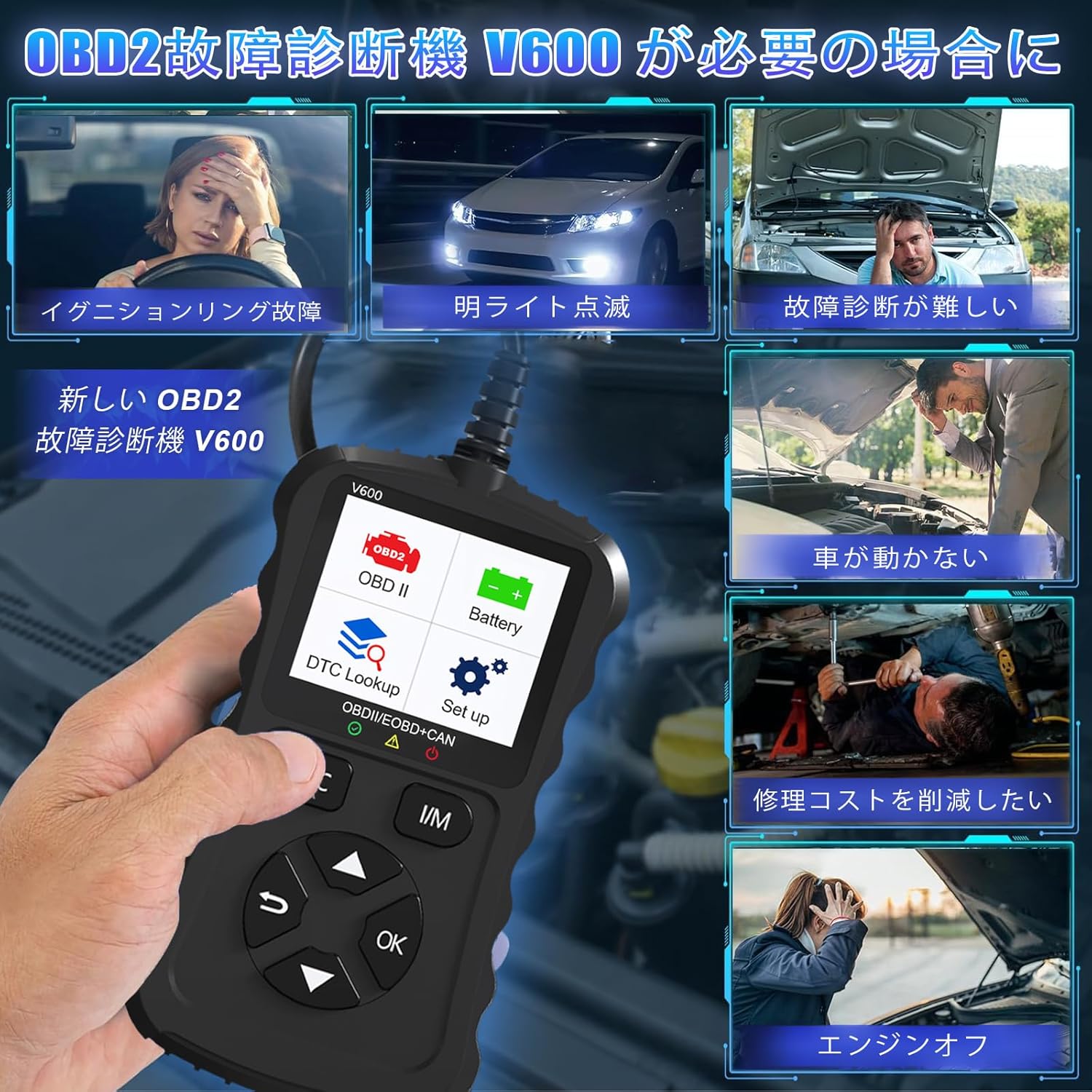
Figure 1.1: Common scenarios where the V600 diagnostic tool can be utilized.
2. නිෂ්පාදන අවසන්view
The iKiKin V600 is a handheld diagnostic scanner featuring a clear TFT color screen and intuitive button controls. It is designed for ease of use and portability.
2.1 ප්රධාන ලක්ෂණ
- බහු භාෂා සහාය: Supports 13 languages, including English and Japanese.
- විස්තීර්ණ OBD2 කාර්යයන්: Reads and clears Diagnostic Trouble Codes (DTCs), displays live data stream, freeze frame data, I/M readiness status, O2 sensor test, EVAP system test, and vehicle information.
- DTC සෙවීම: Built-in database with over 35,000 DTC definitions for quick reference.
- බැටරි පරීක්ෂණ කාර්යය: තත්ය කාලීන බැටරි පරිමාවtage monitoring to assess battery health.
- ප්ලග් සහ ප්ලේ: Simple connection to the vehicle's OBD2 port.
- අතින් ගෙන යා හැකි නිර්මාණය: Compact and portable for convenient use.

රූපය 2.1: ඉදිරිපස view of the iKiKin V600 OBD2 Diagnostic Scanner.
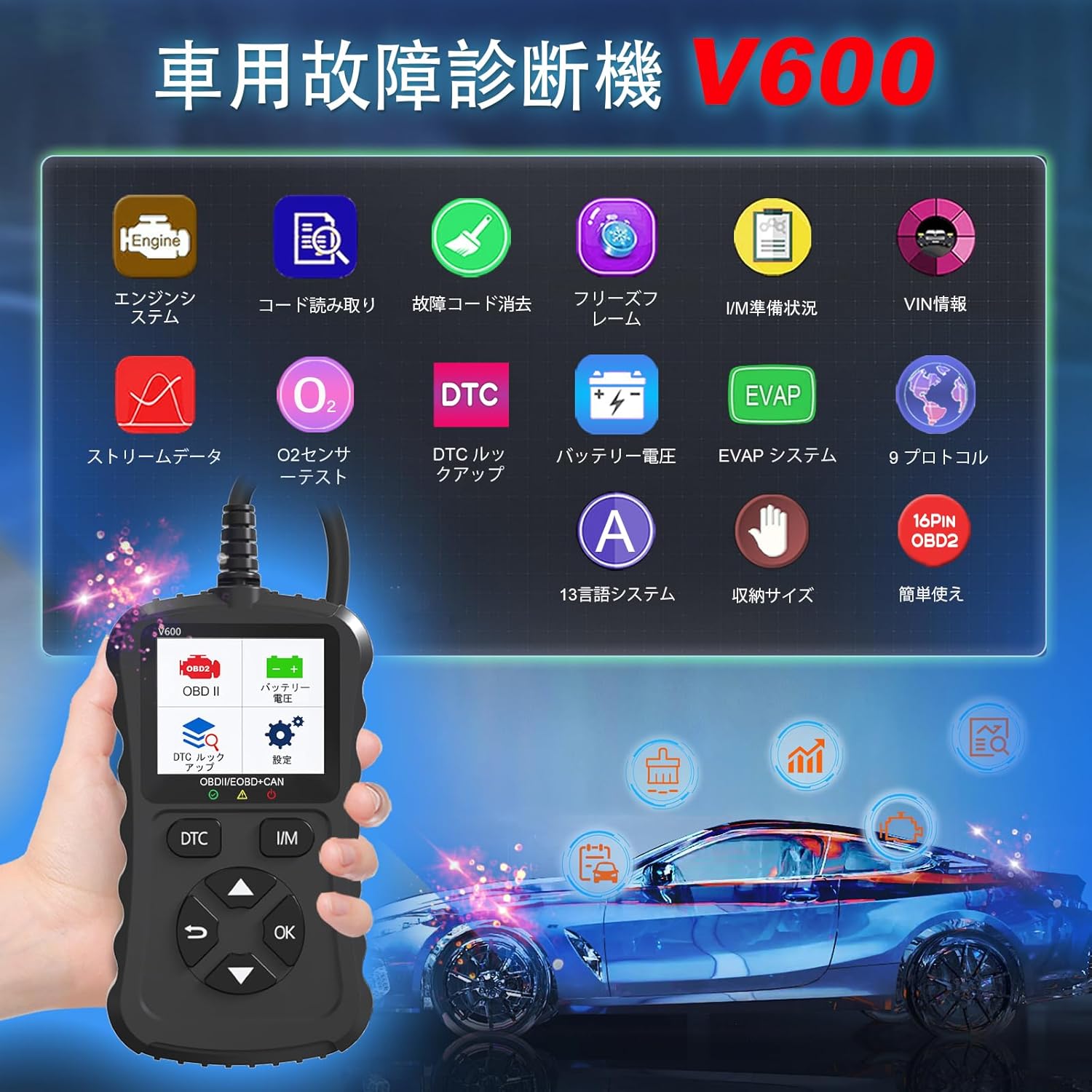
Figure 2.2: The V600 scanner displaying its main menu with various diagnostic options.
3. පිහිටුවීම
3.1 උපාංගය සම්බන්ධ කිරීම
- Ensure your vehicle's ignition is in the OFF position.
- Locate the 16-pin OBD2 diagnostic port in your vehicle. This port is typically found under the dashboard on the driver's side.
- Plug the V600 scanner's connector firmly into the vehicle's OBD2 port.
- Turn the vehicle's ignition to the ON position (do not start the engine). The scanner will power on automatically.

Figure 3.1: Connecting the V600 to the vehicle's OBD2 port.
3.2 භාෂා සැකසුම්
The default language of the diagnostic tool is English. To change the language:
- ප්රධාන මෙනුවෙන්, "සැකසීම්" වෙත යන්න.
- Select "Language".
- Choose your desired language (e.g., Japanese) from the list.
- The device may require an update after changing the language. Follow on-screen prompts or refer to the support section if you encounter issues.
4. මෙහෙයුම් උපදෙස්
4.1 දෝෂ කේත කියවීම සහ ඉවත් කිරීම
This function allows you to identify and clear Diagnostic Trouble Codes (DTCs) that trigger the Check Engine Light.
- Connect the scanner to your vehicle and turn the ignition ON.
- Select "Read Codes" from the main menu to display current, pending, and permanent DTCs.
- කේත හිස් කිරීමට, මෙනුවෙන් "කේත මකන්න" තෝරන්න. විමසූ විට ක්රියාව තහවුරු කරන්න.
- සටහන: Clearing codes will turn off the Check Engine Light. However, if the underlying issue is not resolved, the light may reappear.
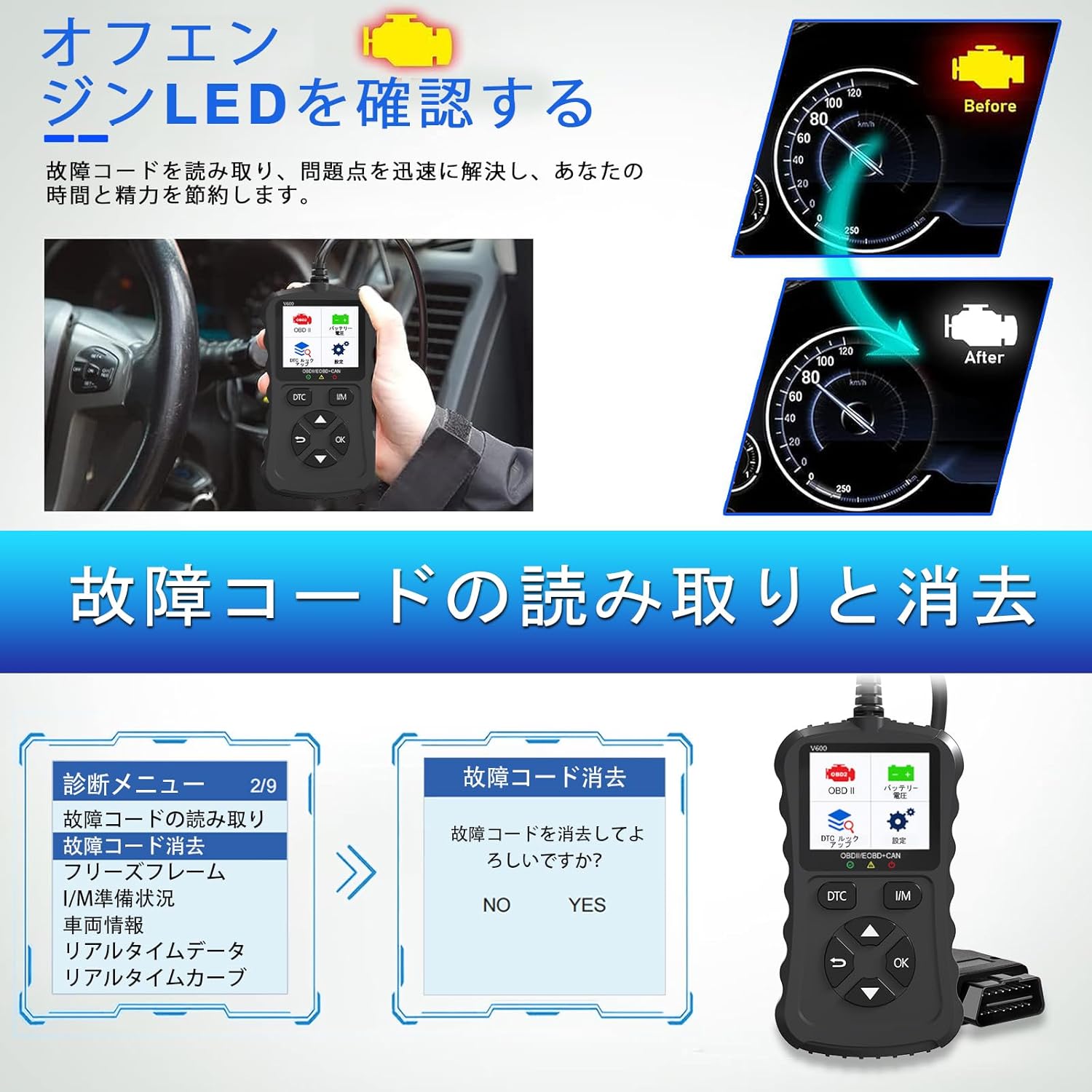
Figure 4.1: Clearing fault codes and turning off the engine warning light.
4.2 සජීවී දත්ත ප්රවාහය
View real-time operational parameters from the vehicle's sensors and modules.
- මෙනුවෙන් "සජීවී දත්ත" තෝරන්න.
- ඔබ නිරීක්ෂණය කිරීමට කැමති පරාමිතීන් තෝරන්න.
- The data will be displayed numerically or graphically.
4.3 Freeze Frame Data
When an emission-related fault occurs, the ECU stores a snapshot of operating conditions at that moment. This is called Freeze Frame Data.
- Select "Freeze Frame" from the menu to view this stored data.
4.4 I/M සූදානම තත්ත්වය
This function checks the operation of the emission system on OBD2 compliant vehicles. It indicates if the various emission-related systems are ready for inspection and maintenance testing.
- Select "I/M Readiness" to view the status of monitors.
- A dedicated I/M hotkey allows for a quick one-click check.
4.5 O2 සංවේදක පරීක්ෂණය
වාහනයේ ඔන්-බෝඩ් පරිගණකයෙන් මෑතකදී සම්පූර්ණ කරන ලද පරීක්ෂණ සඳහා O2 සංවේදක අධීක්ෂණ පරීක්ෂණ ප්රතිඵල ලබා ගනී.
- "O2 සංවේදක පරීක්ෂණය" තෝරන්න view ප්රතිඵල.
4.6 EVAP පද්ධති පරීක්ෂණය
Initiates a leak test for the vehicle's Evaporative Emission System (EVAP).
- Select "EVAP System Test" to perform this diagnostic.
4.7 බැටරි වෙළුමtagඊ ටෙස්ට්
Monitors the vehicle's battery voltage in real-time, providing insights into its health and estimated lifespan.
- Select "Battery Voltage" from the menu.
- The screen will display the current voltage.

Figure 4.2: Battery voltage test and DTC lookup display.
4.8 DTC බැලීම
Access a built-in database of over 35,000 Diagnostic Trouble Code definitions.
- Select "DTC Lookup" from the menu.
- Enter the DTC code to view its definition and potential causes.
4.9 වාහන තොරතුරු
Retrieves the Vehicle Identification Number (VIN), Calibration ID, and Calibration Verification Number (CVN) of the vehicle.
- මෙම දත්ත පෙන්වීමට "වාහන තොරතුරු" තෝරන්න.
5. ගැළපුම
The iKiKin V600 OBD2 Diagnostic Scanner is compatible with OBD2 protocol vehicles equipped with a 16-pin DLC (Data Link Connector).
- American Vehicles: Compatible with vehicles manufactured from 1996 onwards.
- යුරෝපීය වාහන: Compatible with vehicles manufactured from 2000 onwards.
- Japanese Domestic Vehicles: Compatible with OBD2 vehicles manufactured from 2008 onwards.
වැදගත් සටහන: This device is not compatible with vehicles that do not have a 16-pin OBD2 connector or vehicles that are not OBD2 compliant (e.g., some hybrid vehicles may have specific diagnostic requirements outside standard OBD2 protocols). If the fault cause is outside the standard OBD2 definition range, the scanner may not be able to read the fault codes. In such cases, a full system diagnostic tool may be required.
6. නඩත්තු කිරීම
To ensure the longevity and optimal performance of your iKiKin V600 OBD2 Diagnostic Scanner, follow these maintenance guidelines:
- උපාංගය පිරිසිදුව හා දූවිලි හා තෙතමනයෙන් තොරව තබා ගන්න. පිරිසිදු කිරීම සඳහා මෘදු වියළි රෙද්දක් භාවිතා කරන්න.
- උපාංගය අතහැර දැමීමෙන් හෝ එය දැඩි බලපෑම්වලට ලක් කිරීමෙන් වළකින්න.
- උපාංගය භාවිතා නොකරන විට සිසිල් වියළි ස්ථානයක ගබඩා කරන්න.
- උපාංගය ඔබම විසුරුවා හැරීමට හෝ අලුත්වැඩියා කිරීමට උත්සාහ නොකරන්න. මෙය වගකීම් අවලංගු කරයි.
- Regularly check for software updates to ensure the latest vehicle compatibility and features.
7. දෝශ නිරාකරණය
7.1 උපාංගය ක්රියාත්මක නොවේ
- Ensure the scanner is correctly plugged into the vehicle's 16-pin OBD2 port.
- Verify that the vehicle's ignition is in the ON position.
- Check the vehicle's battery. If the battery is too low, the scanner may not receive sufficient power.
7.2 Cannot Read Fault Codes
- Confirm the vehicle is OBD2 compliant and has a 16-pin connector.
- Ensure a stable connection between the scanner and the vehicle.
- If the fault cause is outside the standard OBD2 definition range, the scanner may not be able to read the codes. In such cases, consult a professional or use a full system diagnostic tool.
7.3 Check Engine Light Reappears After Clearing Codes
- Clearing codes only resets the warning light. If the underlying mechanical or electrical issue is not resolved, the fault code will be detected again, and the light will illuminate.
- Address the root cause of the fault code by performing necessary repairs.
8. පිරිවිතර
| විශේෂාංගය | පිරිවිතර |
|---|---|
| වෙළඳ නාමය | iKiKin |
| මාදිලියේ නම | V600 |
| අයිතමයේ බර | 200 ග්රෑම් |
| පැකේජ මානයන් | 18.3 x 11.9 x 3.7 සෙ.මී |
| බලශක්ති ප්රභවය | Battery Powered (via OBD2 port) |
| වාහන සේවා වර්ගය | Universal Fit (OBD2 compliant vehicles) |
| සහාය දක්වන ප්රොටෝකෝල | 9 OBD2 protocols |
| DTC දත්ත සමුදාය | 35,000+ definitions |
| UPC | 724873544378 |
9. වගකීම් සහ සහාය
The iKiKin V600 OBD2 Diagnostic Scanner comes with a half-year manufacturer's warranty.
For any questions regarding product operation, software updates, or language changes, please contact iKiKin customer support. Refer to the product packaging or the seller's webසම්බන්ධතා තොරතුරු සඳහා අඩවිය.


