හැඳින්වීම
This manual provides essential instructions for the setup, operation, and maintenance of your new Vibox VI-124 PC Gamer system. This system includes an AMD Ryzen 3 3200GE processor with integrated Radeon Vega 8 graphics, 16GB RAM, a 2TB HDD, and a pre-installed Linux Mint operating system. It also comes with a 22-inch monitor, RGB keyboard, RGB mouse, and a gaming headset. Please read this manual carefully before using your system to ensure optimal performance and longevity.
1. පිහිටුවීම
1.1 ඇසිරීම
Carefully remove all components from their packaging. Ensure all items listed in the "What's in the Box" section are present:
- PC Tower
- 22" මොනිටරය
- RGB සූදු යතුරු පුවරුව
- RGB සූදු මූසිකය
- සූදු හෙඩ්සෙට්
- Power Cables (for PC and Monitor)
- Video Cable (VGA/DVI-D)
- Wi-Fi ඇඩැප්ටරය
1.2 සම්බන්ධක සංරචක
- Place the PC Tower: Position the PC tower on a stable, flat surface with adequate ventilation.
- මොනිටරය සම්බන්ධ කරන්න:
- Connect one end of the video cable (VGA or DVI-D) to the corresponding port on the back of the PC.
- Connect the other end of the video cable to the monitor.
- Connect the monitor's power cable to the monitor and then to a power outlet.
- පර්යන්ත සම්බන්ධ කරන්න:
- Connect the RGB Gaming Keyboard and RGB Gaming Mouse to available USB ports on the PC.
- Connect the Gaming Headset to the audio input/output jacks on the PC (usually green for audio out, pink for microphone in).
- Connect Wi-Fi Adapter: Insert the USB Wi-Fi adapter into an available USB port.
- සම්බන්ධක බලය: Connect the PC's power cable to the power supply unit on the back of the PC, then plug it into a power outlet.

Image: Front panel ports for connecting USB devices and audio peripherals.

Image: The Vibox VI-124 PC tower, illustrating its design and internal components.
1.3 මූලික ආරම්භය
Press the power button on the front of the PC tower. The system will boot into the pre-installed Linux Mint operating system. Follow any on-screen prompts for initial setup, such as language selection and user account creation.
2. මෙහෙයුම් උපදෙස්
2.1 බලය සක්රිය / අක්රිය
- බල ගැන්වීම: Press the power button on the front of the PC tower.
- වසා දමන්න: In Linux Mint, click the "Menu" button (usually in the bottom-left corner), then select "Shut Down" or "Power Off". Do not simply unplug the PC while it is running.
- යළි අරඹන්න: In Linux Mint, click the "Menu" button, then select "Restart".
2.2 Wi-Fi වෙත සම්බන්ධ කිරීම
Once the Wi-Fi adapter is connected, Linux Mint should automatically detect it. Click on the network icon in the system tray (usually top-right or bottom-right of the screen), select your Wi-Fi network, enter the password, and connect.
2.3 Using Peripherals
- යතුරුපුවරුව සහ මූසිකය: These are plug-and-play devices. They should function immediately upon connection. RGB lighting effects may be controlled via dedicated software or buttons on the devices themselves, if available.
- හෙඩ්සෙට්: Ensure the headset is properly plugged into the audio jacks. You may need to select the headset as the default audio output/input device in Linux Mint's sound settings.
3. නඩත්තු කිරීම
3.1 පිරිසිදු කිරීම
- බාහිර: Use a soft, dry cloth to wipe down the exterior of the PC tower, monitor, keyboard, and mouse. For stubborn marks, a slightly damp cloth can be used, but ensure no liquid enters the devices.
- වාතාශ්රය: Periodically clean dust from the PC's ventilation grilles and fans using compressed air. Ensure the PC is powered off and unplugged before cleaning.
- නිරීක්ෂණ තිරය: Use a microfiber cloth specifically designed for electronics screens. Do not use harsh chemicals.
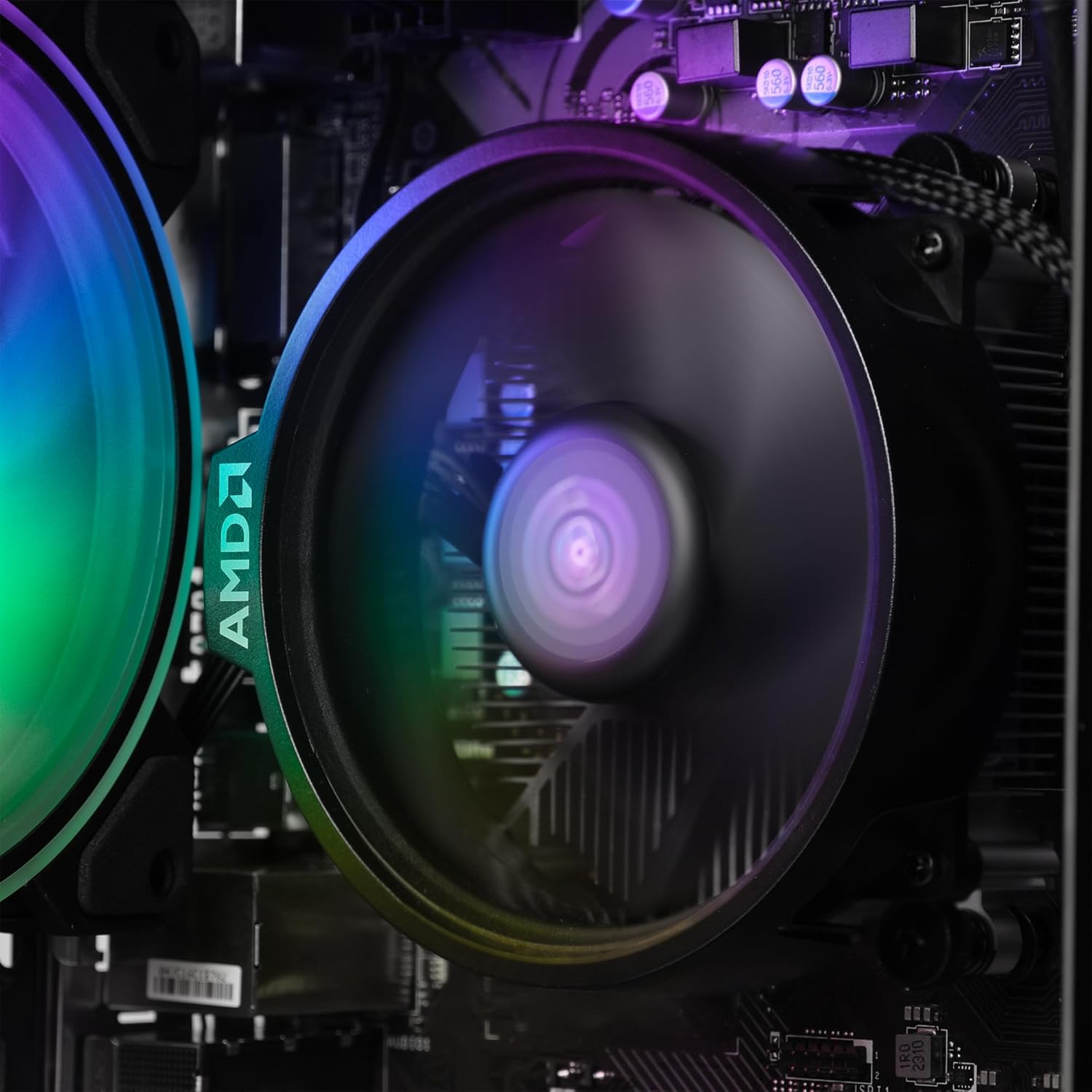
රූපය: අභ්යන්තර view of the CPU fan, highlighting the importance of keeping internal components dust-free.
3.2 මෘදුකාංග යාවත්කාලීන
Regularly update your Linux Mint operating system and installed software to ensure security and optimal performance. Use the built-in Update Manager in Linux Mint to check for and install updates.
3.3 දත්ත උපස්ථය
It is highly recommended to regularly back up your important data to an external drive or cloud storage to prevent data loss.
4. දෝශ නිරාකරණය
| ගැටලුව | හැකි විසඳුම |
|---|---|
| බලය නැත |
|
| මොනිටරයේ සංදර්ශකයක් නොමැත |
|
| අන්තර්ජාල සම්බන්ධතාවයක් නොමැත |
|
| යතුරුපුවරුව/මූසිකය ප්රතිචාර නොදක්වයි |
|
5. පිරිවිතර
| සංරචකය | විස්තර |
|---|---|
| වෙළඳ නාමය | VIBOX |
| ආදර්ශ අංකය | VBX-PC-6-124-AFR |
| ප්රොසෙසරය | AMD Ryzen 3 3200GE Quad Core (3.6 GHz, up to 4.0 GHz Turbo) |
| ග්රැෆික්ස් | Integrated Radeon Vega 8 Graphics (2GB DDR4 SDRAM) |
| RAM | 16 GB DDR4 3200MHz High Speed (Dual-Channel) |
| ගබඩා කිරීම | 2 TB HDD (SATA-III 6.0 Gbit/s / 7200rpm) |
| මෙහෙයුම් පද්ධතිය | Linux Mint OS |
| නිරීක්ෂණය කරන්න | 22" 1080p (FullHD 1920x1080 / 5ms Response / LED Backlight / 1x DVI-D / 1x VGA Ports) |
| සම්බන්ධතාවය | Wi-Fi (300Mbps Wireless Adapter) |
| මානයන් (L x W x H) | 32.6 x 19.5 x 42 සෙ.මී |
6. වගකීම් තොරතුරු
Your Vibox VI-124 PC Gamer system comes with a Vibox Evolution Lifetime Warranty. This warranty covers manufacturing defects and hardware failures under normal use. For specific terms and conditions, please refer to the warranty documentation included with your product or visit the official Vibox webවෙබ් අඩවිය. වගකීම් හිමිකම් සඳහා ඔබේ මිලදී ගැනීමේ සාක්ෂි තබා ගන්න.
7. පාරිභෝගික සහාය
If you encounter any issues or have questions not covered in this manual, please contact Vibox customer support. You can find contact information on the official Vibox website or through your retailer. When contacting support, please have your product model number (VBX-PC-6-124-AFR) and proof of purchase ready.
වැඩිදුර තොරතුරු සඳහා, ඔබට පිවිසිය හැක VIBOX Store on Amazon.


