1. හැඳින්වීම
The Irfora FY128C Smart Digital Multimeter is a compact and intelligent electrical testing instrument designed for professionals, factories, schools, and home users. It is engineered to meet the safety requirements of the International Electrotechnical Safety Standard (IEC-61010) for electronic measuring instruments and handheld digital multimeters. This device offers accurate measurements for AC/DC voltage, resistance, frequency, continuity, live wire checking, and Non-Contact Voltage (NCV) හඳුනාගැනීම.
ආරක්ෂිත පූර්වාරක්ෂාවන්:
- භාවිතයට පෙර බහුමාපකය හොඳ ක්රියාකාරී තත්ත්වයේ පවතින බව සැමවිටම සහතික කර ගන්න.
- පරිමාව මැනීමට උත්සාහ නොකරන්නtagනිශ්චිත උපරිම සීමාවන් ඉක්මවා යන ධාරා.
- සජීවී පරිපථ සමඟ වැඩ කිරීමේදී අතිශයින්ම ප්රවේශම් වන්න.
- Replace batteries promptly when the low battery indicator appears.
- Do not operate the multimeter if the casing හානි වී හෝ විවෘත වී ඇත.
2. පැකේජ අන්තර්ගතය
කරුණාකර පහත අයිතම සඳහා පැකේජය පරීක්ෂා කරන්න:
- 1 x Digital Multimeter (FY128C)
- පරීක්ෂණ ඊයම් යුගල 1 x (රතු සහ කළු)
- 1 x පරිශීලක අත්පොත (ඉංග්රීසි)
3. නිෂ්පාදන අවසන්view
The FY128C Smart Digital Multimeter features a large, backlit LCD display for clear readings, a built-in flashlight for dark environments, and a support bracket for convenient hands-free operation. Below is an illustration of the instrument's key components and functions.

Figure 3.1: Instrument Functions Overview

Figure 3.2: Large LCD Display for Easy Reading
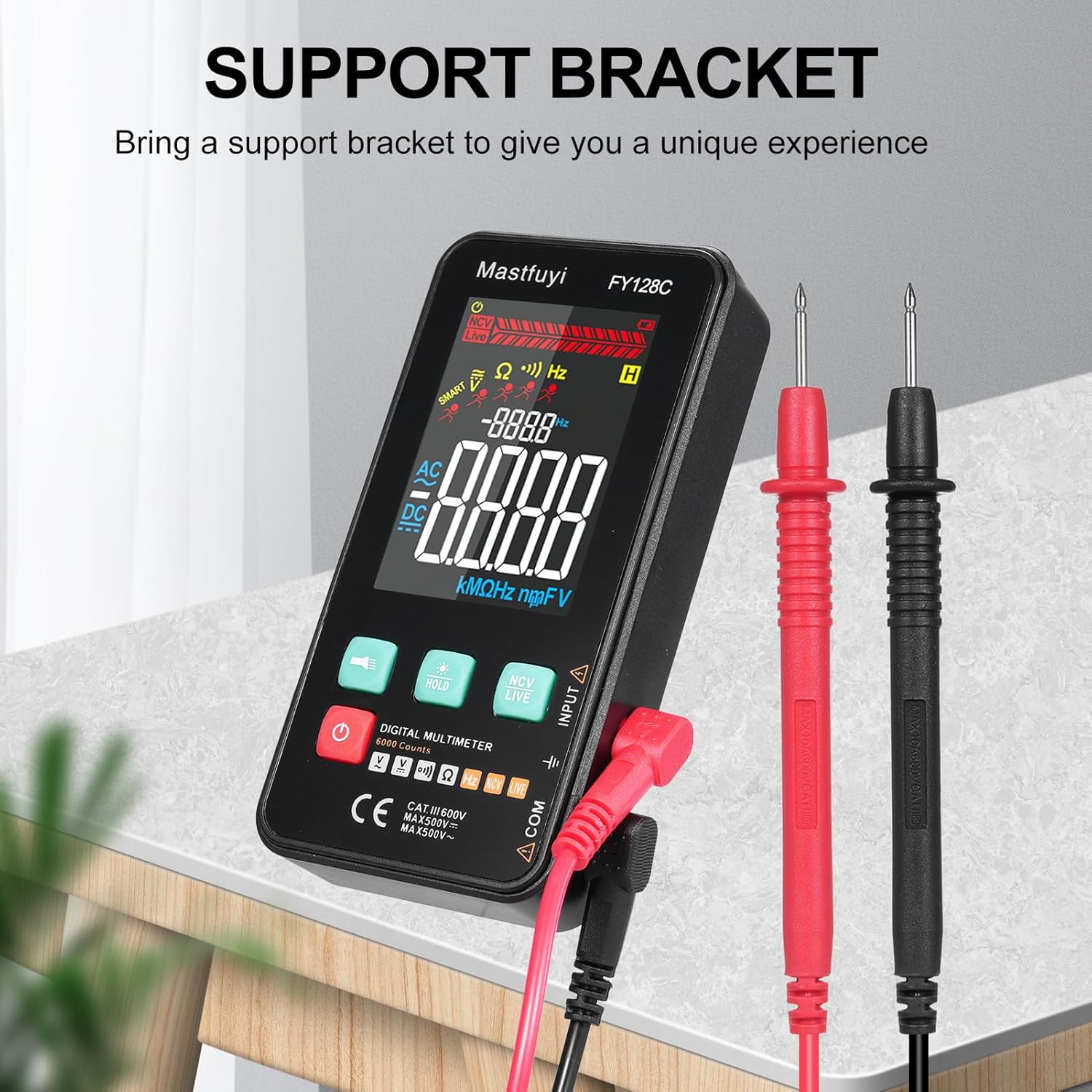
Figure 3.3: Multimeter with Support Bracket and Test Leads
4. පිහිටුවීම
4.1 බැටරි ස්ථාපනය
- Ensure the multimeter is powered off.
- උපාංගයේ පිටුපස බැටරි මැදිරි කවරය සොයා ගන්න.
- බැටරි මැදිරිය විවෘත කිරීමට ඉස්කුරුප්පු නියනක් භාවිතා කරන්න.
- Insert two 1.5V AAA batteries, observing the correct polarity (+/-).
- බැටරි මැදිරි කවරය ප්රතිස්ථාපනය කර එය ඉස්කුරුප්පු ඇණ සමඟ සවි කරන්න.
4.2 පරීක්ෂණ මඟ පෙන්වීම් සම්බන්ධ කිරීම
- කළු පරීක්ෂණ ඊයම් 'COM' (පොදු) ආදාන ජැක් එකට ඇතුළු කරන්න.
- Insert the red test lead into the 'INPUT' jack for most measurements (voltage, resistance, frequency, continuity).
- Ensure the test leads are securely connected before taking any measurements.
5. මෙහෙයුම් උපදෙස්
The FY128C Multimeter offers two primary measurement modes: Auto Identification and Manual Switching.
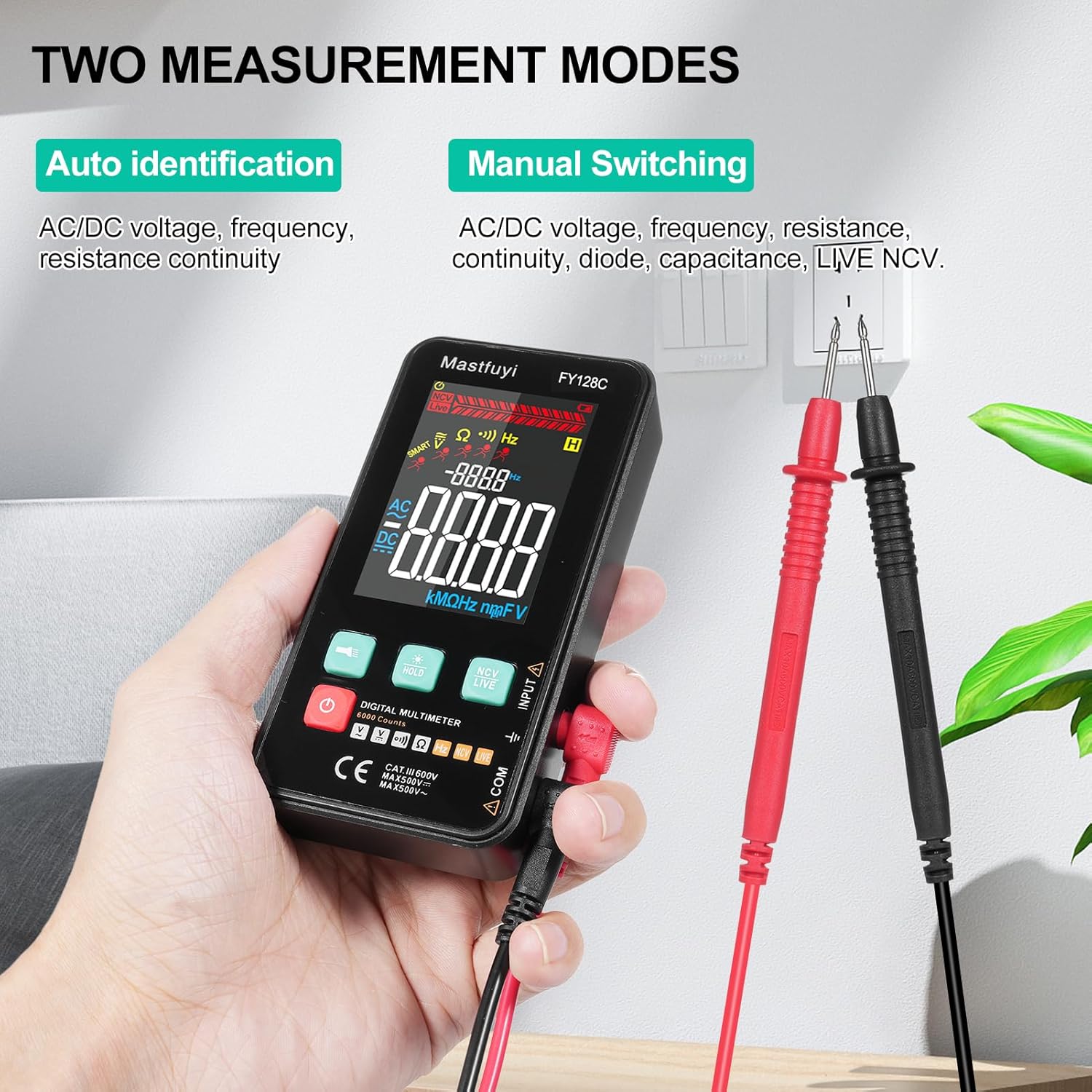
Figure 5.1: Two Measurement Modes
5.1 බලය සක්රිය / අක්රිය
බල බොත්තම ඔබන්න (U) to turn the multimeter on or off. The device features an auto-shutdown function to conserve battery power after a period of inactivity.
5.2 Auto Identification Mode
In this mode, the multimeter automatically identifies and measures AC/DC voltage, frequency, resistance, and continuity. Simply connect the test leads to the circuit or component, and the device will display the appropriate measurement.
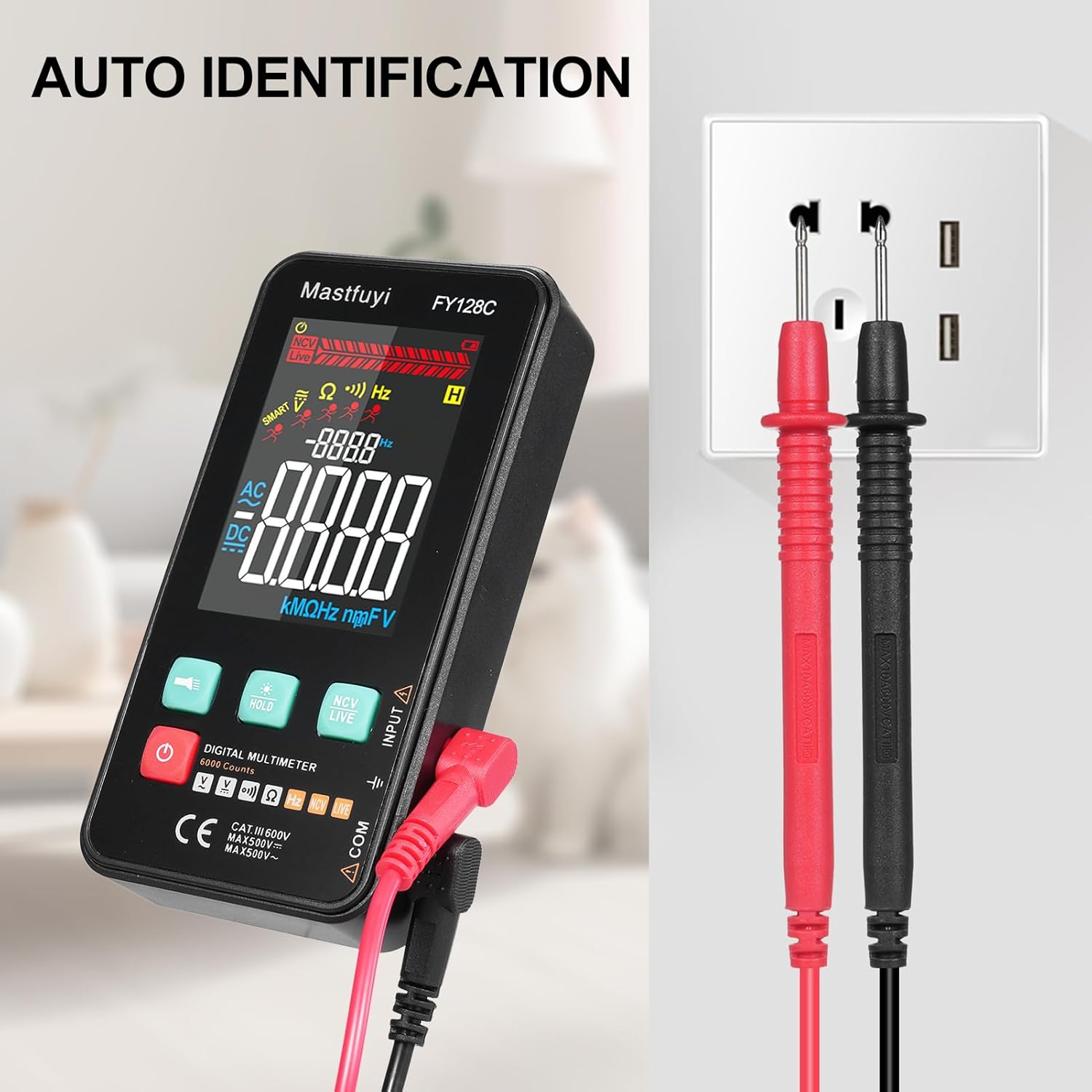
Figure 5.2: Auto Identification in Use
5.3 Manual Switching Mode
For specific measurements or when auto-identification is not desired, you can manually switch between functions. Press the 'MODE' button (often indicated by a symbol like a wave or function icon) to cycle through AC/DC voltage, frequency, resistance, continuity, and NCV/LIVE functions.
5.4 AC/DC වෙළුමtagඊ මැනීම
- සුදුසු වෙළුම තෝරන්නtage mode (AC V or DC V) if in manual mode, or rely on auto-identification.
- ඔබ මැනීමට බලාපොරොත්තු වන පරිපථයට හෝ සංරචකයට සමාන්තරව පරීක්ෂණ ලීඩ් සම්බන්ධ කරන්න.
- වෙළුම කියවන්නtagLCD සංදර්ශකය මත e අගය.
5.5 ප්රතිරෝධය මැනීම
- ප්රතිරෝධය මැනීමට පෙර පරිපථය හෝ සංරචකය විසන්ධි කර ඇති බවට වග බලා ගන්න.
- Select the resistance mode (Ω) if in manual mode.
- සංරචකය හරහා පරීක්ෂණ ලීඩ් සම්බන්ධ කරන්න.
- LCD සංදර්ශකයේ ප්රතිරෝධක අගය කියවන්න.
5.6 සංඛ්යාත මැනීම
- Select the frequency mode (Hz) if in manual mode.
- Connect the test leads to the circuit where you want to measure frequency.
- LCD තිරයේ සංඛ්යාත අගය කියවන්න.
5.7 අඛණ්ඩ පරීක්ෂණය
- පරිපථය හෝ සංරචකය විසන්ධි කර ඇති බවට වග බලා ගන්න.
- Select the continuity mode (often indicated by a buzzer icon).
- Connect the test leads across the component or wire.
- If there is continuity (a complete circuit), the multimeter will emit an audible beep.
5.8 Live Wire Checking
This function helps identify live wires without direct contact.
- Select the 'LIVE' mode (often shared with NCV).
- Bring the red test lead probe close to the wire or outlet.
- The multimeter will indicate the presence of a live wire through visual (LED) and/or audible signals.

Figure 5.3: Live Wire Checking in Progress
5.9 NCV (ස්පර්ශ නොවන වෙළුමtage) පරීක්ෂණය
NCV ශ්රිතය මඟින් AC වෝල්ටීයතාව ආරක්ෂිතව අනාවරණය කර ගැනීමට ඉඩ සලසයි.tage without physical contact with the conductor.
- Select the 'NCV' mode.
- Bring the top part of the multimeter (NCV sensor area) close to the suspected voltagඊ මූලාශ්රය.
- උපාංගය මඟින් AC වෝල්ටීයතාවයේ පැවැත්ම පෙන්නුම් කරයිtage with an audible beep and/or visual indicator (e.g., LED lights). The intensity of the signal may vary with voltage strength and proximity.

Figure 5.4: NCV Insulation Safety Test
5.10 දත්ත රඳවා ගැනීමේ කාර්යය
Press the 'HOLD' button to freeze the current reading on the display. Press it again to release the hold and resume live measurements.
5.11 ෆ්ලෑෂ් ලයිට් සහ පසුතල ආලෝකය
Press the flashlight button (often indicated by a light bulb icon) to turn on the built-in flashlight. The LCD display also has a backlight for improved visibility in low-light conditions, which typically activates automatically or can be toggled with a dedicated button.
6. නඩත්තු කිරීම
6.1 පිරිසිදු කිරීම
බහුමාපකය පිස දමන්න casinදැන්වීම සහිත gamp cloth and mild detergent. Do not use abrasive cleaners or solvents. Ensure the device is completely dry before use.
6.2 බැටරි ප්රතිස්ථාපනය
When the low battery indicator appears on the display, replace the batteries as described in Section 4.1. Always use fresh 1.5V AAA batteries.
6.3 ගබඩා කිරීම
If the multimeter will not be used for an extended period, remove the batteries to prevent leakage. Store the device in a cool, dry place, away from direct sunlight and extreme temperatures.
7. දෝශ නිරාකරණය
This section addresses common issues you might encounter with your FY128C Smart Digital Multimeter.
| ගැටලුව | විය හැකි හේතුව | විසඳුම |
|---|---|---|
| සංදර්ශකයක් නැත හෝ අඳුරු සංදර්ශකයක් නැත | Low batteries; Device not powered on; Damaged display. | Replace batteries; Press power button; Contact support if display is damaged. |
| වැරදි කියවීම් | Incorrect mode selected; Poor test lead connection; External interference. | Verify mode selection; Ensure leads are firmly connected; Move away from strong electromagnetic fields. |
| අඛණ්ඩතා පරීක්ෂණය බීප් හඬ නඟන්නේ නැත | Open circuit; Continuity mode not selected; Faulty test leads. | Check the circuit for breaks; Select continuity mode; Test leads for damage. |
| Auto-shutdown too frequent | Default auto-shutdown setting. | This is a power-saving feature. Ensure you are actively using the device or press a button to reset the timer. |
8. පිරිවිතර
Below are the technical specifications for the Irfora FY128C Smart Digital Multimeter.

රූපය 8.1: නිෂ්පාදන මානයන්
| විශේෂාංගය | Specification (FY128C) |
|---|---|
| ආකෘතිය | FY128C නිෂ්පාදන විස්තර |
| ද්රව්ය | ABS |
| ඒසී වෙළුමtagඊ පරාසය | 1V~500V, ±(1.5%+3) |
| ඩීසී වෙළුමtagඊ පරාසය | 0.5V~500V, ±(1.2%+5) |
| ප්රතිරෝධක පරාසය | 30Ω~10000KΩ, ±(2%+5) |
| සංඛ්යාත පරාසය | 40Hz~1000Hz, ±(2.5%+5) |
| අඛණ්ඩ පැවැත්ම | ඔව් |
| NCV (සම්බන්ධතා නොවන වෙළුමtage) | ඔව් |
| Live Wire Checking | ඔව් |
| ස්වයංක්රීයව වසා දැමීම | ඔව් |
| බල සැපයුම | 2 * 1.5V AAA batteries (Not included) |
| අයිතමයේ ප්රමාණය | 123 * 61 * 24 මි.මී. / 4.84 * 2.40 * 0.94 අඟල් |
| අයිතමයේ බර | 113g / 3.98oz |
| ආරක්ෂිත ප්රමිතිය | IEC-61010, CAT III 600V |
9. වගකීම් සහ සහාය
The Irfora FY128C Smart Digital Multimeter comes with a standard manufacturer's warranty. For specific warranty terms, duration, or to obtain technical support, please refer to the documentation provided with your purchase or contact your retailer. Keep your purchase receipt as proof of purchase for warranty claims.
