1. හැඳින්වීම
Thank you for choosing the Realfit F3 Earbuds Pro. These true wireless earbuds are designed to provide an immersive audio experience with advanced features such as Active Noise Cancellation (ANC), 360° Spatial Sound, and a dedicated gaming mode. This manual will guide you through the setup, operation, and maintenance of your new earbuds to ensure optimal performance and longevity.
2. පෙට්ටියේ ඇති දේ
සියලුම අයිතම පවතින බව සහතික කර ගැනීමට කරුණාකර පැකේජයේ අන්තර්ගතය පරීක්ෂා කරන්න:
- Realfit F3 Earbuds Pro (Left and Right)
- අයකිරීමේ නඩුව
- USB ආරෝපණ කේබලය
- පරිශීලක අත්පොත
- බහු ප්රමාණයේ කන් කුෂන් (S, M, L)
3. පිහිටුවීම
3.1 ඉයර්බඩ් සහ කේස් ආරෝපණය කිරීම
Before first use, fully charge the earbuds and the charging case. The charging case has a 300mAh battery capacity, and each earbud has a 30mAh battery capacity. A full charge takes approximately 1 hour.
- සපයා ඇති USB ආරෝපණ කේබලය නඩුවේ ආරෝපණ වරායට සම්බන්ධ කරන්න.
- කේබලයේ අනෙක් කෙළවර USB බල ඇඩැප්ටරයකට (ඇතුළත් කර නැත) හෝ පරිගණකයේ USB පෝට් එකකට සම්බන්ධ කරන්න.
- The indicator light on the charging case will show charging status. Once fully charged, the light will indicate completion (refer to the case's specific LED behavior).
- ඉයර්බඩ් ආරෝපණ පෙට්ටියට දමන්න. ඒවා ස්වයංක්රීයව ආරෝපණය වීමට පටන් ගනී.

Image: Realfit F3 Earbuds Pro in their charging case, with the lid open, showing the earbuds nestled inside the yellow interior. A small green LED light is visible on the front of the case, indicating power or charging status.

Image: An illustration demonstrating the battery life of the Realfit F3 Earbuds Pro. It shows the earbuds in their charging case, connected to a charging cable. Below, icons indicate '26 hours Battery life with charging case', '5 hours Single battery life', and '90 hours Single battery life' (likely standby or with specific settings).
3.2 ඔබගේ උපාංගය සමඟ යුගල කිරීම
The Realfit F3 Earbuds Pro use Bluetooth 5.4 for stable and efficient connectivity.
- ආරෝපණ පෙට්ටිය විවෘත කරන්න. ඉයර්බඩ් ස්වයංක්රීයව යුගල කිරීමේ ප්රකාරයට ඇතුළු වනු ඇත (ඉයර්බඩ් මත දැල්වෙන LED එකක් මඟින් දක්වනු ලැබේ).
- ඔබගේ උපාංගයේ (ස්මාර්ට්ෆෝන්, ටැබ්ලටය, පරිගණකය), බ්ලූටූත් සක්රීය කරන්න.
- ඒ සඳහා සොයන්න පවතින Bluetooth උපාංග.
- Select "Realfit F3 Earbuds Pro" from the list.
- Once connected, the earbud indicator lights will stop flashing, and you will hear a confirmation tone.

Image: An illustration showing the Realfit F3 Earbuds Pro and their charging case, with a smartphone and a laptop icon, indicating quick device connection via Bluetooth 5.4. Text highlights the new Bluetooth 5.4 chip for stable connection and better sound effect.
4. ඉයර්බඩ් ක්රියාත්මක කිරීම
4.1 ස්පර්ශ පාලන
The Realfit F3 Earbuds Pro feature intuitive touch controls on each earbud. Specific functions may vary slightly based on the device and application.
| ක්රියාව | වම් ඉයර්බඩ් | දකුණු අර්බඩ් |
|---|---|---|
| වාදනය / විරාමය | තනි තට්ටු කිරීම | තනි තට්ටු කිරීම |
| ඊළඟ ධාවන පථය | දෙවරක් තට්ටු කරන්න | දෙවරක් තට්ටු කරන්න |
| පෙර ධාවන පථය | ත්රිත්ව තට්ටු කරන්න | ත්රිත්ව තට්ටු කරන්න |
| ඇමතුමට පිළිතුරු දෙන්න/අවසන් කරන්න | තනි තට්ටු කිරීම | තනි තට්ටු කිරීම |
| ඇමතුම ප්රතික්ෂේප කරන්න | ඔබා අල්ලාගෙන සිටින්න (තත්පර 2) | ඔබා අල්ලාගෙන සිටින්න (තත්පර 2) |
| ANC/Transparency/Normal Mode | ඔබා අල්ලාගෙන සිටින්න (තත්පර 2) | ඔබා අල්ලාගෙන සිටින්න (තත්පර 2) |
| හඬ සහායක සක්රිය කරන්න | හතර ගුණයකින් තට්ටු කිරීම | හතර ගුණයකින් තට්ටු කිරීම |
4.2 ශ්රව්ය මාදිලි
The earbuds offer three distinct audio modes to suit your environment:
- ANC Mode (Active Noise Cancellation): Reduces external noise for an immersive listening experience. Ideal for noisy environments.
- විනිවිදභාවය ප්රකාරය: Allows you to hear your surroundings while still enjoying your audio. Useful for awareness in urban areas or during conversations.
- Normal Music Mode: Standard audio playback without noise cancellation or transparency features.

Image: The Realfit F3 Earbuds Pro in their open charging case, with both earbuds slightly elevated as if in use. Text overlay highlights "ANC active noise cancellation" and "Multi-scene quiet enjoyment", emphasizing the noise-cancelling feature.
4.3 ක්රීඩා මාදිලිය
For an enhanced gaming experience, the Realfit F3 Earbuds Pro feature a low-latency gaming mode (as low as 35ms). This mode minimizes audio delay, providing seamless gameplay with enhanced sound effects like footsteps and bass.
- To activate/deactivate Gaming Mode, refer to the touch control table or use the companion APP.
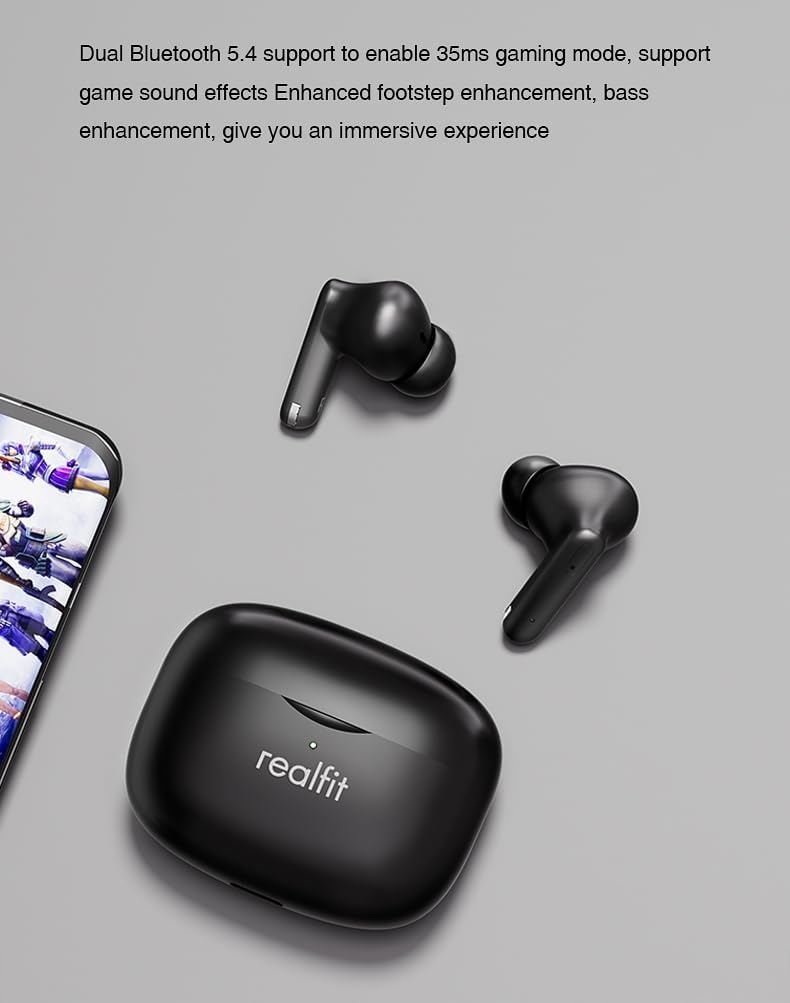
Image: The Realfit F3 Earbuds Pro and their charging case positioned next to a smartphone displaying a game. Text indicates "Dual Bluetooth 5.4 support to enable 35ms gaming mode, support game sound effects Enhanced footstep enhancement, bass enhancement, give you an immersive experience."
4.4 360° Spatial Sound
The earbuds offer 360° Spatial Sound, allowing you to pinpoint sound locations with precision. This feature is particularly beneficial for gamers who rely on directional audio cues.
4.5 ENC Call Functionality
The built-in microphone with Environmental Noise Cancellation (ENC) ensures clear communication during calls, reducing background noise for both the user and the listener.
4.6 APP Customization
Further customize your listening experience and control settings through the dedicated Realfit companion application. The app allows for noise reduction adjustments, EQ settings, key remapping, and changing the device name.

Image: A smartphone screen displaying the Realfit companion app interface. The app shows battery levels for both earbuds, options for 'Noise reduction', 'Shut down', 'Transparent', and a toggle for 'Game Mode'. Further settings like 'EQ setting' and 'Key setting' are also visible, indicating extensive customization options.
5. නඩත්තු කිරීම
5.1 පිරිසිදු කිරීම
නිතිපතා පිරිසිදු කිරීම ශබ්දයේ ගුණාත්මකභාවය සහ සනීපාරක්ෂාව පවත්වා ගැනීමට උපකාරී වේ:
- ඉයර්බඩ් සහ ආරෝපණ පෙට්ටිය පිස දැමීමට මෘදු, වියලි, ලින්ට් රහිත රෙද්දක් භාවිතා කරන්න.
- For earwax or debris in the ear tips/grilles, use a small, soft brush or cotton swab lightly dampඅයිසොප්රොපයිල් මධ්යසාර සමඟ එකතු කර ඇත.
- Do not use abrasive cleaners or submerge the earbuds or case in water.
5.2 ගබඩා කිරීම
භාවිතයේ නොමැති විට, ඉයර්බඩ් ආරක්ෂා කර ගැනීමට සහ ආරෝපණය කර තබා ගැනීමට ඒවායේ ආරෝපණ පෙට්ටියේ ගබඩා කරන්න. අධික උෂ්ණත්වයන්ගෙන් ඈත්ව සිසිල් වියළි ස්ථානයක ගබඩා කරන්න.
5.3 කන් ඉඟි ආදේශ කිරීම
The earbuds come with different silicone ear tip sizes to ensure a comfortable and personalized fit, which also affects noise reduction. If a tip is damaged or lost, replace it with one of the included spares or a compatible replacement.
6. දෝශ නිරාකරණය
If you encounter issues with your Realfit F3 Earbuds Pro, try the following solutions:
| ගැටලුව | හැකි විසඳුම |
|---|---|
| ඉයර්බඩ් යුගල නොවේ | Ensure earbuds are charged. Place them back in the case, close, then open again to re-enter pairing mode. Turn Bluetooth off/on on your device. |
| එක් ඉයර්බඩ් එකකින් ශබ්දයක් නැත | Check battery level of both earbuds. Try re-pairing. Ensure both earbuds are properly seated in the charging case. |
| අඩු ශබ්දය හෝ දුර්වල ශබ්ද ගුණාත්මකභාවය | Clean earbud grilles. Ensure ear tips are correctly sized and sealed in your ear. Adjust volume on your device. |
| ඉයර්බඩ් ආරෝපණය නොවේ | Ensure charging cable is securely connected. Check if the charging case has power. Clean charging contacts on earbuds and case. |
| බ්ලූටූත් සම්බන්ධතාවය අස්ථායි | Ensure no strong interference sources nearby. Keep earbuds within 8m of your device. Try resetting the earbuds (refer to APP or manufacturer's webනිශ්චිත යළි පිහිටුවීමේ උපදෙස් සඳහා අඩවිය). |
7. පිරිවිතර
| විශේෂාංගය | විස්තර |
|---|---|
| මාදිලියේ නම | Realfit F3 Earbuds Pro True Wireless Tws |
| සම්බන්ධතා තාක්ෂණය | රැහැන් රහිත (බ්ලූටූත්) |
| රැහැන් රහිත සන්නිවේදන තාක්ෂණය | බ්ලූටූත් V5.4 |
| හෙඩ්ෆෝන් බැටරි ධාරිතාව | 30mAh (එක් එක් ඉයර්බඩ්) |
| ආරෝපණ පෙට්ටියේ බැටරි ධාරිතාව | 300mAh |
| ආරෝපණ කාලය | Approx. 1 hour (earbuds and case) |
| ක්රීඩා කාලය (තනි ගාස්තුව) | පැය 5 දක්වා |
| මුළු ක්රීඩා කාලය (ආරෝපණ නඩුව සමඟ) | පැය 28 දක්වා |
| සම්ප්රේෂණ දුර | > මීටර් 8 |
| ශබ්ද පාලනය | සක්රීය ශබ්ද අවලංගු කිරීම (ANC) |
| මයික්රෆෝනය | Built-in with ENC (Environmental Noise Cancellation) |
| පාලන ක්රමය | ස්පර්ශ කරන්න |
| කන් ස්ථානගත කිරීම | කනේ |
| ආකෘති සාධකය | කනේ |
| වර්ණය | කළු |
| අයිතමයේ බර | Approx. 2000 Grams (4.41 pounds - likely shipping weight) |
| අයිතම ආදර්ශ අංකය | Realfit-F3-AUD |
8. වගකීම් සහ සහාය
For warranty information and technical support, please refer to the warranty card included in your package or visit the official Realfit webවෙබ් අඩවිය. ඕනෑම වගකීම් හිමිකම් සඳහා ඔබේ මිලදී ගැනීමේ සාක්ෂි තබා ගන්න.
If you require further assistance, please contact Realfit customer service through the contact details provided on the official webවෙබ් අඩවියේ හෝ ඔබේ නිෂ්පාදන ලියකියවිලිවල.


