1. හැඳින්වීම සහ අවසන්view
The Vaonis Vespera Pro is a compact smart telescope designed for automated stargazing and astrophotography. It integrates advanced optical and sensor technology to provide high-resolution imaging and an intuitive app-controlled experience. This manual provides essential information for setting up, operating, maintaining, and troubleshooting your Vespera Pro telescope.
- Starvis2 Sensor: The Vespera Pro incorporates the SONY IMX676 Starvis 2 sensor, offering ultra-high sensitivity for enhanced observation.
- CovalENS Technology: This exclusive Vaonis technology enables live panorama capture, expanding your field of view.
- Premium Quality Optics: Equipped with a new field corrector, the optical system is optimized to fully utilize the sensor's potential.
- විශේෂඥ මාදිලිය: The Pro version provides access to an Expert Mode within the companion application, offering advanced control.
- Automatic Dark Calibration: The telescope automatically subtracts calibration frames from observations for improved image quality.
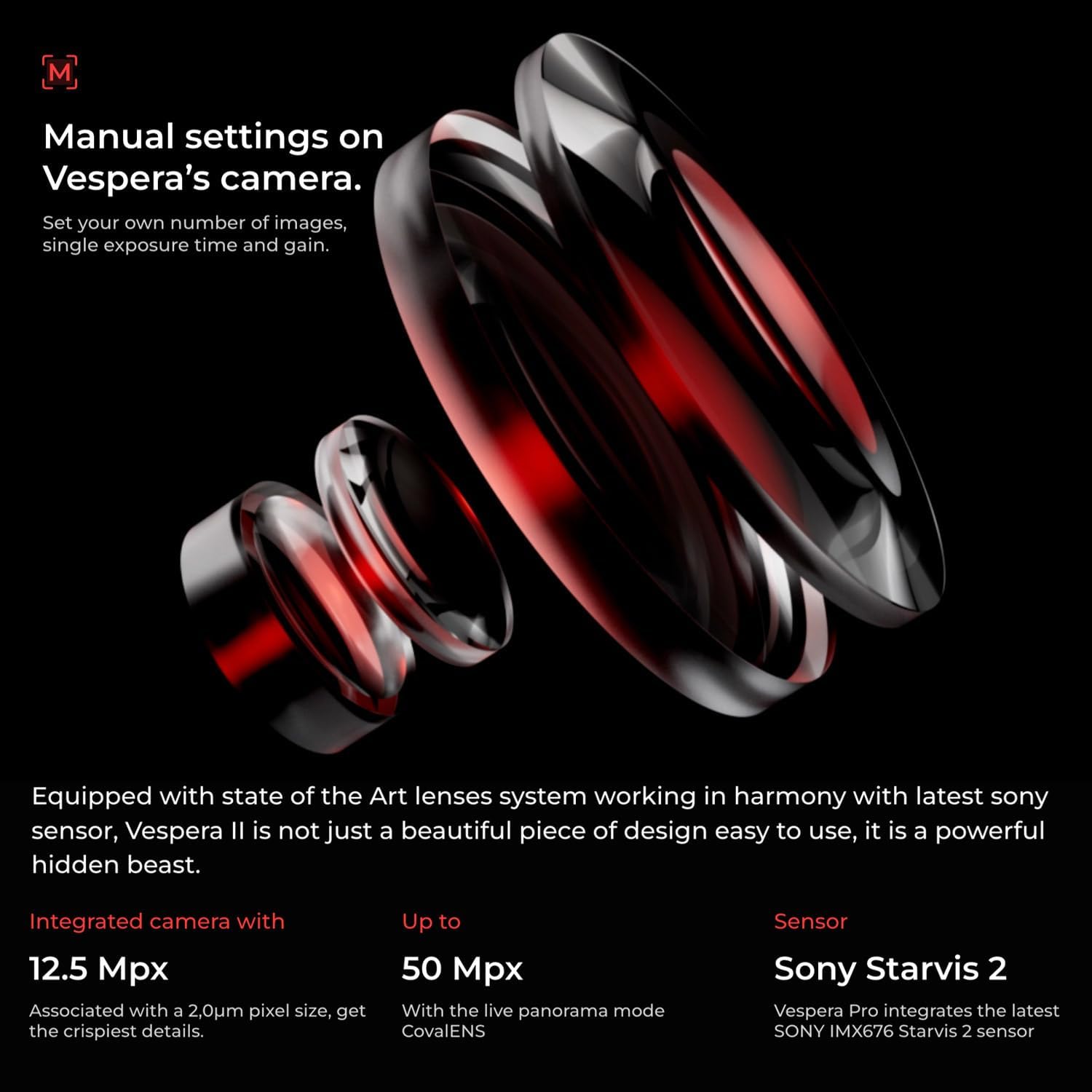
Figure 1: The Vaonis Vespera Pro Smart Telescope with its integrated screen open.
2. පිහිටුවීම
Follow these steps to prepare your Vespera Pro for observation:
- ඇසිරීම: ඇසුරුම්කරණයෙන් සියලුම සංරචක ප්රවේශමෙන් ඉවත් කරන්න. සියලුම කොටස් පවතින බවත් හානි නොවන බවත් සහතික කර ගන්න.
- ට්රයිපොඩ් ඇමුණුම: Extend the tripod legs and ensure they are stable on a flat surface. Securely attach the Vespera Pro unit to the tripod mount.
- බල ගැන්වීම: Press and hold the power button located on the side of the telescope until the indicator light illuminates.
- යෙදුම් සම්බන්ධතාවය: Download and install the Singularity app by Vaonis on your smartphone or tablet. Follow the in-app instructions to connect to your Vespera Pro via Wi-Fi.

Figure 2: Vespera Pro mounted on its tripod, ready for setup.
වීඩියෝව 1: නිෂ්පාදනය අවසන්view වීඩියෝව. මෙම වීඩියෝව සාමාන්ය විස්තරයක් සපයයිview of the Vespera Pro, including its physical components and initial handling.
3. මෙහෙයුම් උපදෙස්
The Vespera Pro is primarily operated through the Singularity mobile application. Ensure your device is connected to the telescope's Wi-Fi network.
3.1 Initial Alignment and Object Selection
- Upon connecting, the app will guide you through an automatic alignment process using its internal sensors and GPS.
- Browse the celestial catalog within the Singularity app to select your desired observation target (e.g., galaxies, nebulae, star clusters).
- The telescope will automatically slew (move) to center the selected object in its field of view.
3.2 Imaging and Observation
- Once an object is targeted, the Vespera Pro begins capturing multiple short-exposure images.
- These images are automatically stacked and processed in real-time by the CovalENS technology, gradually revealing details and colors.
- Monitor the live stacking process and image enhancement directly on your connected device's screen.
- Utilize the Expert Mode in the app for manual control over imaging parameters such as exposure time and gain, if desired.
- The Automatic Dark Calibration feature works in the background to optimize image quality.

Figure 3: Vespera Pro actively observing the night sky.
Video 2: LumENS - Your real-time astro companion by Vaonis. This video demonstrates the functionality of the LumENS app, which is integral to operating the Vespera Pro.
4. නඩත්තු කිරීම
Proper maintenance ensures the longevity and optimal performance of your Vespera Pro telescope:
- පිරිසිදු කිරීමේ දෘෂ්ටි විද්යාව: Use a soft, lint-free cloth and specialized optical cleaning solution to gently clean the lens surfaces. Avoid abrasive materials.
- ශරීර පිරිසිදු කිරීම: Wipe the exterior of the telescope with a soft, damp රෙදි. දරුණු රසායනික ද්රව්ය භාවිතා නොකරන්න.
- ගබඩා: Store the Vespera Pro in its protective case in a dry, temperature-controlled environment when not in use. Protect it from dust and moisture.
- බැටරි සත්කාර: For long-term storage, ensure the battery is charged to approximately 50-60% to maintain battery health.
5. දෝශ නිරාකරණය
If you encounter issues with your Vespera Pro, consider the following:
- සම්බන්ධතා ගැටළු: Ensure your smartphone/tablet's Wi-Fi is connected to the Vespera Pro's network. Restart both the telescope and the app if connection fails.
- දුර්වල රූපයේ ගුණාත්මකභාවය: Check for clear skies and minimal light pollution. Ensure the lens is clean and free of condensation. Verify that the telescope is properly aligned.
- Telescope Not Responding: Perform a hard reset by holding the power button for an extended period (refer to the app for specific instructions). Ensure the battery is charged.
- යෙදුම් ක්රියාකාරිත්වය: Ensure your Singularity app is updated to the latest version.
6. පිරිවිතර
Key technical specifications for the Vaonis Vespera Pro:
- මාදිලියේ නම: Vespera Pro
- වෙළඳ නාමය: Vaonis
- නිෂ්පාදන මානයන්: අඟල් 18.89 x 7.87 x 3.54
- අයිතමයේ බර: රාත්තල් 11.02 කි
- ද්රව්ය: ලෝහ
- වර්ණය: කළු
- විශේෂ ලක්ෂණය: සැහැල්ලුයි
- ගැළපෙන උපාංග: Camera (for astrophotography integration)
- සංවේදකය: SONY IMX676 Starvis 2

Figure 4: Visual representation of Vespera Pro's dimensions and weight.
7. වගකීම් සහ සහාය
For detailed warranty information, technical support, and service requests, please refer to the official Vaonis webවෙබ් අඩවියට හෝ ඔවුන්ගේ පාරිභෝගික සේවයට සෘජුවම සම්බන්ධ වන්න. වගකීම් හිමිකම් සඳහා ඔබේ මිලදී ගැනීමේ රිසිට්පත තබා ගන්න.


