නිෂ්පාදනය අවසන්view
The AkaGear DS10 Keyless Entry Door Lock provides a secure and convenient way to manage access to your home or office. It integrates multiple unlocking methods and smart features for enhanced user experience.
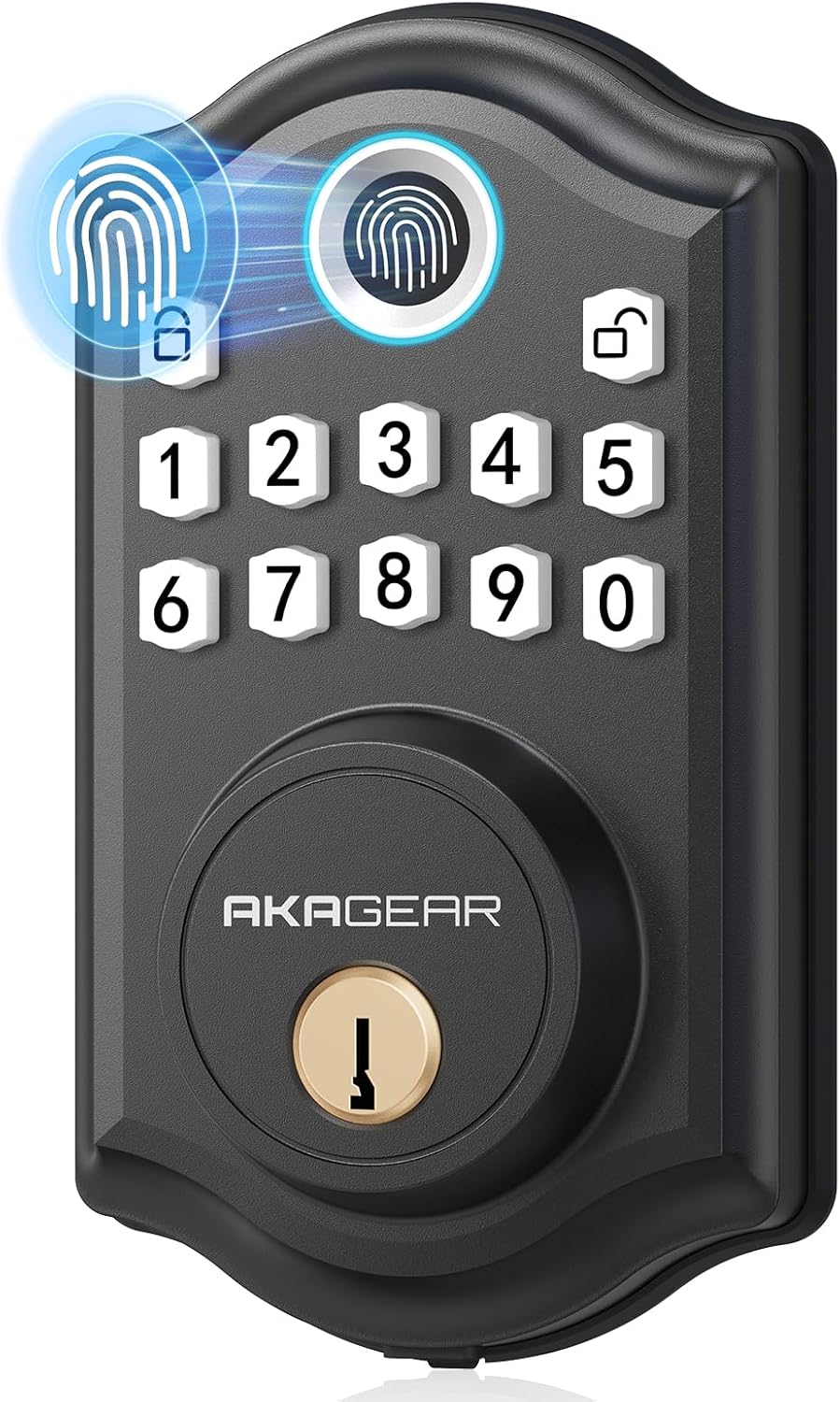
Figure 1: AkaGear DS10 Keyless Entry Door Lock (Matte Black)
ප්රධාන ලක්ෂණ:
- බහු අගුළු හැරීමේ විකල්ප: Fingerprint, Passcode, and Traditional Keys.
- වේගවත් ඇඟිලි සලකුණු හඳුනාගැනීම: 0.3-second recognition with storage for up to 50 unique fingerprints.
- User-Friendly Codes: Supports up to 300 temporary or permanent user codes.
- ස්වයංක්රීය අගුල සහ එක්-ස්පර්ශ අගුලු දැමීම: Customizable auto-lock delay from 5 to 59 seconds, or instant one-touch locking.
- දිගු බැටරි ආයු කාලය: Operates on 4 AA batteries (not included) for up to a year or 7,000 cycles.
- Low Battery Alerts & Backup Power: Visual and audible alerts for low battery, with a USB-C port for emergency power.
- හඬ මාර්ගෝපදේශය: Provides clear voice prompts for setup and operation, with a mute option.
- පහසු ස්ථාපනය: Designed for quick installation on all US standard doors (left/right-handed) using a screwdriver.
නිෂ්පාදනය අවසන්view වීඩියෝ:
වීඩියෝ 1: ඕවරයක්view of the AkaGear DS10 Fingerprint Door Lock, highlighting its features and design.
ස්ථාපන මාර්ගෝපදේශය
The AkaGear DS10 lock is designed for straightforward installation. Please follow these steps carefully.
දොර අනුකූලතාව:

Figure 2: Diagram showing compatible door dimensions and handedness (left/right).
ඔබේ දොර පහත පිරිවිතරයන්ට අනුකූල වන බවට වග බලා ගන්න:
- දොර ඝණකම: අඟල් 1-3/8 සිට අඟල් 2 දක්වා (මි.මී. 35 සිට 50 දක්වා)
- දොර සිදුරු විෂ්කම්භය: අඟල් 2-1/8 (මි.මී. 54)
- පසුපෙළ: Adjustable to 2-3/8 inches or 2-3/4 inches (60mm or 70mm)
පියවරෙන් පියවර ස්ථාපනය:

Figure 3: Visual guide for the six installation steps.
- Step 1: Install the Bolt. Ensure the latch is adjusted to the correct length (60mm or 70mm) and the 'UP' sign on the latch points upwards.
- Step 2: Install the Keypad (Front Lock). Carefully feed the cable through the door hole and align the keypad with the bolt. Ensure the torque blade is horizontal.
- Step 3: Install the Mounting Plate. Secure the mounting plate to the door, ensuring the 'UP' sign on the plate points upwards.
- Step 4: Connect the Cable. Connect the cable from the front lock to the socket on the back lock.
- Step 5: Install the Back Lock. Align the back lock with the mounting plate and secure it with screws. Ensure the knob on the back lock is in a vertical position.
- Step 6: Install Batteries and Cover. Insert 4 AA batteries (not included) into the battery compartment. The lock will automatically orient itself. Wait 5 seconds for this process to complete before proceeding with setup.
ස්ථාපන වීඩියෝ:
Video 2: Detailed instructions on how to install the AkaGear Smart Door Lock (DS10 & DS10 Pro).
මෙහෙයුම් සහ වැඩසටහන්කරණය
The DS10 lock offers various methods for unlocking and can be programmed to suit your security needs.
අගුළු හැරීමේ ක්රම:
- ඇඟිලි සලකුණු අගුලු හැරීම: Place your registered finger on the sensor for quick access (0.3-second recognition). The lock can store up to 50 fingerprints.
- මුරකේත අගුළු හැරීම: Enter your programmed passcode on the electronic keypad. The lock supports up to 300 user codes, including temporary codes for guests.
- යතුරු අගුළු හැරීම: Use one of the two provided backup keys for traditional mechanical unlocking.

Figure 4: Fingerprint Quick Unlock - 0.3s biometrics identification with 99.9% recognition rate.

Figure 5: The lock supports up to 50 fingerprints, 300 codes, and includes 2 physical keys.
Auto-Lock and One-Touch Locking:
The lock can be set to automatically lock after a specified time (5-59 seconds) or locked instantly with a single button press.

Figure 6: Auto-lock engages 5-59 seconds after closing the door. Manual one-touch locking is also available.
අගුල ක්රමලේඛනය කිරීම:
The lock features voice guidance to assist with programming. Refer to the detailed programming video for specific steps on setting up user codes, fingerprints, and other settings.
Video 3: Programming instructions for the AkaGear DS10 / DS10 Pro Fingerprint Door Lock.
නඩත්තු කිරීම
Proper maintenance ensures the longevity and optimal performance of your AkaGear DS10 lock.
බැටරි කළමනාකරණය:
The lock is powered by 4 AA batteries (not included). It provides low-battery alerts to notify you when replacement is needed. Batteries can last up to a year or 7,000 cycles depending on usage.

Figure 7: The lock offers long battery life and a low battery indicator light. Backup power is available via USB-C.
Emergency Backup Power:
In case the batteries completely drain, the lock features a USB-C port for emergency backup power. Simply connect a portable power bank to the USB-C port to temporarily power the lock and gain entry.
දෝෂගවේෂණය
If you encounter issues with your AkaGear DS10 lock, consider the following common solutions:
- අගුල ප්රතිචාර නොදක්වයි: Check the batteries. If the batteries are low or dead, replace them or use the USB-C backup power.
- ඇඟිලි සලකුණ හඳුනා නොගත්: ඔබේ ඇඟිල්ල පිරිසිදුව හා වියලිව ඇති බවට වග බලා ගන්න. ගැටලුව දිගටම පවතී නම් ඔබේ ඇඟිලි සලකුණ නැවත ලියාපදිංචි කිරීමට උත්සාහ කරන්න.
- මුරකේතය ක්රියා නොකරයි: Double-check that you are entering the correct passcode. Ensure the lock is not in a programming mode.
- Lock Mechanism Jammed: Ensure there are no obstructions in the door frame or latch. Verify that the installation was done correctly, especially the latch alignment.
- Voice Prompts Unclear/Too Loud: Adjust the volume setting as per the programming instructions.
For persistent issues or complex problems, please refer to the detailed troubleshooting section in the full manual or contact customer support.
පිරිවිතර
| විශේෂාංගය | පිරිවිතර |
|---|---|
| වෙළඳ නාමය | AkaGear |
| මාදිලියේ නම | DS10 |
| අගුළු වර්ගය | Keypad Deadbolt Door Lock, Fingerprint Deadbolt Door Lock |
| ද්රව්ය | ඇලුමිනියම් |
| වර්ණය | M-Black |
| අයිතමයේ බර | රාත්තල් 1.72 කි |
| නිෂ්පාදන මානයන් (L x W x H) | අඟල් 2.83 x 0.59 x 4.84 |
| බලශක්ති ප්රභවය | 4 AA බැටරි (ඇතුළත් කර නැත) |
| විශේෂ ලක්ෂණ | Fingerprint, Anti-Peeping Password, Passcode Unlock, Auto-Lock, One-Touch Lock |
| සම්බන්ධතා ප්රොටෝකෝලය | Nonconnected |
| ඇතුළත් සංරචක | Fingerprint deadbolt door lock, 2 Standard Keys, Latch, Strike Plate, Screws, Installation Instructions |
වගකීම් සහ සහාය
For warranty information or technical assistance, please contact AkaGear Official customer support. Keep your purchase receipt for any warranty claims.
AkaGear Official Support:
- Refer to the contact information provided with your product packaging.
- Visit the official AkaGear store on Amazon: AkaGear Store


