1. හැඳින්වීම
Welcome to the user manual for your Thomson RT850BT Bluetooth Speaker, FM Radio, and Alarm Clock. This guide provides detailed instructions on how to set up, operate, and maintain your device. Please read this manual thoroughly before use to ensure proper functionality and to maximize your experience with the RT850BT.
2 ආරක්ෂිත තොරතුරු
ආරක්ෂිත ක්රියාකාරිත්වය සහතික කිරීමට සහ හානි වැළැක්වීමට, කරුණාකර පහත ආරක්ෂක පියවරයන් නිරීක්ෂණය කරන්න:
- ඒකකය වර්ෂාව, තෙතමනය හෝ අධික උෂ්ණත්වයන්ට නිරාවරණය නොකරන්න.
- ඒකකය තාප ප්රභවයන් අසල හෝ සෘජු හිරු එළියේ තැබීමෙන් වළකින්න.
- නිසි වාතාශ්රය සහතික කරන්න; කිසිදු වාතාශ්රය විවරයක් අවහිර නොකරන්න.
- සපයන ලද බල ඇඩැප්ටරය පමණක් භාවිතා කරන්න.
- ඒකකය විසුරුවා හැරීමට හෝ වෙනස් කිරීමට උත්සාහ නොකරන්න. සියලුම සේවා සුදුසුකම් ලත් පුද්ගලයින් වෙත යොමු කරන්න.
- ඒකකය ශක්තිමත් චුම්බක ක්ෂේත්ර වලින් ඈත් කරන්න.
3. පැකේජ අන්තර්ගතය
සියලුම අයිතම පැකේජයේ ඇති බව තහවුරු කරගන්න:
- Thomson RT850BT Unit
- බල ඇඩැප්ටරය
- පරිශීලක අත්පොත

Image: Thomson RT850BT packaging, illustrating the product and its key features.
4. නිෂ්පාදන අවසන්view
4.1 ඉදිරිපස පුවරුව
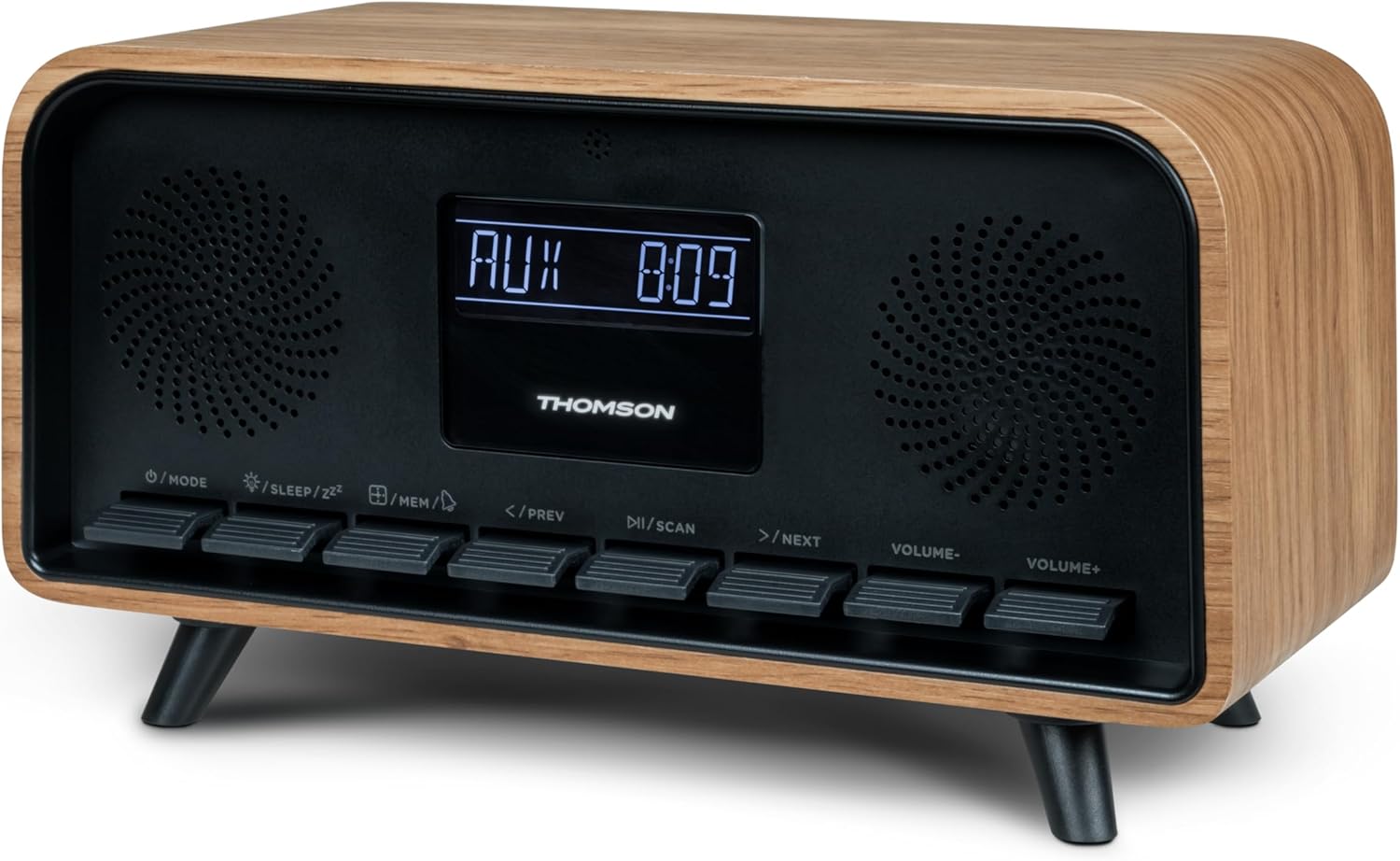
රූපය: ඉදිරිපස view of the Thomson RT850BT unit, showing the LCD display, speakers, and control buttons.
- LCD සංදර්ශකය: Shows time, mode, and other information.
- /MODE Button: Power On/Off, switch between modes (Bluetooth, FM, AUX).
- /SLEEP/ZZ බොත්තම: Set sleep timer, activate snooze.
- /MEM Button: Set alarm, save/recall radio stations.
- </PREV Button: Previous track (Bluetooth), tune down (FM).
- /SCAN Button: Play/Pause (Bluetooth), auto scan (FM).
- >/NEXT Button: Next track (Bluetooth), tune up (FM).
- VOLUME- Button: පරිමාව අඩු කරන්න.
- VOLUME+ Button: පරිමාව වැඩි කරන්න.
4.2 පසුපස පුවරුව

රූපය: පසුපස view of the Thomson RT850BT, highlighting the power supply, Line In (AUX-IN), and USB-C charge output ports.
- Power Supply (DC IN 5V): සපයන ලද බල ඇඩැප්ටරය සම්බන්ධ කරන්න.
- Line In (AUX-IN): බාහිර උපාංග සඳහා 3.5mm ශ්රව්ය ආදානය.
- Charge Output (USB-C): USB Type-C port for charging external devices.
5. පිහිටුවීම
5.1 බල සම්බන්ධතාවය
- Connect the power adapter to the DC IN 5V port on the rear of the RT850BT.
- බල ඇඩැප්ටරය සම්මත බිත්ති අලෙවිසැලකට සම්බන්ධ කරන්න.
- The unit will power on automatically or enter standby mode.
5.2 Initial Power On and Clock Setting
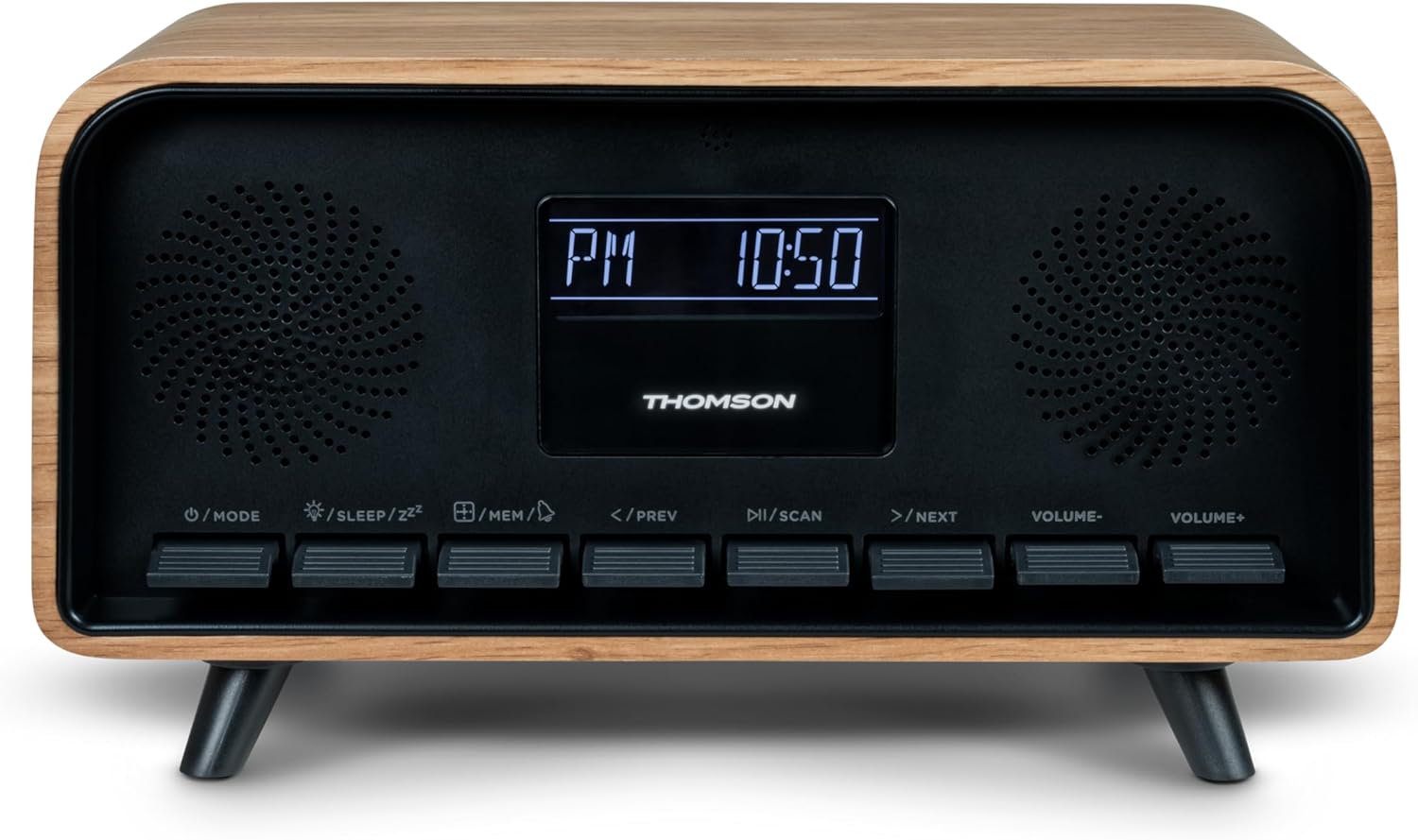
Image: Close-up of the RT850BT's LCD display showing the time, 10:50 PM, and the 'PM' indicator.
- If the unit is in standby, press the /මාදිලිය එය සක්රිය කිරීමට බොත්තම.
- ඔරලෝසුව සැකසීමට, ඔබා අල්ලාගෙන සිටින්න /MEM කාල සංදර්ශකය දැල්වෙන තුරු බොත්තම ඔබාගෙන සිටින්න.
- භාවිතා කරන්න </PREV සහ >/NEXT පැය සීරුමාරු කිරීමට බොත්තම්. ඔබන්න /MEM තහවුරු කිරීමට.
- භාවිතා කරන්න </PREV සහ >/NEXT මිනිත්තුව සකස් කිරීමට බොත්තම්. ඔබන්න /MEM තහවුරු කිරීමට.
- ඔරලෝසුව දැන් සකසා ඇත.
6. මෙහෙයුම් උපදෙස්
6.1 බ්ලූටූත් ප්රකාරය

Image: Close-up of the RT850BT's LCD display indicating 'bt' for Bluetooth mode, along with the current time.
- ඔබන්න /මාදිලිය button repeatedly until 'bt' appears on the display. The unit is now in Bluetooth pairing mode.
- ඔබගේ ජංගම උපාංගයේ, බ්ලූටූත් සබල කර පවතින උපාංග සොයන්න.
- Select 'RT850BT' from the list to pair. A confirmation tone will sound upon successful connection.
- You can now play audio from your device through the RT850BT.
- භාවිතා කරන්න /ස්කෑන් button to Play/Pause, and </PREV / >/NEXT ධාවන පථ මඟ හැරීමට බොත්තම්.
- භාවිතා කරමින් පරිමාව සකසන්න පරිමාව- සහ VOLUME+ බොත්තම්.
6.2 FM රේඩියෝ මාදිලිය
- ඔබන්න /මාදිලිය button repeatedly until the FM frequency appears on the display.
- ස්වයං ස්කෑන්: ඔබා අල්ලාගෙන සිටින්න /ස්කෑන් button to automatically scan and save available FM stations (up to 50 stations).
- අත්පොත සුසර කිරීම: කෙටියෙන් ඔබන්න </PREV or >/NEXT to fine-tune the frequency. Press and hold to scan for the next available station.
- Recall Saved Stations: කෙටියෙන් ඔබන්න /MEM සුරකින ලද ස්ථාන හරහා චක්රීය කිරීමට බොත්තම.
6.3 අනතුරු ඇඟවීමේ ඔරලෝසු ක්රියාකාරිත්වය
The RT850BT supports setting multiple alarms.
- පොරොත්තු මාදිලියේදී, ඔබා අල්ලාගෙන සිටින්න /MEM button until 'AL1' or 'AL2' flashes.
- භාවිතා කරන්න </PREV සහ >/NEXT අනතුරු ඇඟවීමේ වේලාව සැකසීමට, පසුව ඔබන්න /MEM තහවුරු කිරීමට.
- මිනිත්තු කිහිපයක් නැවත කරන්න.
- භාවිතා කර අනතුරු ඇඟවීමේ මූලාශ්රය (බසර් හෝ එෆ්එම් රේඩියෝව) තෝරන්න </PREV සහ >/NEXT, පසුව ඔබන්න /MEM.
- අනතුරු ඇඟවීමක් සක්රිය/අක්රිය කිරීමට, කෙටියෙන් ඔබන්න /MEM button in standby mode to cycle through alarm settings (AL1 ON/OFF, AL2 ON/OFF).
- එලාම් නාද වන විට, ඔබන්න /SLEEP/ZZ for snooze (alarm will sound again after 9 minutes) or press /මාදිලිය දවසේ එලාම් එක නිවා දැමීමට.
6.4 AUX-IN මාදිලිය
- Connect an external audio device (e.g., MP3 player, smartphone) to the 'Line In' (AUX-IN) port on the rear panel using a 3.5mm audio cable (not included).
- ඔබන්න /මාදිලිය 'AUX' සංදර්ශකය මත දිස්වන තුරු නැවත නැවතත් බොත්තම ඔබන්න.
- Audio from the connected device will now play through the RT850BT. Control playback from your external device.
6.5 ඩිමර් ක්රියාකාරිත්වය
The display brightness can be adjusted to three intensity levels.
- In any mode, briefly press the /SLEEP/ZZ button to cycle through the brightness levels.
6.6 නින්දේ කාර්යය
Set a timer for the unit to automatically turn off.
- ඒකකය ක්රියාත්මකව තිබියදී, ඔබන්න /SLEEP/ZZ button repeatedly to select the desired sleep timer duration (e.g., 15, 30, 60, 90 minutes, OFF).
- තෝරාගත් වේලාවෙන් පසු ඒකකය ස්වයංක්රීයව ක්රියා විරහිත වේ.
6.7 USB-C ආරෝපණ වරාය
The USB-C port on the rear panel is for charging external devices.
- Connect your compatible device's USB-C charging cable to the 'Charge output' port.
- Ensure the RT850BT is powered on or in standby mode for charging functionality.
7. නඩත්තු කිරීම
To maintain the performance and appearance of your RT850BT:
- පිරිසිදු කිරීම: Use a soft, dry cloth to clean the exterior. Do not use abrasive cleaners, waxes, or solvents.
- ගබඩා: ඒකකය දිගු කාලයක් ගබඩා කරන්නේ නම්, එය විදුලිබල පද්ධතියෙන් විසන්ධි කර සිසිල් වියළි ස්ථානයක ගබඩා කරන්න.
- වාතාශ්රය: වාතාශ්රය ග්රිල් දූවිලි හා අවහිරතා වලින් තොර බවට වග බලා ගන්න.
8. දෝශ නිරාකරණය
If you encounter issues with your RT850BT, refer to the following table for common problems and solutions:
| ගැටලුව | විය හැකි හේතුව | විසඳුම |
|---|---|---|
| බලය නැත | බල ඇඩැප්ටරය සම්බන්ධ වී නැත හෝ දෝෂ සහිත අලෙවිසැලක්. | බල ඇඩැප්ටරය ආරක්ෂිතව සම්බන්ධ වී ඇති බවත් අලෙවිසැල ක්රියාකාරී බවත් සහතික කර ගන්න. |
| ශබ්දයක් නැත | Volume too low, incorrect mode, or device not paired (Bluetooth). | Increase volume. Check if the correct mode (BT, FM, AUX) is selected. Re-pair Bluetooth device. |
| බ්ලූටූත් යුගල කිරීම අසාර්ථකයි | Device too far, Bluetooth not enabled on source, or RT850BT not in pairing mode. | Ensure devices are within range. Enable Bluetooth on your device. Set RT850BT to 'bt' mode. |
| දුර්වල එෆ්එම් පිළිගැනීම | දුර්වල සංඥා. | Adjust the unit's position to improve reception. |
| එලාම් නාද නොවේ | අනතුරු ඇඟවීම සක්රිය කර හෝ වැරදි ලෙස සකසා නැත. | Verify alarm settings and ensure it is set to ON. |
9. පිරිවිතර
- ආකෘතිය: RT850BT
- බ්ලූටූත් අනුවාදය: 5.3
- රේඩියෝ සුසරකය: එෆ්එම් (87.5-108 MHz)
- Station Memory: එෆ්එම් දුම්රිය ස්ථාන 50 ක්
- ශ්රව්ය ආදානය: AUX-IN (මි.මී. 3.5)
- සංදර්ශකය: LCD with 3-intensity dimmer
- බල ප්රතිදානය: 30W Total Music Power
- ආරෝපණ වරාය: USB-C (for external devices)
- බලශක්ති ප්රභවය: රැහැන් සහිත විදුලි (DC 5V)
- බර: ග්රෑම් 600 යි
10. වගකීම් සහ සහාය
For warranty information and technical support, please refer to the documentation provided at the time of purchase or contact your local Thomson customer service. Keep your proof of purchase for warranty claims.


