1. හැඳින්වීම
The ATOTOZONE AC-FHD02DV is a Full HD 1080P On-Dash DVR Camera designed to enhance your driving safety and provide reliable recording capabilities. This manual provides detailed instructions for installation, operation, maintenance, and troubleshooting to ensure optimal performance of your device.
2. නිෂ්පාදන අවසන්view
The AC-FHD02DV camera offers a range of features for comprehensive vehicle surveillance and recording:
- FHD 1080P Recording: Captures clear, high-definition video footage.
- GPS Track Playback: නැවත ඉඩ දෙයිview of driving routes and incident locations.
- වාහන නැවැත්වීමේ අධීක්ෂණය: Automatically activates upon collision detection when parked, recording 30-second video clips.
- G-සංවේදකය: Detects collisions while driving and locks footagඊ උඩින් ලිවීම වැළැක්වීමට.
- Strong Light Suppression: Ensures clear details are captured even in direct sunlight.
- පුළුල් ගතික පරාසය (WDR): Delivers clear recordings in challenging lighting conditions.
- රාත්රී දර්ශනය: පැහැදිලි foo සපයයිtage අඩු ආලෝක පරිසරවල.
- Auto Start & Loop Recording: Automatically begins recording when the vehicle starts and continuously records by overwriting older files.
- Outage-Proof Design: Saves video footage during unexpected power loss.
- 136° පුළුල් කෝණ කාච: පුළුල් පරාසයක් අල්ලා ගනී. view මාර්ගයේ.
රූපය: අවසන්view of AC-FHD02DV features including FHD 1080P, GPS Track Playback, Parking Surveillance, G-Sensor, Real Time Recording, Strong Light Suppression, WDR, Auto Start, Loop Recording, Outage-Proof, Night Vision, and 136° Wide Angle.
3. පෙට්ටියේ ඇති දේ
Upon unboxing your ATOTOZONE AC-FHD02DV, you should find the following components:
- AC-FHD02DV Front Recording Camera
- Extension Cable (3.5m/11.48ft)
- Cable Frame
- ඇඩැප්ටර කේබලය
- Online Manual Page (access details in package)

Image: The AC-FHD02DV Front Recording Camera, Extension Cable, Cable Frame, Adapter Cable, and Online Manual Page.
4. පිහිටුවීම සහ ස්ථාපනය
The AC-FHD02DV is designed for easy installation. Follow these general steps:
- කැමරාව සවි කරන්න: Securely attach the AC-FHD02DV camera to your vehicle's windshield, typically behind the rearview කැඩපත, පැහැදිලි බව සහතික කරයි view මාර්ගයේ.
- කේබල් මාර්ගගත කරන්න: Use the provided cable frame and extension cable to neatly route the wiring along the windshield and dashboard to your compatible ATOTO X10 Series car stereo.
- ස්ටීරියෝ වෙත සම්බන්ධ වන්න: Connect the adapter cable from the dash cam to the designated input port on your ATOTO X10 Series car stereo.

Image: Visual guide demonstrating the simple connection of the dash cam to the car's system.
4.1. Compatibility Notice
මෙම කැමරාව only compatible with ATOTO X10 Series car stereos. It is not compatible with S8, A5, A6 PF/PP, F7, PND series, or third-party car stereos.

Image: A chart illustrating the compatibility of the dash cam with ATOTO X10 Series and incompatibility with other ATOTO series and third-party stereos.
4.2. Dashcam Integration with ATOTO Stereo
This video demonstrates how an ATOTO dashcam integrates and functions with an ATOTO Android car stereo, including accessing its features and settings.
Video: ATOTO AC-44P2 Dashcam working with S8G2B74PM Android Car Stereo. This video shows the dashcam interface on the stereo and how to access recorded footage.
4.3. ADS Power Adapter Connection
This video provides instructions on connecting the ADS Power Adapter to your ATOTOZONE X10 Series head unit, which may be necessary for certain vehicle integrations.
Video: AC-ADSX10 ADS Protocol Decoder Wiring Harness. This video details the steps for connecting the ADS power adapter and flashing the Maestro module for OEM feature retention.
5. මෙහෙයුම
5.1. FHD 1080P Recording & Loop Recording
The camera records continuously in Full HD 1080P. With loop recording enabled, older files ස්වයංක්රීයව නව foo මගින් උඩින් ලියනු ලැබේ.tage once the memory card is full, ensuring uninterrupted recording.
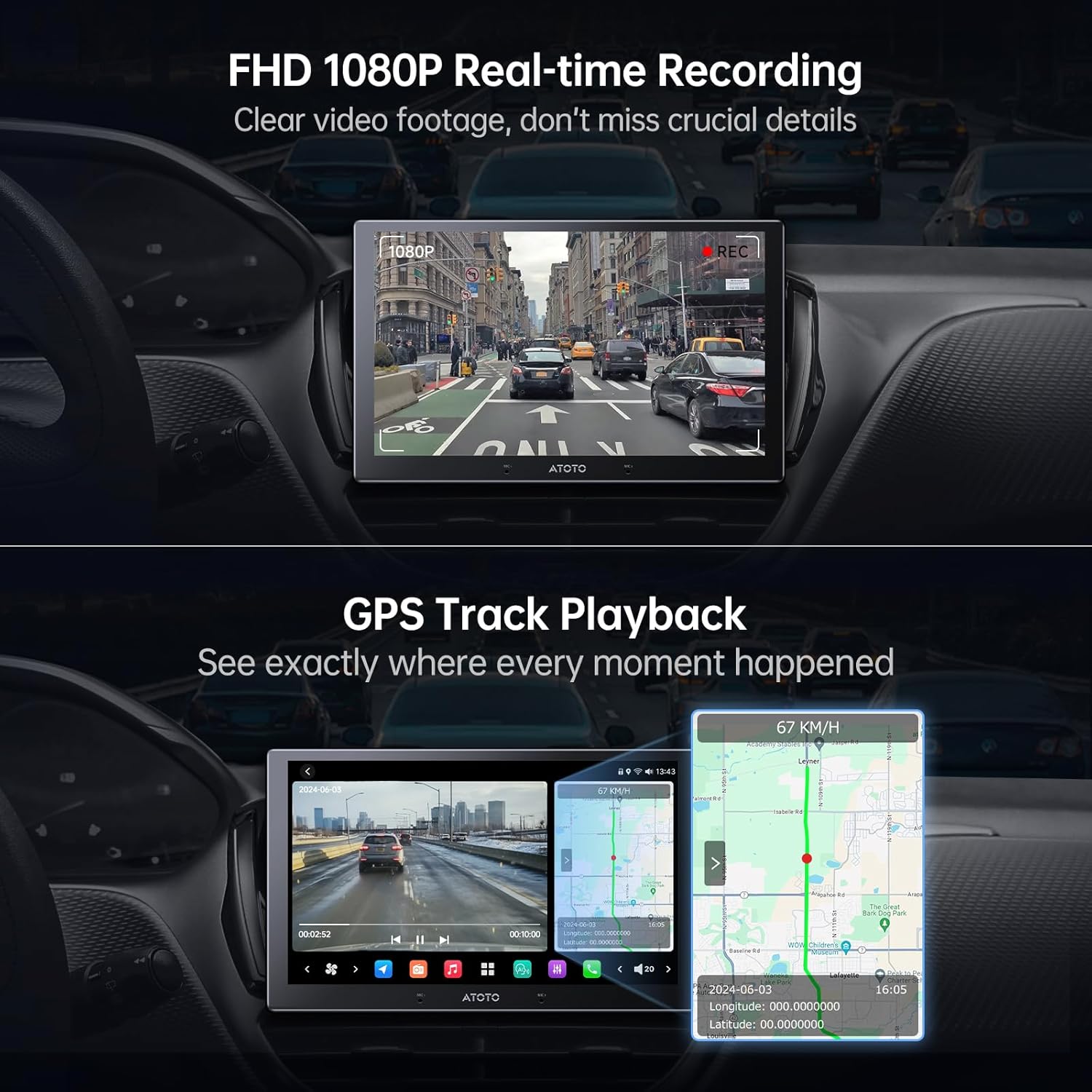
Image: A car stereo displaying real-time FHD 1080P video footage dash cam එකෙන්.

Image: An illustration depicting the continuous nature of auto start and loop recording, showing a film strip with various driving scenes.
5.2. GPS Track Playback
Review your driving routes and pinpoint the exact locations of incidents directly on your compatible ATOTO X10 Series stereo. This feature provides valuable context for recorded events.

Image: A car stereo screen showing video footage alongside a map with GPS tracking, indicating the vehicle's route and location.
For detailed GPS tracking and playback features, refer to the TrackHU app integration:
Video: TrackHU GPS Tracking APP for ATOTO Android System. This video explains how to use the TrackHU app for GPS tracking, including hiding the app icon, auto-run, and track playback with speed control.
5.3. Parking Surveillance & G-Sensor
When your vehicle is parked, the camera automatically activates upon detecting a collision, recording and locking a 30-second video clip as evidence. While driving, the built-in G-sensor detects sudden impacts or collisions and automatically locks the relevant footage.
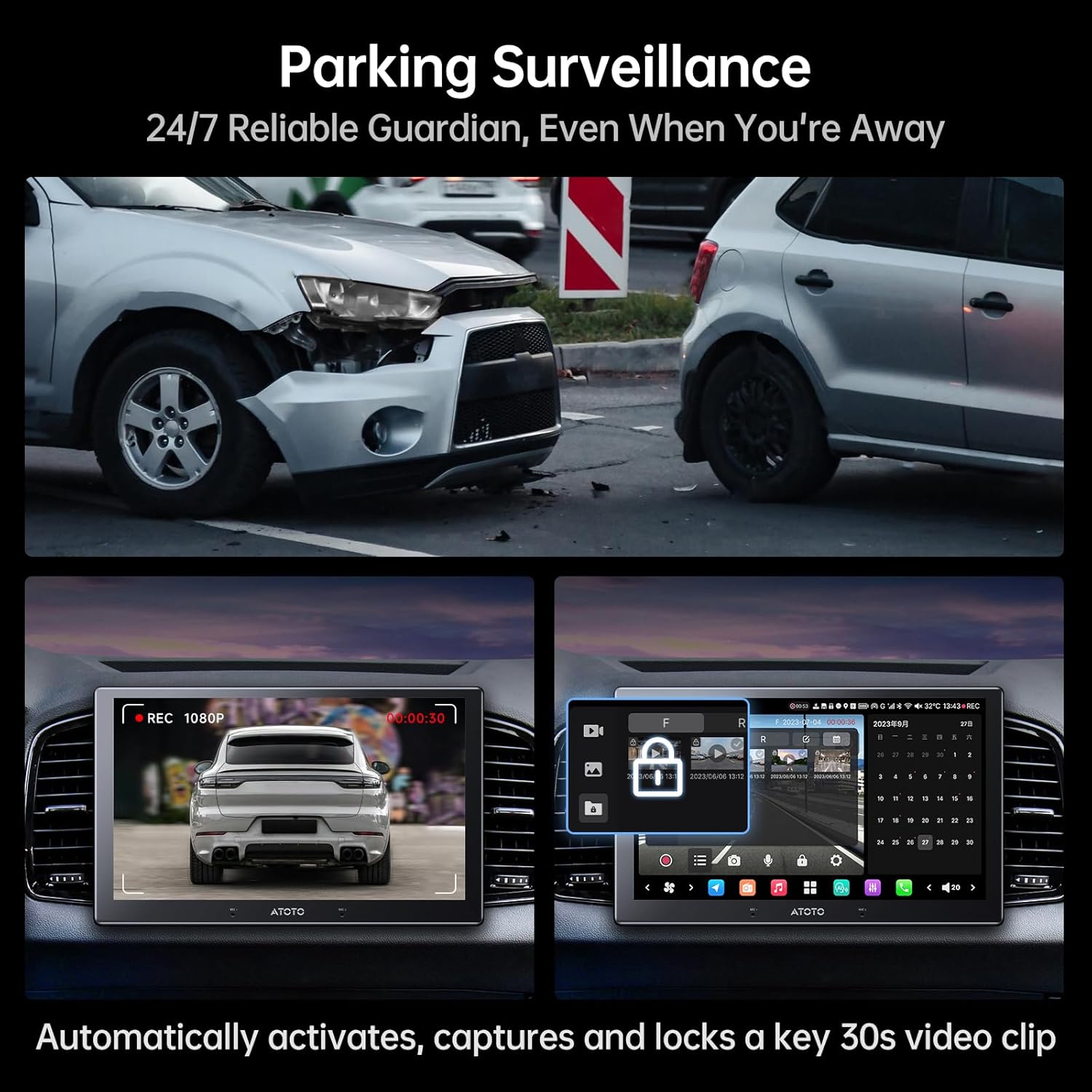
Image: A car stereo screen displaying the activation of parking surveillance after a simulated collision, showing a locked 30-second video clip.

Image: A car stereo screen showing a locked video file due to G-sensor activation during a collision, highlighting the incident detection feature.

Image: A car stereo screen illustrating the G-sensor's ability to lock video footage during an incident and the outage-proof feature that saves recordings despite power loss.
5.4. Vision Enhancement (WDR, Strong Light Suppression, Night Vision)
The camera is equipped with WDR technology and strong light suppression to ensure clear recordings in various lighting conditions, including direct sunlight, tunnels, and mixed shadows. Night vision capabilities provide enhanced clarity in low-light environments.

Image: A split image demonstrating the effectiveness of strong light suppression and WDR technology in capturing clear video footage compared to general cameras in challenging light conditions.

Image: A clear image of a car driving at night, demonstrating the dash cam's night vision capabilities.
6. නඩත්තු කිරීම
To ensure the longevity and optimal performance of your AC-FHD02DV camera, consider the following maintenance tips:
- කාචය පිරිසිදු කරන්න: Regularly clean the camera lens with a soft, lint-free cloth to prevent smudges or dust from affecting video quality.
- කේබල් සම්බන්ධතා පරීක්ෂා කරන්න: Periodically inspect all cable connections to ensure they are secure and free from damage.
- ආකෘති මතක කාඩ්පත: Format the microSD card regularly (e.g., once a month) to maintain optimal recording performance and prevent data corruption. Back up any important footagආකෘතිකරණයට පෙර.
- මෘදුකාංග යාවත්කාලීන: Check for available software updates for your ATOTO X10 Series stereo, as these may include improvements for dash cam functionality.
7. දෝශ නිරාකරණය
If you encounter any issues with your AC-FHD02DV camera, refer to the following common problems and solutions:
| ගැටලුව | විය හැකි හේතුව | විසඳුම |
|---|---|---|
| කැමරාව පටිගත නොවේ | Memory card full or corrupted; loose connection; power issue. | Format/replace memory card; check cable connections; ensure stereo is powered on. |
| දුර්වල වීඩියෝ ගුණාත්මකභාවය | Dirty lens; incorrect settings; extreme lighting. | Clean lens; adjust brightness/WDR settings on stereo; ensure proper camera placement. |
| GPS ලුහුබැඳ නොයයි | Weak GPS signal; software issue. | පැහැදිලි අහසක් සහතික කරගන්න view for GPS antenna; check TrackHU app settings; update stereo software. |
| Parking mode not activating | G-sensor sensitivity too low; power supply issue. | Adjust G-sensor sensitivity in stereo settings; ensure continuous power supply to stereo. |
8. පිරිවිතර
- නිෂ්පාදන මානයන්: අඟල් 2.32 x 1.77 x 2.64
- අයිතමයේ බර: අවුන්ස 8.8 කි
- අයිතම ආදර්ශ අංකය: AC-FHD02DV
- සම්බන්ධතා තාක්ෂණය: පවර්ලයින්
- විශේෂ ලක්ෂණ: FHD 1080P, G-Sensor, GPS Track Playback, Parking Surveillance, Real Time Recording, Strong Light Suppression
- වර්ණය: කළු
- වීඩියෝ ග්රහණ විභේදනය: 1080p
- සවිකිරීමේ වර්ගය: උපකරණ පුවරුව සවිකිරීම
- ක්ෂේත්ර View: අංශක 138
9. වගකීම් සහ සහාය
Your ATOTOZONE AC-FHD02DV comes with a 12-month product care from the date of purchase. For any inquiries or assistance, please refer to the contact details provided in your product package. Our customer care team is available to respond during workdays.

Image: An illustration of a customer support agent with a headset, accompanied by text advising users to refer to package details for online manuals and customer care contact information.

Image: A shield icon with the number '12' and text indicating '12 months of product care is provided by default from the date of purchase'.


