1. හැඳින්වීම
ස්තූතියි, උදව් කළාටasing the TTArtisan 27mm F2.8 XF-Mount Auto Focus APS-C STM Lens. This compact and versatile lens is designed for Fujifilm X-Mount mirrorless cameras, offering a 27mm focal length (approximately 40.5mm equivalent in full-frame) and a bright F2.8 aperture. It features an STM stepping motor for smooth and quiet autofocus, making it suitable for various photography and videography applications.
ගැළපෙන කැමරා: X-A1, X-A10, X-A2, X-A3, X-A5, X-A7, X-M1, X-H1, X-H2, X-T1, X-T10, X-T2, X-T20, X-T30, X-T3, X-T4, X-T5, X-T100, X-T200, X-PR01, X-PR02, X-PR03, X-E1, X-E2, X-E2S, X-E3, X-E4, XS10.

රූපය 1.1: ඉදිරිපස view of the TTArtisan 27mm F2.8 XF-Mount lens.
2. පිහිටුවීම සහ ස්ථාපනය
2.1 Unpacking the Lens
Carefully remove the lens and its accessories from the packaging. Ensure all components listed in the specifications are present.
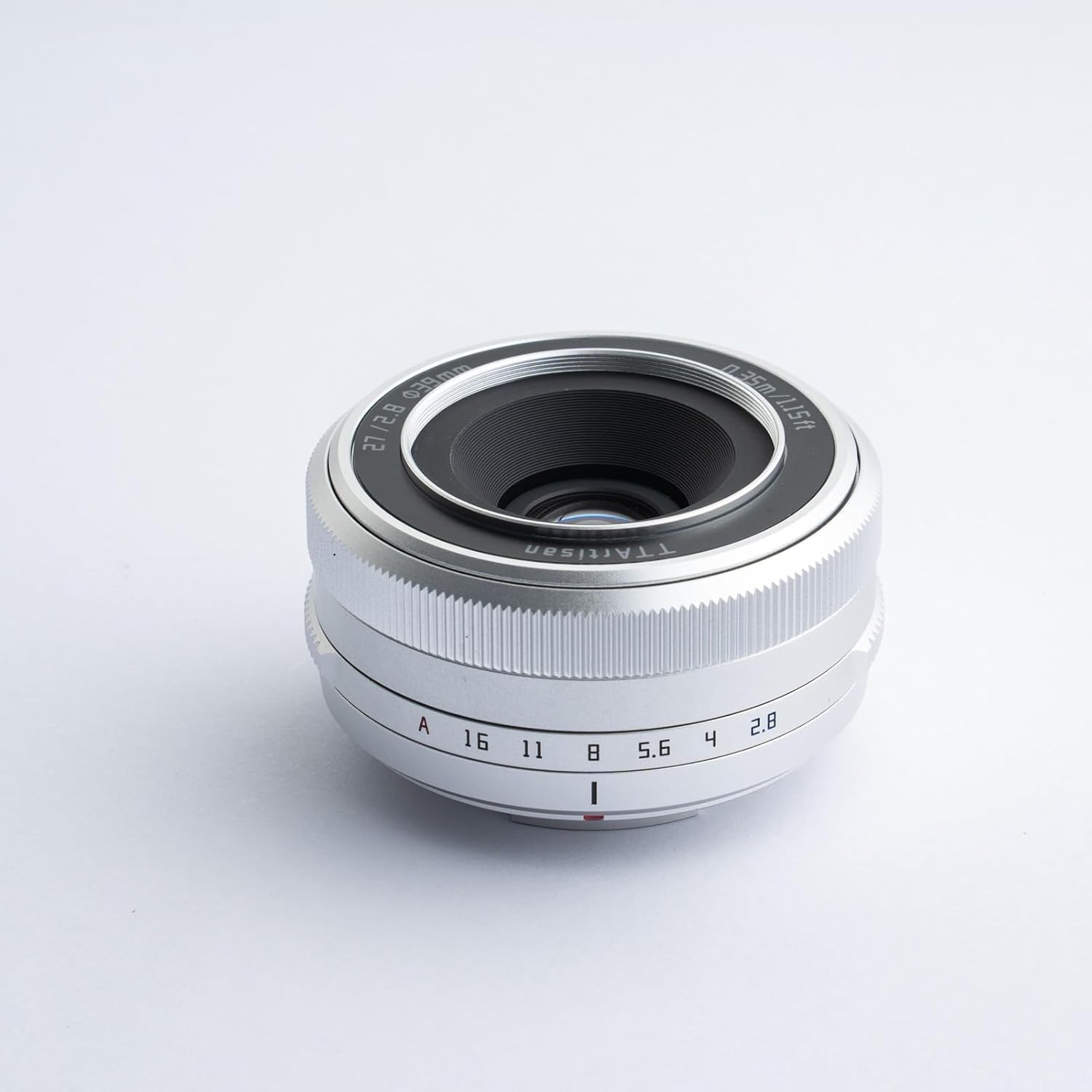
Figure 2.1: The TTArtisan 27mm F2.8 lens with its standard accessories, including front and rear caps, lens hood, filter, pouch, and cleaning cloth.
2.2 ඔබේ කැමරාවට කාචය සවි කිරීම
- ඔබේ කැමරාව ක්රියා විරහිත කර ඇති බවට සහතික වන්න.
- Remove the rear lens cap from the TTArtisan 27mm F2.8 lens and the body cap from your Fujifilm X-Mount camera.
- Align the red dot on the lens barrel with the red dot on your camera's lens mount.
- කැමරා සවිකිරීමට කාචය මෘදු ලෙස ඇතුළු කර එය නිසි තැන ක්ලික් කරන තෙක් දක්ෂිණාවර්තව කරකවන්න. කාචය බලෙන් යොදන්න එපා.
- Remove the front lens cap. Your lens is now ready for use.
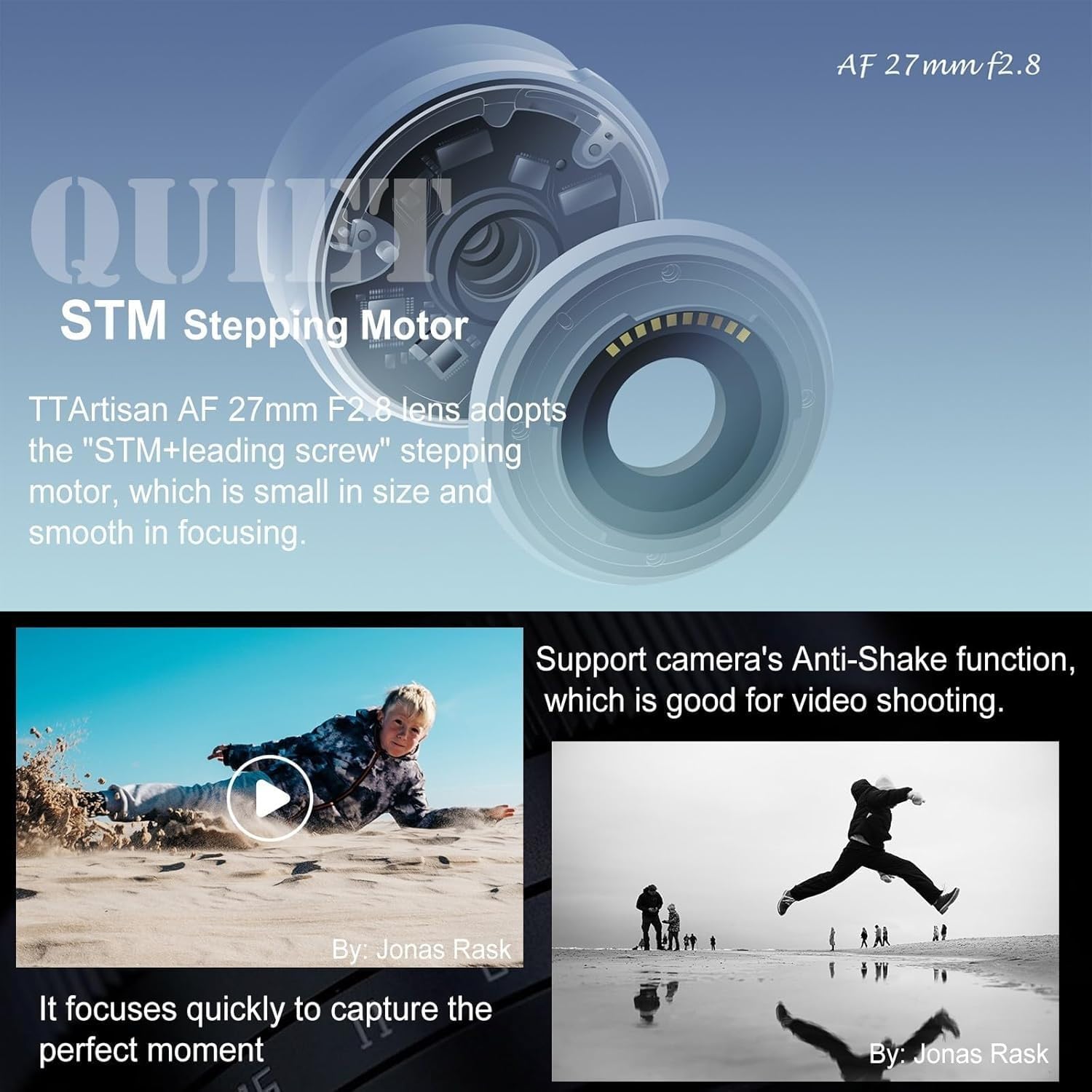
Figure 2.2: The TTArtisan 27mm F2.8 lens properly mounted on a Fujifilm X-M1 camera body.

Figure 2.3: Demonstrating the compact size of the lens when attached to a camera.
3. කාචය ක්රියාත්මක කිරීම
3.1 Autofocus System (STM Stepping Motor)
The TTArtisan AF 27mm F2.8 lens incorporates an STM (Stepping Motor) with a leading screw design. This motor provides fast, smooth, and quiet autofocus performance, which is beneficial for both still photography and video recording. The compact size of the motor contributes to the overall small form factor of the lens.

රූපය 3.1: අභ්යන්තර view illustrating the STM stepping motor mechanism.
3.2 Eye Detection Autofocus
This lens supports eye-detection autofocus when used with compatible Fujifilm cameras. This feature allows the camera to automatically detect and track the subject's eyes, ensuring sharp focus on portraits and moving subjects. This functionality enhances both photo and video capture.

Figure 3.2: A visual representation of the eye-detection autofocus feature in action.
3.3 Click Aperture Ring
The lens features an independent aperture ring with distinct click stops. This design allows for tactile and precise aperture adjustments directly on the lens, providing a more intuitive and faster shooting experience compared to adjusting aperture through the camera body's controls.

Figure 3.3: Detail of the lens's aperture ring with click stops.
3.4 Close-up Shooting
The lens offers a minimum focusing distance of 0.35 meters (1.15 feet), enabling close-up photography to capture fine details. The wide F2.8 aperture also contributes to pleasing background blur (bokeh) in close-up shots.

රූපය 3.4: රූපයක් පෙන්වයිasing the shallow depth of field and bokeh achievable with the F2.8 aperture.
4. නඩත්තුව සහ රැකවරණය
4.1 කාච පිරිසිදු කිරීම
- කාච මතුපිටින් දූවිලි ඉවත් කිරීම සඳහා මෘදු, ලින්ට් රහිත රෙද්දක් හෝ කාච බුරුසුවක් භාවිතා කරන්න.
- For smudges or fingerprints, apply a small amount of lens cleaning solution to a microfiber cloth and gently wipe the lens in a circular motion.
- Avoid touching the glass elements directly with your fingers.
4.2 ගබඩා කිරීම
- කාචය භාවිතයේ නොමැති විට සෑම විටම ඉදිරිපස සහ පසුපස කාච ආවරණ සවි කරන්න.
- කාචය සෘජු හිරු එළියෙන් සහ අධික උෂ්ණත්වයන්ගෙන් ඈත්ව සිසිල් වියළි ස්ථානයක ගබඩා කරන්න.
- දිගු කාලයක් ගබඩා කරන්නේ නම්, පුස් සහ කෝණාකාර වැළැක්වීම සඳහා වියළන ද්රව්යයක් භාවිතා කිරීම සලකා බලන්න.
4.3 ස්ථිරාංග උත්ශ්රේණි කිරීම
The lens features a USB-C interface on its rear lens cap for firmware upgrades. This allows for improved performance and compatibility updates. Refer to the official TTArtisan website for the latest firmware and detailed upgrade instructions.

Figure 4.1: The USB-C port located on the rear lens cap for firmware updates.
5. දෝශ නිරාකරණය
| ගැටලුව | විය හැකි හේතුව | විසඳුම |
|---|---|---|
| කැමරාවෙන් කාචය හඳුනා නොගන්නා ලදී | Lens not properly mounted; dirty electrical contacts. | Re-mount the lens, ensuring it clicks into place. Clean the lens and camera electrical contacts with a clean, dry cloth. |
| ස්වයංක්රීය අවධානය මන්දගාමීද නැතිනම් දඩයම් කරයිද? | Low light conditions; low contrast subject; outdated firmware. | Ensure adequate lighting. Focus on a high-contrast area. Update lens firmware via the USB-C port. |
| Vignetting (dark corners) in images | Common at wide apertures (e.g., F2.8); lens hood misalignment. | This is often a characteristic of wide-aperture lenses and can be corrected in post-processing. Ensure lens hood is correctly attached. |
| Aperture ring not responding | Camera settings overriding lens control. | Check your camera's settings to ensure it is set to allow aperture control via the lens. |
6. පිරිවිතර
- නාභීය දිග: 27 මි.මී
- උපරිම විවරය: F2.8
- අවම විවරය: F16
- පෙරහන් ප්රමාණය: 39 මි.මී
- රාමු වර්ගය: APS-C
- ආසන්නතම නාභිගත දුර: මීටර් 0.35 (අඩි 1.15)
- ප්රාචීර තල: 7
- දෘශ්ය නිර්මාණය: කණ්ඩායම් 6 ක මූලද්රව්ය 5 ක්
- අවධානය යොමු කිරීමේ ක්රමය: AF (Autofocus)
- කෝණය View: 56°
- මානයන්: 61 x 29 මි.මී
- බර: 93g (approximately 3.3 ounces)
- ඇතුළත් උපාංග: Lens, front lens cap, rear lens cap, lens hood, lens filter, user manual, pouch case, clean cloth.
7. වගකීම් තොරතුරු
TTArtisan products are covered by a manufacturer's warranty against defects in materials and workmanship. The specific terms and duration of the warranty may vary by region. Please retain your proof of purchase for warranty claims. For detailed warranty information, please visit the official TTArtisan webඅඩවියට හෝ ඔබේ ප්රාදේශීය බෙදාහරින්නා අමතන්න.
8. පාරිභෝගික සහාය
If you encounter any issues or have questions regarding your TTArtisan 27mm F2.8 lens, please refer to the troubleshooting section of this manual. For further assistance, you can contact TTArtisan customer support through their official webඔබ භාණ්ඩය මිලදී ගත් ස්ථානය හෝ සිල්ලර වෙළෙන්දා.
නිල Webඅඩවිය: www.ttartisan.com


