හැඳින්වීම
This manual provides instructions for the Sudio K2 Pro Wireless Headphones. Please read this manual carefully before using the product to ensure proper operation and to maximize your listening experience.
The Sudio K2 Pro headphones feature Active Noise Cancelling (ANC) technology, Bluetooth 5.4 connectivity, and a lightweight over-ear design for comfort. They offer up to 65 hours of playtime and support USB-C charging and 3.5mm audio input.
පෙට්ටියේ ඇති දේ
- Sudio K2 Pro Wireless Headphones
- USB-C ආරෝපණ කේබලය
- 3.5mm ශ්රව්ය කේබල්
- ආරක්ෂිත නඩුව
- පරිශීලක අත්පොත (මෙම ලේඛනය)
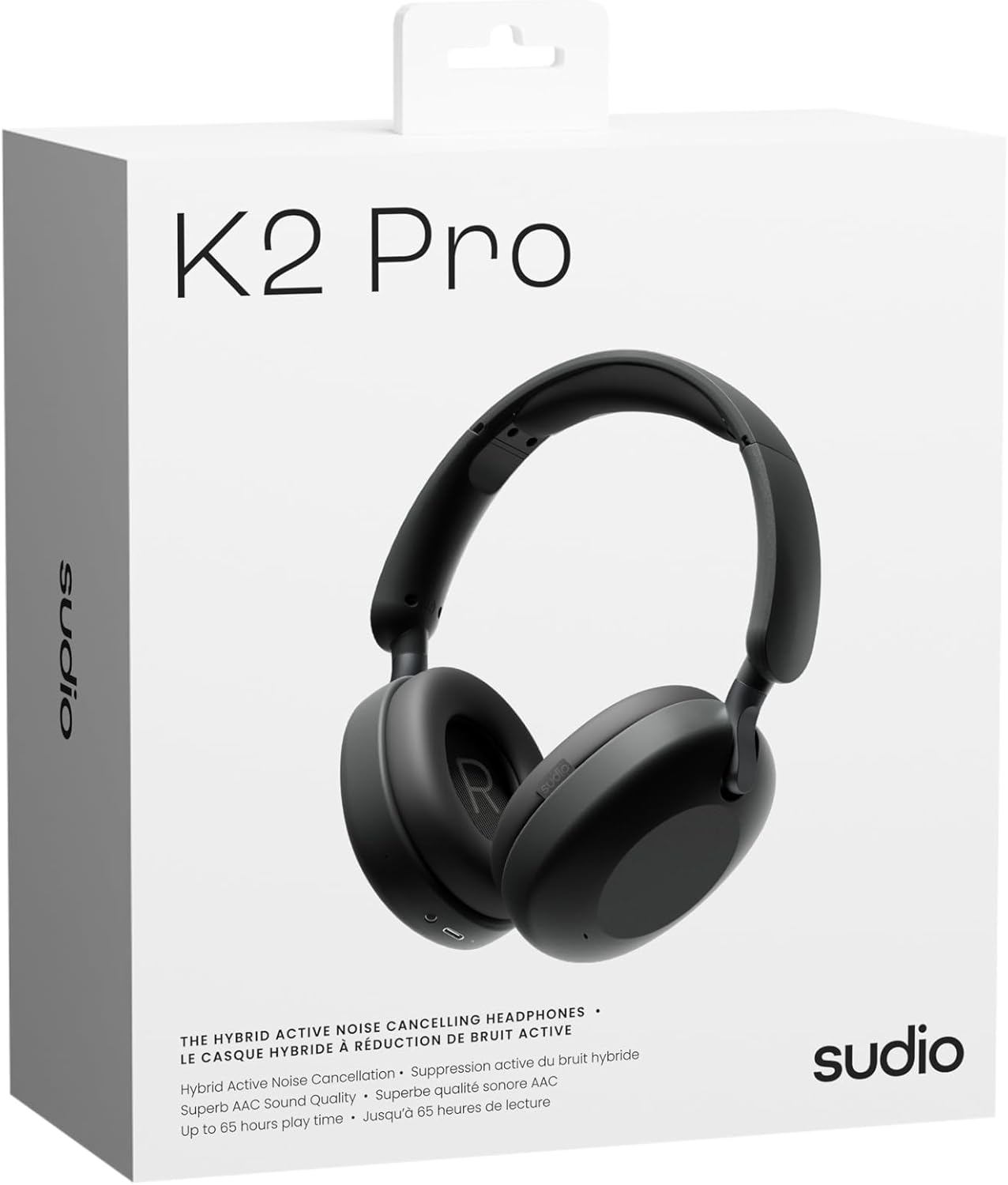
Image: Sudio K2 Pro packaging and included items.
සැලසුම
1. මූලික අයකිරීම
Before first use, fully charge your Sudio K2 Pro headphones. Connect the provided USB-C charging cable to the headphone's charging port and to a compatible USB power source. The LED indicator will show charging status.

Image: USB-C charging port on the Sudio K2 Pro headphones.
2. බල ගැන්වීම / අක්රිය කිරීම
- බල ගැන්වීම: LED දර්ශකය දැල්වෙන තුරු බල බොත්තම තත්පර 3ක් පමණ ඔබාගෙන සිටින්න.
- විදුලිය විසන්ධි කිරීම: LED දර්ශකය ක්රියා විරහිත වන තෙක් බල බොත්තම තත්පර 3ක් පමණ ඔබාගෙන සිටින්න.
3. බ්ලූටූත් යුගලනය
- හෙඩ්ෆෝන් ක්රියා විරහිත කර ඇති බවට සහතික වන්න.
- යුගල කිරීමේ මාදිලිය දක්වමින් LED දර්ශකය නිල් සහ රතු පැහැයෙන් දැල්වෙන තෙක් බල බොත්තම තත්පර 5-7ක් ඔබාගෙන සිටින්න.
- ඔබගේ උපාංගයේ (ස්මාර්ට්ෆෝන්, ටැබ්ලටය, පරිගණකය), බ්ලූටූත් සක්රීය කර පවතින උපාංග සොයන්න.
- Select "Sudio K2 Pro" from the list of devices.
- යුගලනය කළ පසු, LED දර්ශකය තද නිල් හෝ ෆ්ලෑෂ් නිල් පැහැයට හැරේ.
4. රැහැන්ගත සම්බන්ධතාවය
For a wired connection, plug one end of the 3.5mm audio cable into the headphone's audio input jack and the other end into your audio source. The headphones will automatically switch to wired mode.
මෙහෙයුම් උපදෙස්
පාලනය කරයිview

රූපය: විස්තරාත්මක view හෙඩ්ෆෝන් පාලන වලින්.
- බල බොත්තම: බලය සක්රිය/අක්රිය කරන්න, වාදනය/විරාම කරන්න, ඇමතුම්වලට පිළිතුරු දෙන්න/අවසන් කරන්න.
- ශබ්දය වැඩි කිරීම/ඊළඟ ඛණ්ඩය: ශබ්දය වැඩි කිරීමට කෙටි ඔබන්න, ඊළඟ ධාවන පථය සඳහා දිගු ඔබන්න.
- වෙළුම පහළට/පෙර ඛණ්ඩය: ශබ්දය අඩු කිරීමට කෙටි ඔබන්න, පෙර ධාවන පථය සඳහා දිගු ඔබන්න.
- ANC බොත්තම: Toggle Active Noise Cancelling (ANC) on/off.
ක්රියාකාරී ශබ්ද අවලංගු කිරීම (ANC)
Press the ANC button to activate or deactivate the Active Noise Cancelling feature. When ANC is active, the headphones will reduce ambient background noise, providing a more immersive audio experience.
ඇමතුම් ලබා ගැනීම සහ ලබා ගැනීම
- පිළිතුර/අවසන් ඇමතුම: වරක් බල බොත්තම ඔබන්න.
- ඇමතුම ප්රතික්ෂේප කරන්න: තත්පර 2 ක් සඳහා බල බොත්තම ඔබාගෙන සිටින්න.
නඩත්තු කිරීම
- පිරිසිදු කිරීම: හෙඩ්ෆෝන් පිරිසිදු කිරීම සඳහා මෘදු වියළි රෙද්දක් භාවිතා කරන්න. උල්ෙල්ඛ පිරිසිදු කරන්නන් හෝ ද්රාවක භාවිතා නොකරන්න.
- ගබඩා: When not in use, store the headphones in the provided protective case to prevent damage.
- බැටරි සත්කාර: බැටරි ආයු කාලය දීර්ඝ කිරීම සඳහා, හෙඩ්ෆෝන් නිතර නිතර සම්පූර්ණයෙන්ම විසර්ජනය කිරීමෙන් වළකින්න. ඒවා නිතිපතා ආරෝපණය කරන්න.
- උෂ්ණත්වය: හෙඩ්ෆෝන් අධික උෂ්ණත්වයන්ට (උණුසුම් හෝ සීතල) හෝ අධික ආර්ද්රතාවයට නිරාවරණය කිරීමෙන් වළකින්න.

Image: Sudio K2 Pro headphones stored in their protective case.
දෝෂගවේෂණය
- බලය නැත: හෙඩ්ෆෝන් සම්පූර්ණයෙන්ම ආරෝපණය වී ඇති බවට වග බලා ගන්න. බල ප්රභවයකට සම්බන්ධ කර ආරෝපණ දර්ශකය පරීක්ෂා කරන්න.
- බ්ලූටූත් හරහා යුගල කළ නොහැක:
- Ensure the headphones are in pairing mode (LED flashing blue/red).
- ඔබගේ උපාංගයේ බ්ලූටූත් අක්රිය කර ක්රියාත්මක කරන්න.
- හෙඩ්ෆෝන් ඔබේ උපාංගයට සමීප කරන්න.
- ඔබගේ උපාංගයේ පෙර බ්ලූටූත් සම්බන්ධතා ඉවත් කර නැවත යුගල කිරීමට උත්සාහ කරන්න.
- ශබ්දයක් නැත:
- හෙඩ්ෆෝන් සහ ඔබේ සම්බන්ධිත උපාංගය යන දෙකෙහිම ශබ්ද මට්ටම පරීක්ෂා කරන්න.
- Ensure the headphones are properly paired or the 3.5mm cable is securely connected.
- If using a wired connection, ensure the Bluetooth is off on the headphones.
- ANC ක්රියා නොකරයි: එය සක්රිය කර ඇති බව සහතික කර ගැනීමට ANC බොත්තම ඔබන්න.
පිරිවිතර
| විශේෂාංගය | විස්තර |
|---|---|
| මාදිලියේ නම | Sudio K2 Pro |
| ආදර්ශ අංකය | SD-2601 |
| ශබ්ද පාලනය | සක්රීය ශබ්ද අවලංගු කිරීම (ANC) |
| සම්බන්ධතා තාක්ෂණය | Bluetooth 5.4, Wired (3.5mm) |
| සෙල්ලම් කාලය | පැය 65 දක්වා |
| ආරෝපණ කාලය | 90 විනාඩි |
| ආරෝපණ වරාය | USB-C |
| අයිතමයේ බර | ග්රෑම් 245 (අවුන්ස 8.6) |
| සම්බාධනය | 32 ඕම් |
| විශේෂ ලක්ෂණ | Microphone Included, Noise Cancellation, Touch Control, Volume Control |
වගකීම් සහ සහාය
For warranty information and customer support, please refer to the official Sudio webවෙබ් අඩවියට හෝ ඔවුන්ගේ පාරිභෝගික සේවයට සෘජුවම සම්බන්ධ වන්න. වගකීම් හිමිකම් සඳහා ඔබේ මිලදී ගැනීමේ සාක්ෂි තබා ගන්න.
නිෂ්පාදකයා: සුඩියෝ
Webඅඩවිය: www.sudio.com
නිෂ්පාදන වීඩියෝ
When you have Sudio K2 Pro in your everyday life
Video: This video showcases the Sudio K2 Pro headphones in various daily scenarios, highlighting their comfort and style.
Unboxing Sudio K2 Pro
Video: This video demonstrates the unboxing experience of the Sudio K2 Pro headphones, showing the contents of the package.
Introducing Sudio K2 Pro
Video: A brief introduction to the Sudio K2 Pro headphones, highlighting key features and design.


